Image Picker – Image Choices for Elementor Forms
v1.0.3add-ons.org · 2025年10月20日 上架
Add beautiful image picker / image choices fields (radio, checkbox, select) to Elementor Forms.
- 正在使用
- 100+
- 评分
- 暂无
- 累计下载
- 1,921
- 最近更新
- 2026年11月4日
需要 WordPress 2.0+已测试到 7.1.5
贡献者
 add-ons.org
截图
Demo: https://demo.add-ons.org/demo-image-picker-image-choices/
Document: https://add-ons.org/document-image-choices-image-picker-for-elementor-form/
Pro Version: https://add-ons.org/plugin/image-picker-for-elementor-forms/
Image Picker for Elementor Forms transforms boring, standard form inputs into highly engaging, visual experiences. It allows you to replace traditional Radio Buttons, Checkboxes, and Select Dropdowns with clickable images.
Visual choices (Image Choices) drastically improve user experience, reduce cognitive load, and increase form conversion rates because users can “see” what they are selecting.
Perfect For
- E-Commerce & Products: Let customers visually select product variations like colors, materials, styles, or sizes.
- Service Selection: Show preview images of the services you offer (e.g., haircut styles, car wash tiers, photography packages).
- Quizzes & Polls: Build highly interactive voting systems or visual questionnaires.
- Any application where a picture speaks louder than a line of text!
Features
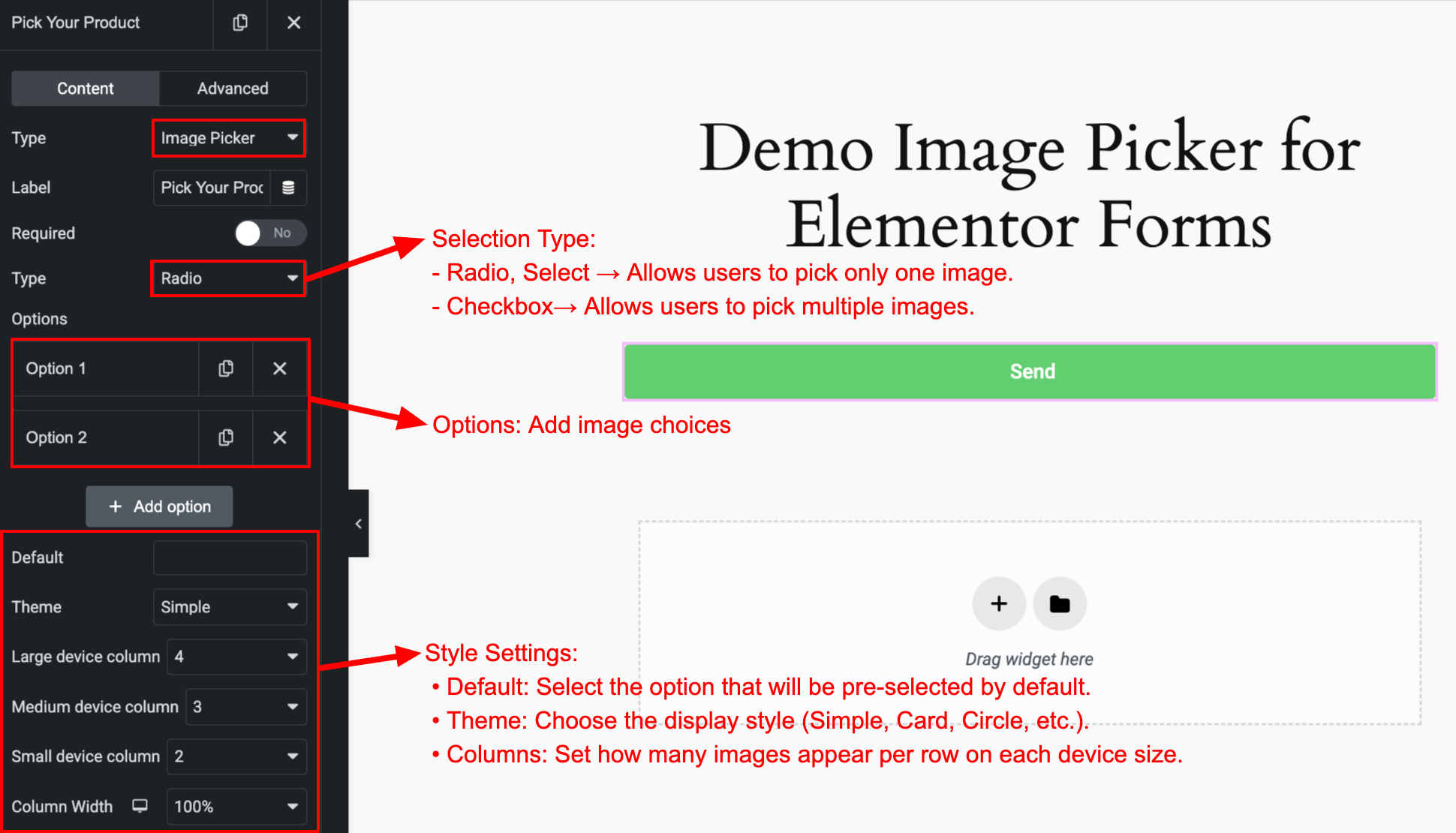
- Works Natively: Seamlessly attaches to Elementor’s native Select, Radio, and Checkbox fields. No weird third-party widgets to learn.
- Beautiful Built-in Layouts: Choose from multiple free layout styles: Simple, Card, Circle, Polar, Box, Cover.
- Smart Interactions: Visually indicates selected items with highlight borders, checkmark icons, and smooth CSS transitions.
- Fully Responsive: Displays perfectly on Desktop, Tablet, and Mobile.
- 100% Customizable: Easily tweak sizes, spacing, and border colors directly within Elementor.
Pro Features
- 10+ Premium Layouts (Pro): Unlock over 10 additional, highly-polished layout styles to match any creative brand identity instantly!
- Advanced Styling Controls (Pro): Deep visual customization directly in the Elementor Style tab.
Usage
- Edit a form with Elementor Pro.
- Add a Select, Radio, or Checkbox field.
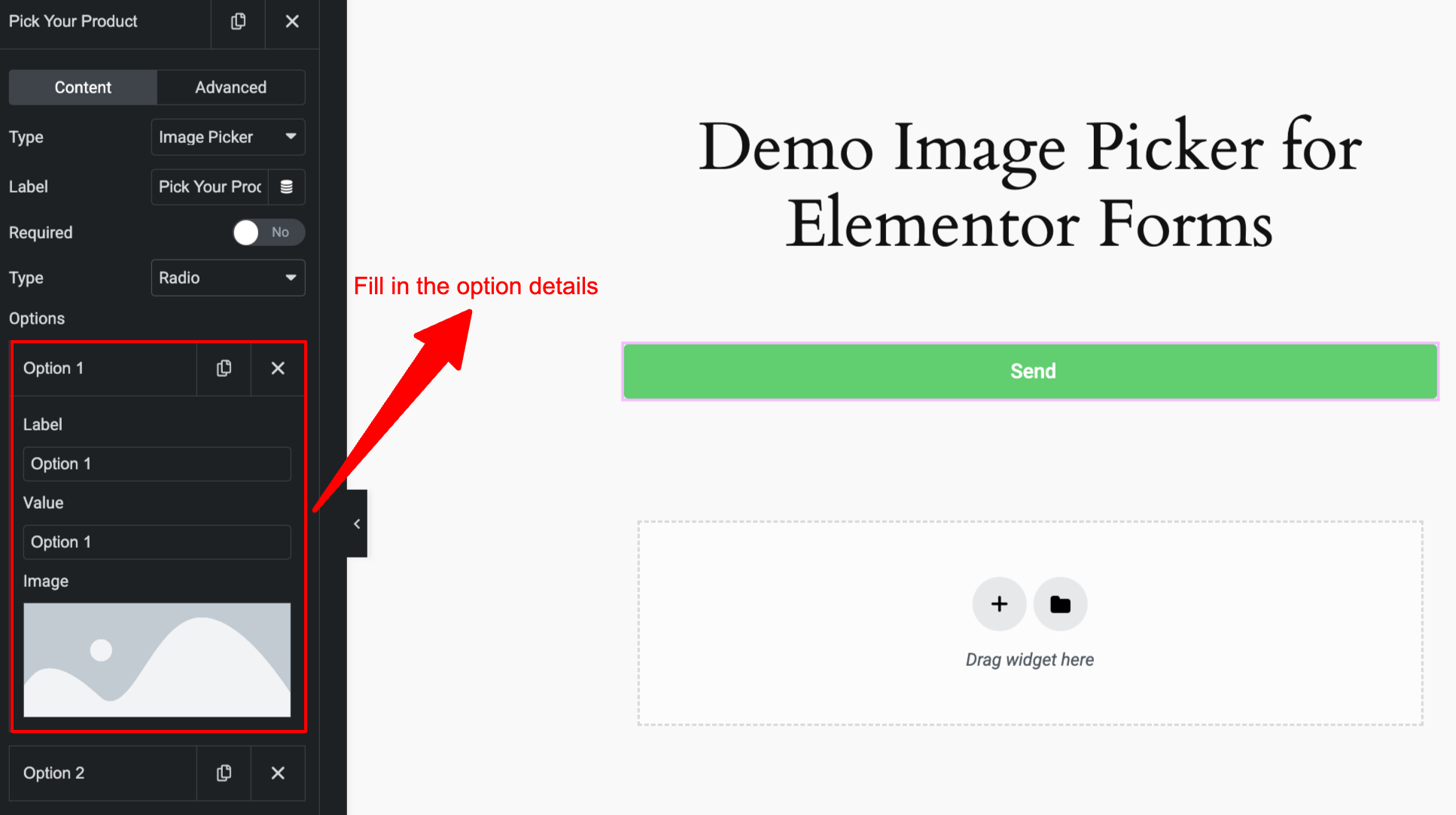
- In the field settings, toggle Enable Image Picker.
- Enter your image URLs alongside your choice values.