

Image Hotspot Block
v1.0.6Thomas · 2022年11月25日 上架
Create dynamic images with clickable hotspots to showcase products. Optimized for WooCommerce.
- 正在使用
- 200+
- 评分
- 4.5 / 5
- 累计下载
- 5,482
- 最近更新
- 2026年3月18日
2 条评价需要 WordPress 5.0+已测试到 6.8.13PHP 7.0+
贡献者
 Thomas
截图
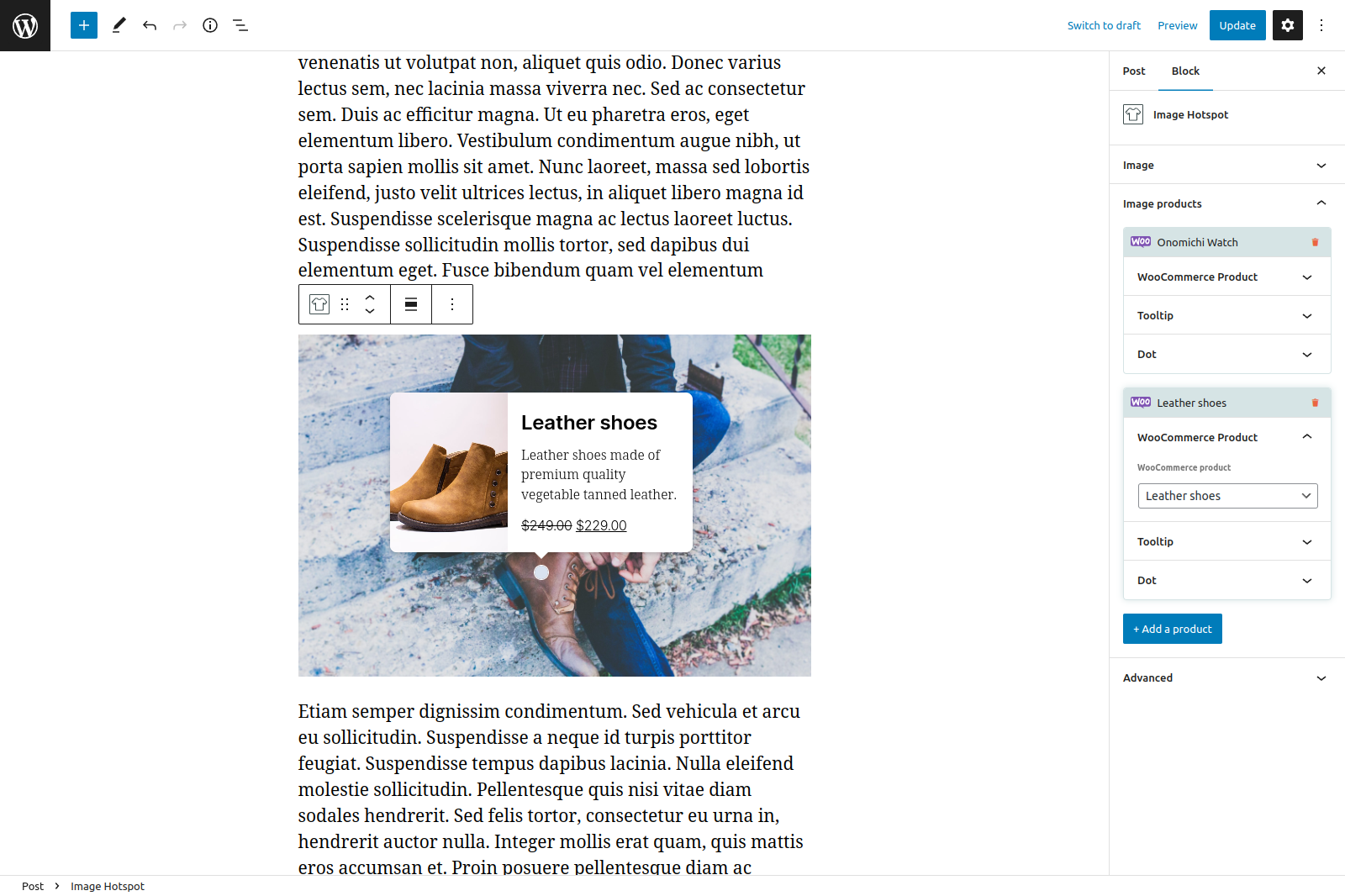


Easily create Image Hotspots (tooltips with WooCommerce or custom product info) with the Image Hotspot Block, all directly from within your post, page or site editor!
This plugin has just been released so please let me know if you have any feature requests or suggestion!
Key features
- Easy to use : Simply add the block to your page, add your image and products and you are good to go!
- Easy to customize : From the color of the dot, to the tooltip content and layout, we try to give you as much control as possible to let you create the perfect style for you.
- Performance : We only load our script and style when the page is actually using our block.
How to use
- Open a page or blog post using the block editor ( Gutenberg editor ).
- Add the “Image Hotspot” block.
- Choose an image.
- With the block selected, in the right sidebar ( block options ), click on “Add product”.
- From there, either add a WooCommerce product to autofill product info, or create a custom product.
- You can move the hotspot by holding ctrl or command key and draging the hotspot.
- You can then customize the tooltip layout, content etc..