
ifthenpay | Payments for Forminator
v1.0.0ifthenpay · 2026年11月2日 上架
Adds ifthenpay payment methods to Forminator: cards, wallets, and local payment options; supports secure one-time payments via pay-by-link.
- 正在使用
- 10 以下
- 评分
- 暂无
- 累计下载
- 316
- 最近更新
- 2026年11月2日
贡献者
 ifthenpay
截图
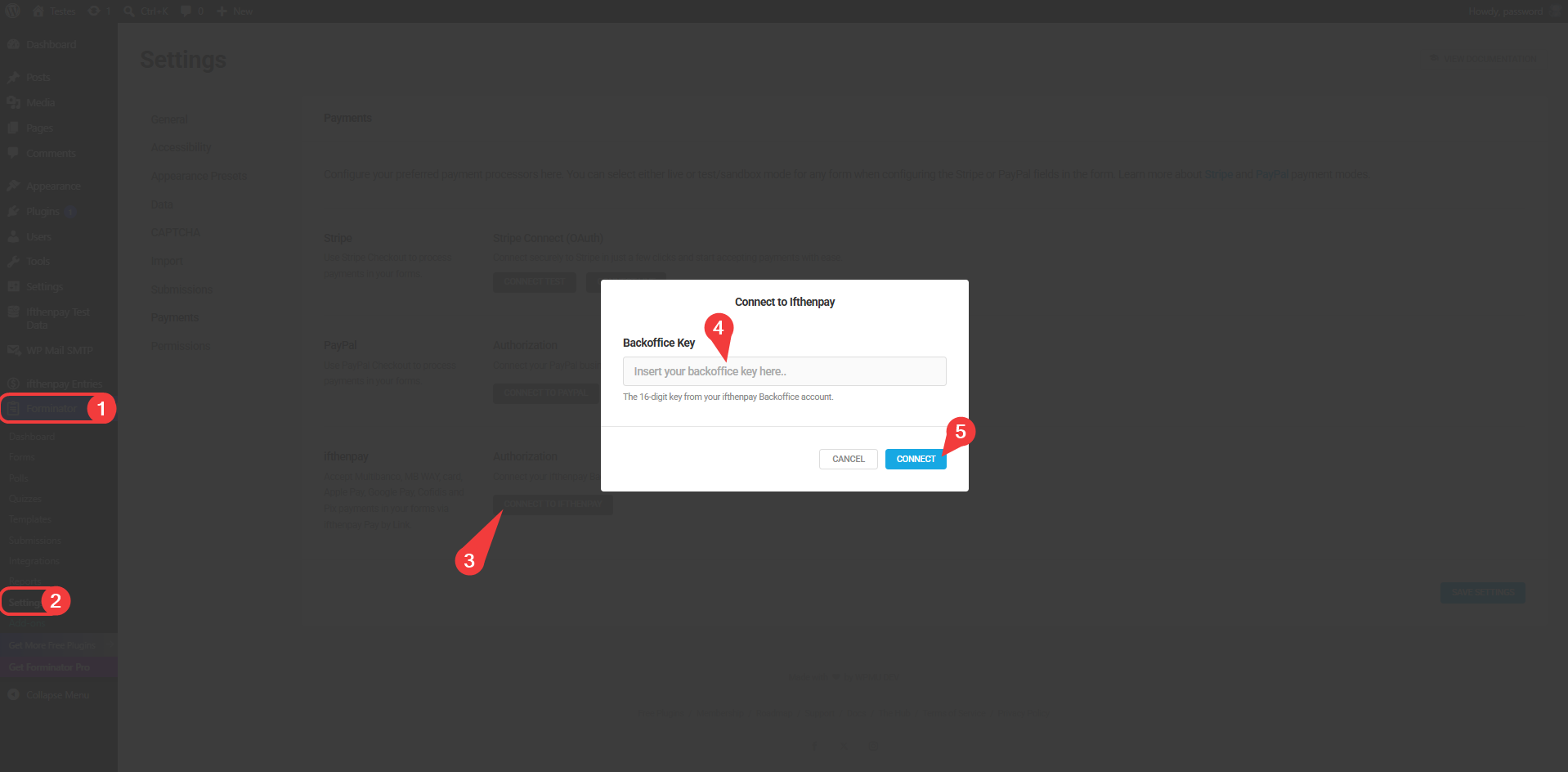


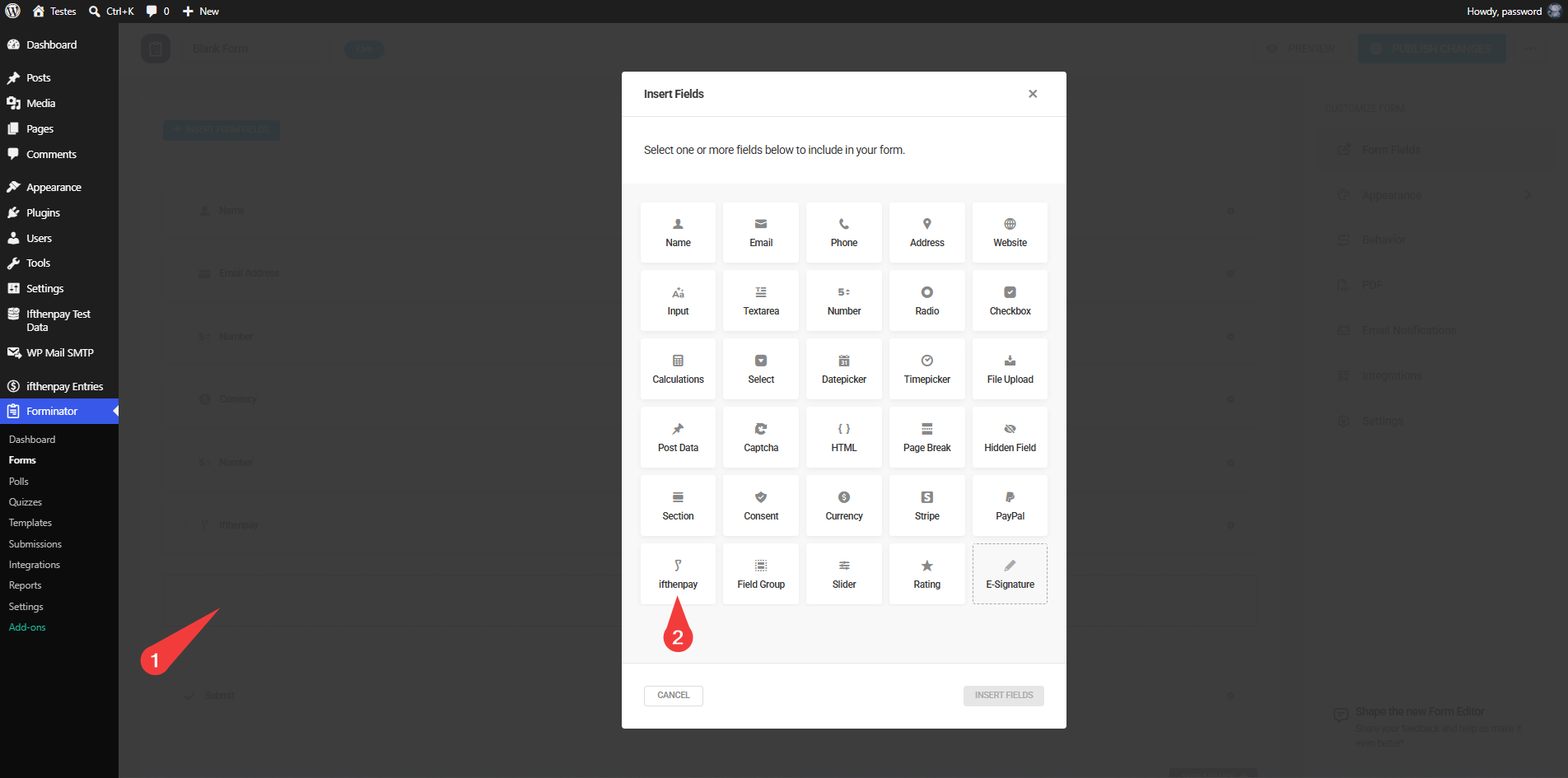


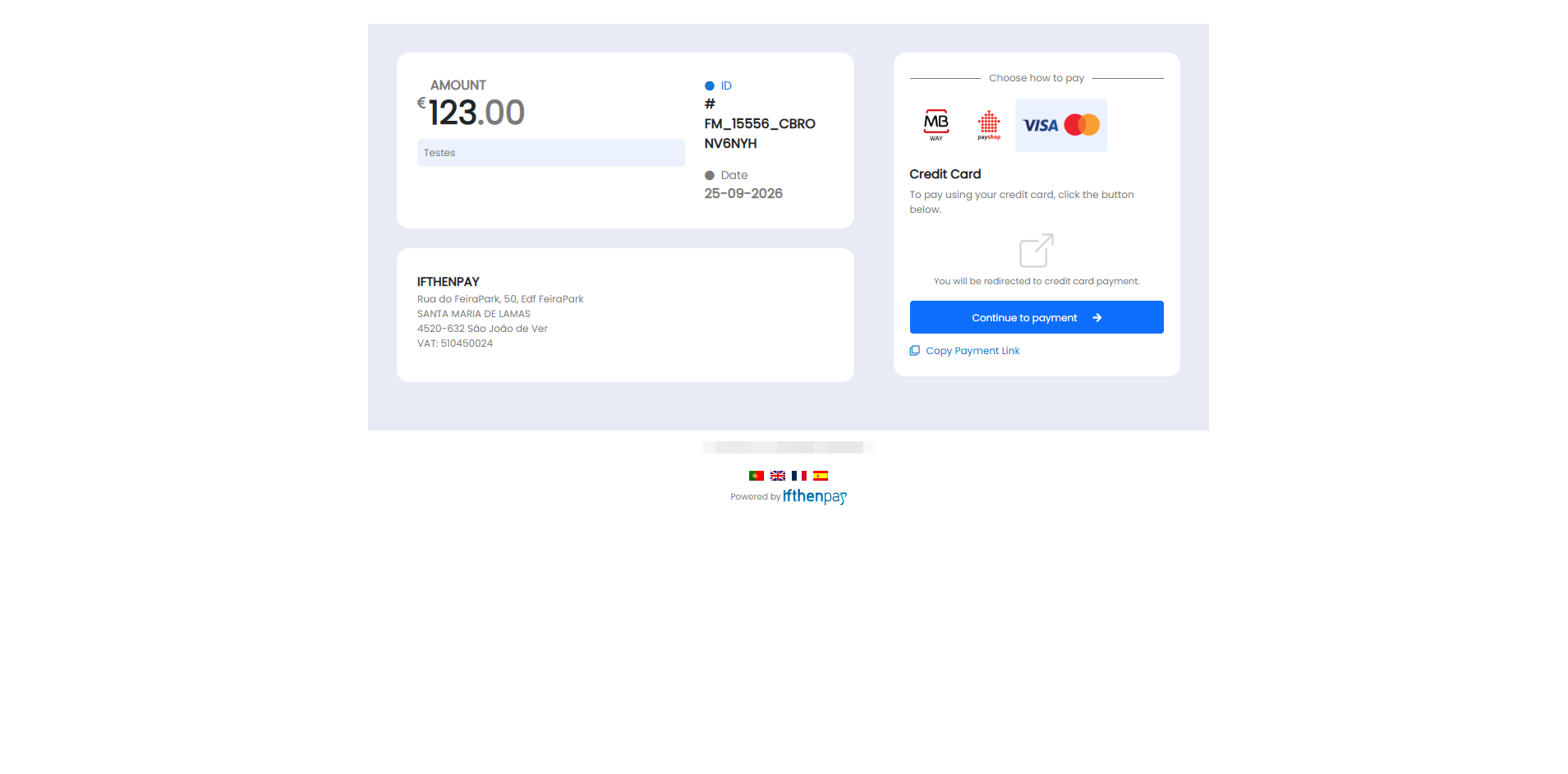

This plugin integrates the ifthenpay payment gateway with Forminator to enable seamless payment collection directly from your forms. Payments are processed through a secure pay-by-link system, ensuring that no sensitive card or banking data is stored on your website. Customers can complete payments using their preferred method via a secure payment page. After submitting a form, users are redirected to ifthenpay’s secure hosted payment page to complete the transaction; ifthenpay then sends a server-side callback to update the payment status automatically.
In plain terms you get:
- One-time payments directly from your Forminator forms, via the ifthenpay field
- Payment amount automatically follows your form’s own total (e.g. Forminator Calculations)
- Merchant backoffice (basic sales) on web + mobile
- Secure automatic payment confirmations (no card numbers stored)
All settings are made in Forminator and in your ifthenpay Backoffice. The plugin is built so site owners can manage payments without needing deep technical knowledge.
Key Features
- Full integration with Forminator through its own ifthenpay form field
- Secure transactions
- Automatic payment confirmation
- Support for multiple payment methods (Multibanco, MB WAY, Payshop, Pix, Credit Card and more — whatever’s enabled on your Gateway Key)
- Payment methods catalog synced live from your ifthenpay account, with in-admin “Request Activation” for methods not yet enabled
- Secure full-page redirect to ifthenpay’s hosted payment page
- Real-time payment status in Forminator entries
- Multi-language support (EN, ES, FR, PT)
- Security first (no card data stored)
Requirements
- An active ifthenpay merchant account — subscribe here to obtain your credentials.
- A Forminator Gateway Key (request this from ifthenpay support/helpdesk).
- The payment methods you want enabled on that Gateway Key (our helpdesk team will guide you).
- WordPress 6.4+ and PHP 7.4+, and Forminator installed and activated.
- HTTPS (SSL) enabled on your site.
External Services
This plugin integrates with the ifthenpay payment platform to process payments for Forminator submissions. ifthenpay is a third-party service that provides secure payment processing for local payment methods such as Multibanco, MB WAY, Payshop, and Pix, plus Credit Card and more, depending on what’s enabled on your account.
Forminator
- What it is and what it is used for: A form builder plugin used to create payment forms. This plugin extends its payment capabilities.
ifthenpay Backoffice & Integrations
- What it is and what it is used for: The ifthenpay Backoffice is the merchant dashboard used to manage integrations and payment configurations. The plugin uses the ifthenpay API to generate payment links and validate transactions.
- What data is sent and when:
- During setup: Backoffice Key and Gateway Key for authentication and configuration retrieval.
- During payment processing: Order reference ID, amount, description, enabled payment method accounts, success/error/cancel return URLs, language, and optionally the selected payment method position. No customer name, email, or form field data is included in this request.
- During webhook registration: the Gateway Key and this site’s callback URL, so ifthenpay can notify the site directly when a payment resolves.
- During payment method activation requests: when an admin requests activation of a new payment method from Forminator Settings Payments, an email is sent to ifthenpay support (suporte@ifthenpay.com) containing the Backoffice Key, Gateway Key, the requested payment method, the admin’s email address, site URL, site name, WordPress version, Forminator version, and plugin version.
- During callbacks: Payment status and payment method.
- End-User License Agreement (EULA): https://ifthenpay.com/eula/
- Privacy Policy: https://ifthenpay.com/politica-de-privacidade/
All network requests are performed server-side over HTTPS. Sensitive credentials are stored securely and are not publicly exposed. No raw card or bank details are stored.
Support
For assistance use the WordPress.org support forum: https://wordpress.org/support/plugin/ifthenpay-payments-for-forminator/
Pre-checks:
- Payment method enabled on Gateway Key AND mapped to Integration
- Running current recommended versions of WordPress, PHP, & Forminator
Commercial helpdesk available (no direct email required): https://helpdesk.ifthenpay.com/
- ifthenpay support: suporte@ifthenpay.com
- Forminator docs: https://wpmudev.com/docs/wpmu-dev-plugins/forminator/
Security
Found a security issue? Please report it privately to suporte@ifthenpay.com with “Security” in the subject, rather than in the public support forum. Include the plugin version, the steps to reproduce, and what an attacker could do. We’ll confirm we got your report and keep you posted until a fix ships. See SECURITY.md in the plugin folder for the full policy.