

I am Human
v1.2rclick · 2014年6月11日 上架
A customisable human detection plugin, that isn't annoying. Seriously.
- 正在使用
- 10+
- 评分
- 5.0 / 5
- 累计下载
- 3,448
- 最近更新
- 2023年10月11日
贡献者
 rclick
截图
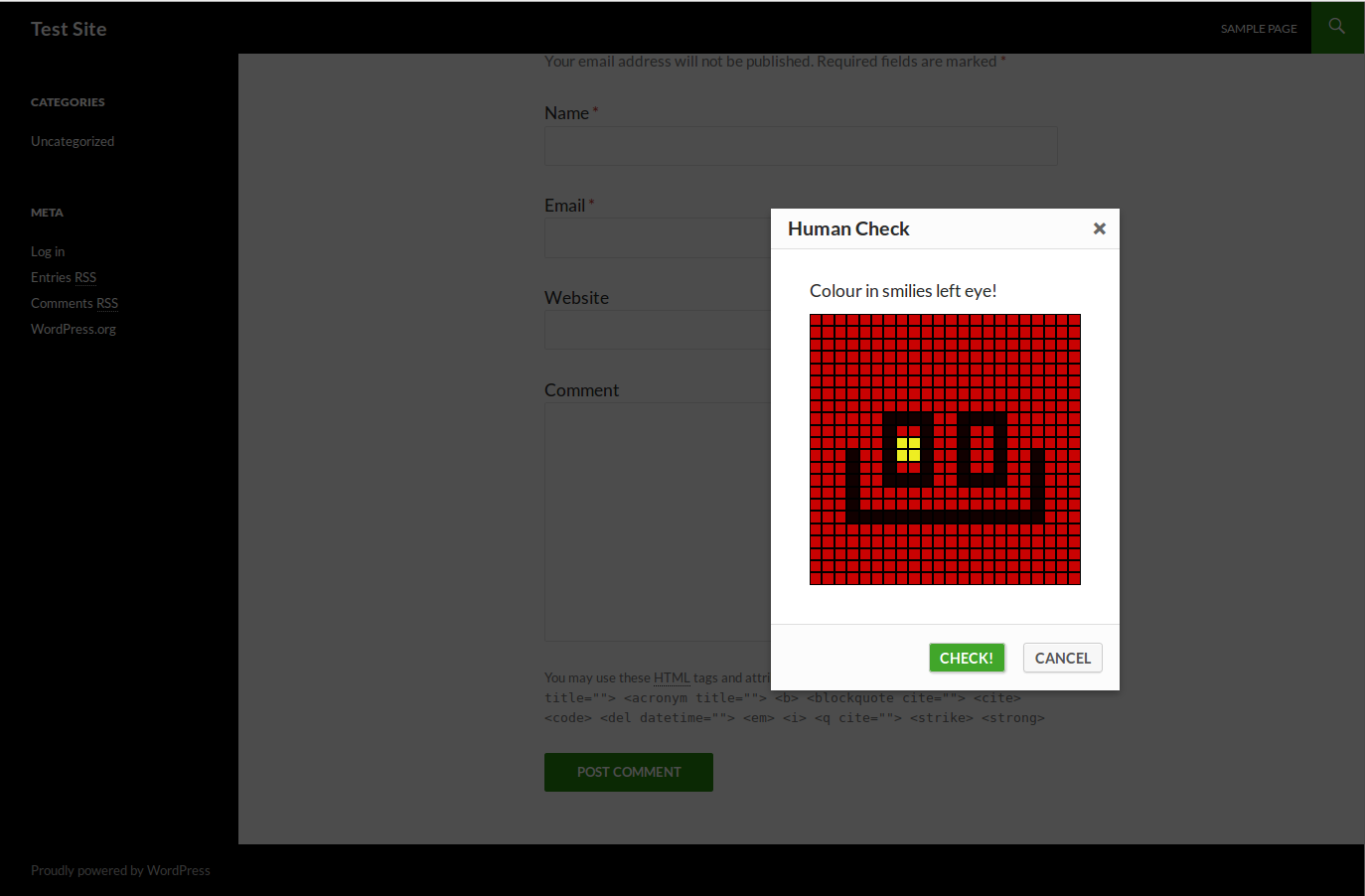


Firstly
Sorry for not responding to forum questions; I wasn’t setup to recieve emails when posts were created so completely missed them 🙁 Thats fixed now, so hopefully I can get onto issues quicker from now on.
Secondly
To those who have donated money, WOW, you are good human beings. Thank you.
What is I am Human?
Sick of annoying CAPTCHA plugins, that give your users a blurry image that even you can’t read? Why not try I Am Human? Its a fully customisable grid based human verification technique, that you can make as easy, or as hard as you want. Not only that, you can theme it so it looks like your site, and make it fun to use! This isn’t so much of a plugin, as it is a revolution!
How does it work?
When a user tries to submit a post comment, they will be presented a ‘question’ grid, like whats shown in the first picture within the screen-shots section. This is accompanied with a customisable description, which will explain what the user should do. The user then clicks on cells within the grid. When they do so, they change colour! Following the example within the screen-shots section, the user should click on the four cells within smilies left eye, turning them yellow. Because the ‘answer’ grid matches this, the test will pass and the comment will be posted!
How do I specify the grids? Is it hard?
No! Within the WordPress admin section, you can define your question and answer grids simply by drawing them yourself! The colours and text are fully customisable too.
See the screen-shots section for more details.
All this for free?!
Seems crazy I know, but yes, its totally free.