
Hydrogen SEO – AI SEO Plugin for Schema, Sitemaps, llms.txt & AEO
v0.0.33Sheesh Labs AI · 2026年8月15日 上架
AI SEO plugin for WordPress: meta titles, descriptions, schema, XML sitemaps, image alt text and llms.txt for Google and AI search (AEO).
- 正在使用
- 10 以下
- 评分
- 暂无
- 累计下载
- 1,315
- 最近更新
- 2026年11月25日
贡献者
 Sheesh Labs AI
截图


Beta software. Hydrogen SEO is new. Every feature below works and is covered by automated tests, but it has not had the years of field testing the established SEO plugins have. Try it on a staging site first if that matters to you.
Hydrogen SEO is a lightweight, AI-powered SEO plugin for WordPress. It writes your meta titles and meta descriptions, generates schema markup, fills in image alt text, and audits your site for the on-page issues that hold rankings back — all from a fast, modern dashboard and directly inside the block editor.
It is built for how search works now. Alongside the metadata and structured data Google reads, it gives you an llms.txt editor and clean, machine-readable output, so the systems that answer questions from web content have something unambiguous to work from.
Hydrogen AI: an SEO agent inside your dashboard
Ask for what you want in plain language — “write meta descriptions for every post missing one”, “add FAQ schema to this page”, “find and fix broken internal links” — and Hydrogen AI does the work through the plugin’s own tools. It asks before anything it cannot undo, shows you every change it makes, and you can stop it at any point.
Hydrogen AI lives in two places: the plugin dashboard for site-wide work, and a tab in the editor’s SEO Settings sheet scoped to the post you are editing.
AI writing tools
- AI meta titles and meta descriptions — click the AI button beside the field, get several suggestions with character counts, pick one and it fills the field
- AI social titles and descriptions for Facebook / Open Graph and X (Twitter)
- AI image alt text for a single image or in bulk across your media library
- AI content generation and rewriting for SEO
- AI featured image generation
- AI-assisted schema (structured data) for your business details
On-page SEO essentials
- SEO titles and meta descriptions with template variables for posts, pages, custom post types, taxonomies and archives
- Schema markup (JSON-LD): Article, Product, FAQ, HowTo, Recipe, Course, Event, Local Business, Breadcrumbs and more
- Breadcrumbs with a shortcode (
[hydrogen_seo_breadcrumbs]) or PHP function (hydrogen_seo_breadcrumbs()), using the same trail as the BreadcrumbList schema - XML sitemaps
- Robots meta controls per post, plus a built-in robots.txt editor
- Open Graph and X (Twitter) card previews, so you see the share card before you publish
- Google search result (SERP) preview as you type
- Redirection manager with 301 and 302 support
- SEO on the Posts and Pages screens: an SEO column, filters and sorting by score, and the SEO title, description, keyword and indexing in Quick Edit
- Attachment page redirects: send an image’s or file’s own page (301) to the post it belongs to (off by default)
- Author and date archives: index them, keep them out of search results (noindex), or switch them off with a 301 to the homepage
- RSS feed text: a line before or after each post in your feeds, such as “The post %post_link% appeared first on %site_link%.”
- Snippet and preview controls (max-snippet, max-image-preview, max-video-preview, nosnippet, noimageindex), site-wide and per post
- Primary category: choose which category a post with several uses in its permalink, breadcrumbs and schema
- Internal link counter: links out, external links and links in for every post, with an “Orphaned” filter on the Posts screen
- Table of contents: list a post’s headings with the Table of Contents block or the
[hydrogen_seo_toc]shortcode; headings get anchors automatically - HTML sitemap: a page listing your content for visitors, with a block or the
[hydrogen_seo_html_sitemap]shortcode, following the same noindex rules as the XML sitemap - Pillar content: mark the pages you most want to rank and filter for the ones with too few internal links
- Crawl cleanup: remove head tags and headers most sites do not need, hide extra feed links, and redirect comment and search feeds, each with its own switch
- 404 Monitor: see which missing addresses visitors and crawlers request, and redirect them in one step (off by default; no IP addresses stored)
- Webmaster Tools: verification codes for Google Search Console, Bing Webmaster Tools, Yandex, Pinterest, Baidu and Naver
- Instant Indexing with IndexNow: new, changed and removed pages are announced to participating search engines (off by default)
- One-click import from Rank Math, Yoast SEO, SureRank, All in One SEO, The SEO Framework, Slim SEO and SEOPress, with preview and undo
- Homepage SEO settings and canonical URLs
Built for AI search: answer engine optimization (AEO)
Answer engine optimization (AEO) is getting your content cited by assistants like ChatGPT, Perplexity and Google’s AI answers, not just ranked in a list of links. Hydrogen SEO gives you the on-site half of that:
- llms.txt editor — publish crawl and usage guidance for large language models, the emerging convention for AI answer engines
- Structured data and metadata written to be machine-readable, so your pages are unambiguous to anything parsing them
- Server-rendered output — nothing about your SEO depends on JavaScript running
- Clean XML sitemaps with images and accurate lastmod dates, so crawlers and answer engines see what changed and when
AI visibility monitoring — tracking where your brand is mentioned and cited across AI assistants — runs on the connected hydrogenseo.com account rather than inside the plugin.
Switching from another SEO plugin
Already using another SEO plugin? Hydrogen SEO imports your work so you do not start from scratch. Tools Import SEO Data detects Rank Math SEO (and Rank Math PRO), Yoast SEO (and Yoast SEO Premium), SureRank (and SureRank Business), All in One SEO (free and Pro), The SEO Framework, Slim SEO (and Slim SEO Pro) and SEOPress (and SEOPress PRO) and brings over:
- Title and meta description templates, separator and capitalization
- noindex / nofollow / noarchive rules per post type and taxonomy
- Homepage SEO, social defaults, Twitter handle, default share image and social profiles
- Organization / Person knowledge graph, website name and alternate name
- robots.txt content and sitemap options
- Every post, page, category and tag with its own SEO title, description, focus keyword, canonical URL, robots, social title / description / image and schema type
- Redirect rules, including Yoast Premium, SureRank Business, All in One SEO Pro, Slim SEO and SEOPress PRO redirects
Smart tags are translated to Hydrogen SEO variables, items that only followed the old plugin’s defaults keep following yours, anything you already customized in Hydrogen SEO is kept unless you choose to overwrite it, and a preview (dry run) shows every change before anything is written. Imports run in batches, can be paused and resumed, and every import can be undone from the history. Once it completes the old plugin is deactivated for you (optional), and nothing is deleted from it. WP-CLI: wp hydrogen-seo migrate run rank-math --dry-run.
Site audits and health checks
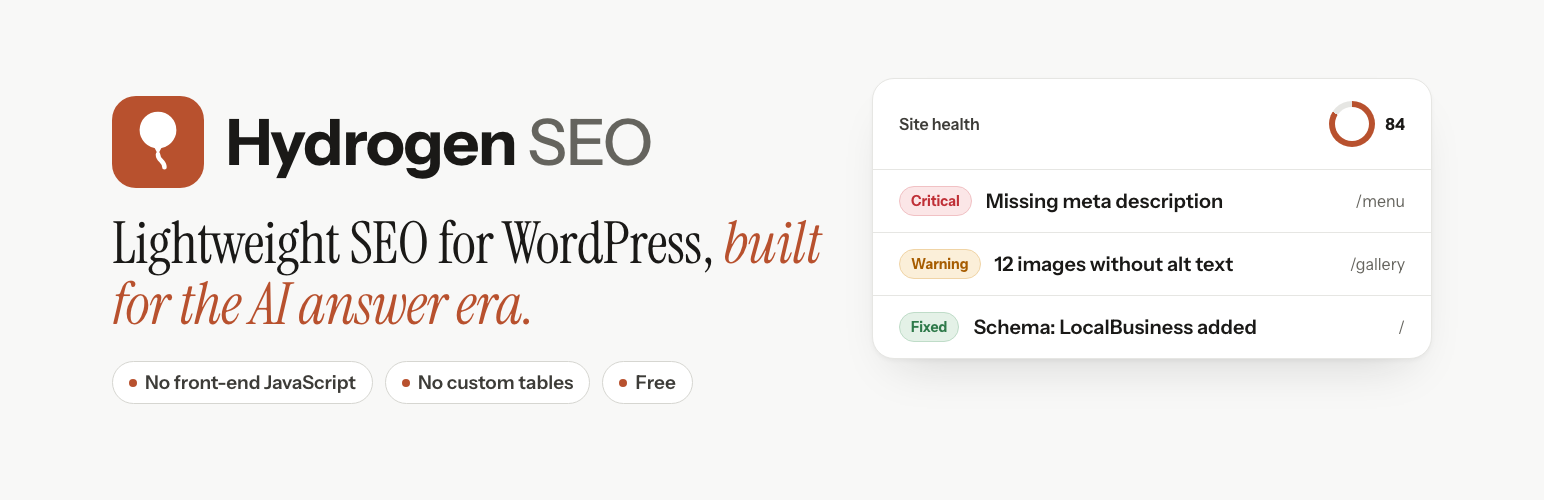
The dashboard scores your site across seven areas — crawlability, performance, mobile, security, content structure, schema markup and technical health — with a clear list of what to fix first. Site-wide audits find duplicate titles and descriptions, keyword cannibalisation, orphan pages, broken internal links and metadata that is too long or too short.
Fast and clean
- Modern React dashboard
- Heavy assets load on demand, so wp-admin stays quick
- No front-end JavaScript and no extra front-end requests — the SEO output is server-rendered markup
- Every screen is backed by the plugin’s own REST API
Account and AI credits
The AI features are powered by the Hydrogen SEO API. Create a free account at hydrogenseo.com and connect it from the plugin in one click. A free account includes 20 trial AI credits, given once. After they are used, the AI features need a paid plan.
Every non-AI SEO feature — titles, meta descriptions, schema, sitemaps, robots.txt, redirections, previews, audits — works with no account and no key.
Privacy
Hydrogen SEO adds no tracking, no analytics, no cookies and no front-end scripts. It does not phone home on a schedule. Nothing leaves your site until you use a feature that needs the Hydrogen SEO API, or switch on Instant Indexing (which sends page addresses to IndexNow).
Stored on your own site
- Your Hydrogen SEO API key, in the WordPress options table
- Your SEO settings, schema data, redirects and per-post metadata, in your own database
- The agent connection details when Hydrogen AI is connected: the service URL, a site identifier and a service key
- If you switch on the 404 Monitor: each missing address that was requested (without its query string), how often, when, and the last referring page (also without its query string) and browser (user agent) for it. No IP addresses. Entries are deleted after the retention period you choose (7, 30 or 90 days), also after you switch the monitor off, and uninstalling the plugin removes the log
- Nothing else. No other visitor data, no personal data about your readers
Sent to the Hydrogen SEO API, only on your action
Only what a feature needs, and only when you use it: the text or image you give an AI feature, your API key, and for Hydrogen AI your instructions and the SEO data of the pages it works on. The External services section below lists every field.
Application password handling
The application password the plugin creates for Hydrogen AI is sent over HTTPS only (plain HTTP is refused outside local development hosts) and stored encrypted. If registration fails it is deleted at once. Disconnecting, or revoking it in Users Profile, ends that access.
The setup wizard
The wizard optionally asks for your name and email. If you fill them in and tick the consent checkbox, they are sent with your site URL so we can send you setup help and product updates. Both fields are optional, the wizard can be skipped, and nothing is sent if you leave them blank or do not consent.
AI processing
Generation is performed by the Hydrogen SEO API using AI model providers acting on its behalf, so the content of a request reaches those providers as part of producing your result. What is retained, and for how long, is set out in the privacy policy below.
Privacy policy: https://hydrogenseo.com/privacy
Terms of service: https://hydrogenseo.com/terms
External services
This plugin relies on the following third-party/external service. It is described here so you know what data is sent, when, and under which conditions.
Hydrogen SEO API
The plugin connects to the Hydrogen SEO API (hydrogenseo.com) for two things:
1. AI generation. Content generation and rewriting, metadata (SEO title and description) generation, image alt-text generation, AI image generation for featured images, and business/local schema generation.
Data is sent only when you actively use an AI feature. Depending on the feature the request includes the text or image you ask it to work with — a topic, the content to improve, an image URL for alt text, a prompt for image generation, or your business details for schema — together with your configured API key. When you connect your account, your site URL and the name and email you choose to provide are sent so an API key can be issued. The plugin does not send this data in the background or without a user action.
2. Hydrogen AI (the agent). When, and only when, you switch on AI Abilities and connect the agent, the plugin registers your site with the service. That registration sends your site URL, your WordPress username, a freshly created WordPress application password named “Hydrogen SEO Agent”, your WordPress version, the plugin version and your environment type, authenticated with your API key. The service verifies the credential by calling back into your site before storing it, keeps it encrypted (AES-256-GCM), and uses it to read and change SEO data on your behalf while you use the agent. Your instructions and the SEO data of the pages being worked on are sent as part of each conversation.
Agent access is gated three ways on your side: AI Abilities must be switched on, the abilities are locked to the domain they were enabled on, and only users with the manage_options capability can drive them. Disconnecting deletes the application password from your site; you can also revoke it from Users Profile Application Passwords at any time.
3. The Hydrogen AI demo video. The Hydrogen AI screen can show a short demo video. Its preview image ships with the plugin. The video file is hosted on hydrogenseo.com and is requested only if you press play; as with any file download, your browser then sends your IP address and browser details to that server. Nothing is requested if you do not play it.
Links to the pricing page in the plugin’s upgrade prompts are ordinary links. They open hydrogenseo.com only when you click them, and they carry a label saying which prompt was clicked (for example utm_campaign=agent-panel), nothing about you or your site.
This service is provided by Hydrogen SEO. Terms of service: https://hydrogenseo.com/terms — Privacy policy: https://hydrogenseo.com/privacy
IndexNow
Instant Indexing (Settings › Instant Indexing) uses IndexNow, an open protocol for telling search engines that a page was added, changed or removed. It is off until you switch it on, and it only sends from sites whose environment type is “production”.
When it is on, the plugin sends a request to https://api.indexnow.org/indexnow shortly after you publish, update, unpublish, trash or delete a post of a content type you selected, and when you submit addresses by hand on that screen. Each request contains your site’s host name, the IndexNow key the plugin created for your site, the address of the key file on your site, and the list of page addresses. Nothing about your visitors or users is sent. IndexNow shares submitted addresses with the participating search engines (listed at https://www.indexnow.org/searchengines.json), which fetch the key file to confirm the site sent them.
IndexNow is run by its sponsors (Microsoft, Yandex and Seznam.cz). Terms of service: https://www.indexnow.org/terms — IndexNow does not publish a separate privacy policy; the participating search engines’ own policies apply to the addresses they receive.