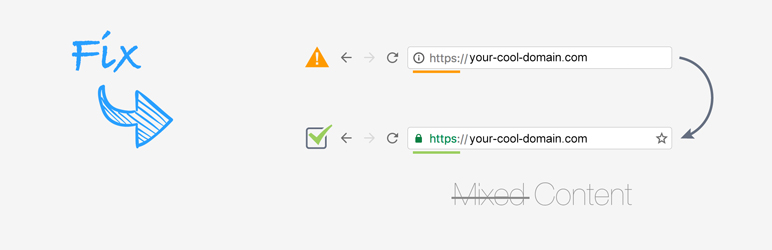

SSL Mixed Content Fix
v3.2.8Steve85b · 2016年10月16日 上架
A fix for mixed content! This Plugin creates protocol relative urls by removing http + https from links. Works in Front- and Backend!
- 正在使用
- 7,000+
- 评分
- 4.1 / 5
- 累计下载
- 33 万
- 最近更新
- 2024年7月17日
贡献者
 Steve85b
截图
Try it out on your free dummy site: Click here => https://tastewp.com/plugins/http-https-remover.
(this trick works for all plugins in the WP repo – just replace “wordpress” with “tastewp” in the URL)
UPDATE: This plugin will be maintained again! It changed ownership and we’re currently collecting ideas how to further improve it. If you have any cool ideas, please let us know in Support Forum. Thank you!
Major updated in the latest release (3.0):
– Plugin has a proper settings page now
– Many bugs fixed
– Code optimized, causing performance to increase a lot
Main features:
- Works in Front- and Backend
- Makes every Plugin compatible with https
- Compatible with WPBakery & Disqus
- Fixes Google Fonts issues
- Makes your website faster
What does this Plugin do?
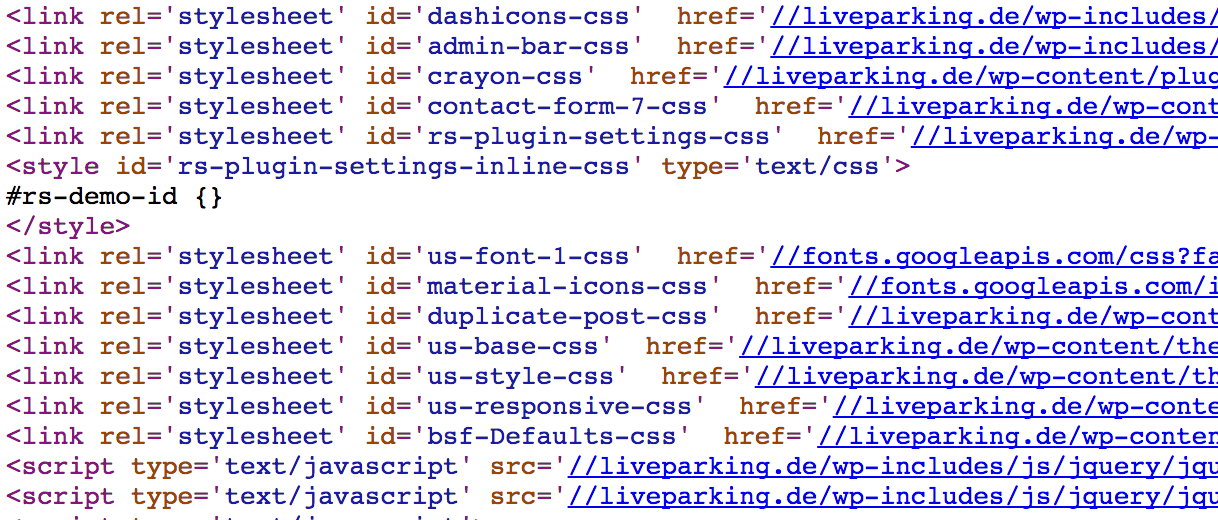
With protocol relative url’s you simply leave off the http: or https: part of the resource path. The browser will automatically load the resource using the same protocol that the page was loaded with.
For example, an absolute url may look like
src="http://domain.com/script.js"
If you were to load this from a https page the script will not be loaded – as non-https resources are not loaded from https pages (for security reasons).
The protocol relative url would look like
src="//domain.com/script.js"
and would load if the web page was http or https.
Tipp: Check your Settings -> General page and make sure your WordPress Address and Site Address are starting with “https”.
Add the following two lines in your wp-config.php above the line that says “Stop Editing Here”:
define('FORCE_SSL', true);
define('FORCE_SSL_ADMIN',true);
What is Mixed Content?
Mixed content occurs when initial HTML is loaded over a secure HTTPS connection, but other resources (such as images, videos, stylesheets, scripts) are loaded over an insecure HTTP connection. This is called mixed content because both HTTP and HTTPS content are being loaded to display the same page, and the initial request was secure over HTTPS. Modern browsers display warnings about this type of content to indicate to the user that this page contains insecure resources.
Note: You should always protect all of your websites with HTTPS, even if they don’t handle sensitive communications.
Example
Without Plugin:
src=”http://domain.com/script01.js”
src=”https://domain.com/script02.js”
src=”//domain.com/script03.js”
With Plugin:
src=”//domain.com/script01.js”
src=”//domain.com/script02.js”
src=”//domain.com/script03.js”
If using Cache Plugins
If the plugin isn’t working like expected please purge/clear cache for the changes to take effect!