

HTML Page Publisher – Publish AI Landing Pages from Claude Design & ChatGPT
v1.7.0Hossein Karami · 2026年5月10日 上架
Publish standalone HTML pages, such as Claude Design exports, at a clean URL on your site. Or let Claude or ChatGPT publish them for you.
- 正在使用
- 700+
- 评分
- 5.0 / 5
- 累计下载
- 5,387
- 最近更新
- 2026年11月22日
贡献者
 Hossein Karami
截图
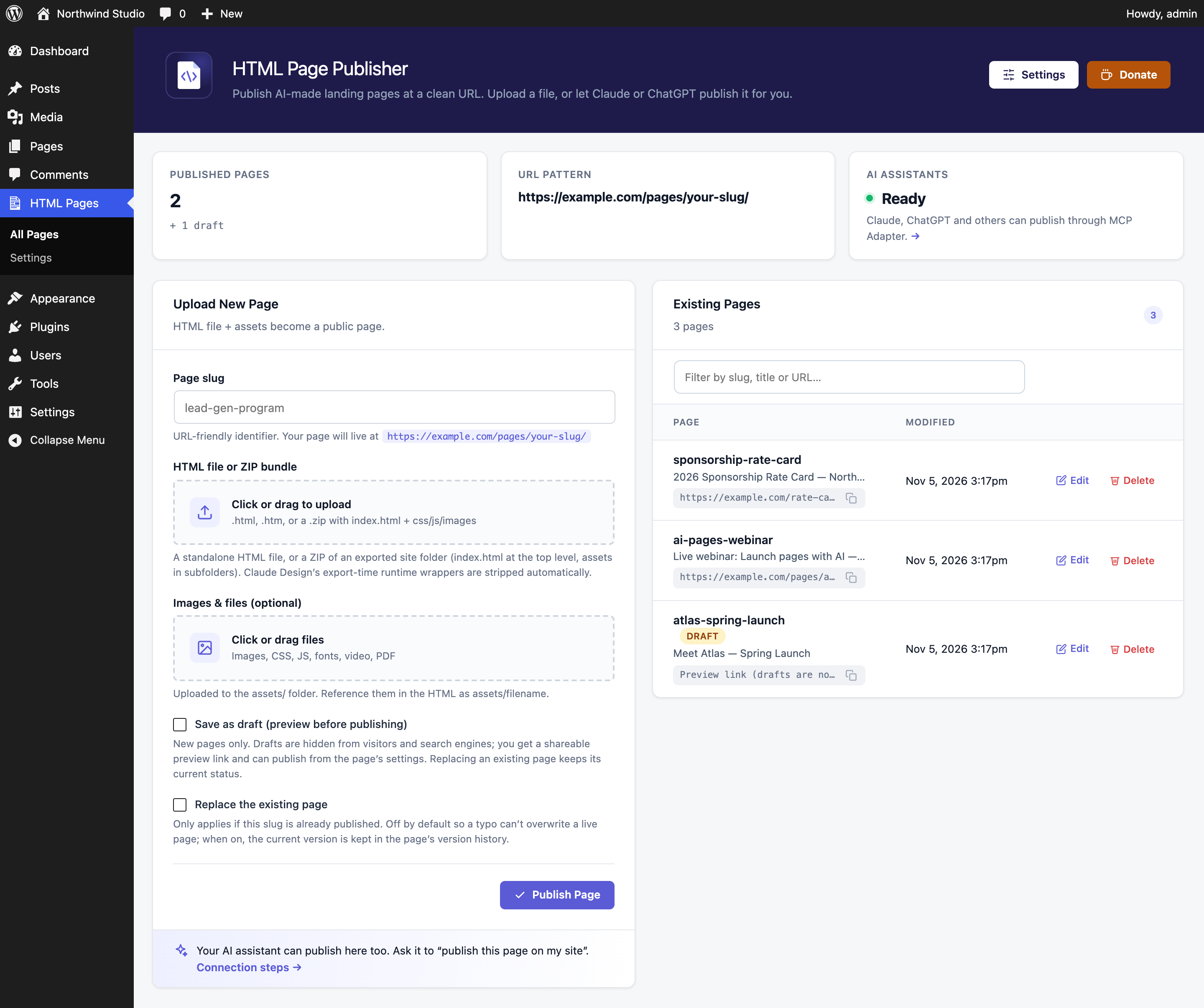


HTML Page Publisher lets you drop a standalone HTML file into WordPress and have it served as a landing page at a clean URL such as https://example.com/pages/your-slug/. No theme changes, no FTP, no page builder.
It is built for the “I made this page with an AI tool, now how do I get it onto my site?” moment. It includes purpose-built cleanup for Claude Design exports, and works with any self-contained HTML page — from ChatGPT, Gemini, or written by hand. (Tools that export React or Vite projects, such as v0 and Bolt, first need to be built or exported to static HTML.)
Your AI assistant can also do the publishing. On WordPress 6.9 or later, with an MCP plugin such as the official MCP Adapter, ask Claude or ChatGPT to “publish this page on my site at /spring-promo/” and it does, then changes the headline when you ask, and can undo its changes from the page’s history.
Key features
- Upload and publish: one HTML file plus its images — or a whole ZIP bundle (index.html + css/js/images/fonts) — and you get a public URL
- AI assistants can publish for you (WordPress 6.9+): through an MCP plugin, Claude, ChatGPT, Cursor and other assistants can publish, edit and unpublish pages, add images, and restore earlier versions. They are never offered a way to delete anything
- Drafts and previews: save a page as a draft, share a preview link that works without logging in, publish when ready
- Custom paths and front page: serve a page at
/promo/instead of/pages/promo/, or make it the site’s front page - Global snippets: add GA4/GTM/pixel, fonts or a consent banner to every page from Settings (pages can opt out)
- SEO: pages are listed in the WordPress XML sitemap, can be marked noindex, and get a canonical link
- Link previews: set the title, description and image a page shows in search results and when its link is shared on LinkedIn, Slack, WhatsApp and other apps. Pages without preview tags get them filled in from their own title and description
- Missing-files check: after you upload or edit a page, see which images, stylesheets, scripts and other files it refers to that were never uploaded, and upload each one exactly where the page looks for it
- Rename and duplicate: change a slug (the old URL redirects) or copy a page as a new draft
- REST API and WP-CLI: publish from scripts, CI, or an AI agent —
POST /wp-json/htmlpp/v1/pageswith an application password, orwp htmlpp publish. A Claude Code skill is included in the GitHub repository. - Built-in HTML editor: edit a published page in the dashboard with the native WordPress code editor (syntax highlighting)
- Version history: every save keeps the previous version; restore any earlier version with one click (restoring is itself undoable)
- File management: add, replace, or delete a page’s images, CSS, JS, fonts and other files in place — Replace keeps the original filename so existing references keep working
- Safe SVG support: SVG images are sanitized on upload and served in a sandbox, so logos and icons work without the security risk that makes WordPress block SVG by default
- Clean Claude Design exports: strips the export-time runtime wrappers Claude Design adds so the published page is pure static HTML; add rules for other tools with the
htmlpp_sanitizer_rulesfilter - Configurable URL prefix: default
/pages/your-slug/, change to anything you like (e.g./resources/,/guides/) - Optional subdomain routing: point
sales.example.comat your site and pages appear atsales.example.com/your-slug/ - Works on subdirectory installs (e.g.
example.com/blog/pages/your-slug/) - Cache-friendly: ETag and Last-Modified headers with conditional (304) and HEAD support, so browsers and CDNs revalidate cheaply while edits still show immediately
- Protected storage: pages are only served at their public URL; direct access to the uploads folder and to version-history snapshots is blocked, and Settings shows whether your web server honours the protection
- Safe by default: nonce-protected forms, capability checks, path-traversal guards, strict file-extension filtering, and no silent overwrites of live pages
- Extensible: actions and filters for add-ons (
htmlpp_loaded,htmlpp_page_published,htmlpp_before_serve,htmlpp_cache_max_age,htmlpp_allowed_asset_mimes,htmlpp_missing_files,htmlpp_link_preview_tags, and more)
Use cases
- Publishing landing pages generated with Claude Design
- Publishing any AI-generated or hand-written static HTML page
- Sales collateral (rate cards, one-pagers, proposals)
- Campaign landing pages and microsites
- Rapidly publishing static HTML without touching the theme or FTP
HTML Page Publisher is an independent project. It is not affiliated with, endorsed by, or sponsored by Anthropic, OpenAI, Google, Vercel, or StackBlitz. Claude, ChatGPT, Gemini, v0 and Bolt are trademarks of their respective owners.