
Hover Preview
v1.1Oleksiy Lavrynenko · 2025年1月27日 上架
Display a small website preview when hovering over a link. Customize your API key for PagePeeker directly in the plugin settings.
- 正在使用
- 10 以下
- 评分
- 暂无
- 累计下载
- 889
- 最近更新
- 2025年1月27日
需要 WordPress 5.0+已测试到 6.7.12PHP 7.4+
 Oleksiy Lavrynenko
截图
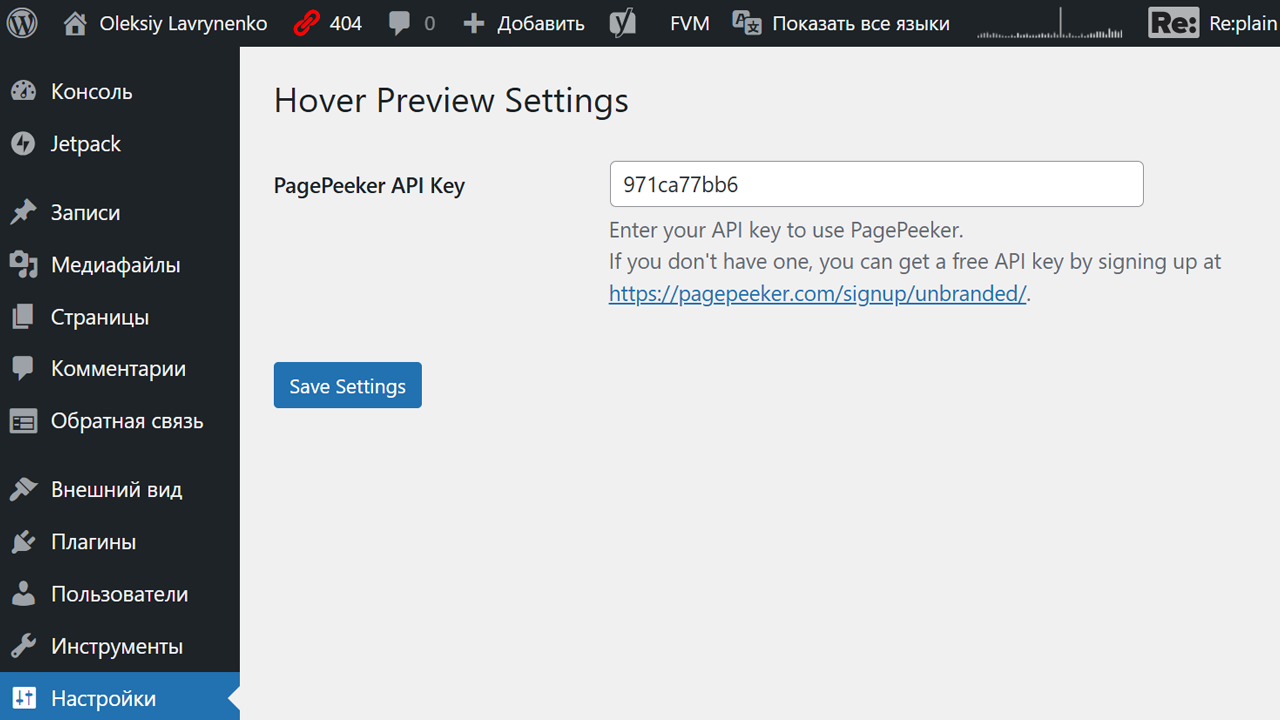
Hover Preview enhances your WordPress website by displaying a small website preview when users hover over a link.
It utilizes the PagePeeker service to generate the previews, making it easier for users to get a sneak peek of the linked website.
Features
- Automatically displays a preview of the linked website when hovering over a link.
- Easily configure the API key for the PagePeeker service.
- Lightweight and responsive design.
- Free to use with the PagePeeker unbranded plan.
How to Get Started
- Install and activate the plugin.
- Navigate to “Settings > Hover Preview” in the WordPress admin dashboard.
- Enter your PagePeeker API key. If you don’t have one, sign up for a free unbranded plan here:
https://pagepeeker.com/signup/unbranded/. - Save the settings and enjoy!