
HitMind – AI Crawler Check
v1.1.0hitmind · 2026年10月26日 上架
See what your robots.txt tells GPTBot, ClaudeBot and 18 other AI crawlers, whether it opts out of AI training, and which blocked paths stay open.
- 正在使用
- 10 以下
- 评分
- 暂无
- 累计下载
- 249
- 最近更新
- 2026年11月18日
贡献者
 hitmind
截图
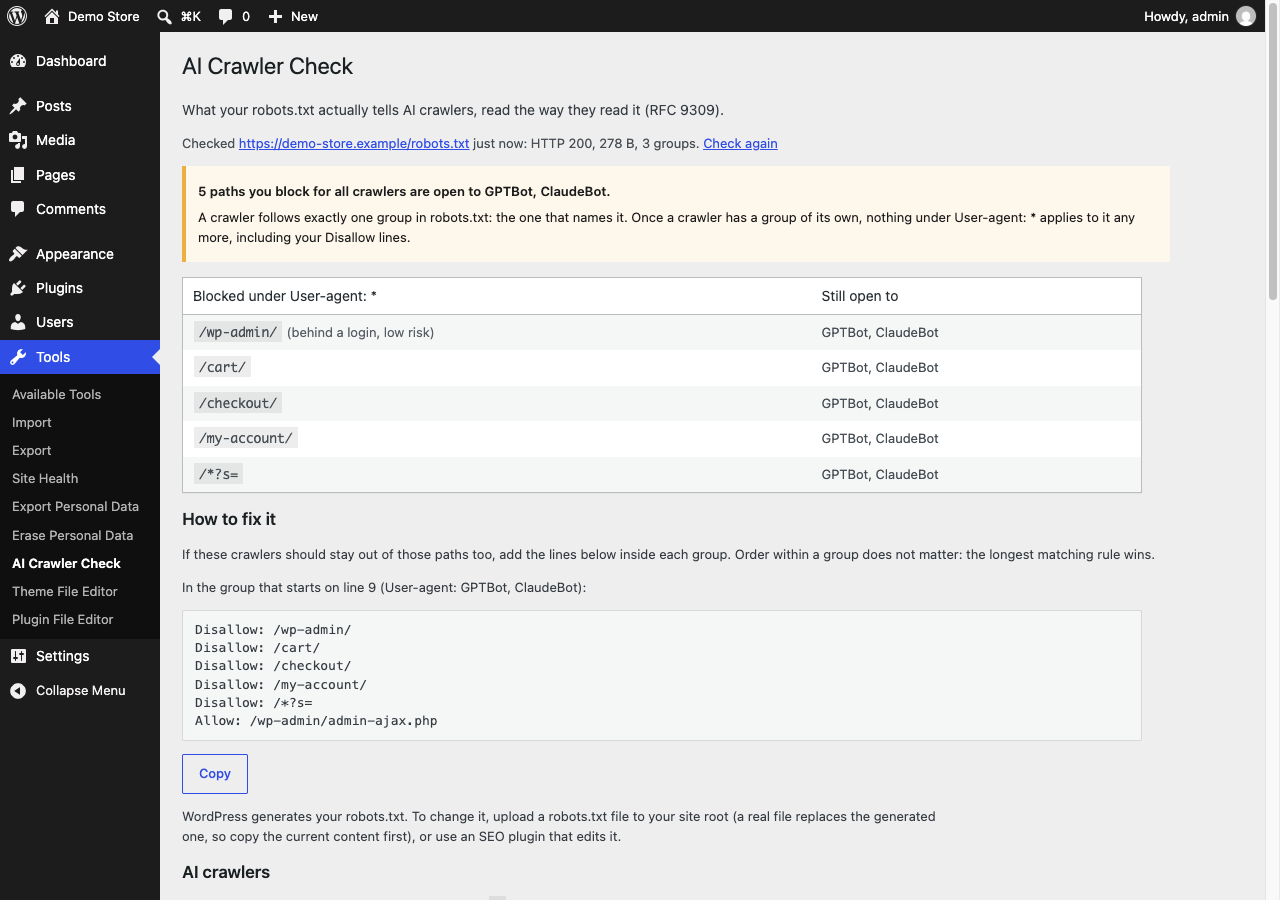

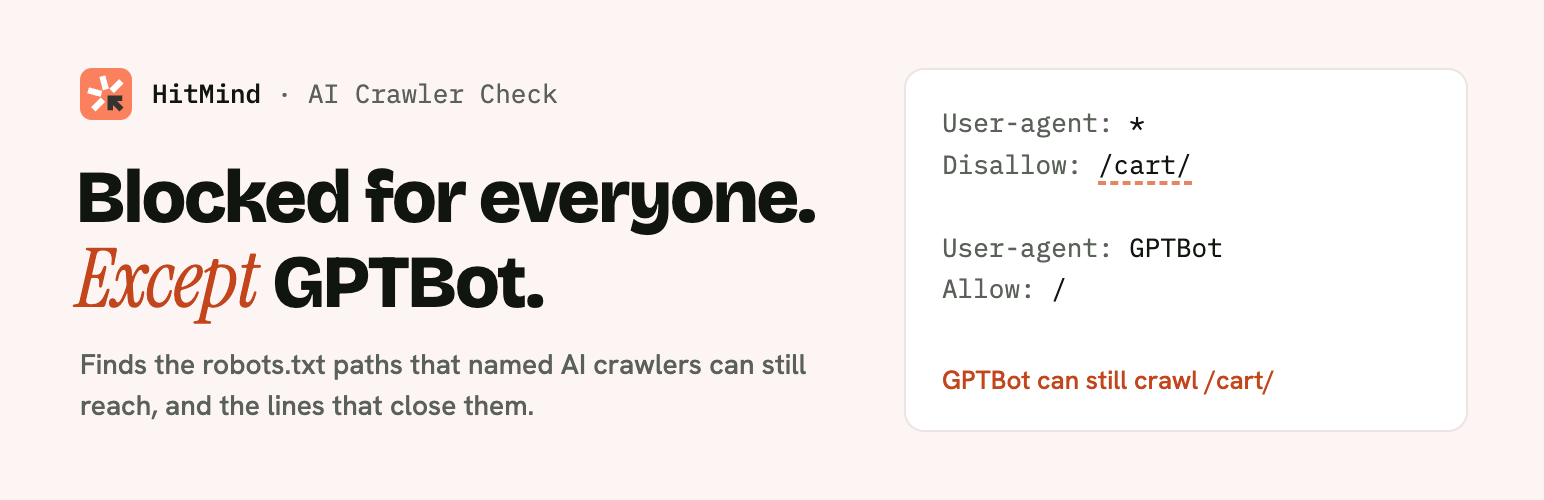
A crawler follows exactly one group in your robots.txt: the one that names it. The moment you give GPTBot a group of its own, it stops reading everything under User-agent: *, including the paths you blocked there (RFC 9309, section 2.2.1).
It is an easy mistake to make. In HitMind’s 2026 study of the top 10,000 websites, 29.8% of the robots.txt files that block paths and name an AI crawler left those paths open to that crawler.
AI Crawler Check reads your live robots.txt the way crawlers do and shows:
- The trap, if you have it: every path blocked under
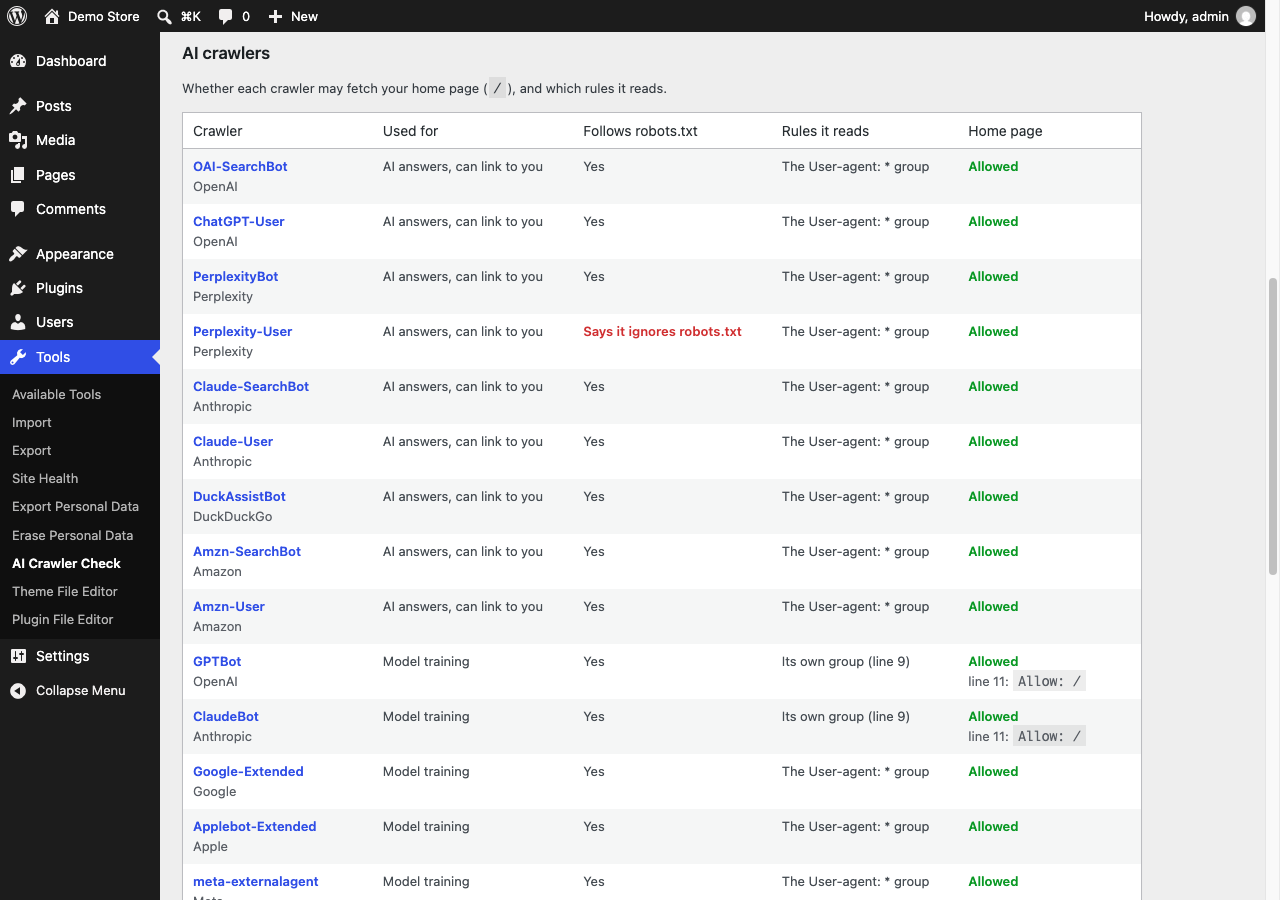
User-agent: *that a named AI crawler can still fetch, and the exact lines to add to its group. - All 20 AI crawlers, one row each, from OpenAI, Anthropic, Perplexity, Google, Apple, Meta, Amazon, Common Crawl, ByteDance and DuckDuckGo: what each one is for (AI answers that can link to you, model training, or other), whether its operator says it follows robots.txt, which group it reads, and whether it can fetch your home page.
- Where to change the file: a real file in your site root, the one WordPress generates (and which SEO plugin adds to it), Cloudflare’s managed robots.txt, or a WordPress install in a subfolder.
- Your AI training preference, from the new
__usage_ai-trainingline (IETF draft, October 2026), read the way the draft says:User-agent: *does not count, and a Google-Extended group that allows a path wins for Google. If you have not stated one, it shows the two lines that say no. - Lines crawlers skip, such as a misspelled directive.
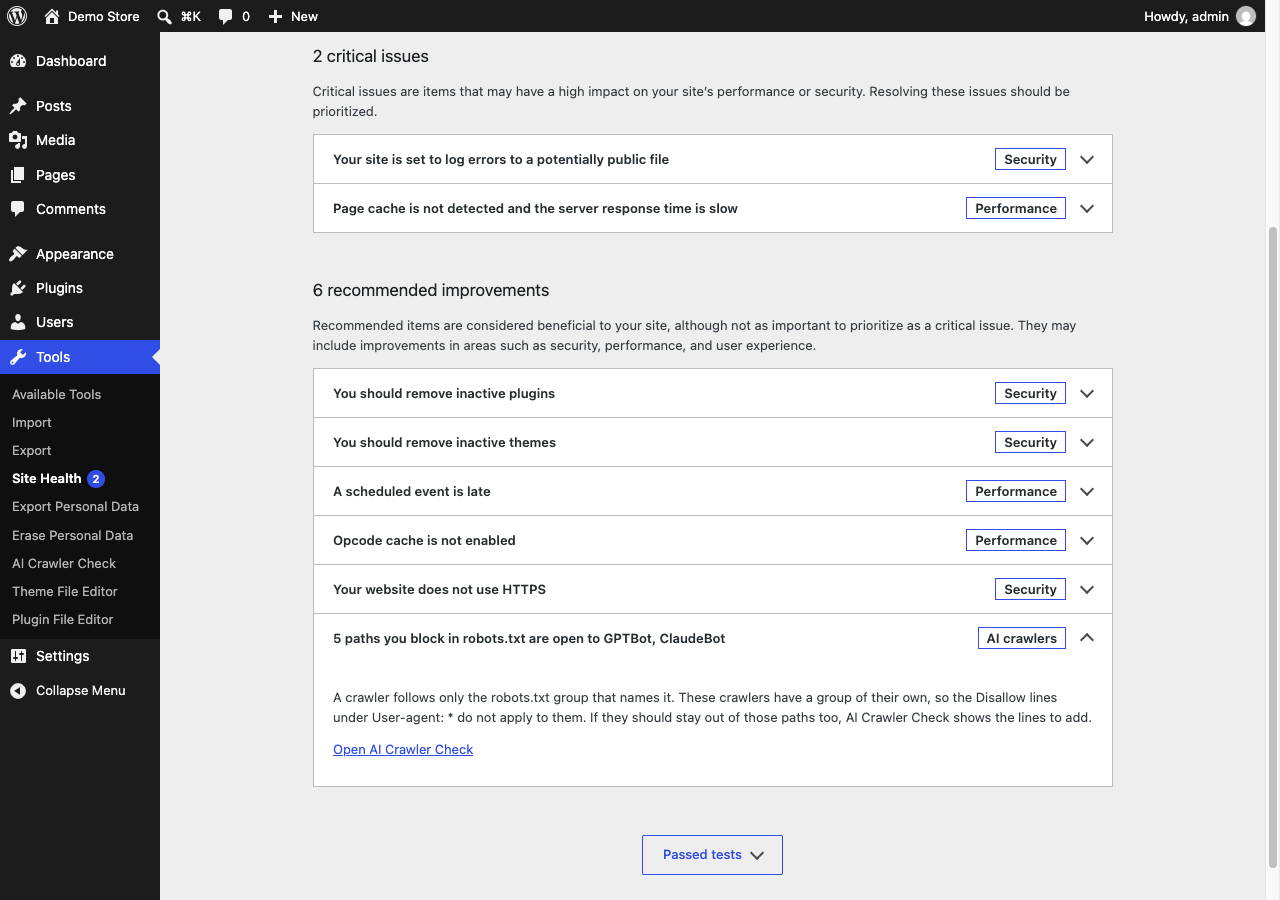
- A Site Health check, so the trap shows up under Tools Site Health without opening the plugin.
- A box to try changes before you publish them.
What it does not do:
- It never changes your robots.txt. Which crawlers to block is your call; the plugin shows what your file says and how to make it say what you mean.
- It does not block or allow any crawler, and adds nothing to your pages.
- It stores nothing, tracks nothing and needs no account.
The rules engine is the one behind HitMind’s free robots.txt generator and checker and its AI crawler study. It gives the same verdicts on all 5,539 robots.txt files from that study.
External services
The plugin requests only your own site’s /robots.txt. It does not contact any other server.
Its page has two links to hitmind.ai, which open only when you click them:
- “Run a free SEO audit” opens HitMind’s free audit with your domain filled in (the domain is part of the link). Terms of service, privacy policy.
- The 29.8% link opens HitMind’s AI crawler study.
Both links carry utm_source=wordpress-plugin so HitMind can count visits from the plugin. Nothing else is sent.