
Hide WP Toolbar
v2.7Jeremy Saxey · 2012年9月10日 上架
Easily hide or show the front-end WordPress Admin Toolbar with a click of a button.
- 正在使用
- 900+
- 评分
- 4.9 / 5
- 累计下载
- 5.7 万
- 最近更新
- 2025年4月11日
贡献者
 Jeremy Saxey
截图
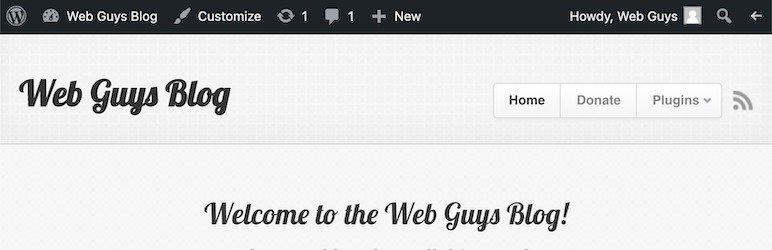
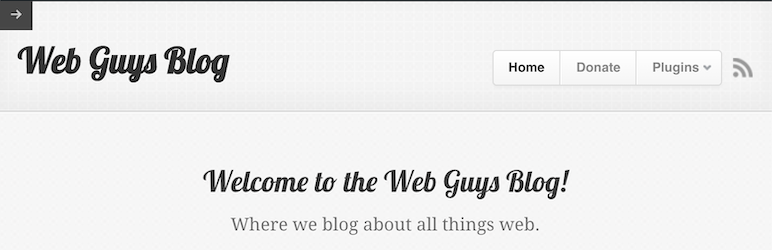
Easily hide or show the front-end WordPress Admin Toolbar with a click of a button. The plugin adds a special button to the right side of the WordPress Admin Toolbar that only displays when you are outside the admin area of WordPress on the front-end. Clicking it will make the admin bar slide off the page to the top left corner, leaving only the hide/show button visible. Clicking the button again will restore the Toolbar to its original position. The shown/hidden position is remembered between page visits so that it can be kept hidden away until you are ready to bring it back.
There are no options or configuration. Just install and activate the plugin. When you exit the admin area, you will see the button to the far right of the Toolbar.
I actually like the WordPress Toolbar. It’s a convenient way to go back and forth from the admin area to the public website. However, when I’m doing design modifications for a theme, the Toolbar can be visually distracting. I wanted a quick way to hide the WordPress Toolbar when needed, but otherwise keep it around. I tried several plugins but they didn’t work as I wanted or didn’t even work at all in some cases. So I decided to build my own.
Contributions Welcome
This plugin is on Github. Submit a pull request if you’d like to contribute.