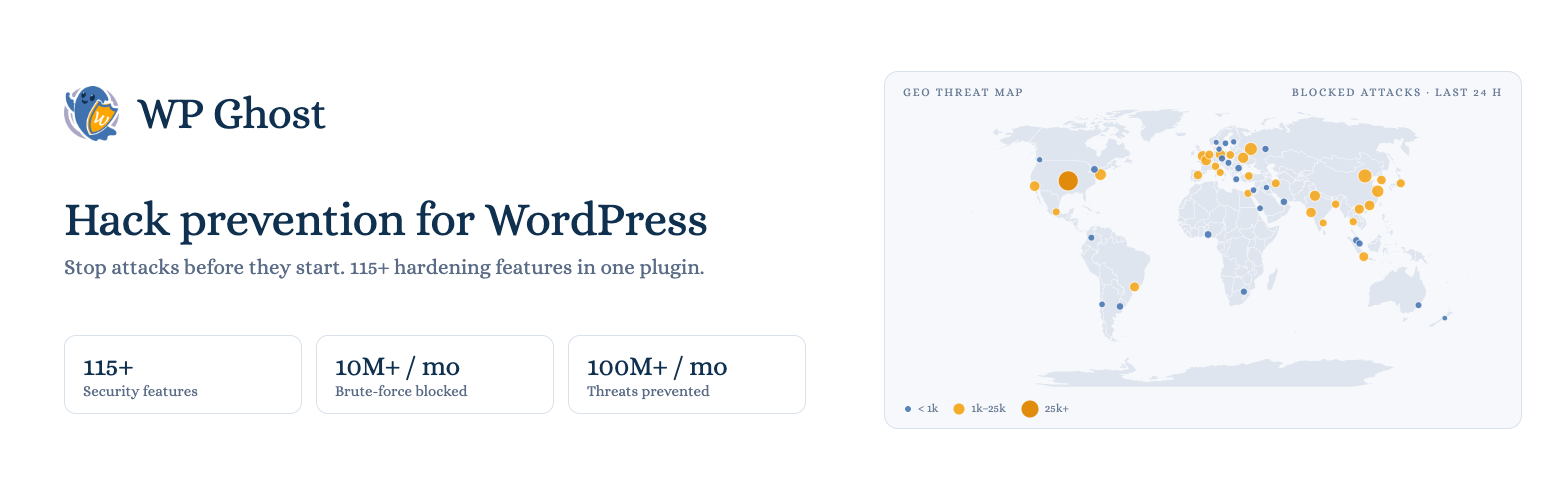

Hide My WP Ghost – Security & Firewall
v7.0.21John Darrel · 2016年7月1日 上架
Hide My WP Ghost is a WordPress security plugin that hides WP paths and protects your site with Path Security, Firewall, Brute Force Protection, 2FA
- 正在使用
- 10 万+
- 评分
- 4.5 / 5
- 累计下载
- 305 万
- 最近更新
- 2026年11月25日
贡献者
 John Darrel
截图
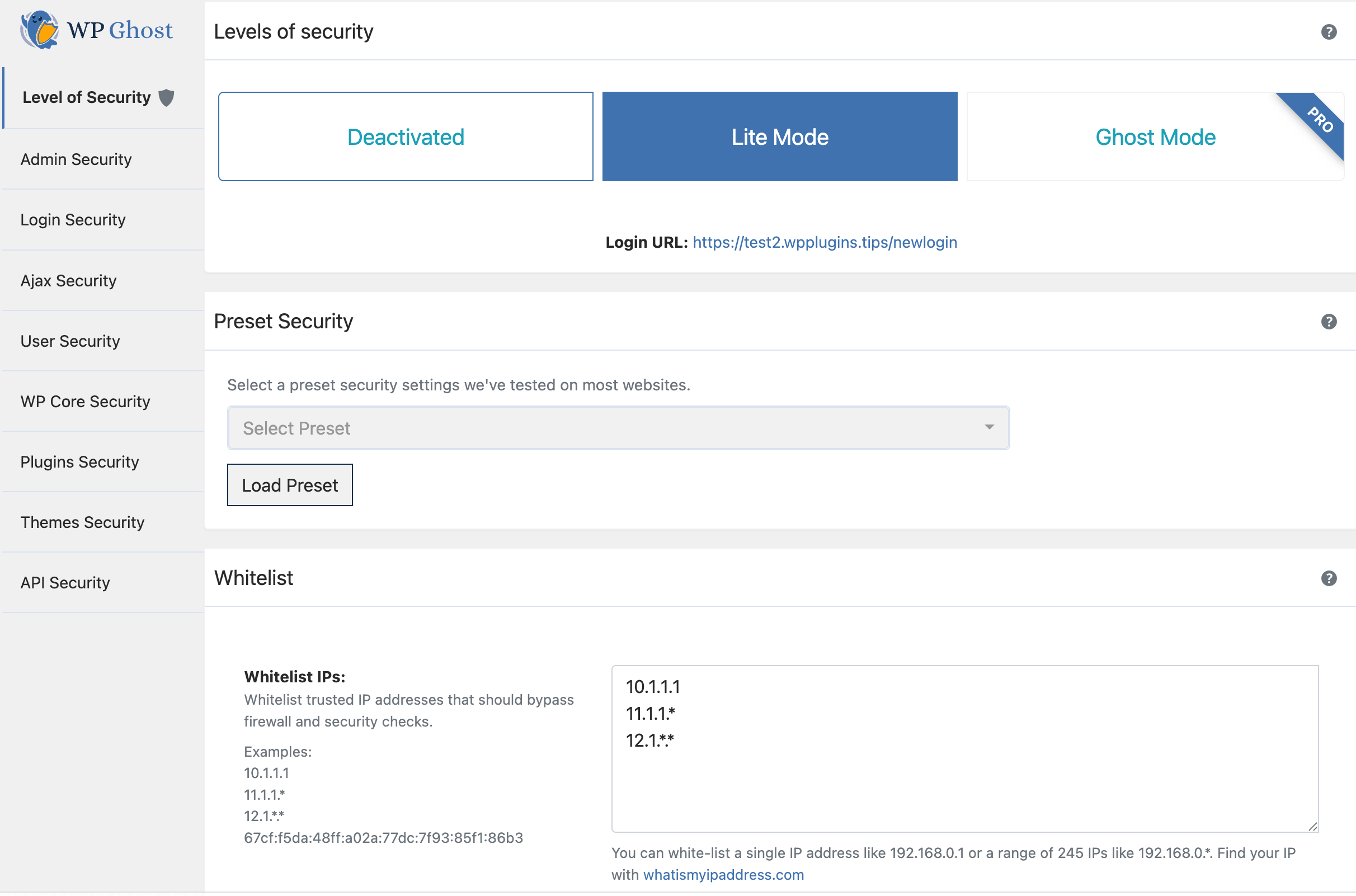
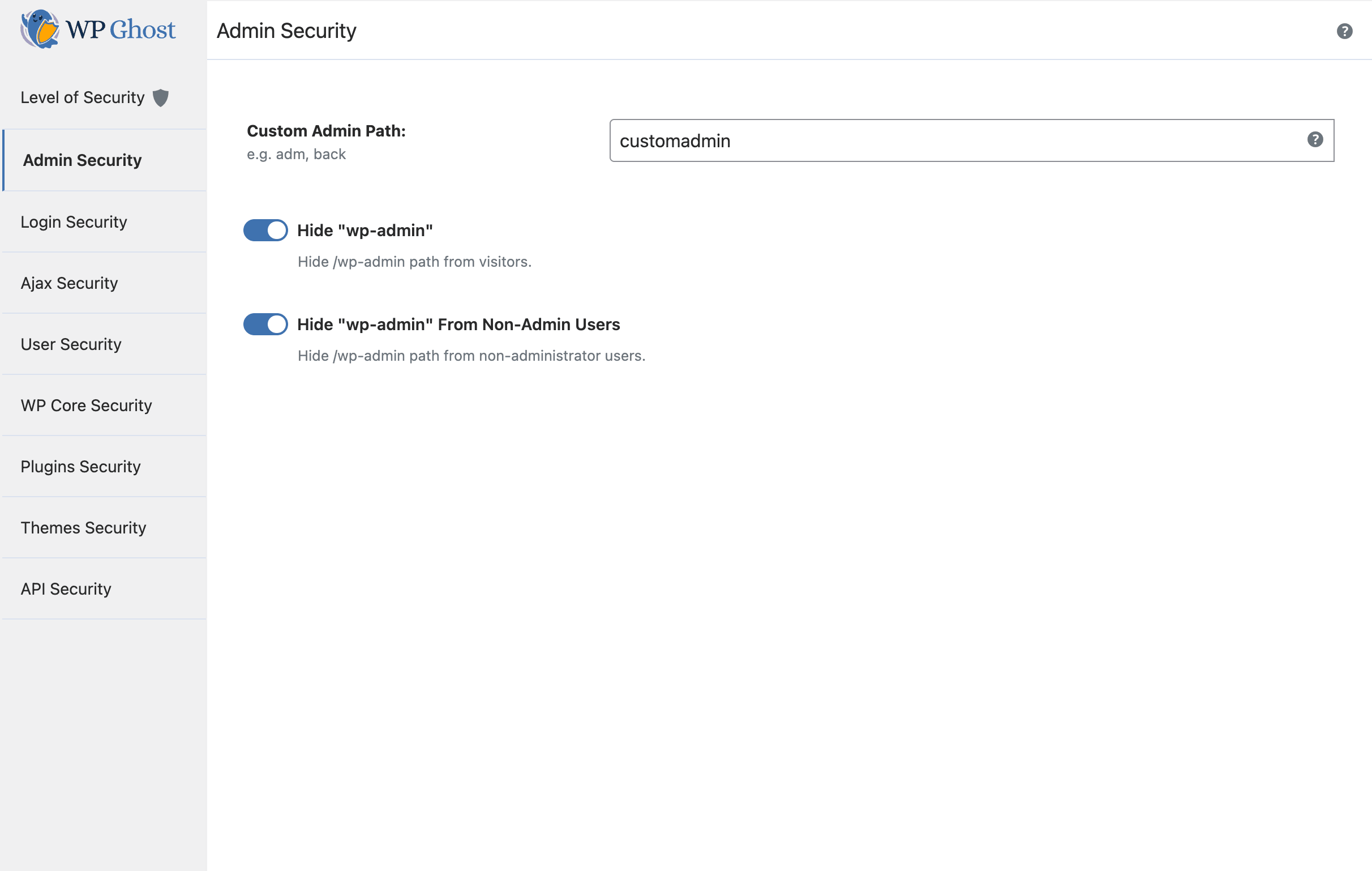
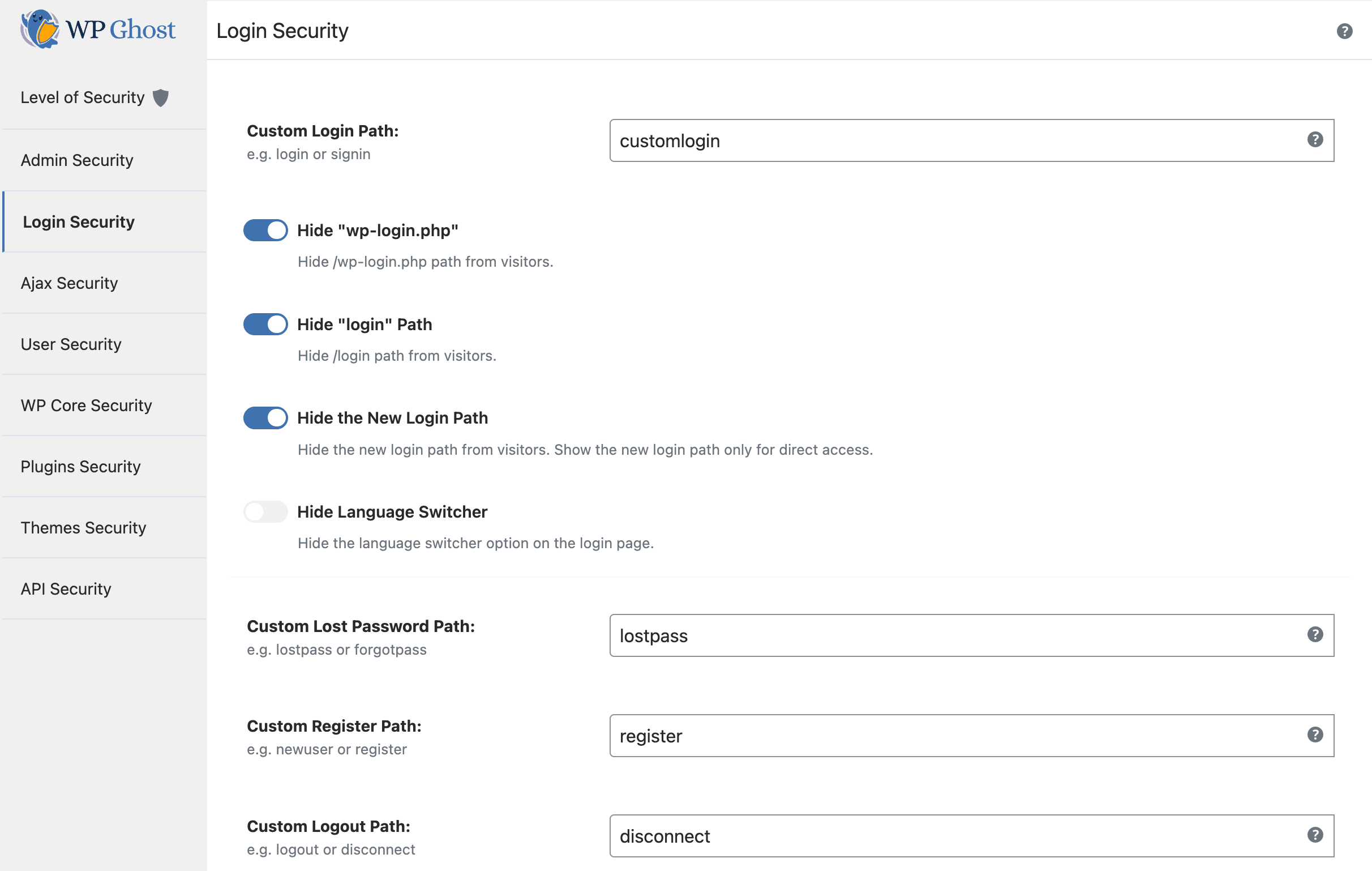
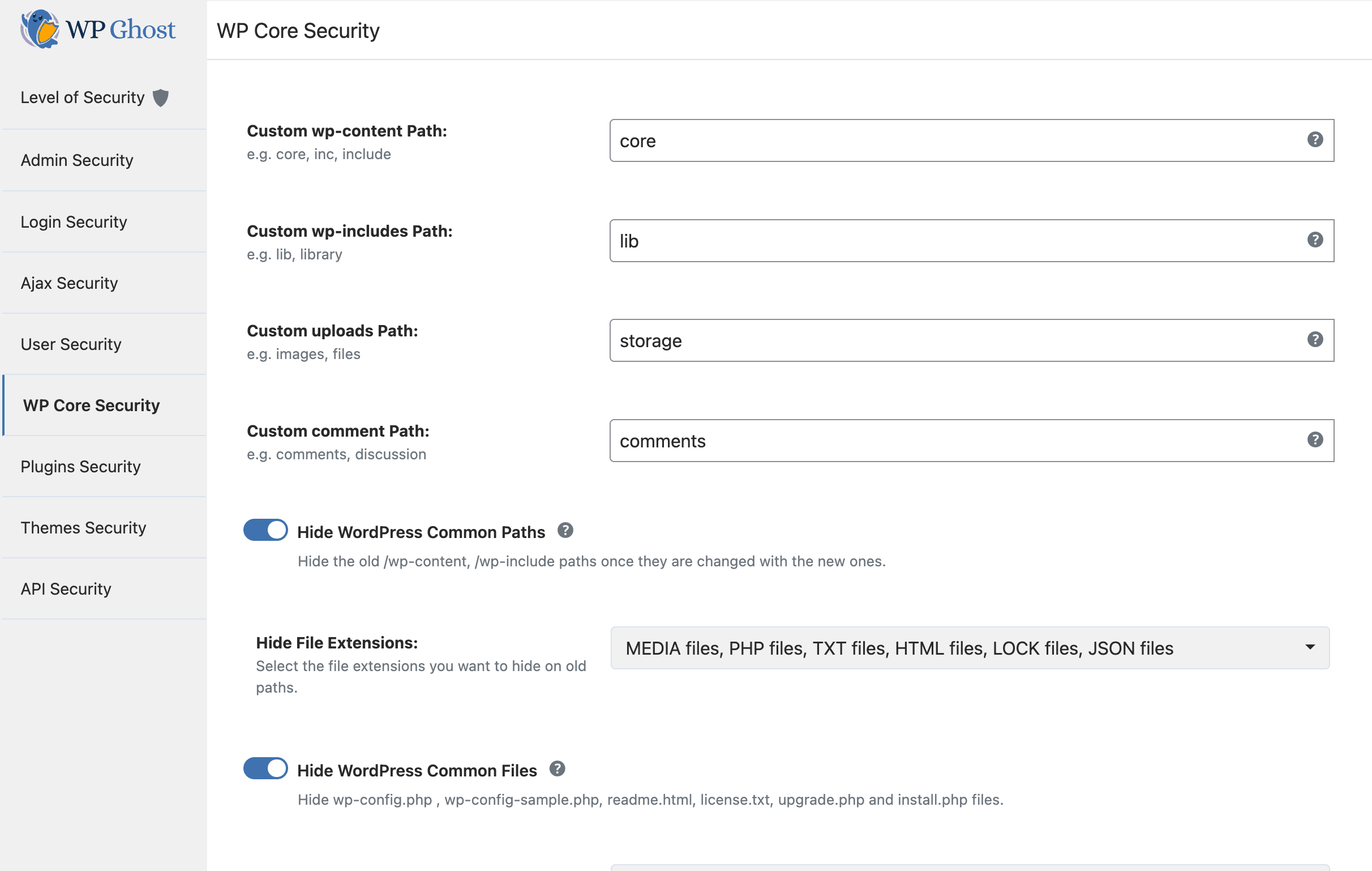
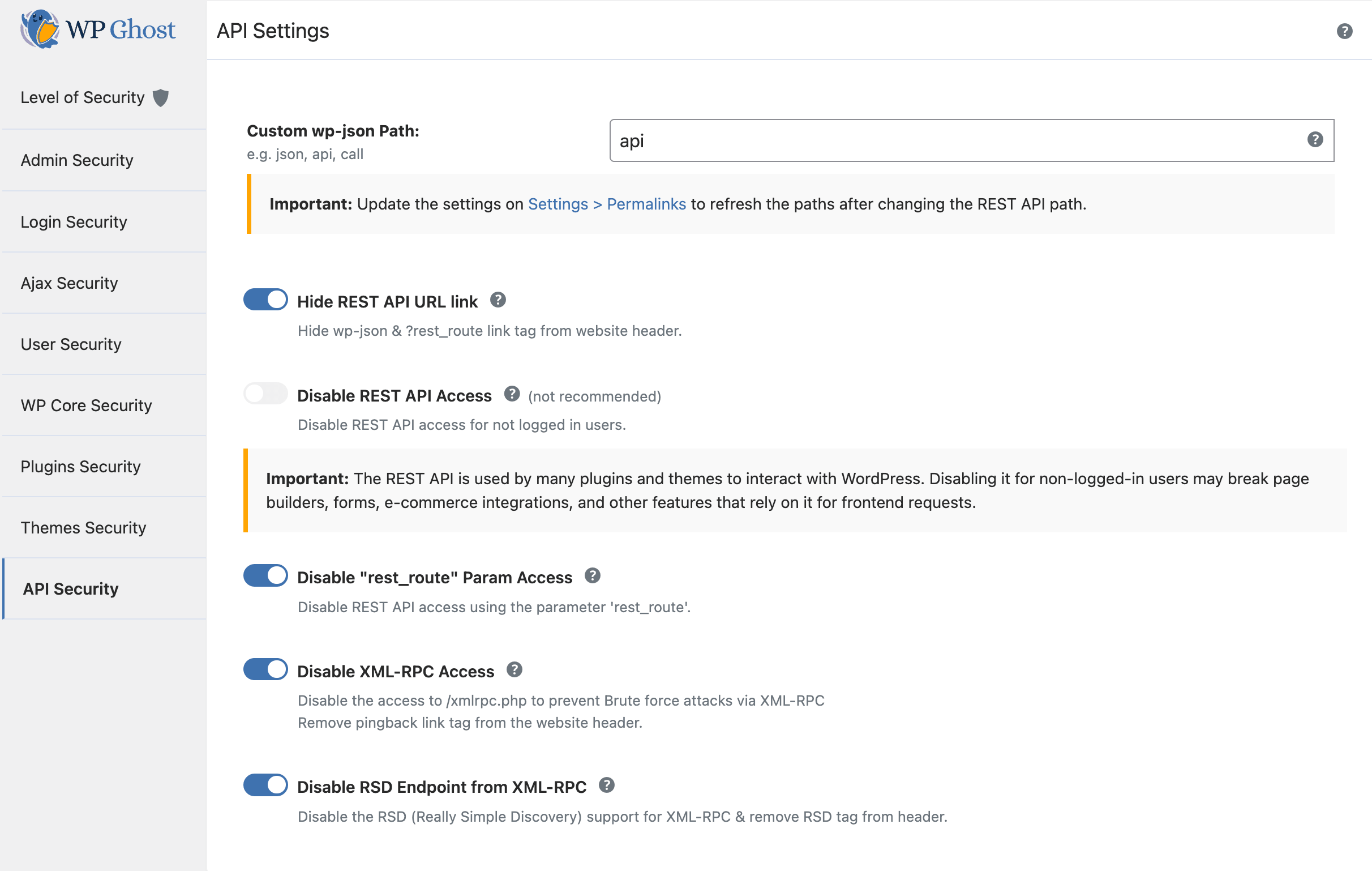
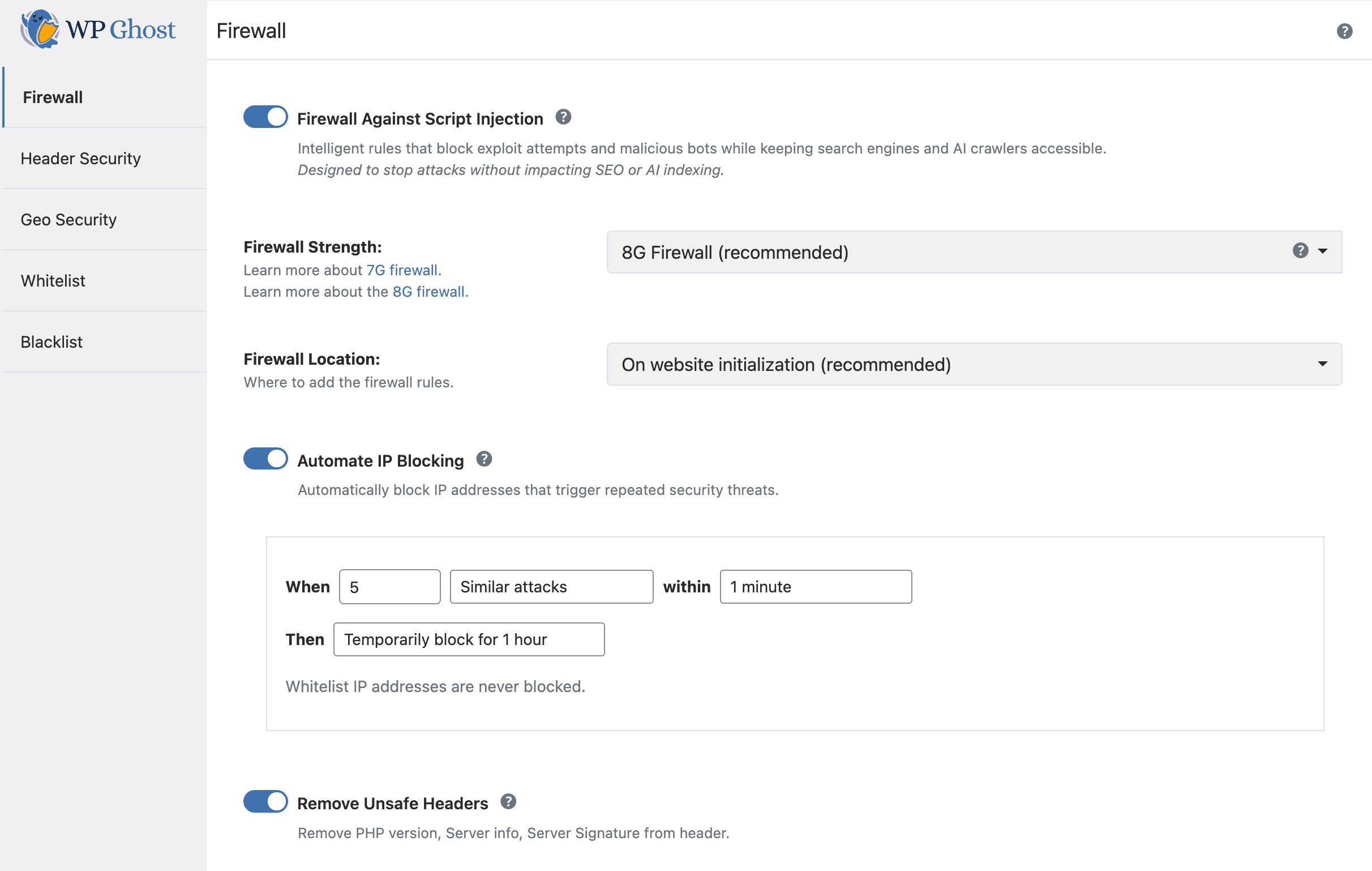
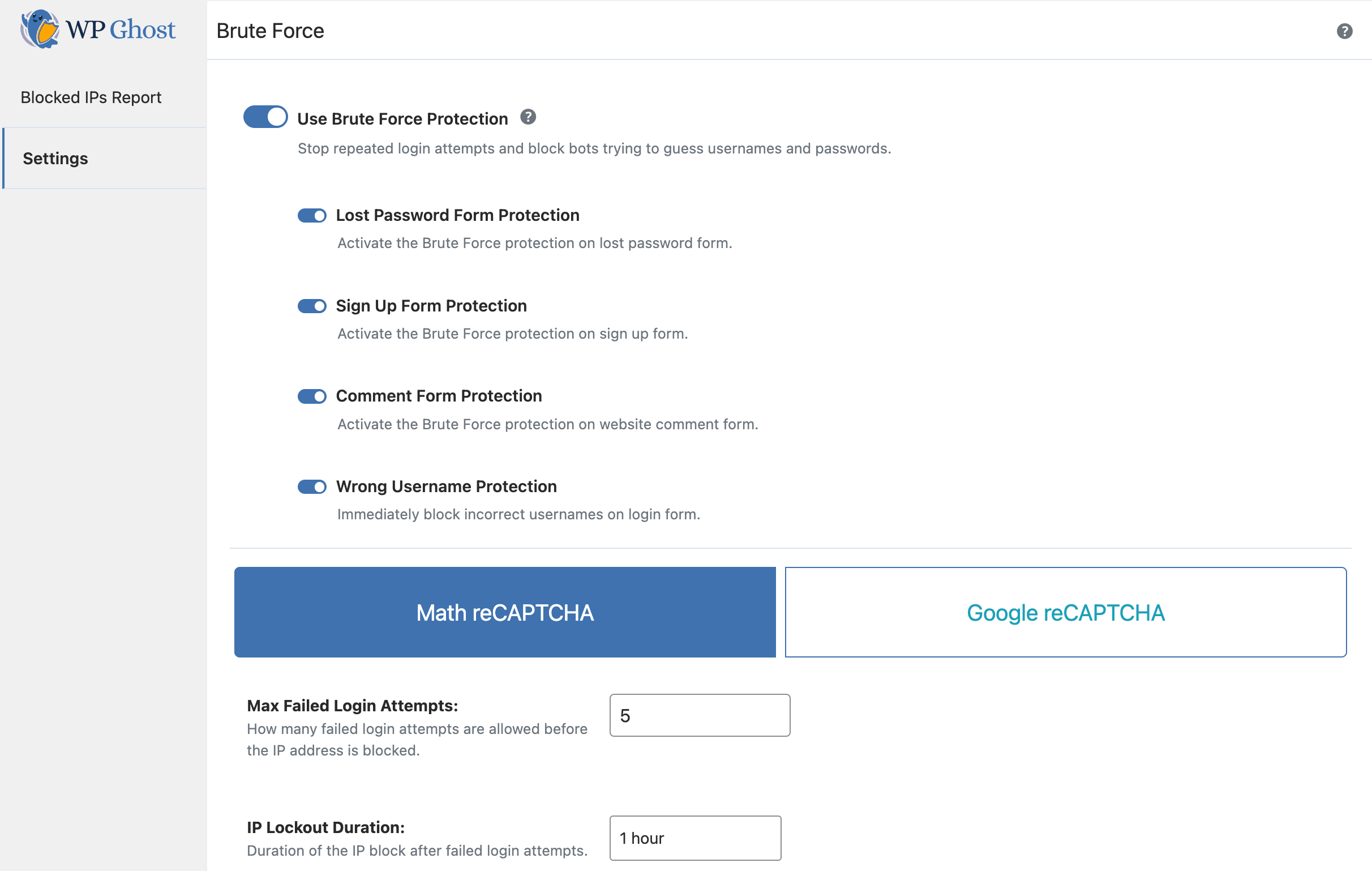
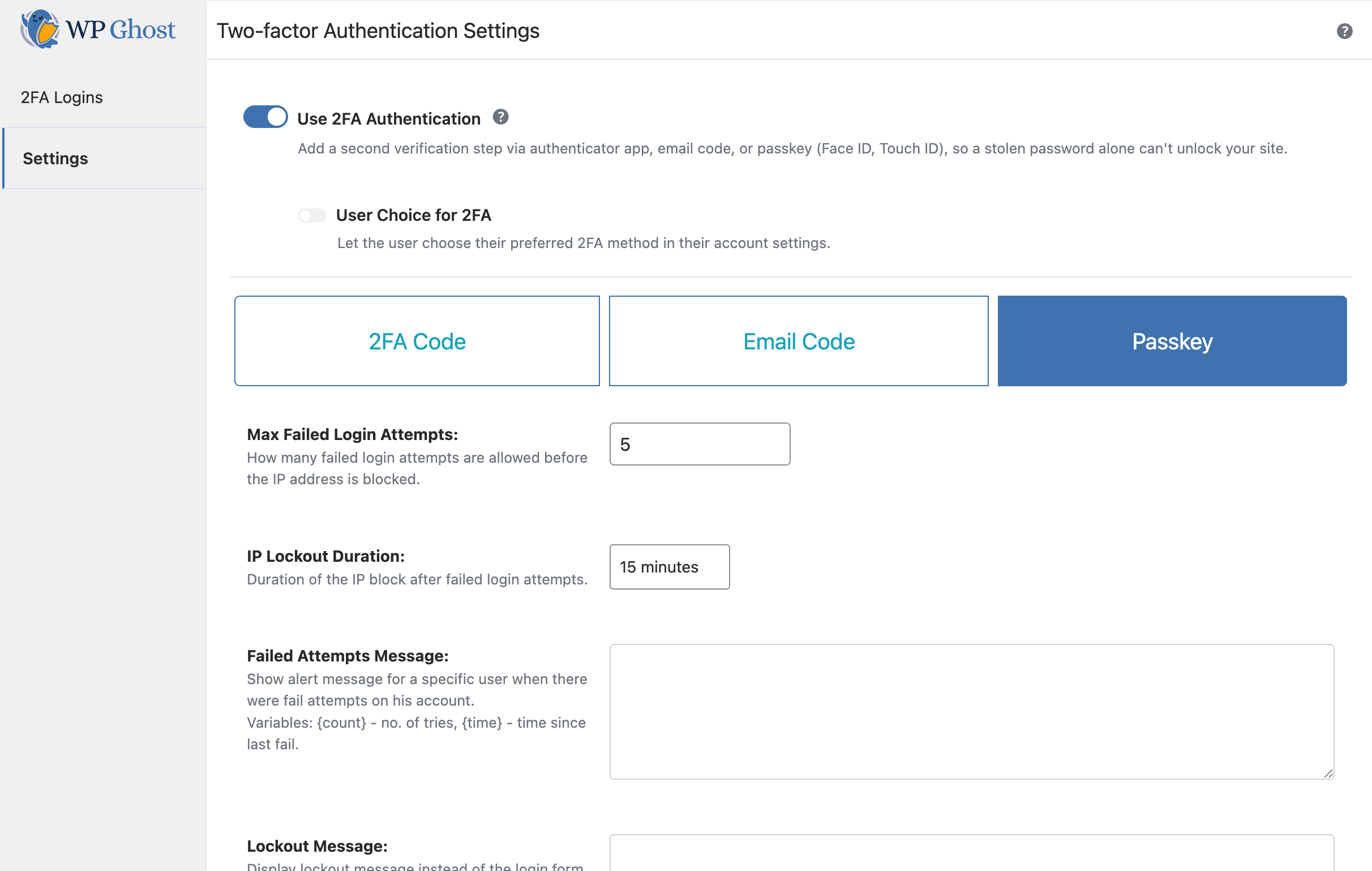
WP Ghost (formerly Hide My WP Ghost) is a WordPress security plugin focused on hack prevention that changes and secures default paths, filters requests through the Firewall, and helps block automated scanners probing default WordPress URLs.
Paths Security changes public URLs such as wp-login.php and restricts access to their default addresses. WP Ghost also includes two-factor authentication (2FA) and a Security Check with tasks for your site’s settings.
WordPress security problems WP Ghost can help with
- Repeated failed logins: set attempt limits and lockout durations under Brute Force protection.
- Bots requesting
wp-login.php: use a custom login URL and block the default address. - Visible plugin folders: change the public paths used in your site’s HTML.
- Suspicious requests: use the 2026 Ghost Firewall to filter supported attack patterns.
- Unclear security settings: run Security Check and review its prioritized tasks.
- Repeated WooCommerce payment attempts: set checkout attempt limits for each IP address.
WP Ghost focuses on attack prevention and WordPress hardening. Keep WordPress and its plugins updated, maintain backups, and use malware scanning when you need to check for infected files.
Official websites: WP Ghost and Hide My WP Ghost.
How Paths Security changes public URLs
WP Ghost changes and secures over 30 default WordPress paths, including wp-admin, wp-login.php, wp-content, wp-includes, admin-ajax.php, /wp-json, plugin directories, and theme folders.
Paths Security rewrites public routes and can block requests to their old addresses. Changing a URL does not fix vulnerable plugin code or replace login authentication.
2026 Ghost Firewall
Version 7.0.15 made the 2026 Ghost Firewall the default filter on new installs. Version 7.0.21 adds checks inside the request: form fields, JSON and XML bodies, file uploads and cookies. Choose it under WP Ghost > Firewall & Headers > Firewall Strength.
WP Ghost uses server rules and application checks, depending on the request and configuration. Test forms and checkout after changing firewall settings.
Firewall levels
- Minimal: checks query strings
- Medium: 6G rules for query strings and user agents
- 7G Firewall: 7G rules for query strings, URLs and user agents
- 8G Firewall: 8G rules for query strings, URLs, user agents and referrers
- 2026 Ghost Firewall (recommended): the 8G rules plus the request checks below
From the 7G level up, WP Ghost also blocks probes for exposed files such as .env, .git and composer.json, and checks visitor comment and form submissions.
What the 2026 Ghost Firewall checks
- SQL injection, cross-site scripting (XSS), directory traversal and scanner probes in URLs, query strings, user agents and referrers
- Every query and form field, plus JSON and XML request bodies, also on
admin-ajax.php,admin-post.phpand the/wp-jsonREST API, for visitors who are not logged in - File uploads with PHP code:
.php,.phtmland.pharfiles, double extensions such as.php.jpg,.htaccessand.user.inifiles, PHP code hidden inside images, and scripts inside SVG and HTML uploads - Privilege escalation: requests that try to set an admin role, admin capabilities, the registration options, or core options such as the site address, admin email and active plugins
- PHP object injection in fields, request bodies and cookies, plain or base64 encoded
- Server-Side Request Forgery (SSRF): cloud metadata addresses and non-web URL schemes
- File inclusion and secret files: PHP stream wrappers, PHP code sent as a data URL, and paths to
wp-config.php,/etc/passwd,.envor SSH keys - XML external entities (XXE) and shell commands that print a secret file
- Plugin exploit inputs: a PHP function name sent as a field value, a remote zip in a plugin or theme field, an author filter that is not a user ID, and REST batch calls nested in a batch
- Query string tricks: prototype pollution, NoSQL operators, SQL
ORDER BYandHAVINGprobes, and backticks - Exploit and scanner tools by user agent, and tags or SQL in the referrer
Every 2026 check runs in linear time, so very long requests stay fast. A request that blocks a real form can pass: add its rule code from the Security Threats Log to Whitelist Rules, or whitelist the IP address or path.
Read the 2026 Ghost Firewall documentation.
Ghost Doctor path checks and repairs
Nginx needs rewrite rules outside .htaccess. Apache and managed hosts can also restrict rewrite settings. Cached CSS URLs can leave a page unstyled after path changes.
Ghost Doctor runs from WP Ghost > Level of Security and tests the site the way a logged-out visitor loads it. It checks the homepage HTML, theme CSS and JS files, admin-ajax.php, the REST API, and the custom admin path.
How Ghost Doctor repairs a broken path
- Reads your server type (Nginx, Apache, LiteSpeed, or IIS), checks whether rewrite rules are written to the server config file, and detects active cache plugins
- Applies repairs from least invasive to fallback, such as serving CSS and JS through WordPress while a cache clears or switching to a mode that needs no server rewrites
- Tests each repair right after applying it and reverts the change if the check still fails
- Saves a configuration snapshot before changing anything, so clicking Undo All Changes restores your previous setup
- Links to the exact hosting panel guide when a step requires a server reload outside WordPress
Read the Ghost Doctor guide and the troubleshooting steps.
AI Security Explanations
Security Check runs locally and provides a free score from 0 to 100, with prioritized tasks.
Clicking AI Security Explanations sends those findings and setup details to generate a report for your configuration.
AI Security Explanations require a connected WP Ghost account with an active subscription and use a monthly allowance of checks.
What the report returns
- One summary paragraph at the top answering whether your current configuration is exposed
- Plain headlines that replace internal task names with the actual risk on your server
- One instruction per finding telling you which setting or file to change
- An on-demand Details panel explaining what an attacker can do with that finding on your server type
- A re-ordered task list ranked by what exposes your site right now
Only the findings on your Security Check screen and six setup parameters (server type, config writability, rewrite presence, cache plugin presence, security mode, and mapped file count) are sent. This AI request excludes page content, user records, passwords and database rows. Premium cloud event retention is a separate feature.
Requests and activity covered by WP Ghost controls
- Brute force login and credential stuffing on
wp-login.php, custom login forms, WooCommerce accounts, and REST API Application Passwords - SQL injection (SQLi) and cross-site scripting (XSS) in URLs, query strings, and form submissions
- Plugin and theme probes that rely on default
/wp-content/plugins/folder names - XML-RPC pingback amplification and unauthenticated
/wp-jsonuser scraping - Automated bot reconnaissance looking for WordPress version tags, generator meta tags, and source map comments
- WooCommerce checkout card testing from repeated IP requests
Features in the free plugin
1. Change and secure paths (Paths Security)
- Change
wp-adminandwp-login.phpto custom names and return a 404 or custom redirect on the default URLs - Change the lost password, registration, and logout paths
- Rename
wp-content,wp-includes, and the uploads path in public HTML - Change
admin-ajax.phpand the/wp-jsonREST API route - Activate protection in one click with 3 security presets: Minimal, Lite Mode + Firewall, or Lite Mode + Firewall + Brute Force + Logs + 2FA
- Verify your homepage, theme assets, and API routes with Frontend Check and Ghost Doctor before saving path changes
- Set role-based login and logout redirect URLs
- Style your custom login URL with the Login Page Designer using a custom logo, background, 12 layouts, and 10 color schemes
2. Firewall and login security
- Filter requests with 5 firewall levels: Minimal, Medium (6G), 7G, 8G and the 2026 Ghost Firewall
- Block Theme Detectors crawlers that look up your theme and plugins
- Whitelist trusted IP addresses, paths and firewall rule codes
- Log in without passwords using Passkey 2FA (Face ID, Touch ID, Windows Hello, or hardware keys)
- Enable Authenticator app codes, email 2FA codes, backup codes, browser trust, and forced 2FA setup by user role
- Send HTTP security headers: Content-Security-Policy (CSP), HSTS, X-Frame-Options, and X-Content-Type-Options
- Block specific IP addresses, User-Agents, and referrers
- View blocked requests in the Security Threats Log with password and payment fields masked
- Track logins, role updates, and admin actions in the User Events Log
- Check the top 5 attack origin countries on the Overview GEO Threats Map
- Track your 0 to 100 Security Optimization Score on the Overview and Security Check screens
- Create expiring Temporary Logins and one-time Magic Login email links capped at the creator’s permission level
3. Footprint removal
- Strip WordPress version numbers and meta generator tags from the HTML head
- Remove source map references inside inline scripts and styles and strip HTML comments
- Block
?author=1queries and unauthenticated REST API user enumeration - Hide the top admin toolbar on the frontend for selected roles
- Disable
wp-emojiscripts, RSD links, andwp-adminprefetch hints
4. Access and endpoint controls
- Disable
xmlrpc.phprequests when your site does not need XML-RPC integrations - Restrict
/wp-jsonREST API access to logged-in users; test integrations that use public endpoints - Disable right-click and selected copy shortcuts on public pages; these controls do not prevent downloading page content
- Turn off directory browsing across WordPress folders
5. Brute force and checkout protection
- Add Google reCAPTCHA v2, v3, Enterprise, or one-time tokenized Math CAPTCHA to login and signup forms, with a built-in key tester
- Protect standard logins, Elementor and page-builder login widgets, and WooCommerce login screens
- Limit repeated WooCommerce checkout submissions and failed payment attempts from the same IP address
- Set custom attempt thresholds, lockout durations, and IP whitelists
6. Diagnostics and extra tools
- Repair broken path or cache setups with Ghost Doctor and revert any test using saved snapshots
- Work through a single prioritized Security Check task list grouped into action bands like “worth fixing this week”
- Rewrite specific CSS class names, IDs, or URLs in page output with Text & URL Mapping
- Log in with one click from Softaculous (cPanel, Plesk, DirectAdmin, Webuzo, CentOS Web Panel) and aaPanel WP Toolkit
WP Ghost Premium features
- Ghost Mode preset: turns on all path changes, hides file extensions, and enables full footprint removal in one click
- Monthly allowance of AI Security Explanations included with your subscription
- Automated IP blocking when an address triggers repeated firewall or brute-force blocks
- AI Copyright Protection: crawler controls at the firewall and in
robots.txt, including rules forGPTBot,ClaudeBot,PerplexityBot,CCBotandBytespider - Unlimited Security Threats Log and User Events Log entries with country, status, and threat filters, search, and CSV export
- 30-day cloud event retention for audit history
- Instant email alerts on brute-force lockouts
- Country blocking (Geo-Security) for the whole site or specific paths
- File extension hiding for
.php,.css,.js, and.jsonURLs - One-click database prefix rename, file permission repair, and SALT key regeneration
PerplexityBot supports AI search discovery, not foundation model training. Review crawler rules before enabling AI Copyright Protection; blocking a search crawler can limit visibility in that service.
See all WP Ghost Premium features.
Technical compatibility
- Hosting environments: WP Engine, Kinsta, Flywheel, SiteGround, InMotion Hosting, HostGator, GoDaddy, DreamHost, FastComet, Bitnami Apache, Bitnami Nginx, Google Cloud, AWS Lightsail, LiteSpeed Hosting, Ploi.io, CloudPanel, RunCloud, Softaculous, aaPanel, Rocket.net, and YunoHost.
- Web servers: Nginx, Apache, LiteSpeed, and IIS.
- Plugins and builders: WooCommerce, Elementor, Divi, Bricks Builder, Blocksy, Avada, Nicepage, Riode, Gutenberg Block Editor, WPML, Polylang, Weglot, WP Rocket, LiteSpeed Cache (QUIC.cloud), W3 Total Cache, WP Super Cache, WP Fastest Cache, SiteGround Optimizer, NitroPack, Autoptimize, Hummingbird, Cachify, Cache Enabler, CDN Enabler, Asset CleanUp, Debloat, Wordfence Security, Sucuri Security, Solid Security, Defender Security, WP Cerber, Shield Security, BBQ Firewall, Really Simple SSL, Yoast SEO, Rank Math, All in One SEO, Squirrly SEO, Contact Form 7, Gravity Forms, Jetpack, bbPress, MainWP, ManageWP, FluentSMTP, Limit Login Attempts Reloaded, Loginizer, and WP Social.