

Hide Admin Menu
v1.1.5Bhavin Thummar · 2017年10月9日 上架
Hide or show sidebar and top admin bar menus for each user role to keep the WordPress dashboard clean.
- 正在使用
- 1 万+
- 评分
- 4.9 / 5
- 累计下载
- 14 万
- 最近更新
- 2026年11月18日
13 条评价需要 WordPress 4.6+已测试到 7.1.5PHP 7.4+
贡献者
 Bhavin Thummar
截图
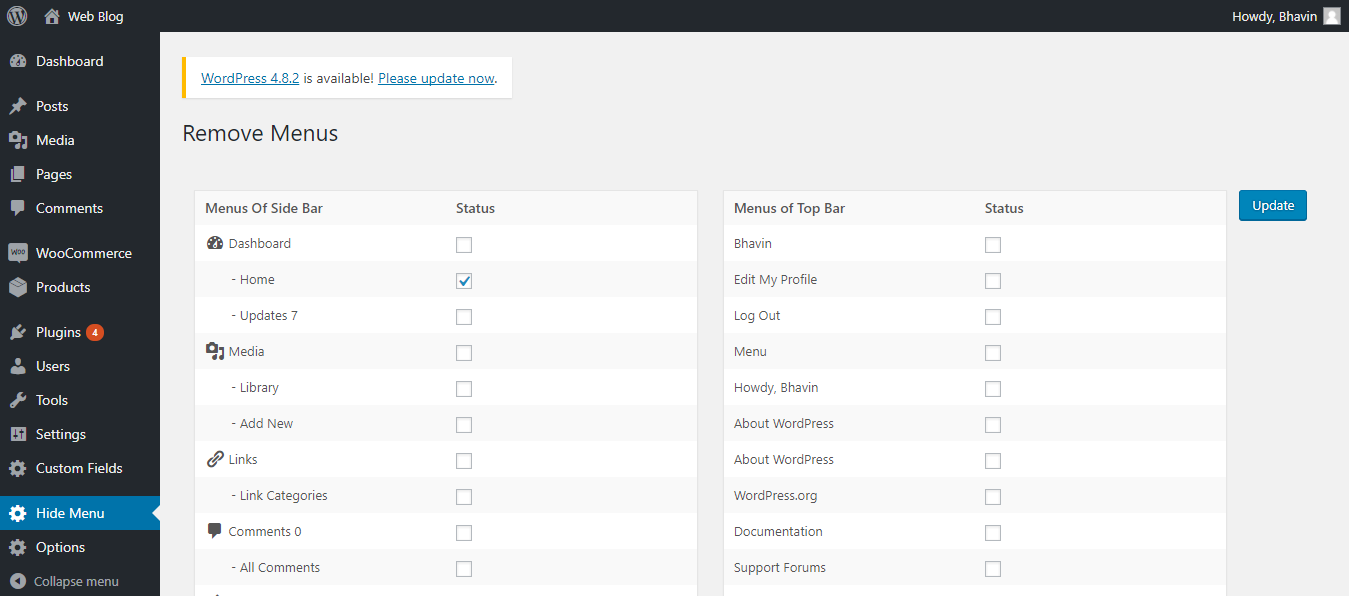
Hide Admin Menu helps you keep the WordPress dashboard focused. Tick the menu items you don’t want a user to see, save, and they disappear from the admin sidebar and top bar.
Features
- Hide sidebar menu items with a simple checkbox form
- Hide sub-menu items for finer control
- Hide top admin bar items
- Set a different list of hidden menus for each user role
- Show a hidden menu again by unchecking it
- Compatible with the latest WordPress version
- Translation ready
Perfect for
- Client websites where you want to show only what the client needs
- Shared sites with editors, authors, or shop managers
- Membership and learning sites that need a simpler dashboard
Important: This plugin hides menu links only. It does not block direct access to admin pages. To restrict access, use WordPress role capabilities together with this plugin.
Watch the video tutorial: https://www.youtube.com/watch?v=LiXcE6aEvdI