

Knowledge Base
v1.0.5tsplugins · 2026年10月9日 上架
Build a documentation hub from pages, posts, custom post types, and taxonomies with drag-and-drop navigation and a live preview.
- 正在使用
- 10 以下
- 评分
- 暂无
- 累计下载
- 416
- 最近更新
- 2026年10月21日
贡献者
 tsplugins
截图
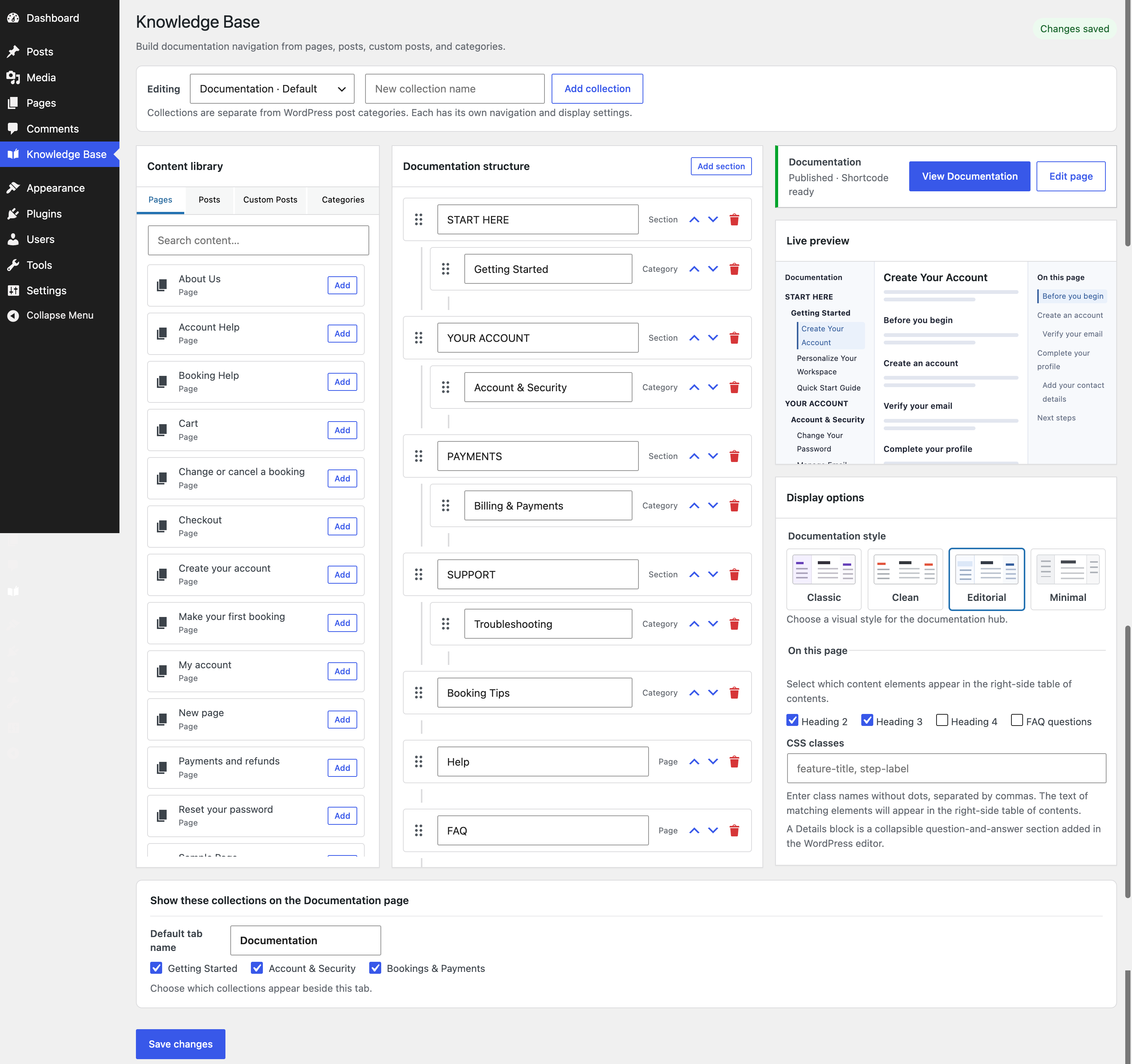


Knowledge Base turns existing WordPress content into a structured documentation hub. Build navigation from Pages, Posts, Custom Posts, Categories, and custom taxonomies. Create the default Documentation page and separate documentation collections for different audiences, products, or support topics.
- Add published Pages, Posts, and Custom Posts from public custom post types such as Products, Events, Courses, or Portfolio items.
- Add categories and public custom taxonomies, including product categories.
- Arrange items with drag and drop or accessible Move up, Move down, and Add buttons.
- Create custom section labels and build a hierarchy up to three levels deep.
- Preview navigation, article content, and the table of contents while editing.
- Choose Classic, Clean, Editorial, or Minimal styling for the documentation hub.
- Include Heading 2 and Heading 3 in the right-side table of contents by default.
- Optionally include Heading 4 and FAQ questions created with Details blocks.
- Add elements with your own CSS classes to the right-side table of contents.
- Use responsive navigation controls on tablets and phones.
- Create named documentation collections with independent content structure, style, and table-of-contents settings.
- Copy a collection-specific shortcode to display each collection on any page or post.
- Optionally add selected collections to a navigation bar at the top of the default Documentation page.
Adding a category or taxonomy term creates a dynamic group. Published content assigned to that term is displayed automatically in alphabetical order, so the navigation stays current as content changes. If an item is also placed manually in the structure, the manual placement takes priority and the item is not repeated inside the group.
The documentation layout expands beyond narrow theme content columns on wide screens, while keeping a readable maximum width and a single-column layout on smaller screens.