

Quote Requests & Deals for WooCommerce
v1.0.1hell0bunny · 2026年10月20日 上架
Add a WooCommerce request-a-quote button, negotiate the price, send a PDF offer, and accept payment at the agreed total.
- 正在使用
- 10 以下
- 评分
- 暂无
- 累计下载
- 308
- 最近更新
- 2026年11月3日
贡献者
 hell0bunny
截图
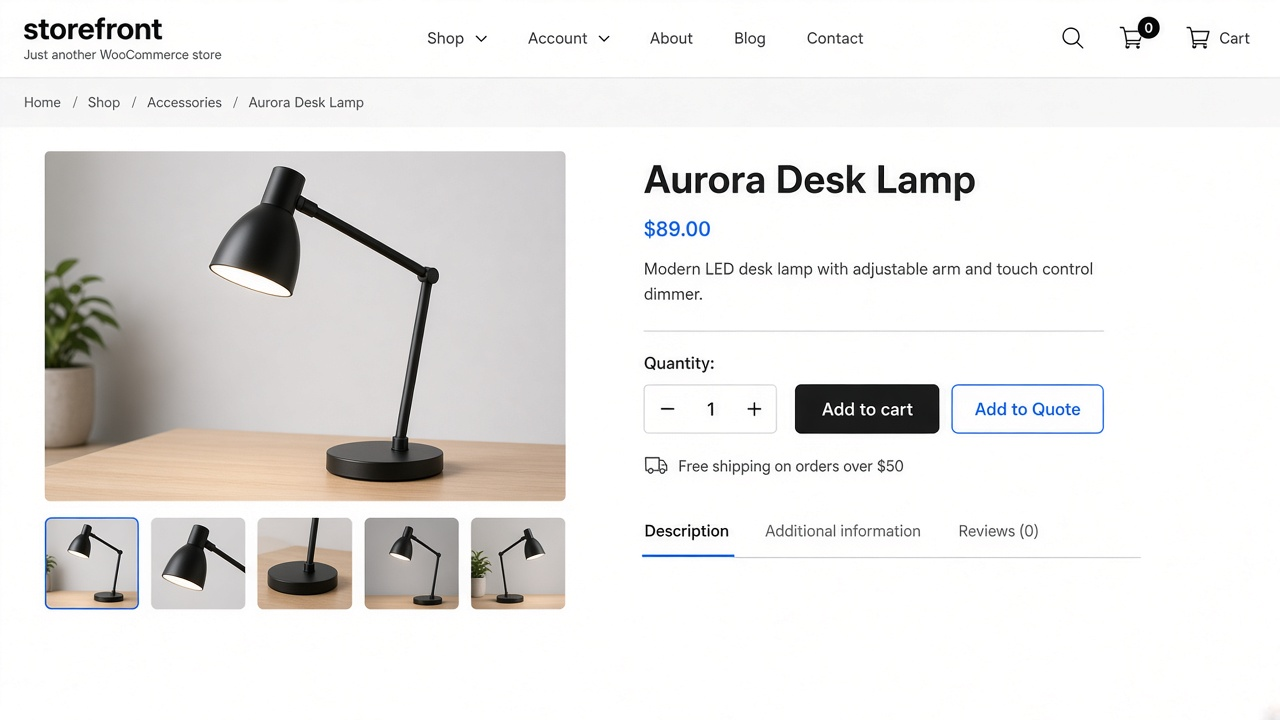


Quote Requests & Deals for WooCommerce lets a customer ask for a price instead of paying the catalog price. The store replies with a custom price, shipping, discount, and tax. The customer accepts, and WooCommerce checkout charges the agreed total.
Use it for wholesale, B2B, made-to-order products, and any catalog where the price is confirmed before payment.
Quotes live in their own tables. Order reports stay limited to real orders, and High-Performance Order Storage stays compatible.
Features
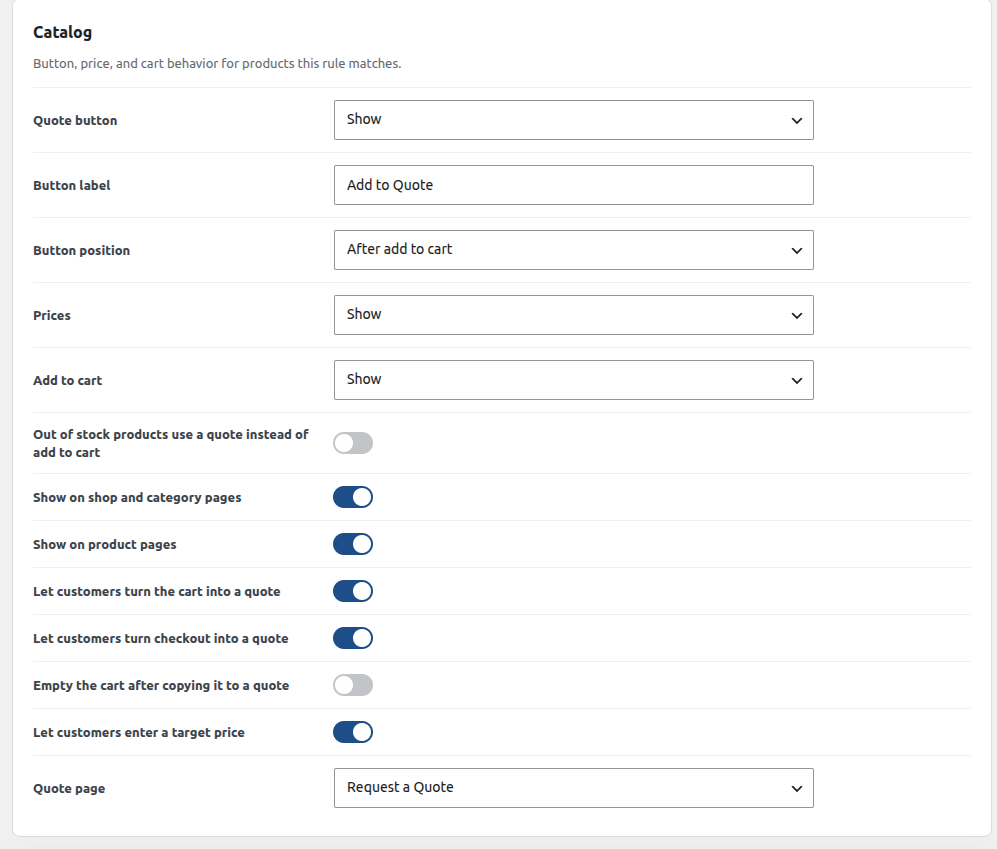
- Add to Quote button on product, shop, and category pages, for simple products and variations
- Show, hide, or replace the price and the Add to cart button
- Quote instead of selling out-of-stock products
- Cart and checkout can be turned into a quote
- Target price so the customer can say what they hope to pay
- One rule for the whole catalog, under Quote Requests Rules
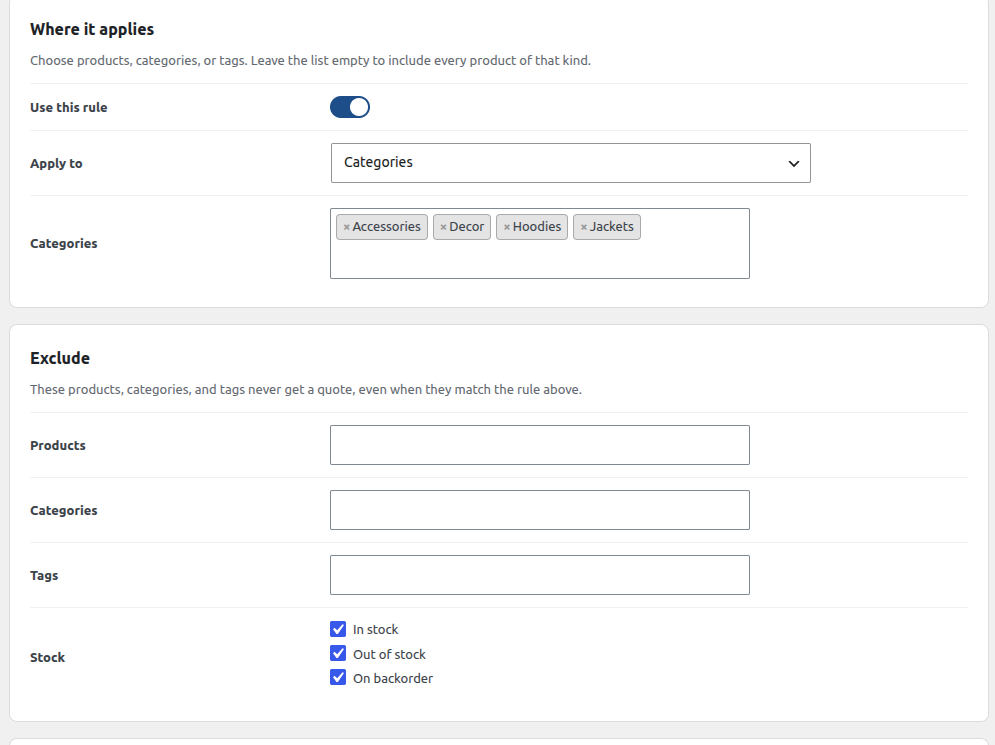
- Apply the rule to all products, or to selected products, categories, or tags
- Exclude products, categories, and tags that should never be quoted
- Stock filter with checkboxes for in stock, out of stock, and on backorder
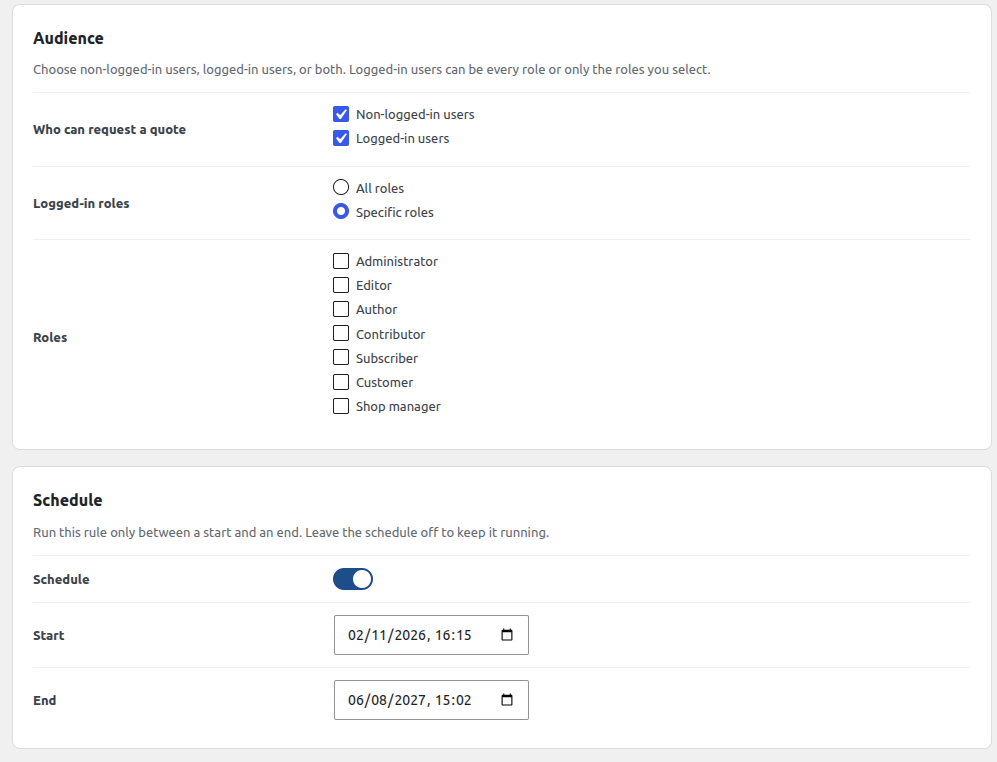
- Audience checkboxes for non-logged-in users and logged-in users
- All roles or specific roles for logged-in customers
- Schedule with a start and an end, checked so the end is after the start
- Separate admin screens for Analytics, Rules, Quotes, and Settings
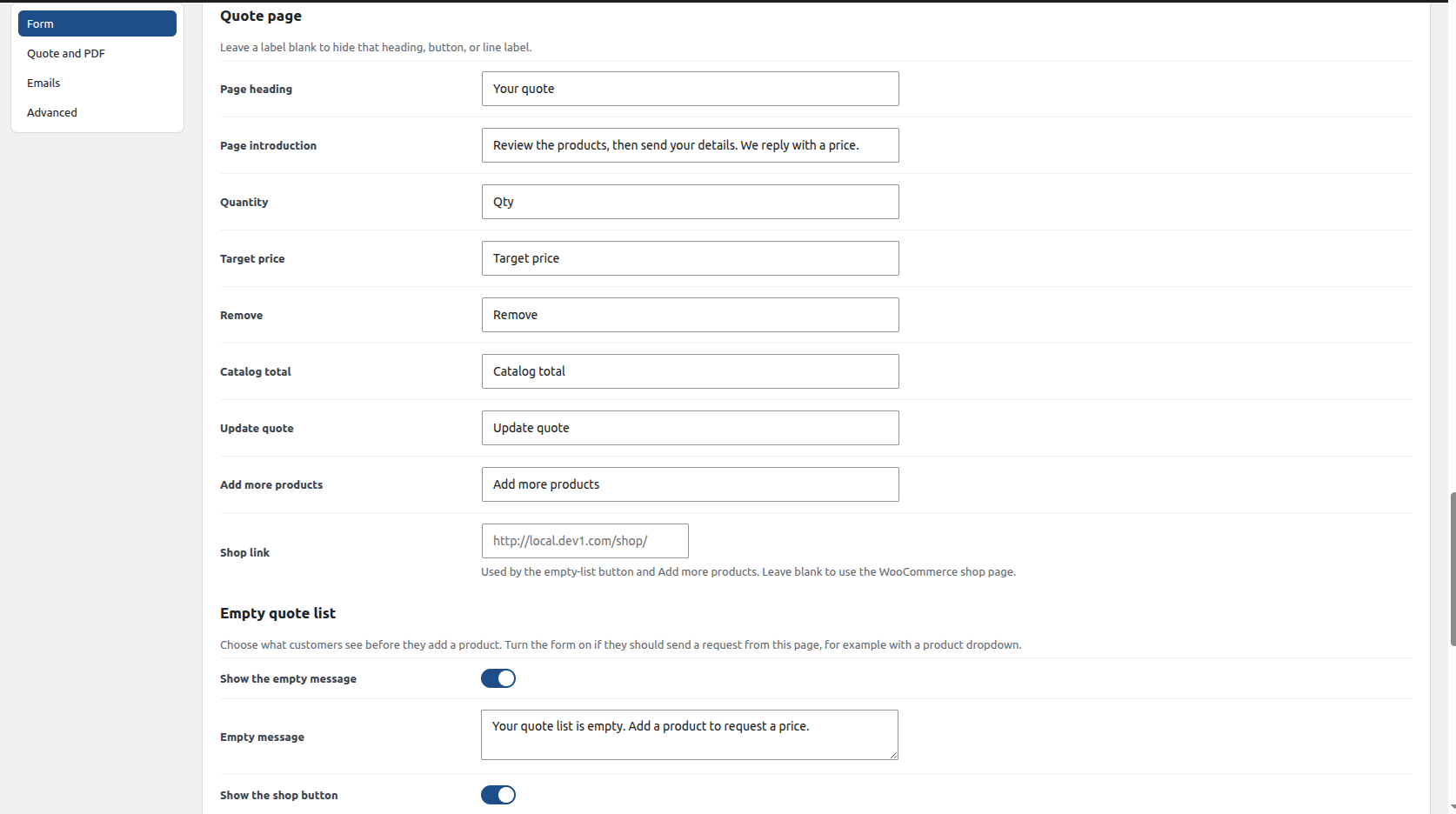
- After submit, send the customer to the current page, any site page, a custom URL, or the quote
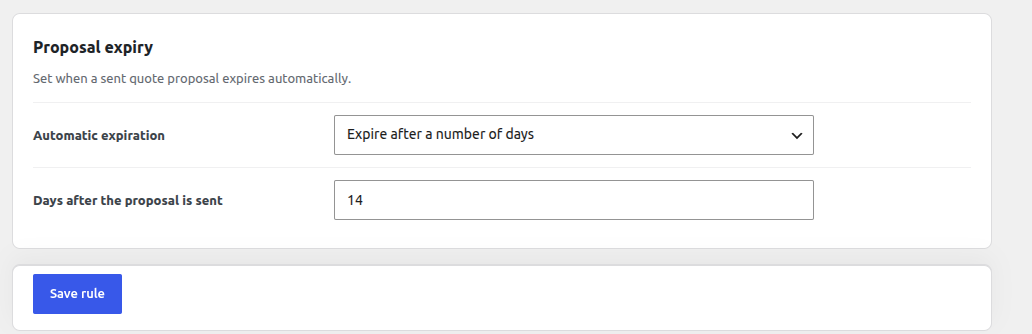
- Automatic proposal expiry after a number of days, on a chosen date, or never
- Quote form with steps, conditional fields, a product dropdown, and file upload
- Spam checks: honeypot, rate limit, Google reCAPTCHA, and Cloudflare Turnstile
- Store tools: manual quotes, custom prices, discounts, shipping, tax, notes, staff assignment, and CSV export
- Customer account list, private guest links, accept and pay, decline, or send a counter-offer
- Locked checkout so the agreed price, address, shipping, and allowed payment methods stay in place
- PDF and print with logo, quote number, totals, and terms
- Emails for each status, with a visual editor, a default draft, and shortcodes for the quote, customer, totals, and links
- Shortcodes and a block:
[hbwaqrd_request_quote],[hbwaqrd_quote_button], a mini-basket, and a REST API
How a quote moves from request to payment
- The customer adds products with Add to Quote. The list is a quote basket, not the WooCommerce cart.
- They send their details from the quote page.
- The store prices the request and emails the offer, including a PDF.
- The customer accepts and pays, declines, or sends a counter-offer.
- A WooCommerce order is created only when the quote is converted or paid.
External services
This plugin can connect to the services below. Each one is off until a store manager turns it on in Quote Requests Settings and saves the credentials that service requires. No data is sent while the feature is disabled.
Google reCAPTCHA
Used to check that a quote request was submitted by a person. When reCAPTCHA is enabled, the quote form loads the reCAPTCHA script from Google and, on submit, sends the reCAPTCHA token and this site’s secret key to Google for verification. Google may also receive the visitor’s IP address and browser data as part of that check.
This service is provided by Google: terms of service, privacy policy.
Cloudflare Turnstile
Used as an alternative spam check on the quote form. When Turnstile is enabled, the quote form loads the Turnstile script from Cloudflare and, on submit, sends the Turnstile token and this site’s secret key to Cloudflare for verification. Cloudflare may also receive the visitor’s IP address and browser data as part of that check.
This service is provided by Cloudflare: terms of use, privacy policy.