

GS Books Showcase – Book Library, Book Grid & Book Slider for Authors
v3.1.9GS Plugins · 2017年1月11日 上架
Show your books with covers, ISBN and publication details in a book grid or slider. For authors, publishers, libraries and book blogs.
- 正在使用
- 500+
- 评分
- 4.8 / 5
- 累计下载
- 3.6 万
- 最近更新
- 2026年11月22日
 GS Plugins
 Md. Sarwar Zaman
 GS Plugins
截图
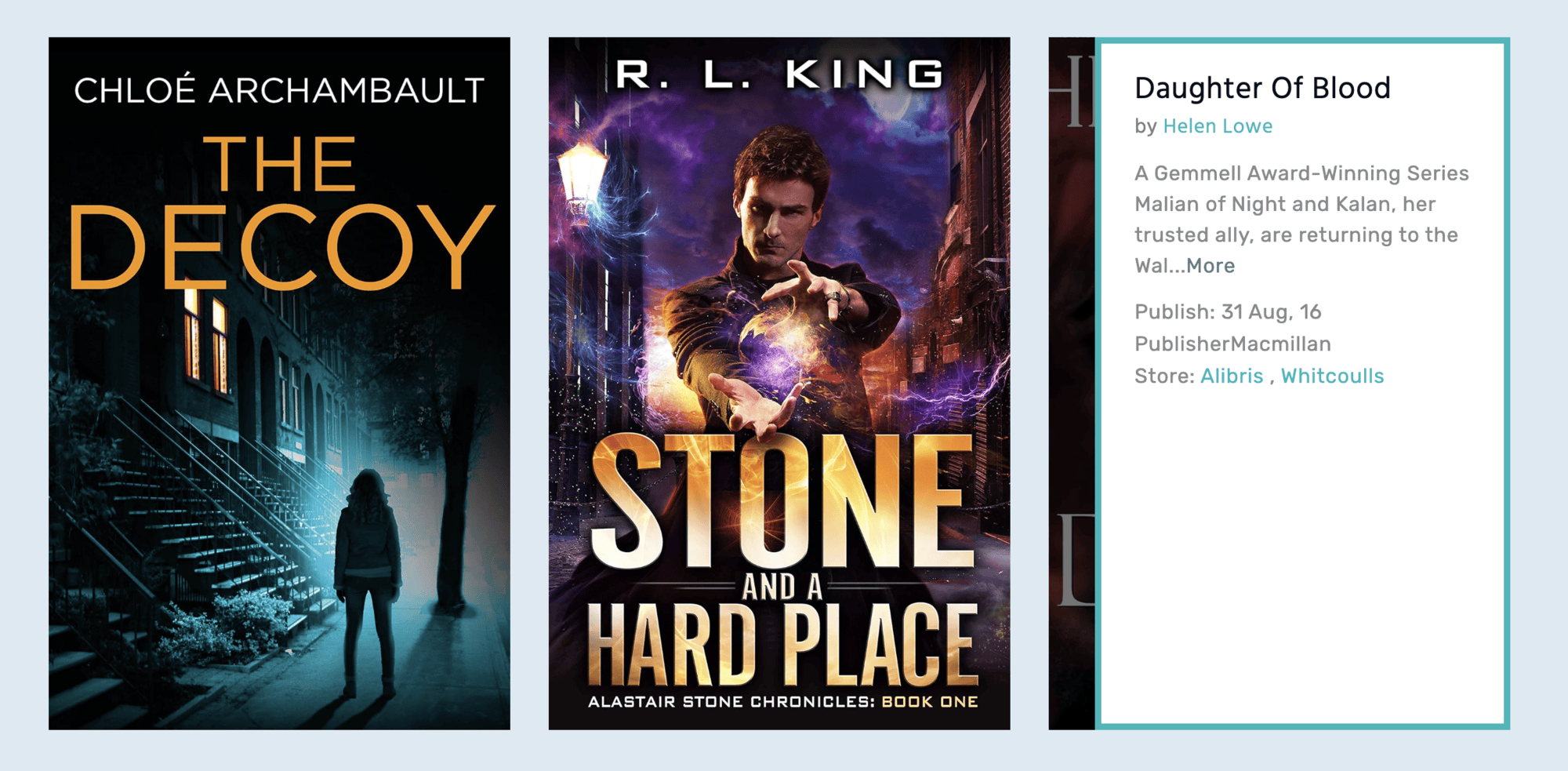
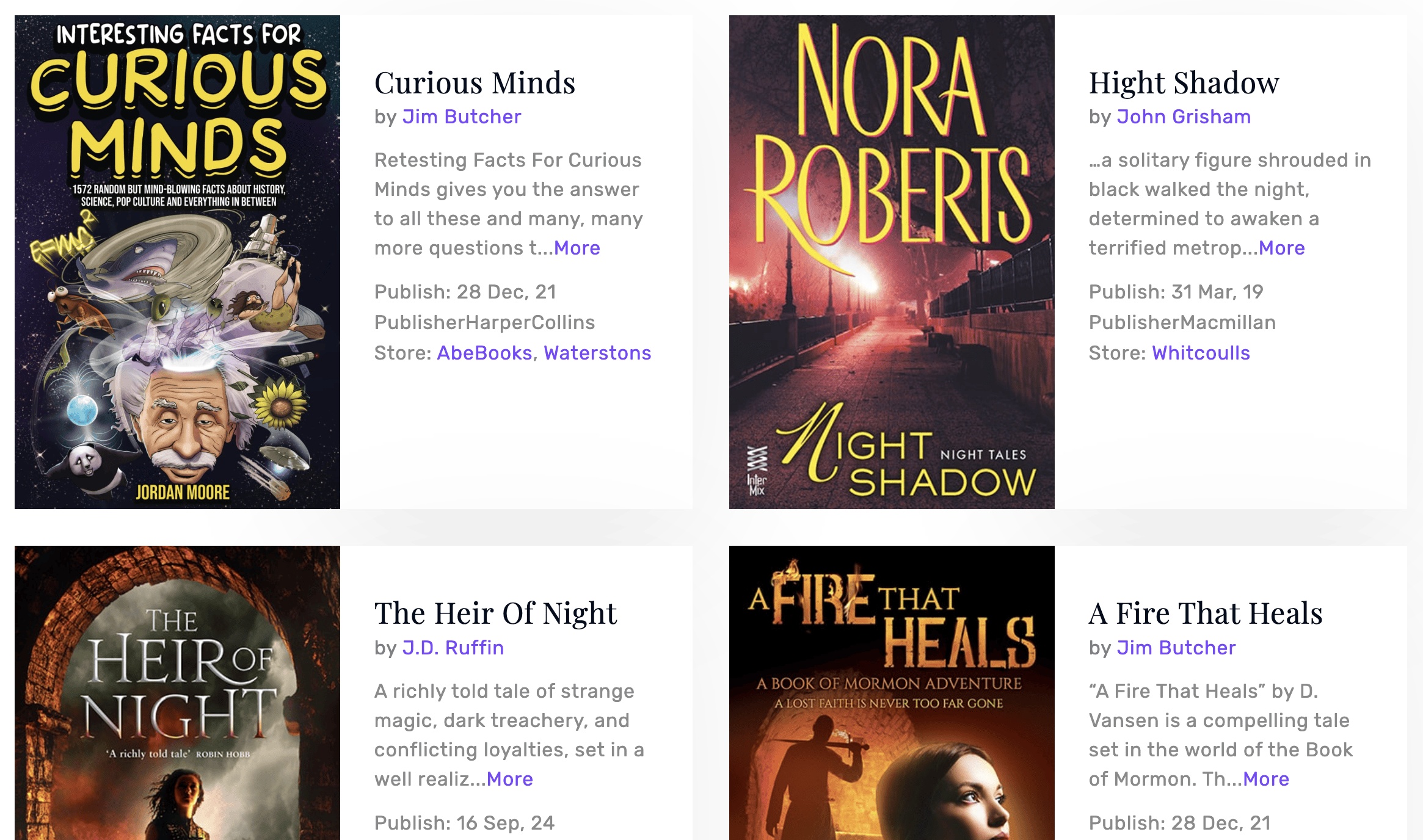

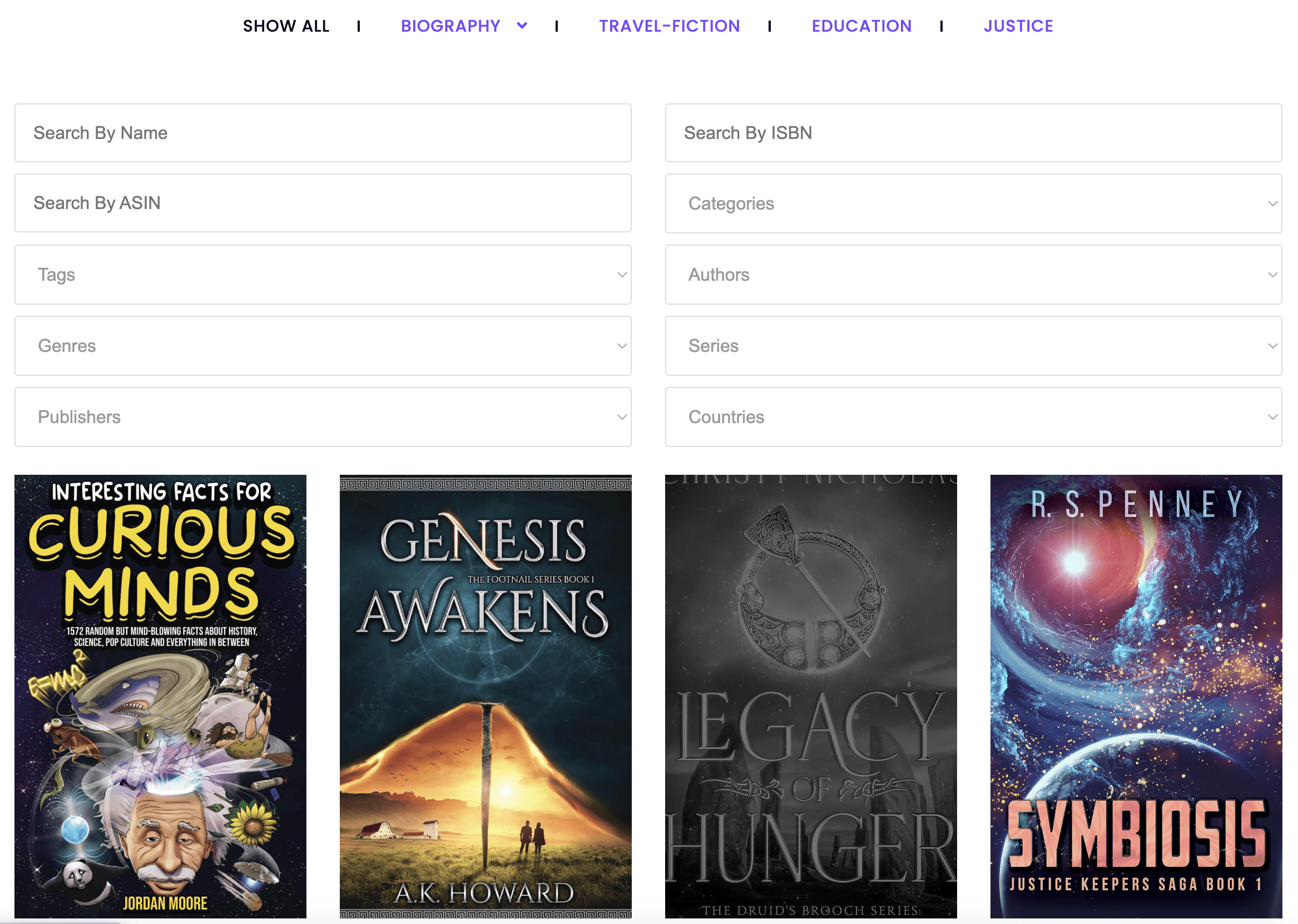


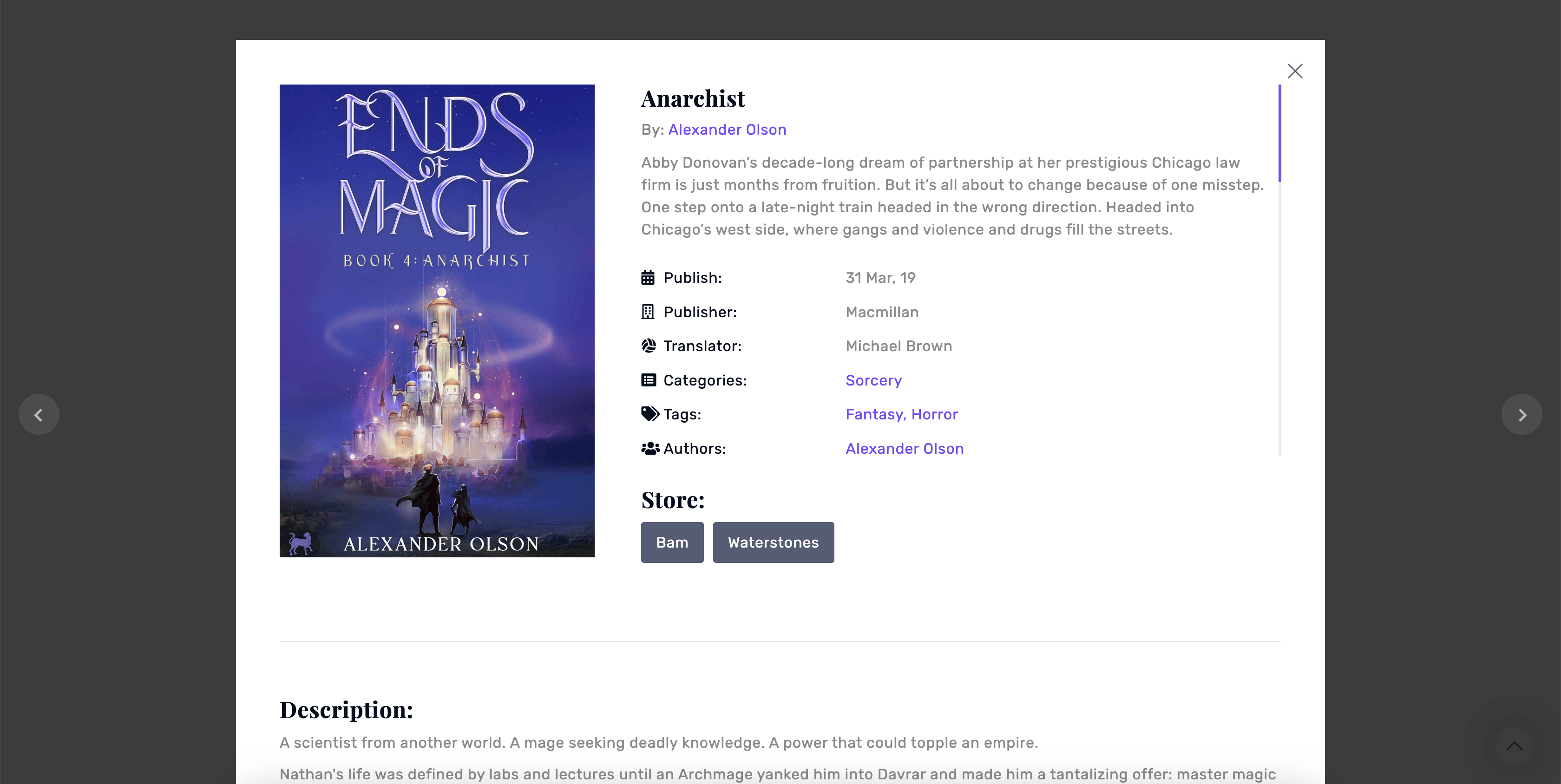

GS Books Showcase turns your WordPress site into a book library. Add each book once with its cover, description, publication date, ISBN and page count, then show your books anywhere as a grid or slider. Every book gets its own page or popup, so readers can see the details without leaving your books page.
Pick a design in the shortcode builder, see it in the live preview, and paste one shortcode or block.
👉 Live demo · Documentation · Pro features · Pricing · Support
Who it’s for
- Authors: a books page with every title you’ve written, with links to buy.
- Publishers: your catalog, organized by category and series.
- Libraries, schools and book clubs: reading lists and collections.
- Book bloggers and reviewers: the books you’ve read and reviewed, with ratings.
Why site owners choose GS Books Showcase
- Made for books: fields for ISBN-10, ISBN-13, publication date, page count, dimensions, e-book file size and download link.
- Set up in minutes: a dedicated Books menu, a shortcode builder with live preview, and one-click demo data.
- Looks right on every screen: set columns for desktop, tablet and mobile.
- Works with your builder: Gutenberg block, Elementor, Divi, WPBakery, Beaver Builder, Oxygen and the Newspaper theme.
Free features
- Grid and slider views with 3 designs.
- Shortcode builder with live preview: create, edit, clone and delete book shortcodes.
- Open books in a popup or on a single book page.
- Book details: cover, description, publication date, ISBN-10, ISBN-13, pages, dimensions, e-book file size and download link.
- Categories and tags, with labels you can rename.
- Slider controls: speed, autoplay, delay, loop, pause on hover and items to move.
- Slider arrow and dot styles.
- Typography settings for titles, authors, labels and values.
- Pagination.
- Unlimited books.
- Export and import books, plus one-click demo data.
- Custom book slug, custom CSS and template overrides in your child theme.
- Translation ready, with every front-end label editable.
Pro features
GS Books Showcase Pro adds:
- Buy links: bookstore buttons with logos, plus formats (hardcover, paperback, e-book, audiobook) each with its own price and link.
- Filter view with live search and filters, and a ticker view.
- 31 more designs, including flip, 3D book, author, widget and PDF designs.
- PDF books: upload a PDF and show it in a reader on the book page.
- Authors, genres, series and publishers, with author pages.
- More book details: translator, co-publisher, ASIN, DOI, LCCN, weight, price, sale price, availability, pre-order, age group, reading level, edition, awards and reading time.
- Readers’ rating and review for each book.
- Book gallery and cover variations.
- Ribbons such as “New” or “Bestseller”.
- More popup and single book page designs.
- Import book details from Open Library by ISBN, plus CSV bulk import.
- Drag-and-drop custom order.
- Priority email support.
Plans start at $49 per year, with a 7-day money-back guarantee. Compare Pro plans.
How it works
- Go to Book Showcase > Add New. Add the title, description and cover, then fill in the publication date, ISBN and other details, and choose a category.
- Go to Book Showcase > Shortcode, create a shortcode and pick a view and design. The live preview updates as you change settings.
- Copy the shortcode, for example
[gs_bookshowcase id=2], into any page or post, or use the GS Books block or widget in your page builder.
Each shortcode has three tabs:
- General: view, design, link type (popup or single page), columns per device and which details to show.
- Style: image effects, typography, text alignment, and slider arrows and dots.
- Query: how many books to show, sorting, and which categories and tags to include or exclude.
Shortcode usage
[gs_bookshowcase id=2]
In a theme file:
<?php echo do_shortcode( '[gs_bookshowcase id=2]' ); ?>
See the documentation for every option.
Support
Free users get help in the WordPress.org support forum. Pro users get priority email support through our help desk. We reply as soon as we can, excluding holidays.
More plugins from GS Plugins
- GS Logo Slider: client, partner and sponsor logos in sliders, carousels, tickers and grids.
- Solid Testimonials: customer reviews and quotes in sliders, grids and masonry layouts.
- GS Team Members: team pages and staff directories with profiles and social links.
- GS Portfolio: show your work in grid, slider, list and filterable layouts.
- GS Projects Showcase: case studies with client, dates, value and project links.
- GS Coaches: coach and trainer profiles with skills and certifications.
- GS Posts Grid: blog posts in 50+ grid, list and slider styles.
- GS WooCommerce Products Slider: product sliders and carousels for your shop.
- GS Variation Swatches: color, image and button swatches for WooCommerce variations.
- GS WooCommerce Brands: add brands to products with logos, filters and sliders.
- GS Pinterest Portfolio: embed Pinterest pins and boards.
- GS YouTube Gallery: YouTube videos, playlists and channels in galleries.
- PowerUp: redirects, restrictions and admin tools for WordPress.
External services
GS Books Showcase connects to these outside services. Nothing is sent until the step described happens.
Google Fonts (fonts.googleapis.com, fonts.gstatic.com)
The book styles load their fonts from Google Fonts on pages that show books, and a font you pick in a shortcode’s Typography settings is loaded the same way. The plugin’s admin pages load the DM Sans font from Google Fonts too. Each request sends the visitor’s IP address and browser details to Google, as any web font request does. No other data is sent. Google Fonts privacy FAQ · Google Terms of Service · Google Privacy Policy
CDN Fonts (fonts.cdnfonts.com)
The Help, GS Plugins Pro and GS Plugins Lite admin pages load the Gotham font from CDN Fonts. Only an administrator viewing those pages makes the request, which sends their IP address and browser details. CDN Fonts (terms and privacy policy linked from their site)
Appsero (api.appsero.com)
Used for optional usage statistics and the deactivation survey. Nothing is sent unless an administrator clicks Allow on the “help make GS Books Showcase even more awesome” notice; after that the site URL, site name, administrator name and email, WordPress, PHP and server versions, number of users, active and inactive plugins, the plugin version and the server IP address are sent, and again when the plugin is deactivated. To find the server IP address, the Appsero library asks icanhazip.com (which sees only the server’s IP address). If an administrator fills in the optional survey when deactivating the plugin, the chosen reason and any comment are sent. Appsero privacy policy · icanhazip
The Open Library and Amazon book imports are part of GS Books Showcase Pro, not this plugin.
Development source
Every minified file in this plugin is built from the readable source included in the download:
dev/holds the source of the admin pages, shortcode builder (Vue), front-end scripts and styles.includes/integrations/assets/holds the source of the Gutenberg block, Elementor and Divi scripts next to their.min.jsfiles.webpack.mix.jsandpackage.jsonhold the build setup.
To rebuild: run npm install, then npm run production. Third-party libraries in assets/libs/ (Swiper, Magnific Popup, Select2, Font Awesome, Bootstrap grid, Material Design Iconic Font, date picker) are the unmodified releases from their projects.