
GruVer Calendar
v1.0.0gruverapp · 2026年10月26日 上架
Show the events of your GruVer organisation on your website – as an event list or a month view.
- 正在使用
- 10 以下
- 评分
- 暂无
- 累计下载
- 155
- 最近更新
- 2026年10月27日
贡献者
 gruverapp
截图

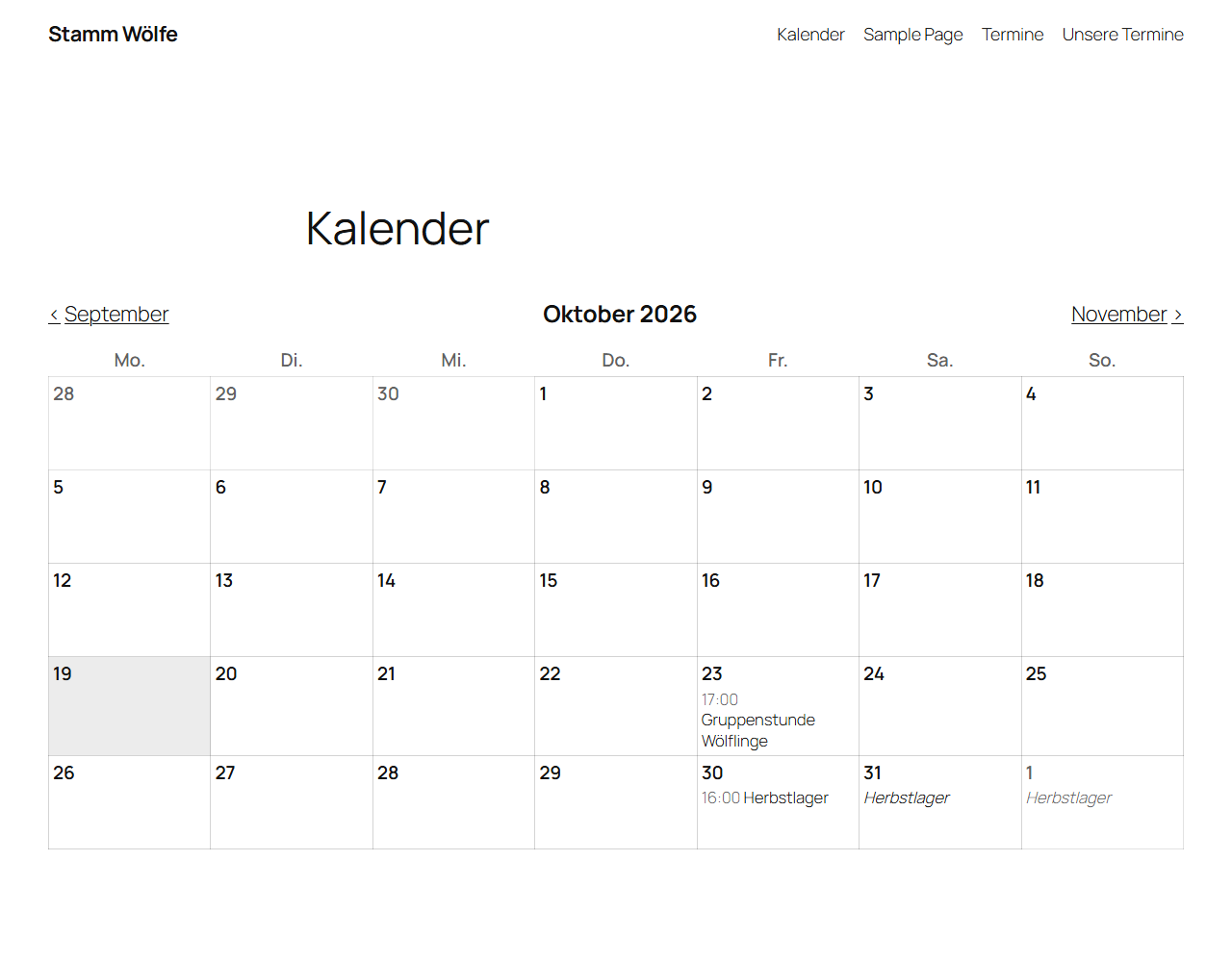
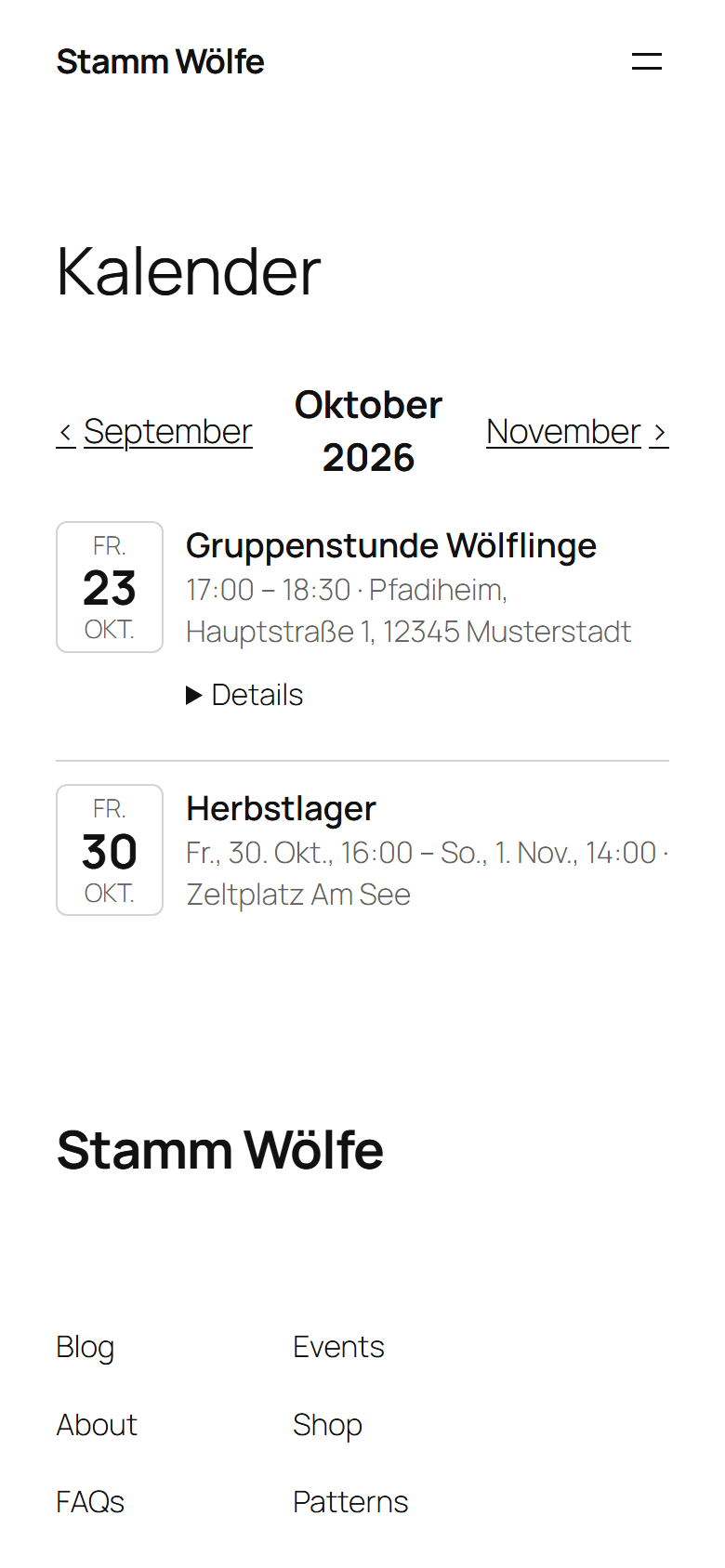
GruVer is a group management tool for clubs and youth organisations, especially scouts. In GruVer, the leaders of an organisation can create organisation calendars and choose which events they contain. This plugin shows such a calendar on your WordPress website.
- Event list with date, time, title, location and an expandable description – or a compact list with date and title only for narrow sidebars.
- Month view that visitors can page through. In narrow containers (sidebars, phones) it automatically turns into a list.
- Everywhere: as a block (also in widget areas and footers of block themes), as a classic widget and as the shortcode
[gruver_calendar]for page builders. - Several calendars, e.g. one per age group, each with its own name.
- No tracking, no cookies: your web server fetches the calendar from GruVer in the background and stores a copy. Your visitors only load your own website and never contact GruVer.
- Fits your theme: the calendar uses the colours and fonts of your theme. Developers can adjust it with CSS custom properties.
- Works without JavaScript on your website. Ready for translation.
How to get your calendar link
- Register your organisation with GruVer at app.gruver.de or log in if you already use GruVer.
- In GruVer, open Organisation Settings Organisation calendars and create a calendar. Choose which events it shows: all of them or only events with certain tags.
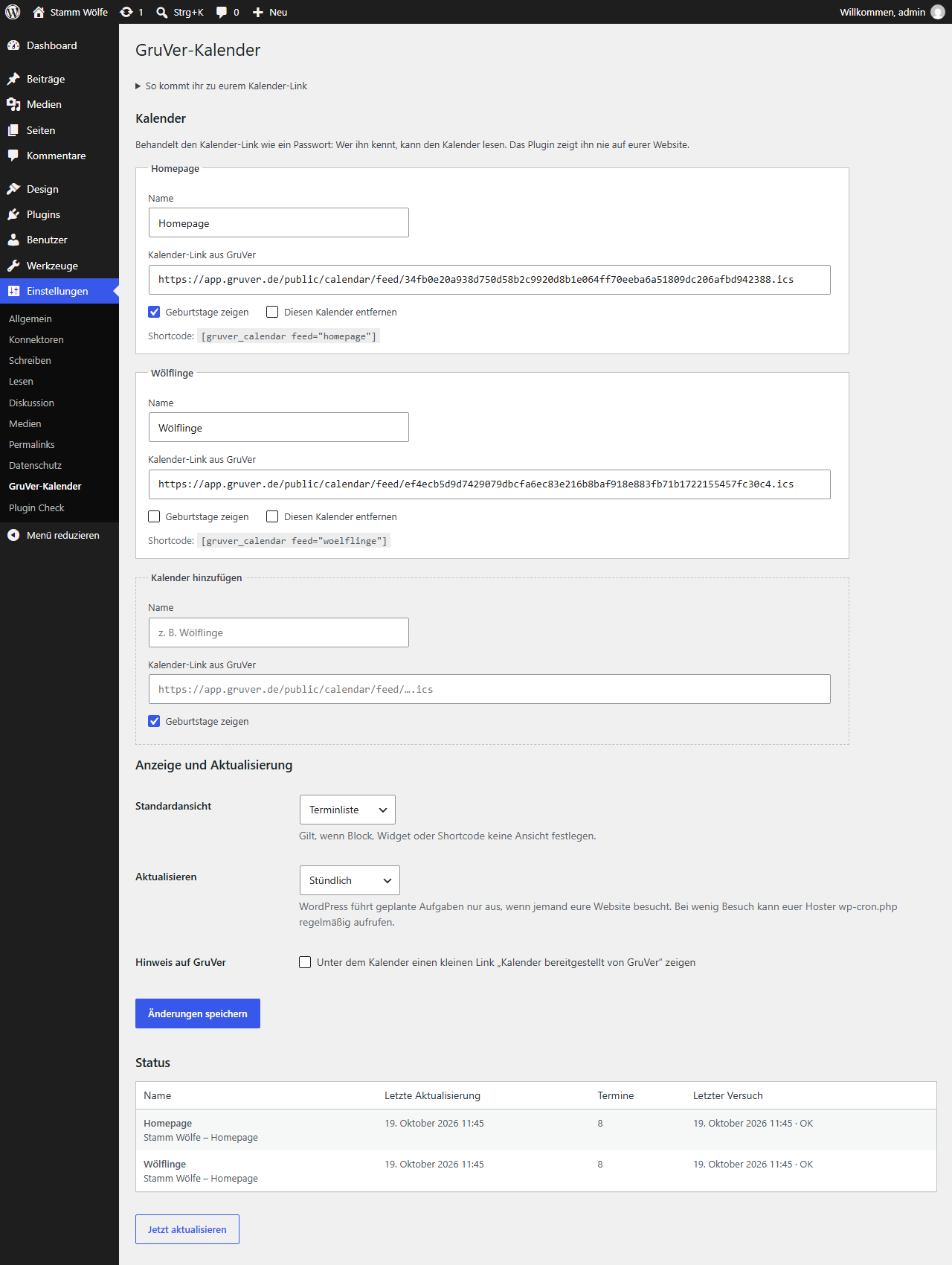
- Copy the calendar link. In WordPress, go to Settings GruVer Calendar and paste it together with a name.
- Add the “GruVer Calendar” block, widget or shortcode where the calendar should appear.
Treat the calendar link like a password: whoever knows it can read the calendar. The plugin never shows it on your website. If a link gets out, revoke it in GruVer and paste the new one.
External services
This plugin fetches calendars from GruVer (app.gruver.de), a group management service for clubs and youth organisations. The service is required: the plugin shows nothing without a calendar from GruVer.
- What is fetched: the iCalendar feed behind the calendar link you enter on the settings page (an address at app.gruver.de).
- When: after you save a new or changed calendar link, when you click “Refresh now”, and at the chosen refresh interval through WP-Cron (hourly by default).
- What is sent: an HTTP request from your web server to the calendar link. Like every request WordPress makes, it contains the IP address of your server and a user agent with the WordPress version and the address of your website. No data about your visitors is sent; they never contact GruVer.
GruVer: terms of service, data processing agreement, disclaimer, privacy policy, imprint.