
Greek VAT & Invoices for WooCommerce
v1.2.6Theodore Sfakianakis · 2025年12月17日 上架
Add Greek VAT, DOY and Invoice/Receipt selection to WooCommerce checkout. Simple and lightweight solution for Greek e-commerce.
- 正在使用
- 200+
- 评分
- 5.0 / 5
- 累计下载
- 2,713
- 最近更新
- 2026年10月21日
 Theodore Sfakianakis
截图


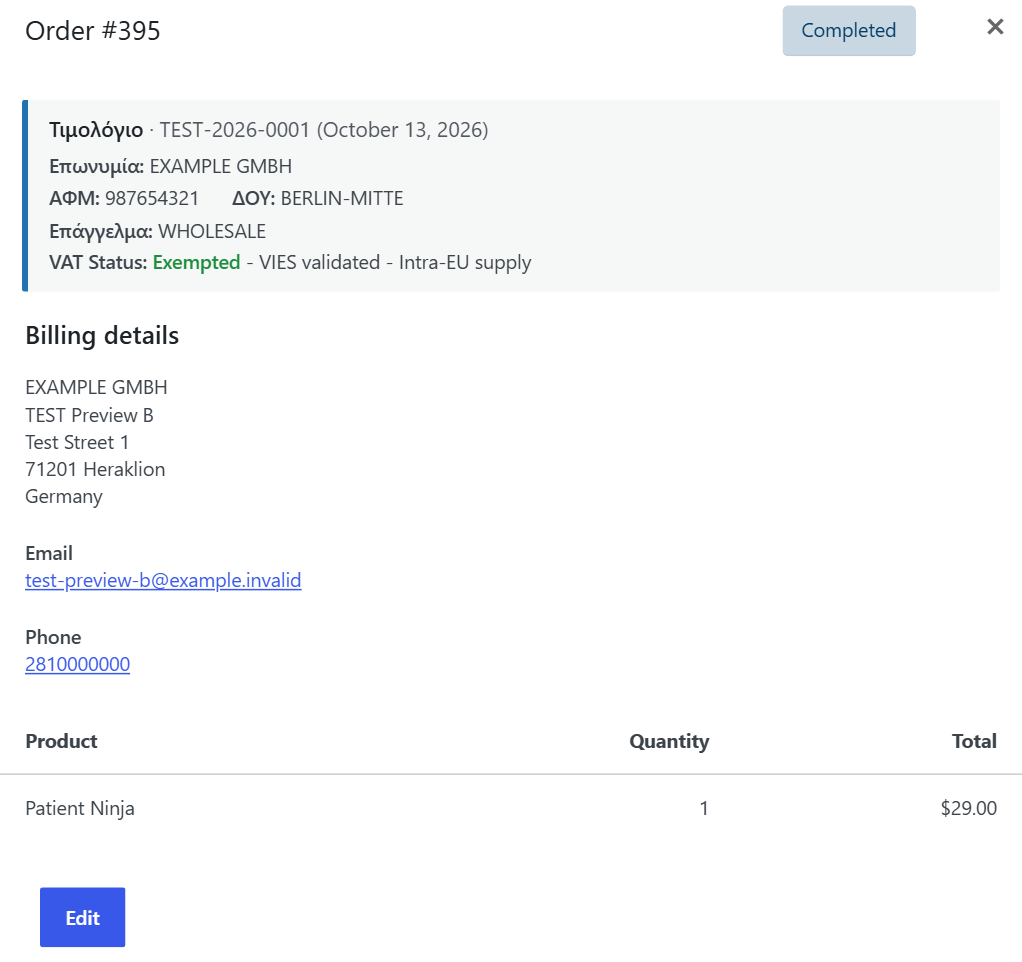
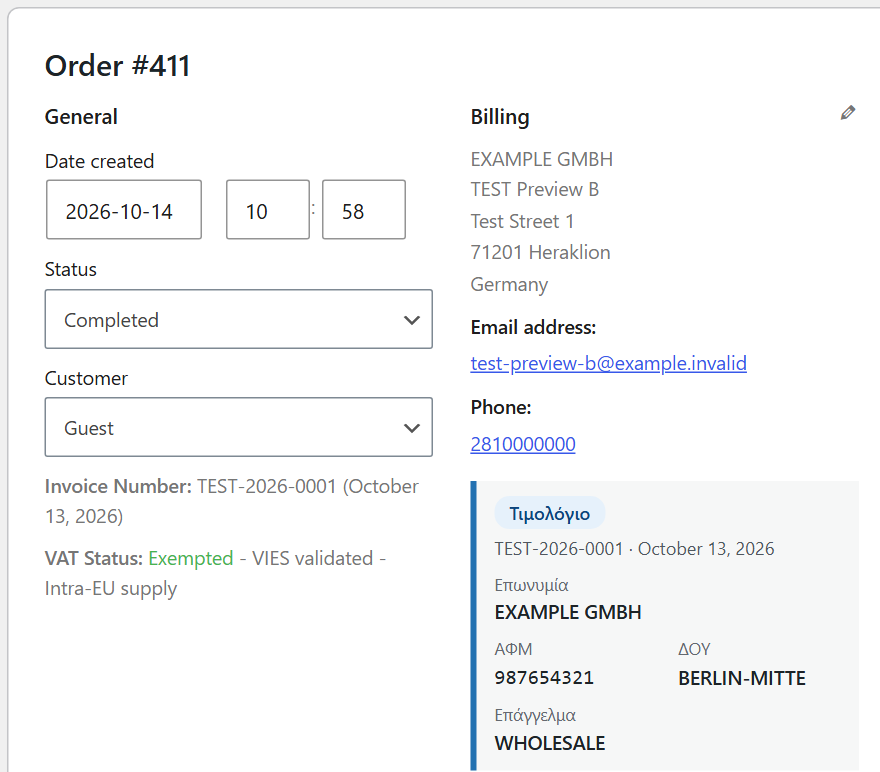
🇬🇷 Simple Greek VAT fields for WooCommerce checkout
Add essential Greek tax fields (ΑΦΜ, ΔΟΥ, Business Info) and Invoice/Receipt selection to your WooCommerce checkout. Clean, lightweight, and easy to use.
Key Features
- Invoice/Receipt Selection – Let customers choose between “Τιμολόγιο” or “Απόδειξη”
- VAT Number (ΑΦΜ) – Required for invoices, numeric only with 9-digit validation
- Tax Office (ΔΟΥ) – Customer’s tax office field
- Company Name – Business name for invoices
- Business Activity – Type of business activity
- Real-time Validation – Instant error messages for invalid VAT format
- Smart Field Visibility – Fields appear/hide based on invoice/receipt selection
- Uppercase Conversion – Auto-convert to CAPITALS (AADE requirement)
- Mobile Responsive – Works perfectly on all devices
WooCommerce Block (Gutenberg) Checkout Support
Full support for the new WooCommerce Block-based Checkout using the official Additional Checkout Fields API:
- Block Checkout Compatible – Works with the Gutenberg-based checkout page
- Checkout Type Selection – Choose between Classic or Block checkout in admin settings
- Field Position Control – Place invoice fields in the Contact Information or Order section
- Conditional Visibility – Invoice fields dynamically show/hide in block checkout just like classic
- Native Admin & Email Display – Fields appear automatically in order details and emails via WooCommerce’s built-in rendering
- Server-side Validation – VAT, DOY, Company, and Activity validated on the server when invoice type is selected
Admin Settings
- Enable/Disable invoice selection feature
- Checkout type: Classic checkout or Block (Gutenberg) checkout
- Field position for classic checkout (10 positions available)
- Field position for block checkout (Contact Information or Order section)
- Uppercase conversion toggle
- Beautiful, modern admin interface with gradient styling
Coming Soon Features
Future versions will include:
- 🔍 AADE Integration – Real-time VAT validation via AADE API with auto-complete
- 🇪🇺 VIES Validation – EU VAT number verification
- 📄 PDF Invoice Generation – Professional invoice PDFs with email delivery
- 💰 VAT Exemptions – Article 39α, VIES-based EU, and non-EU export exemptions
- 📊 Invoice Numbering – Automatic invoice numbering with annual counter
- 📧 Email Integration – Custom email templates and automatic sending
Support development to help prioritize these features! Donate via PayPal
Fully Translated
- Greek (Ελληνικά) – Native language support
- English – Full English translation
Privacy & Security
- No external API calls in current version
- Data stored locally in WooCommerce order meta
- GDPR compliant
- No third-party tracking
- Proper input sanitization and validation
⚠️ Important Notice
This is a free, open-source plugin provided “as is” without any warranty of any kind. By installing or updating this plugin you accept full responsibility for any outcome.
Before installing or upgrading on a live/production site:
- Always test first on a staging or clone environment — Never install or update directly on your production shop without testing first.
- Create a full backup — Back up your database and files before any plugin installation or update.
- Verify checkout functionality — After updating, place a test order to confirm everything works correctly.
The author(s) assume no liability for any issues, data loss, lost revenue, or disruptions caused by this plugin. Use at your own risk.
Developer
Theodore Sfakianakis (irmaiden)
- GitHub: https://github.com/TheoSfak
- Email: theodore.sfakianakis@gmail.com
- Donate: https://paypal.me/TheodoreSfakianakis
Support
- Bug Reports: GitHub Issues
- Questions: GitHub Discussions
- Email: theodore.sfakianakis@gmail.com
Made with ❤️ in Greece 🇬🇷