
跳到内容

GravityWP – Merge Tags

v1.4.5

GravityWP · 2017年2月24日 上架

Adds an admin page to show the merge tags and form information of a specific Gravity Form.

正在使用
2,000+
评分
5.0 / 5
累计下载
4.2 万
最近更新
2025年7月2日
6 条评价需要 WordPress 3.0.1+已测试到 6.8.13

贡献者

截图

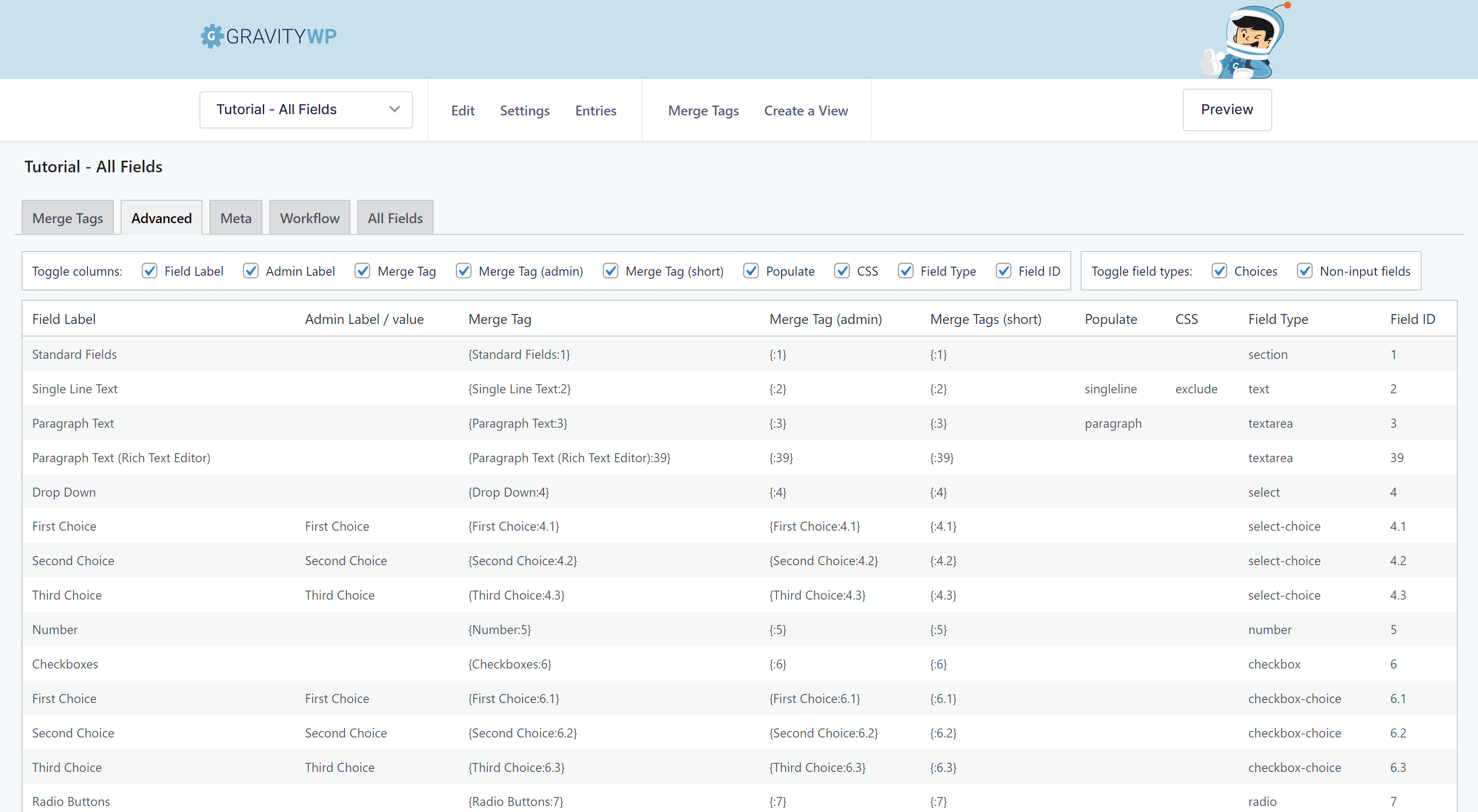
List of Merge Tags in your current Gravity Form.
Advanced Merge Tags (label, merge tag, short merge tag, field type like text, radio, hidden, checkbox, select, etc).
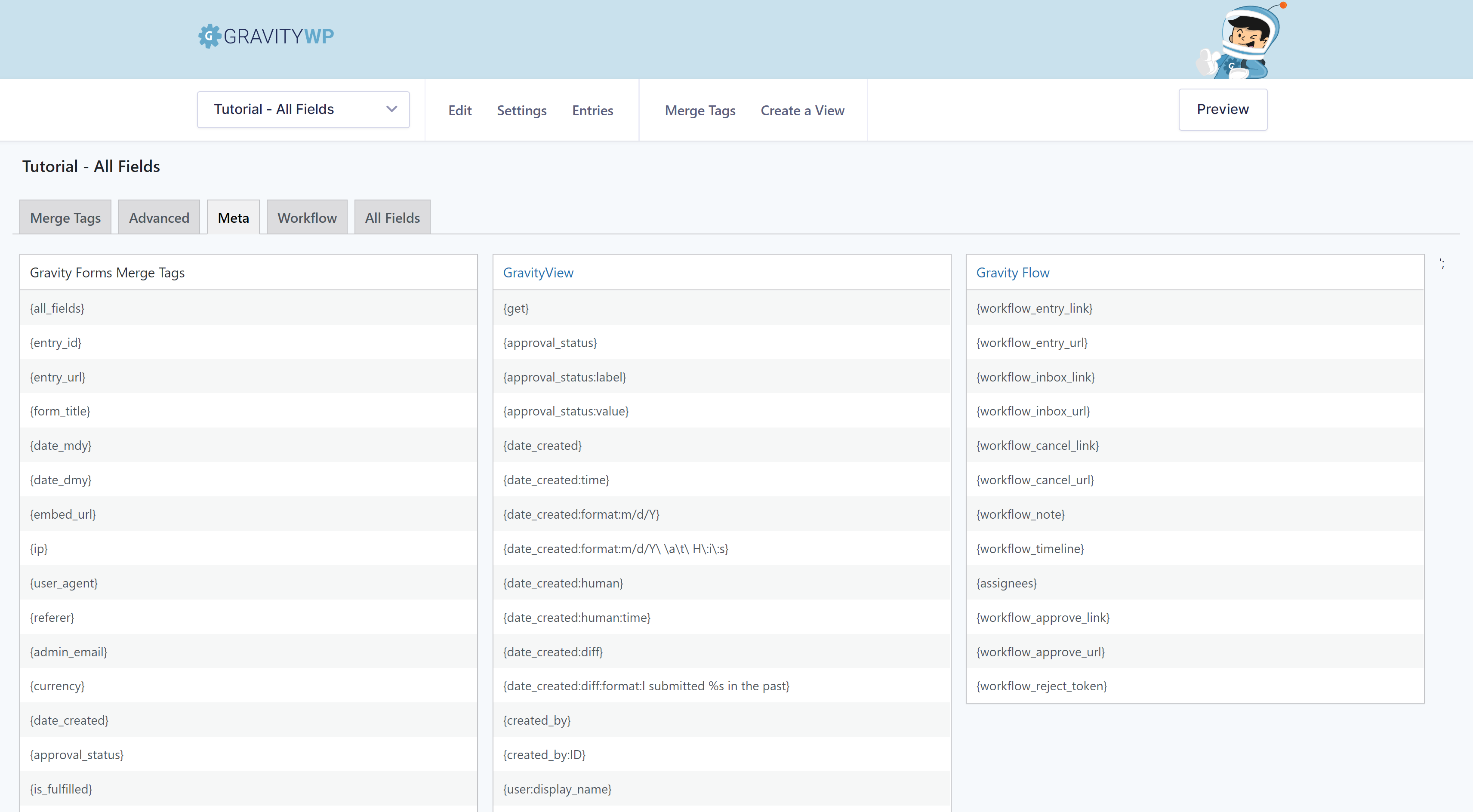
List of Standard Merge Tags (Gravity Forms, GravityView, Gravity Flow).
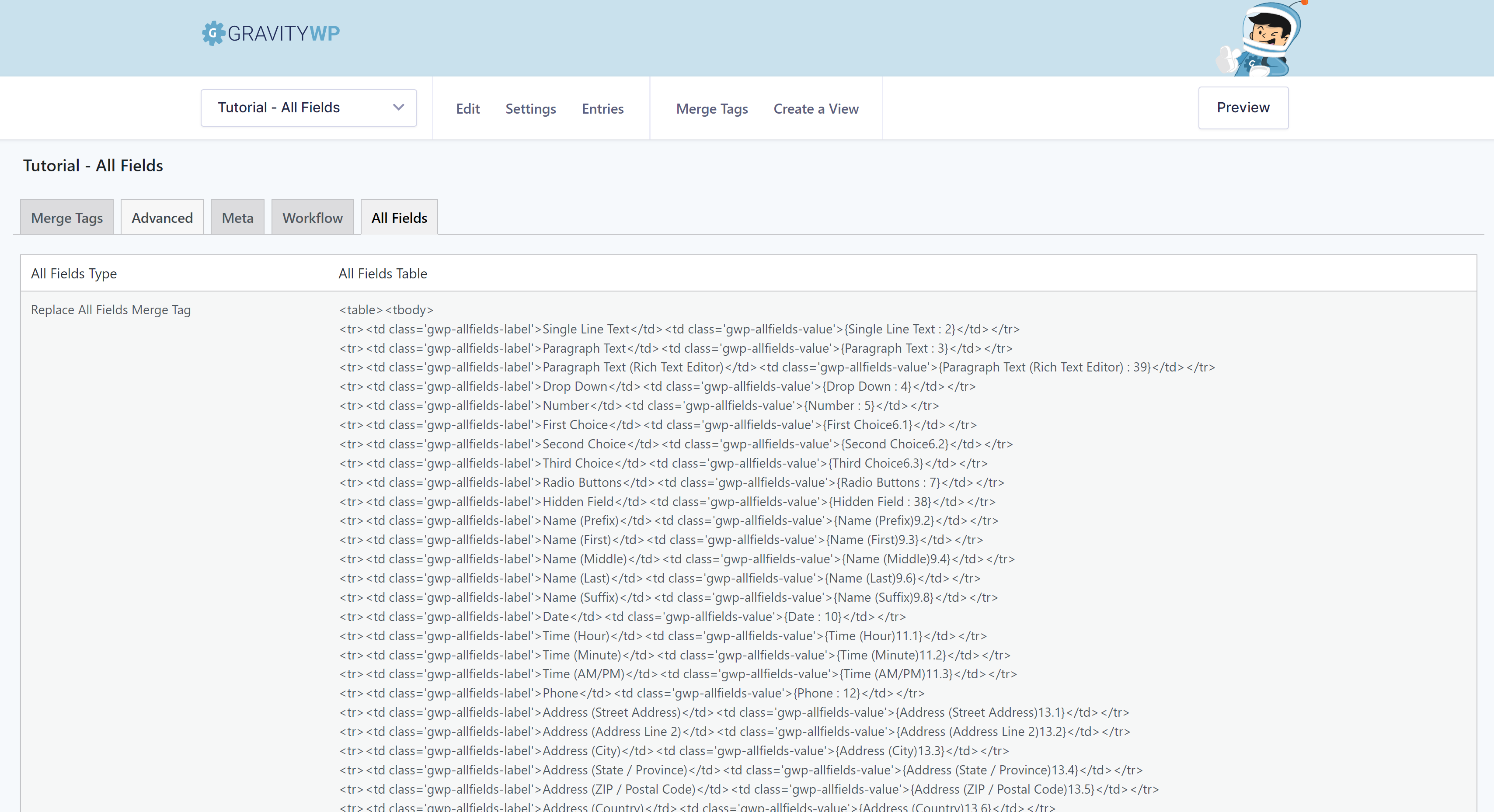
All Fields Tab. You can replace the all_fields merge tag with this and have full control what is shown.
The menu link that gets added in the Gravity Form toolbar.
The menu link under Forms (admin menu).
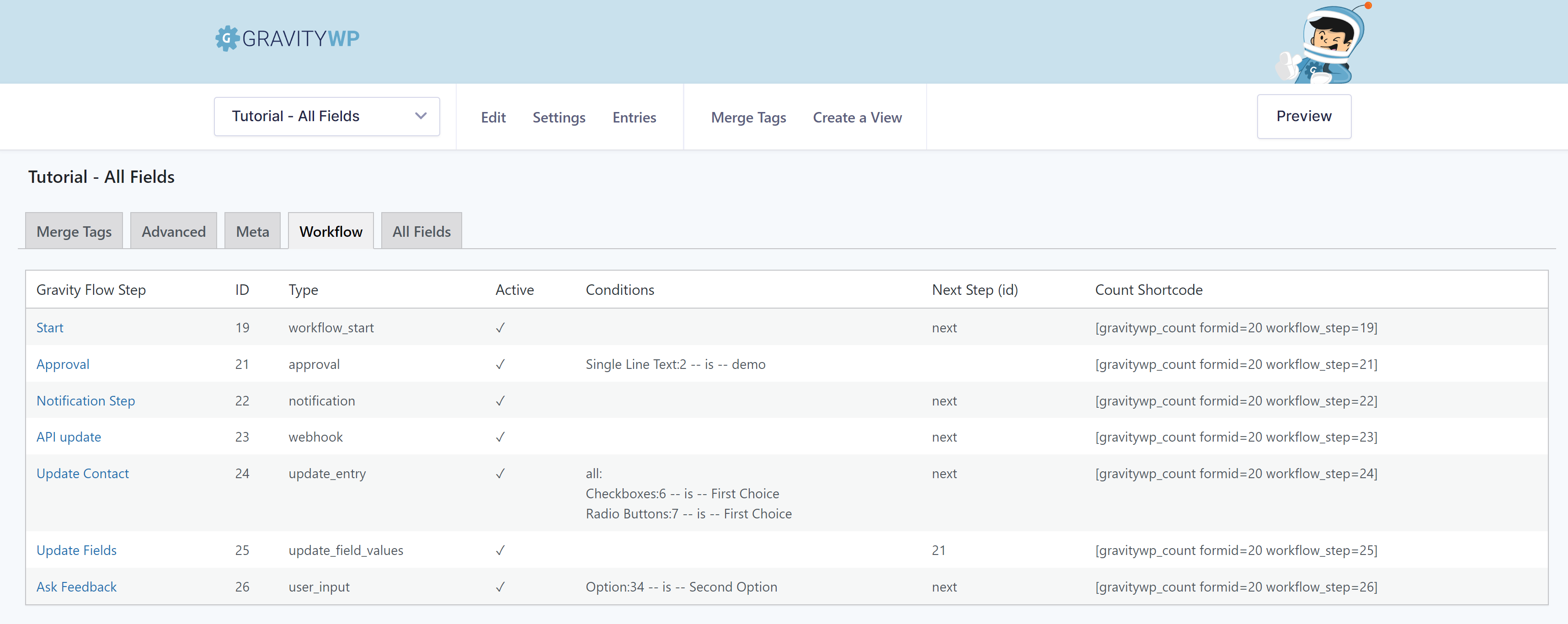
Gravity Flow Step information for the current Gravity Form (Step name, ID, Type, Active, Conditions)
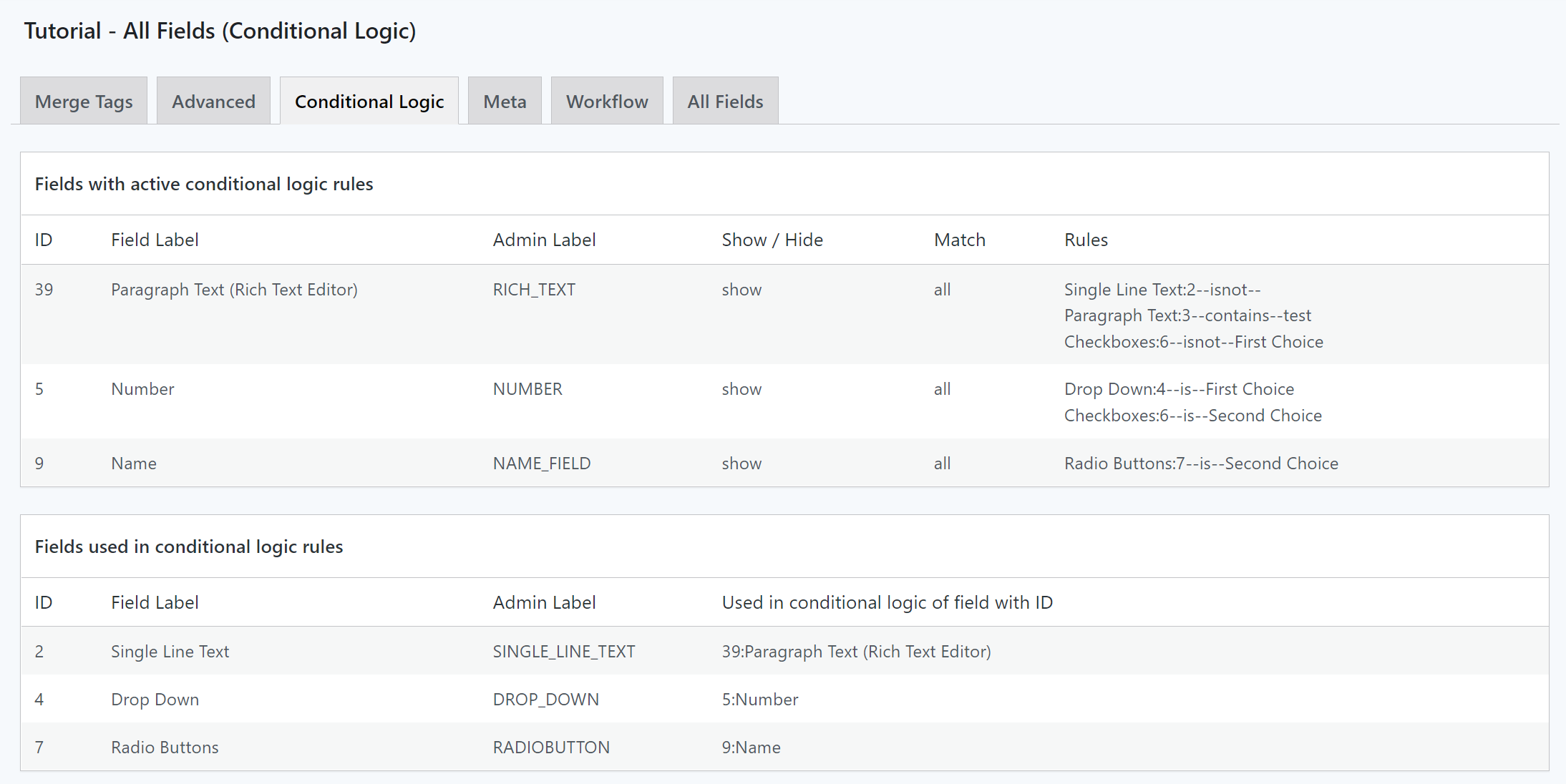
Conditional Logic information for the current Gravity Form (Show or Hide / Match All or Any / Rules). Both and overview which fields have active Conditional Logic rules and which fields are used inside Conditional Logic rules.

The documentation for GravityWP – Merge Tags is available on GravityWP.com.

This Gravity Forms Add-on adds an admin page to your WordPress back-end with a list of all the merge tags in your form. Besides that it gives you information (in different tabs) about field types (for example text, radio, hidden, select, email, checkbox, etc), Standard (Meta) Gravity Forms Merge Tags (and Merge Tags from GravityView and Gravity Flow), a replacement for the all_fields Merge Tag (with or without fileuploads) and Gravity Flow Step information.

So… no more clicking on a dropdown to select the Merge Tag you need, but just copy and paste it from the list. And have a quick overview of all relevant information available for every specific Gravity Form on your site, copy it to Excel and use it in a way that suits your needs.

The plugin adds a link in the toolbar above the Gravity Form you’re working on and a menu link in de Forms submenu.

Plums

按场景查找 WordPress 插件。安装量、评分和兼容版本来自官方目录。

导航

说明

WordPress 是 WordPress Foundation 的商标。本站与 WordPress Foundation、Automattic 没有隶属关系。这里不托管插件文件,下载和安装以 WordPress.org 上的页面为准。

© 2026 Plums