

Gravity Forms Directory
v4.2Zack Katz · 2009年11月5日 上架
Add directory capabilities and other functionality to the great Gravity Forms plugin.
- 正在使用
- 500+
- 评分
- 3.2 / 5
- 累计下载
- 19 万
- 最近更新
- 2020年12月8日
34 条评价需要 WordPress 4.4+已测试到 5.6.24
贡献者
 Zack Katz
截图
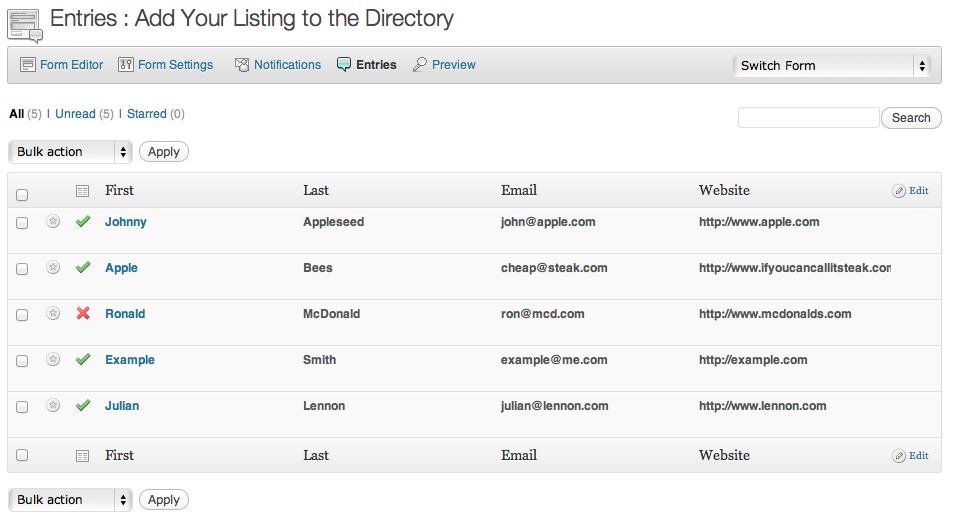


This plugin requires Gravity Forms
GravityView is the best way to display Gravity Forms entries
We set out to make a better Directory plugin, and we did it: GravityView takes displaying your form entries to the next level. It is easier, more powerful and more customizable than the Directory plugin. You’ll love GravityView.
Check out GravityView or try a demo today!
Turn Gravity Forms into a Directory plugin
Gravity Forms is already the easiest form plugin…now, the Gravity Forms Directory & Addons plugin turns Gravity Forms into a great directory.
- Completely shortcode based, using the
[directory]shortcode - Includes built-in searching
- Allow logged-in users to edit their directory listings
- Choose to show entries to only the users who created them
- Sort by column
- Easily re-organize the columns inside Gravity Forms
- Has an option to show only approved listings with an easy approval process
- Show or hide any column
- Display directory & entries as a table (default), list (
<ul>), or definition list (<dl>) - Directory features pagination
- Define custom styles inside the shortcode
- Includes lightbox support for uploaded images
- Option to view single entries in their own page or in a lightbox
- Bulk Approve & Disapprove entries
Insert a totally configurable table using the editor
There are tons of configurable options for how you want the directory to display.
Improve Gravity Forms Functionality and Usability
- Expand the Add Fields boxes to view all the boxes at once.
- Edit form entries directly from the Entries page (saving two clicks)
- Easily access form data to use in your website with PHP functions – Learn more on the plugin’s website