

Gradia POS – Modern Point of Sale for WooCommerce
v10.03.05Brian Agoi · 2026年9月23日 上架
A modern Point of Sale system for WooCommerce with a touch and desktop POS terminal, cashier management, barcode scanning, and receipt printing.
- 正在使用
- 10 以下
- 评分
- 暂无
- 累计下载
- 261
- 最近更新
- 2026年9月24日
贡献者
 Brian Agoi
截图


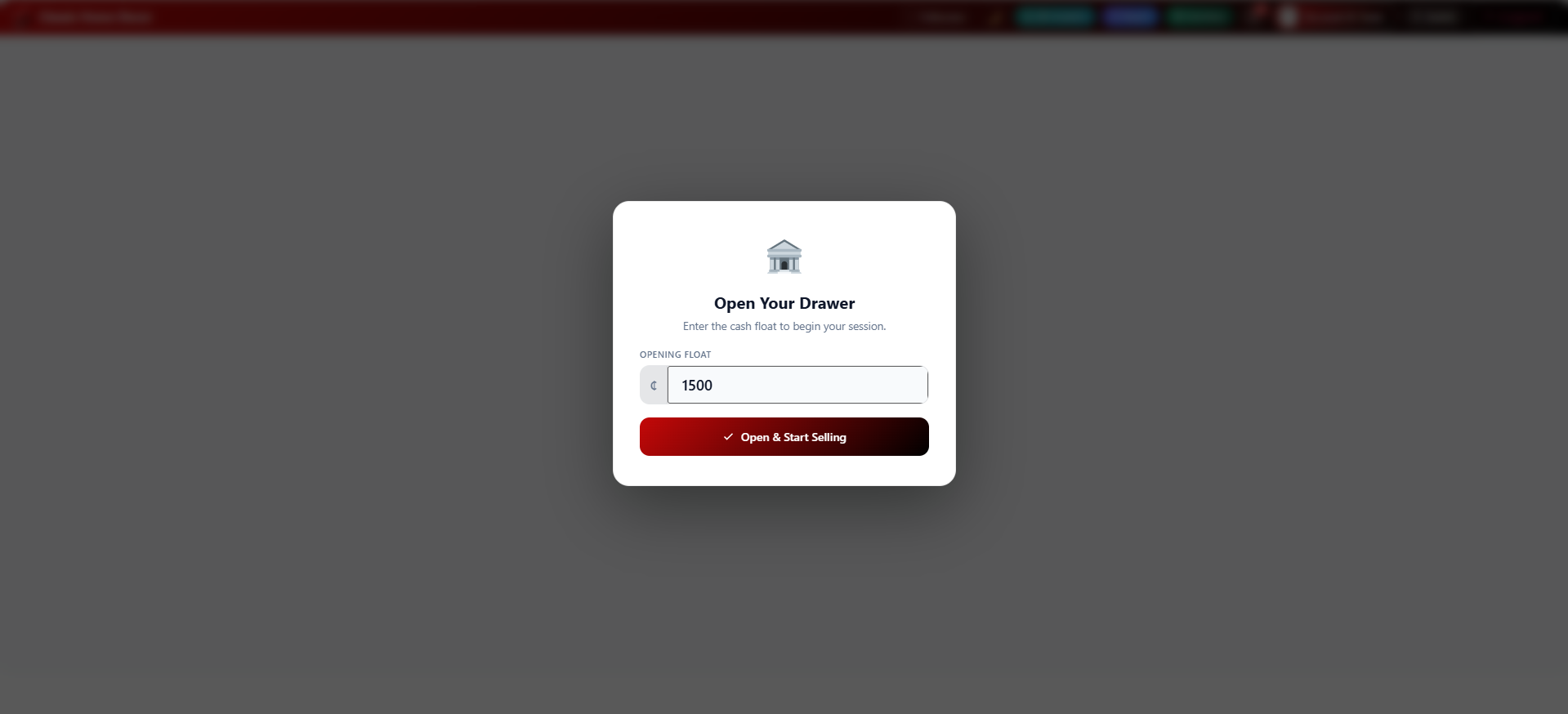
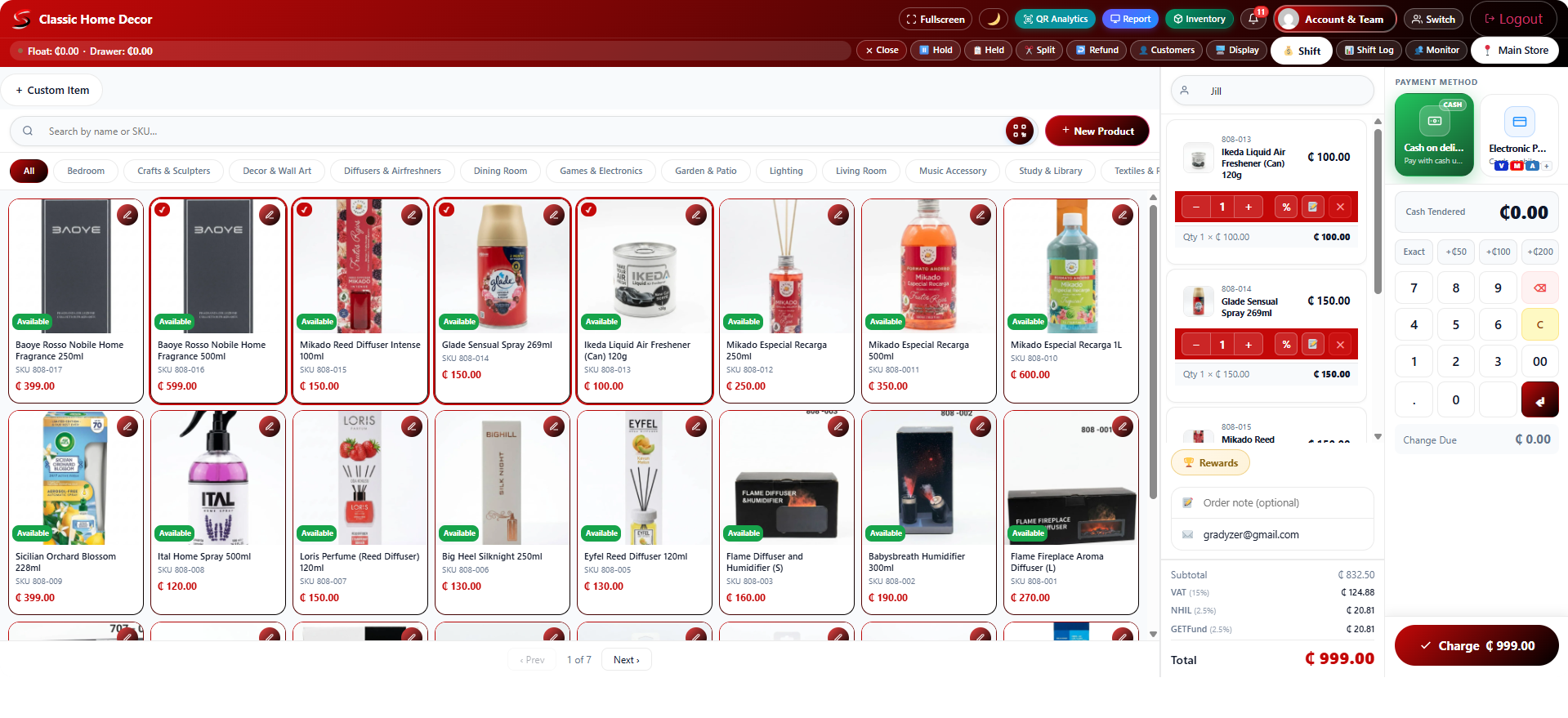
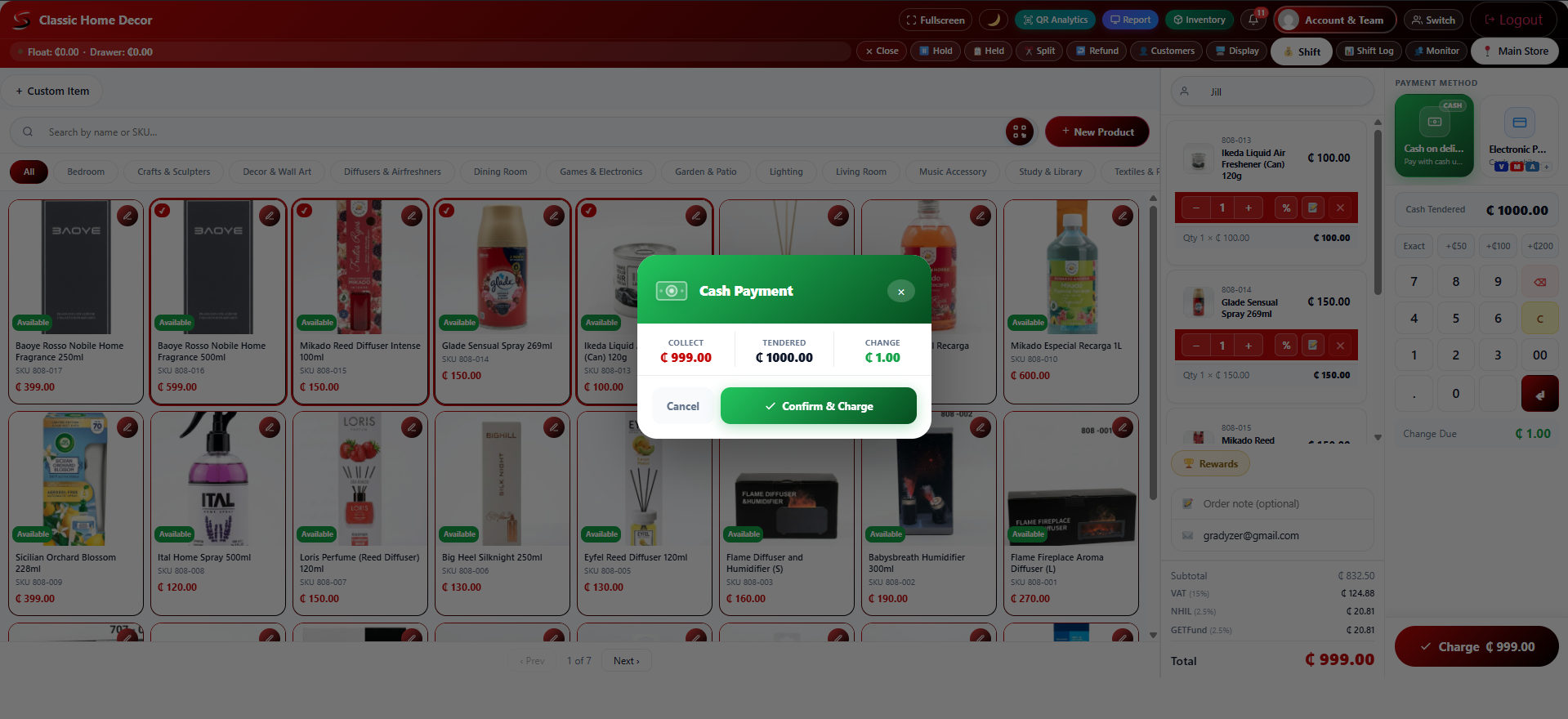

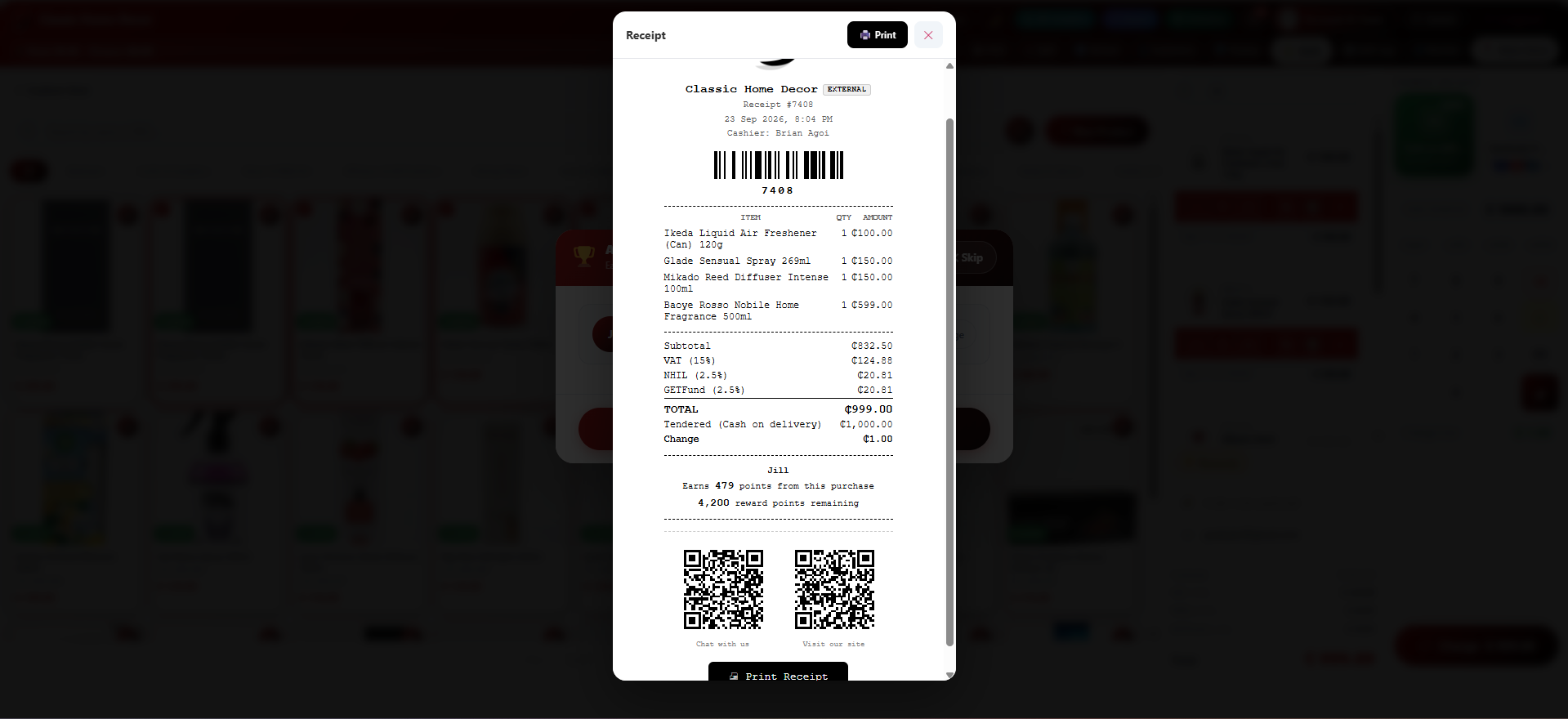
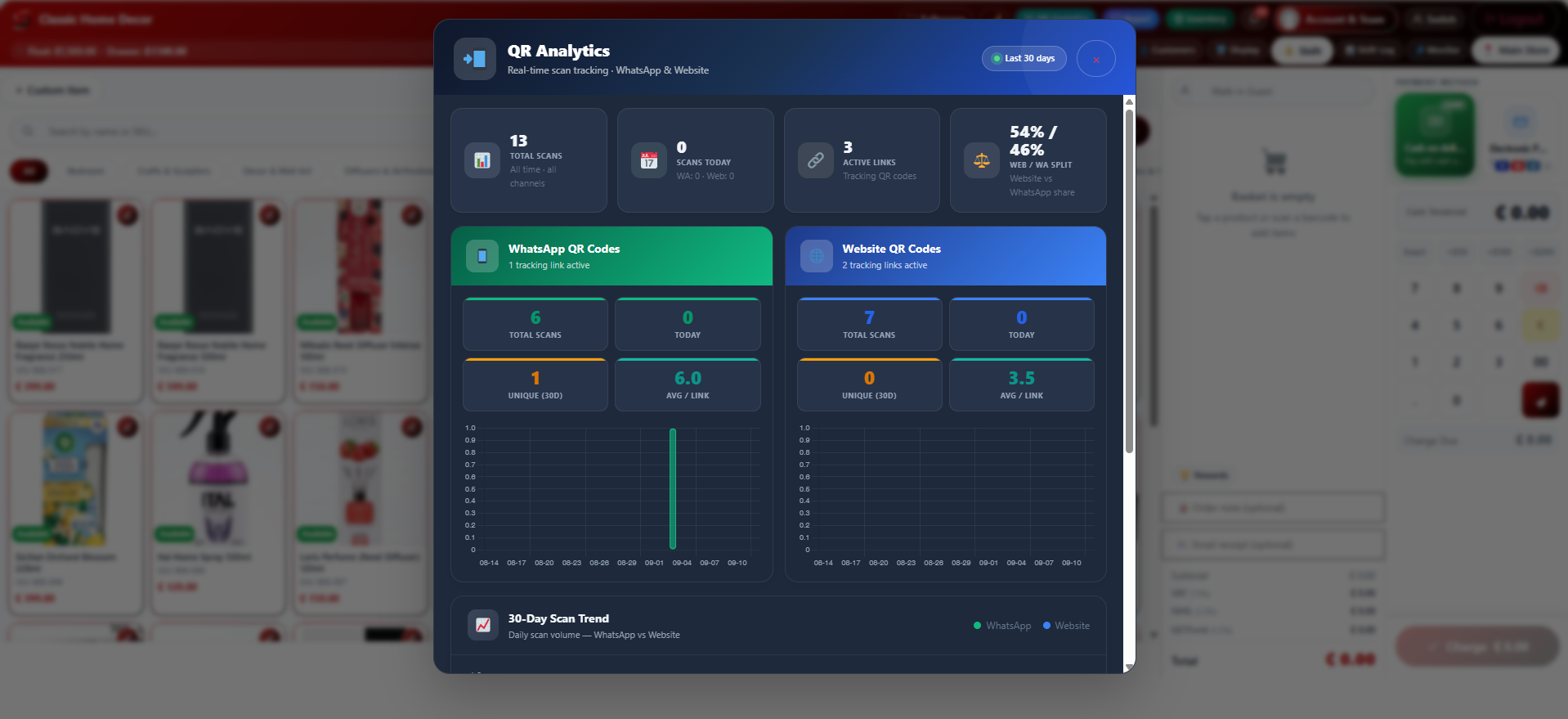
Gradia POS turns your WooCommerce store into a fully-featured Point of Sale terminal — accessible directly from a browser, no dedicated hardware needed.
Key Features:
- 🛒 Fast product search by name, SKU, or barcode scan
- 💳 Payment gateways pulled directly from WooCommerce (local or remote store)
- 🖨 Receipt printing for both local and external WooCommerce orders
- 🌐 Remote WooCommerce store bridge via REST API (Consumer Key / Secret)
- 📦 Add and edit products from within the POS terminal
- 📷 WP Media Library image picker in product forms (with URL fallback)
- 👥 Role-based access: Administrator, Shop Manager, Supervisor, Cashier
- 📶 Offline support with IndexedDB order queue and auto-sync
- ⭐ Built-in customer rewards and loyalty points
- ⏰ Shift tracking with clock-in/clock-out, shift log, and live monitor
- 🎁 Tips and gift cards at checkout
- ✉️ Optional digital receipt by email, alongside printing
- 🎨 Glassmorphic UI with customisable accent colour and dark mode
- 🔒 All API credentials encrypted at rest (AES-256-CBC)
External services
This plugin connects to the following third party services. Each one is used only for a specific, optional feature, and none of them run unless the relevant setting or feature is used.
Gravatar (Automattic)
Used to show a staff member’s profile picture in the account panel of the POS terminal and the admin settings screen. Whenever a user’s avatar is displayed, their email address is converted to an anonymized hash and sent to Gravatar to retrieve the matching image; if no Gravatar image exists for that address, a generated placeholder is shown instead. This is WordPress core’s own avatar mechanism (“get_avatar”), not something specific to this plugin.
Terms of Use available at https://en.gravatar.com/site/terms-of-service
Privacy Policy available at https://automattic.com/privacy/
Stripe
Used to process card payments, either through Stripe Elements at the register or through a connected Stripe Terminal card reader, when the store owner selects Stripe as a payment provider in Settings. Card details are sent directly to Stripe by Stripe’s own SDK, never to this plugin; the plugin sends the order amount and currency to Stripe’s API to create, capture, or cancel a payment when a Stripe transaction is started, completed, or cancelled at checkout.
Terms of Service available at https://stripe.com/legal/ssa
Privacy Policy available at https://stripe.com/privacy
Square
Used to process payments through a connected Square Terminal card reader, when the store owner selects Square as the terminal provider in Settings. The order amount and currency are sent to Square’s API to create a checkout when a Square Terminal payment is started, and to poll or cancel it while it is in progress.
Terms of Service available at https://squareup.com/us/en/legal/general/developers
Privacy Policy available at https://squareup.com/us/en/legal/general/privacy
Paystack
Used to process card payments at the register when the store owner selects Paystack as a payment provider in Settings. Card details are sent directly to Paystack by Paystack’s own SDK, never to this plugin; the plugin sends the order amount and currency to Paystack when a payment is started.
Terms of Use available at https://paystack.com/terms
Privacy Policy available at https://paystack.com/privacy/merchant
Flutterwave
Used to process card payments at the register when the store owner selects Flutterwave as a payment provider in Settings. Card details are sent directly to Flutterwave by Flutterwave’s own SDK, never to this plugin; the plugin sends the order amount and currency to Flutterwave when a payment is started.
Terms of Service available at https://flutterwave.com/us/terms
Privacy Policy available at https://flutterwave.com/us/privacy-policy/
PrintNode
Used for cloud receipt printing, when the store owner configures a PrintNode API key in Settings and chooses PrintNode as the print method. The receipt content and the selected printer ID are sent to PrintNode each time a receipt is printed through it.
Terms and Conditions available at https://www.printnode.com/en/terms-conditions
Privacy Policy available at https://www.printnode.com/en/privacy-policy