

ShareThis Dashboard for Google Analytics
v3.4.2ShareThis · 2009年6月15日 上架
Use Google Analytics on your WordPress site without touching any code, and view visitor reports right in your WordPress admin dashboard!
- 正在使用
- 8 万+
- 评分
- 3.6 / 5
- 累计下载
- 653 万
- 最近更新
- 2026年9月25日
 ShareThis
 scottstorebloom
 Scott Weaver
截图
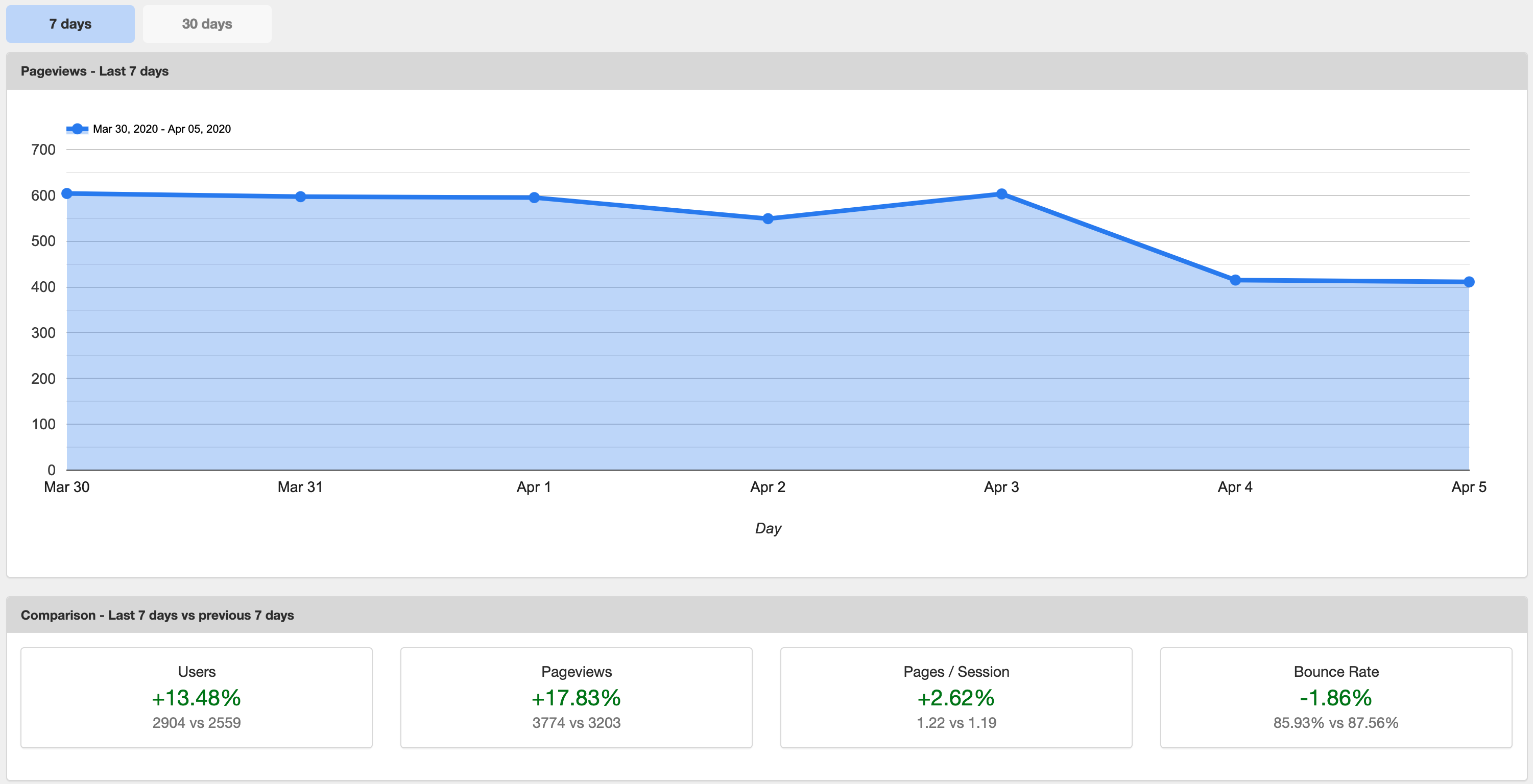
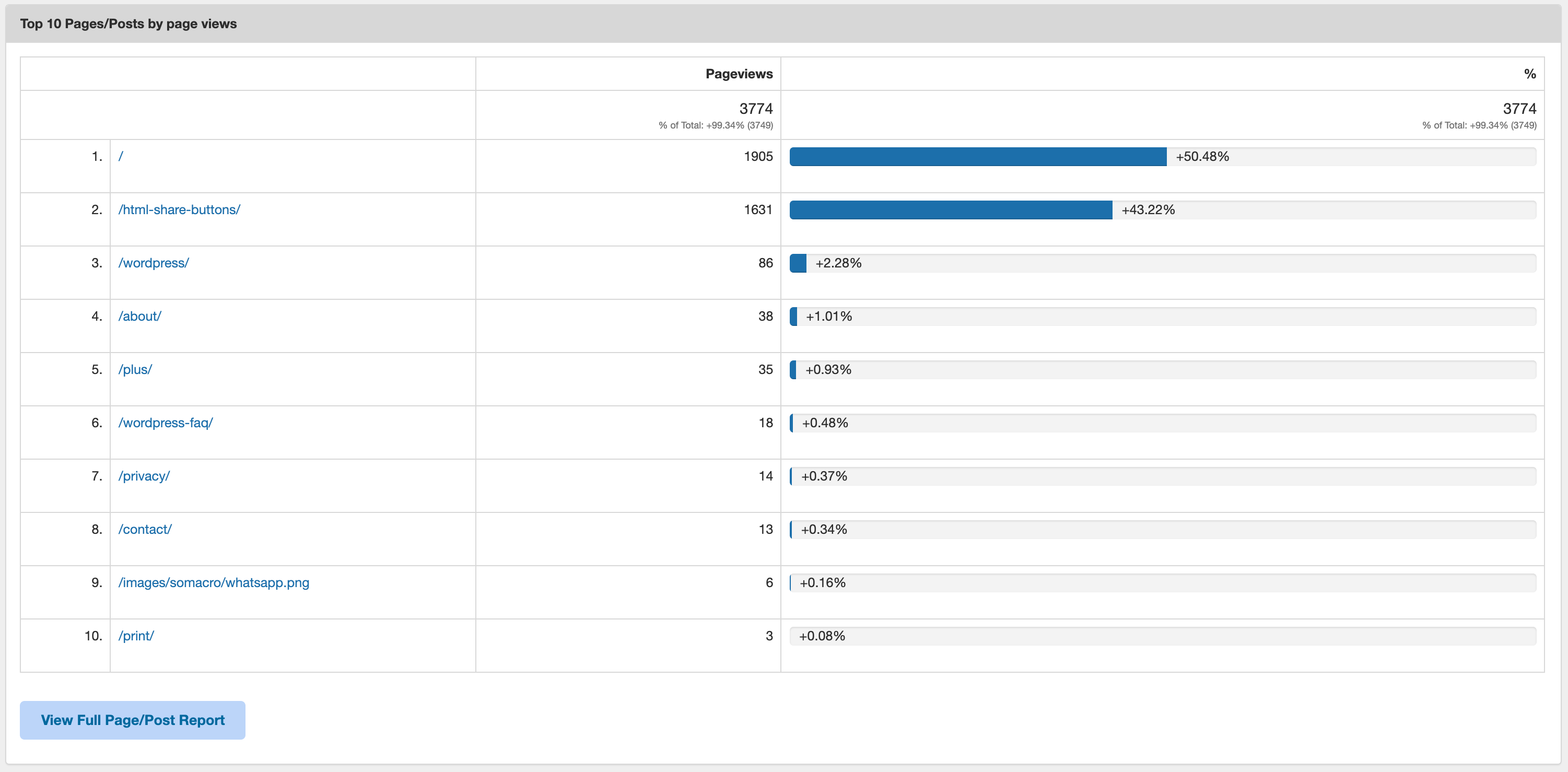


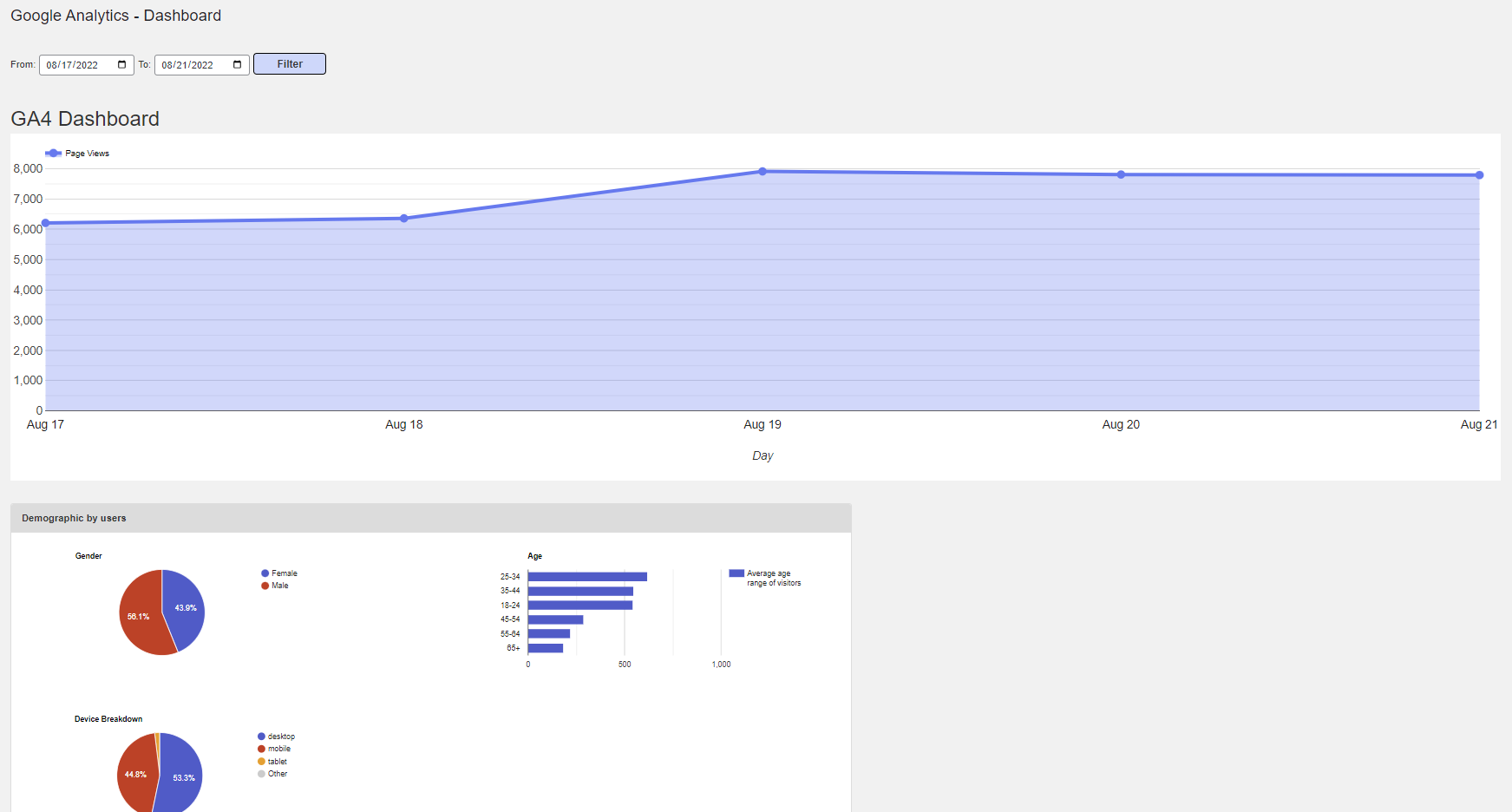
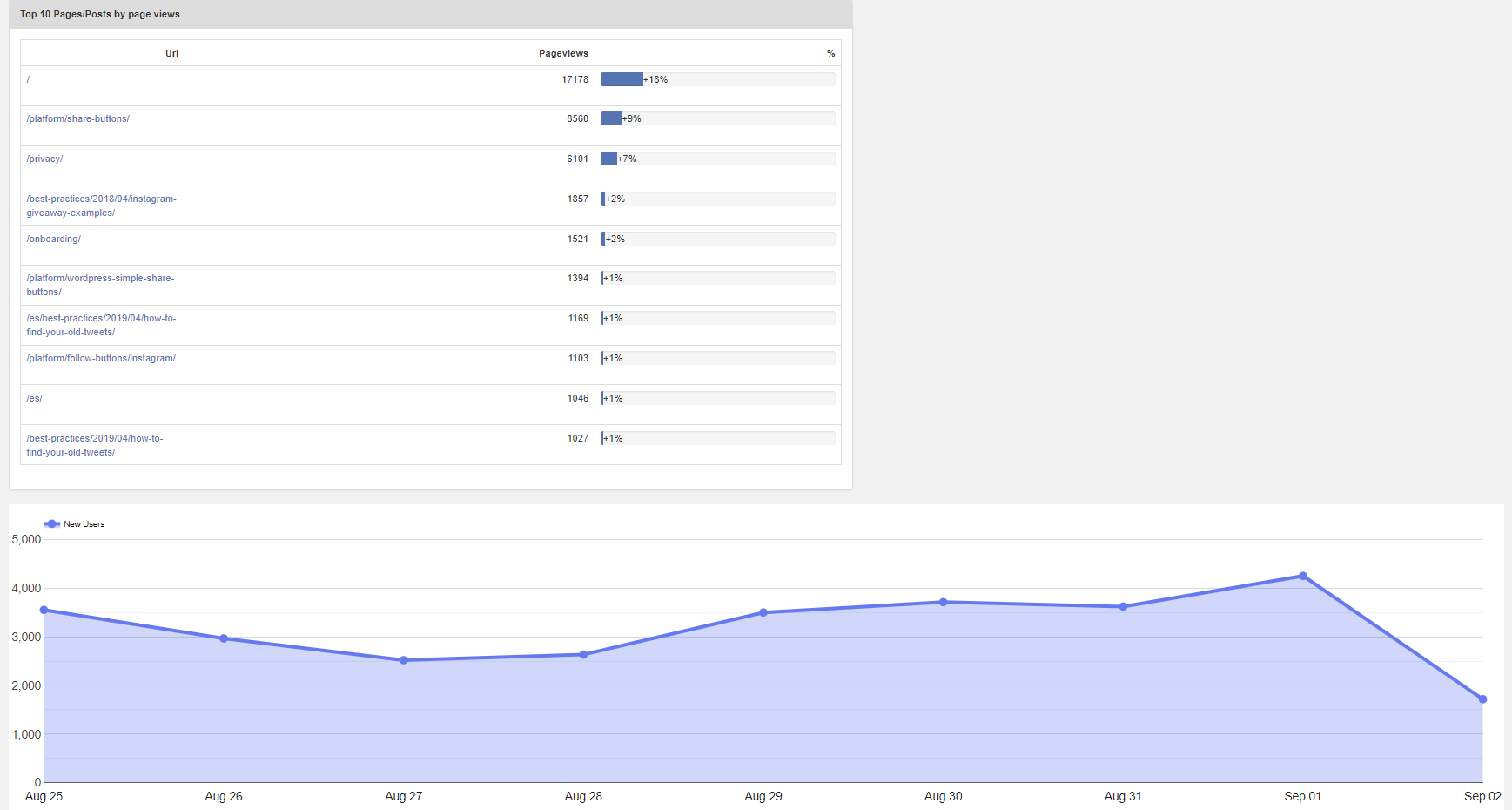

Monitor, analyze, and measure visitor engagement for your site directly from your WordPress dashboard with our Google Analytics plugin. With our Google Analytics dashboard, you’ll be able to conveniently access Google Analytics reports in the same interface you already use every day to write and manage your posts.
Unlike other plugins, there are no monthly fees or paid upgrades for this plugin. All of the features are 100% free.
GOOGLE ANALYTICS SETUP
Get started in less than 10 minutes. Installation is quick and easy, no developers required.
Simply download the plugin, log into Google, select your Google Analytics 4 (GA4) property, and it will automatically include the appropriate tracking code for you.
GOOGLE ANALYTICS DASHBOARD
Start making data-driven decisions with real time stats including:
- Visitor trends – Dive deeper into your website’s page views, users, pages per session, and bounce rate for the past 7 days as compared to the previous 7 days
- Traffic sources – Discover which 5 traffic sources are driving the most visitors to your website
- Top pages – Stay updated on your 10 most viewed pages
- Demographics – Get device type and gender data in your dashboard
- GDPR Compliance Tool – For EU Compliance, we’ve integrated the ShareThis GDPR Compliance Tool into our plugin.
With our mobile-optimized plugin, you’ll be able to stay informed and get actionable insights on any device. For more accurate stats, you also have the option to disable tracking for any role like Admins or Editors so your analytics represent real visitors.
If you don’t have a Google Analytics account, you can sign up for free here:
https://www.google.com/analytics/
LOOKING FOR MORE WAYS TO GROW YOUR WEBSITE?
Share buttons – Enable one-click sharing to start scaling your site traffic today.
Follow buttons – Expand your social following across 20+ social channels including Facebook, Twitter, WhatsApp, and Pinterest.
Reaction buttons – Give your audience a fun and easy way to react to your content.
SUPPORT
If you have any questions, please contact us at support@sharethis.com.
By downloading and installing this plugin, you are agreeing to the Privacy Policy and Terms of Service.
USEFUL GOOGLE ANALYTICS & SEO RESOURCES
Check out these helpful tutorials and resources for getting the most out of Google Analytics, driving more traffic to your website, and improving your WordPress website’s SEO:
- Marketer’s Guide to Google Analytics Certification
- The Ultimate SEO Checklist for Your Website in 2020
- WordPress SEO Tips: 12 Tips for Improving Your WordPress Site’s SEO
- 50 SEO Tips & Best Practices to Boost Search Visibility
- 6 tips to write blog content that ranks
- 10 ways to increase traffic to your website
- What are Backlinks? A Helpful Guide for Link-Building Beginners
- How negative SEO ruin good sites — and how to keep your site lookin’ great
- How to strategically use share buttons to increase engagement and SEO