
GoodMeet – Meetings & Classes for Google Meet
v2.2.8Sovlix · 2025年6月3日 上架
Create Google Meet meetings from WordPress, each with a Google Calendar event and a meeting page your visitors join from.
- 正在使用
- 60+
- 评分
- 5.0 / 5
- 累计下载
- 4,735
- 最近更新
- 2026年11月18日
贡献者
 Sovlix
截图


📘 Documentation | 🤝 Join Community | ▶️ Tutorials
GoodMeet is a Google Meet integration for WordPress that creates meetings with a Google Calendar event and a Meet link, and gives each one a page on your site that visitors join from.
Connect your own Google Cloud project once, and one connection covers Google Meet, Google Calendar and, when you turn it on, Google Classroom. GoodMeet is built for educators, coaches, consultants and course creators who run classes, workshops and client calls over Google Meet.
🏆 Key Features at a Glance:
✅ Google Meet Meetings With a Calendar Event
-
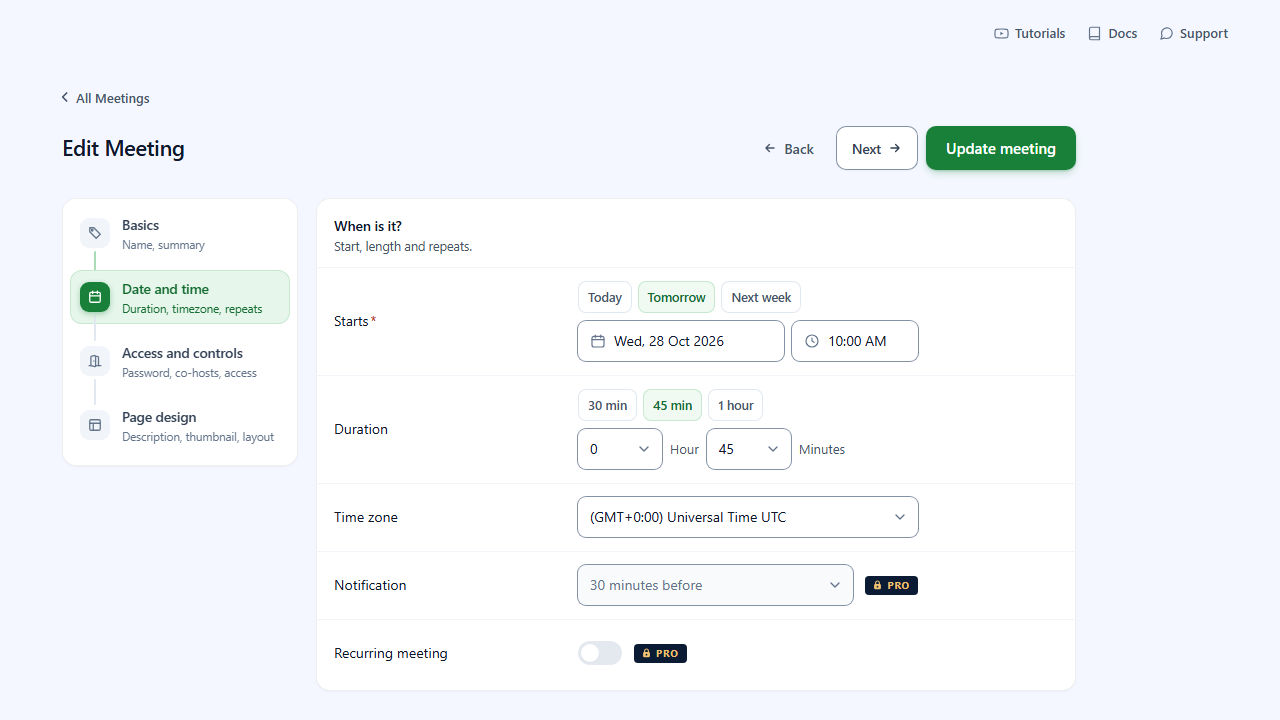
A guided meeting wizard
- Create and edit meetings in clear steps: the basics, the schedule, access, and the meeting page.
-
A Meet link and a Google Calendar event for every meeting
- Set the name, summary, date and time with quick picks, duration and time zone. Deleting a meeting removes its calendar event too.
-
Rich descriptions and thumbnails
- Write the description in the WordPress editor, with headings, lists and links, and add a thumbnail.
-
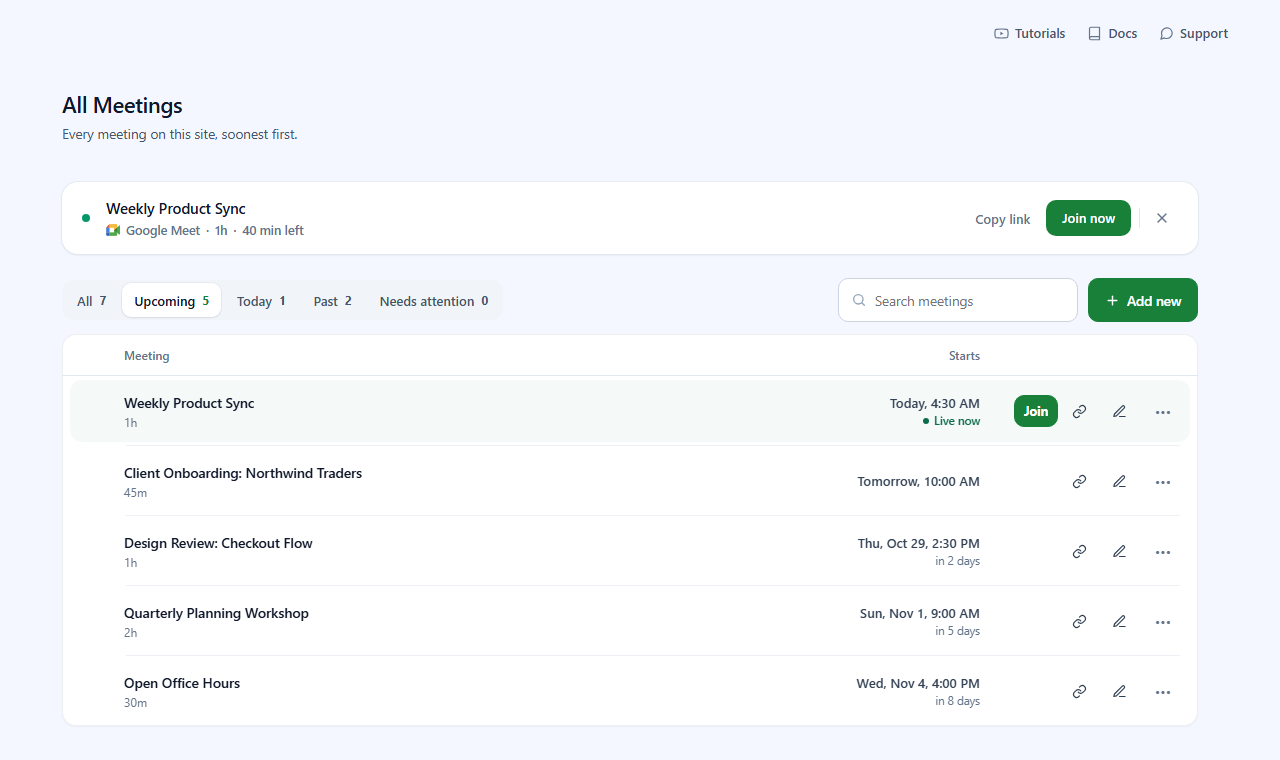
All Meetings in one list
- Search and filter by Upcoming, Today, Past or Needs attention; join, copy the link or shortcode, open the page, and delete one or several at once. Deleting a meeting removes it and its Google Calendar event, and cannot be undone. A Live now banner shows while a meeting is running.
✅ Meeting Pages Your Visitors Join From
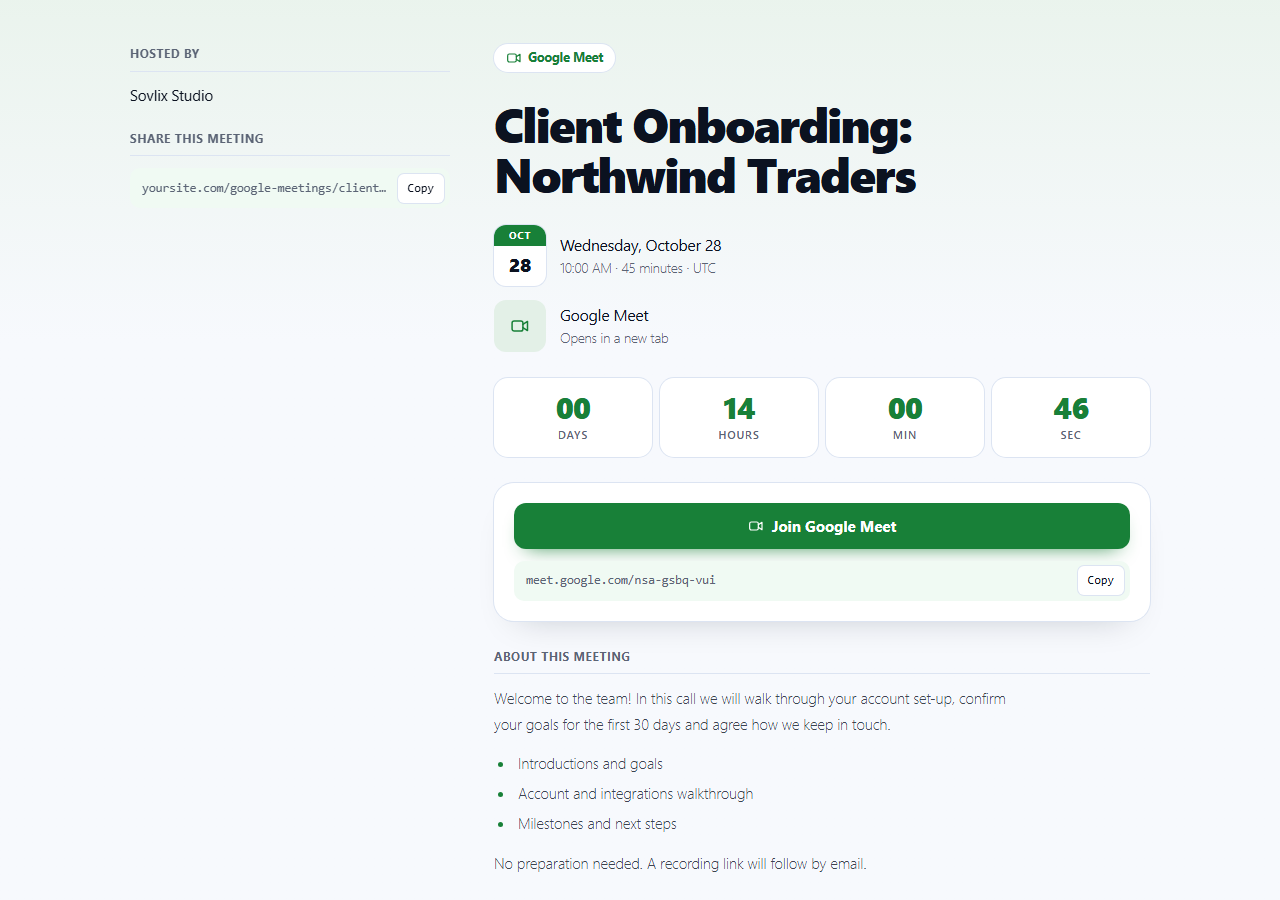
Every meeting gets its own page on your site, with a countdown before the start, a Join button while it is live, and an ended state afterwards.
-
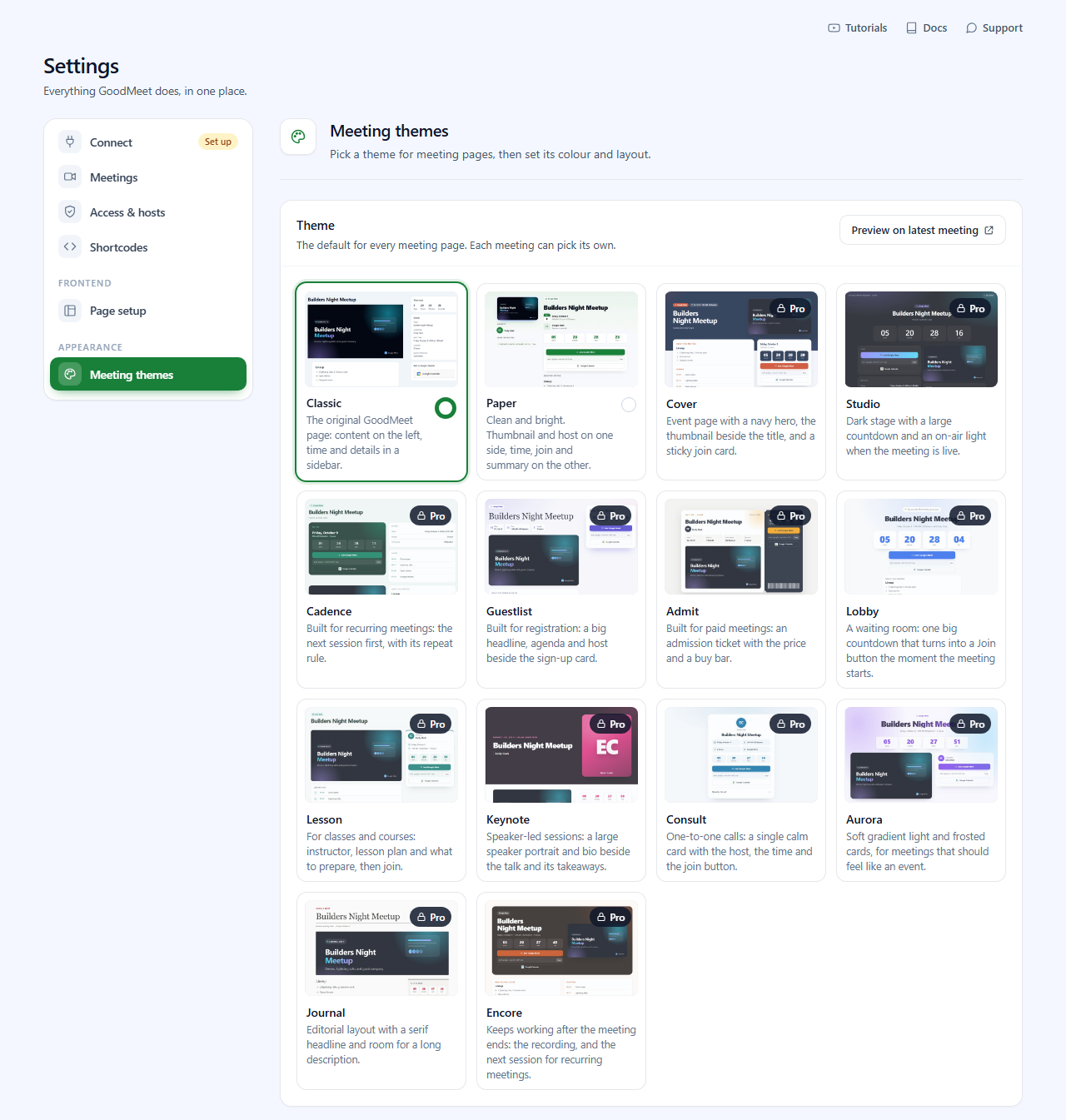
Two themes, Classic and Paper
- Choose a brand colour, button shape, sidebar side, thumbnail, and whether the site header and footer show. Set a theme for the whole site, then change it on any one meeting.
-
Times in each visitor’s own time zone
- Optional, per meeting.
-
Preview and override
- Preview a theme on your latest meeting, and override any design from your own theme with
goodmeet/themes/{slug}.php.
- Preview a theme on your latest meeting, and override any design from your own theme with
✅ Page Access
- Open a meeting page to everyone, to logged-in users or to chosen roles, for the whole site or for one meeting.
✅ Google Classroom
- Turn Classroom on under Integrations, see the classes you teach and their students, and post a meeting to a class stream. The post updates when you edit the meeting and disappears when you delete it.
✅ Shortcodes, Block & Elementor
[goodmeet-google-meeting id="123"]shows one meeting, with options to hide the details or the timer, and follows the meeting’s page access rule.[goodmeet-google-meeting-list]shows a searchable, sortable table of the meetings each visitor may open.- A block for the block editor and an Elementor widget that embed an event straight from your Google Calendar. They show the Meet link to anyone who can see the page and do not apply page access.
💡 Use Cases
- Schools and tutors: post meetings to Google Classroom and keep the class stream up to date.
- Coaches and consultants: give each client call its own page, with the time shown in the client’s time zone.
- Public sessions and workshops: a public meeting page with a countdown and a Join button.
- Members-only sessions: limit a meeting page to logged-in users or chosen roles.
📘 Documentation | 🤝 Join Community | ▶️ Tutorials
📢 Hear From Our Users
⭐⭐⭐⭐⭐
Great plugin with a good support team
The plugin does everything it advertises, it is easy to set up and the team behind it has always been helpful and quick to respond to questions and feedback.
– by @panosfasoulis⭐⭐⭐⭐⭐
Really useful plugin!
I’ve used it with LMS and multivendor plugins and it works fantastic. Everything runs smoothly and makes managing Google Meet so much easier. Highly recommended!
– by @jiasian23⭐⭐⭐⭐⭐
Best Google Meet Plugin
Lots of features and very good support.
– by @countingstar
😍 Other Plugins from Our Team
- MeetingHub – Appointment booking and event scheduling with Zoom, Google Meet, Microsoft Teams, Webex and Jitsi
- DriveHub – Google Drive integration: embed files, photo galleries, file lists, uploads and downloads
- ZooMeet – Zoom meetings and webinars, with a join page for each
- TogMeet – Schedule Microsoft Teams meetings from WordPress
- WeMeet – Schedule Webex meetings from WordPress
External services
This plugin connects to Google to create and manage meetings, and to Freemius for licensing. Each is listed with what is sent and when. You authenticate with your own Google account through OAuth, and your tokens are stored in your WordPress database.
Google OAuth – used when you upload your Google Cloud client file and approve access. It requests Google Calendar access, Google Meet meeting-space access, and your account email.
Google Calendar API – creates the Calendar event that carries each meeting’s Meet link.
– Creating or updating a meeting sends its title, summary, start and end time, time zone, and a request for a Meet link, plus its reminders and calendar options when they are set. Deleting a meeting deletes the event.
– When someone registers for a meeting or buys it through WooCommerce, their name and email are added to the event as an attendee.
– The block reads your Calendar events in the editor, and the Elementor widget reads the chosen event from Google each time a page with it is viewed.
Google Classroom API (classroom.googleapis.com) – used only after you turn on Google Classroom under Integrations.
– It reads the classes you teach and their students (names and email addresses) to show them in wp-admin. They are cached for 15 minutes and are not stored as WordPress users.
– When you post a meeting to a class, it creates an announcement with the meeting title, time, summary and a link to the meeting page, updates it when you edit the meeting, and deletes it when you delete the meeting.
Gravatar – meeting page themes show the host’s avatar through WordPress’s own Gravatar function.
These services are provided by Google LLC and Automattic Inc.: Google Terms of Service, Google Privacy Policy, Gravatar Privacy Policy.
Freemius – used for licensing and, if you opt in on the activation screen, to receive basic site data (site URL, WordPress, PHP and plugin versions, and your admin email) that helps us support the plugin. You can skip the opt-in; the plugin works the same either way.
This service is provided by Freemius, Inc.: Terms of Service, Privacy Policy.
Source Code
The admin interface is built with React and compiled to the minified JavaScript and CSS in assets/dist/. The uncompiled source ships with the plugin in assets/src/, and package.json in the plugin root lists the build tools (webpack, Tailwind CSS, PostCSS and Babel) and the build commands, npm run build and npm run build:getstarted, run with NODE_ENV=production. The PHP libraries in vendor/ are listed in composer.json.