
GoConsent™ – Cookie Consent Banner, Privacy Policy Generator & GPC
v1.1.0RoxxiStudios · 2026年10月16日 上架
Free cookie banner that really blocks trackers, with a privacy policy generator, Consent Mode v2, GPC and consent records kept on your own site.
- 正在使用
- 10 以下
- 评分
- 5.0 / 5
- 累计下载
- 1,157
- 最近更新
- 2026年11月24日
贡献者
 RoxxiStudios
截图
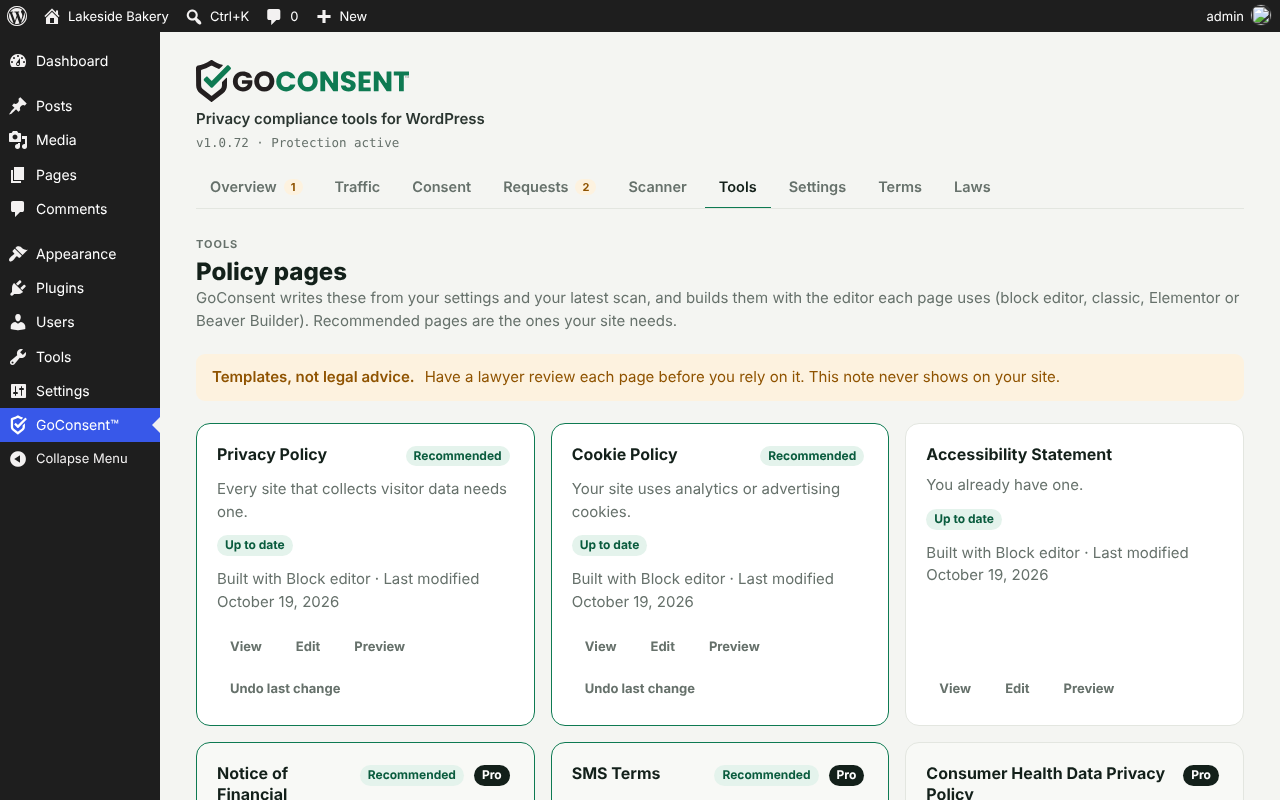
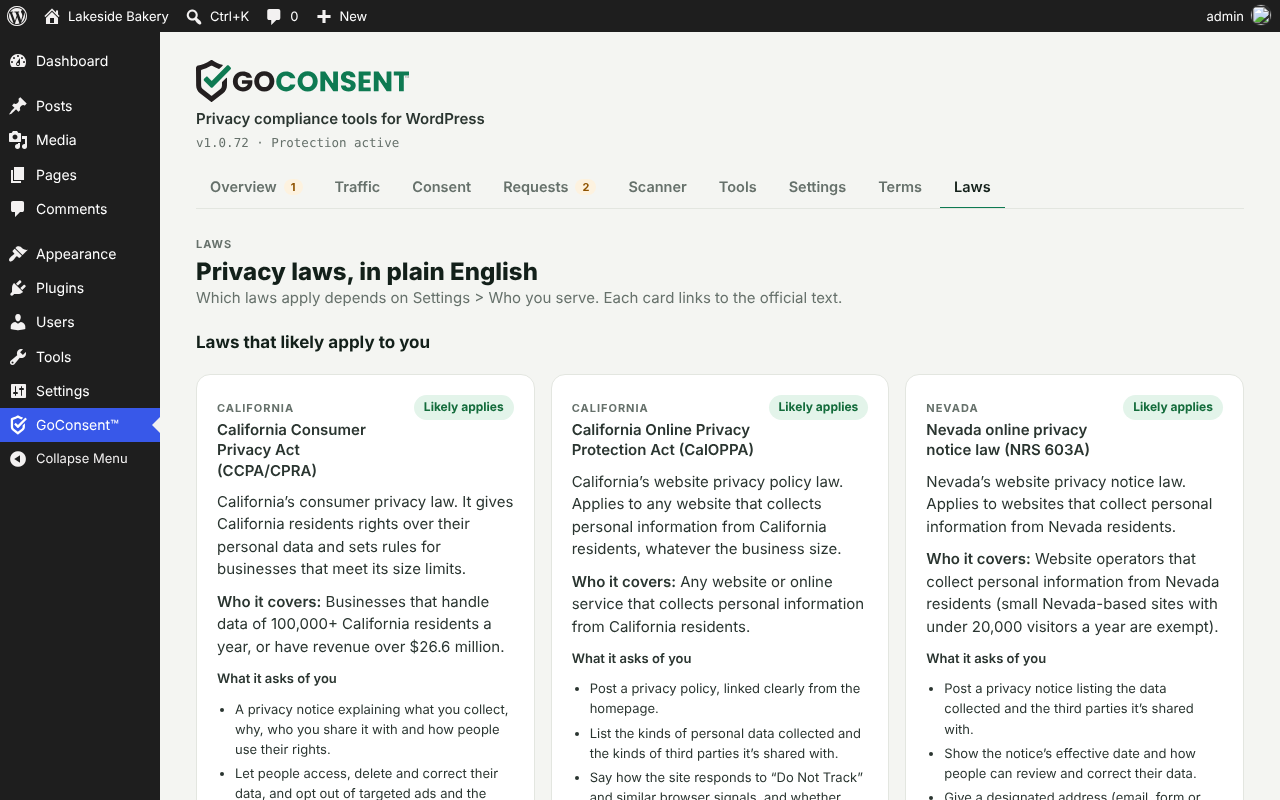
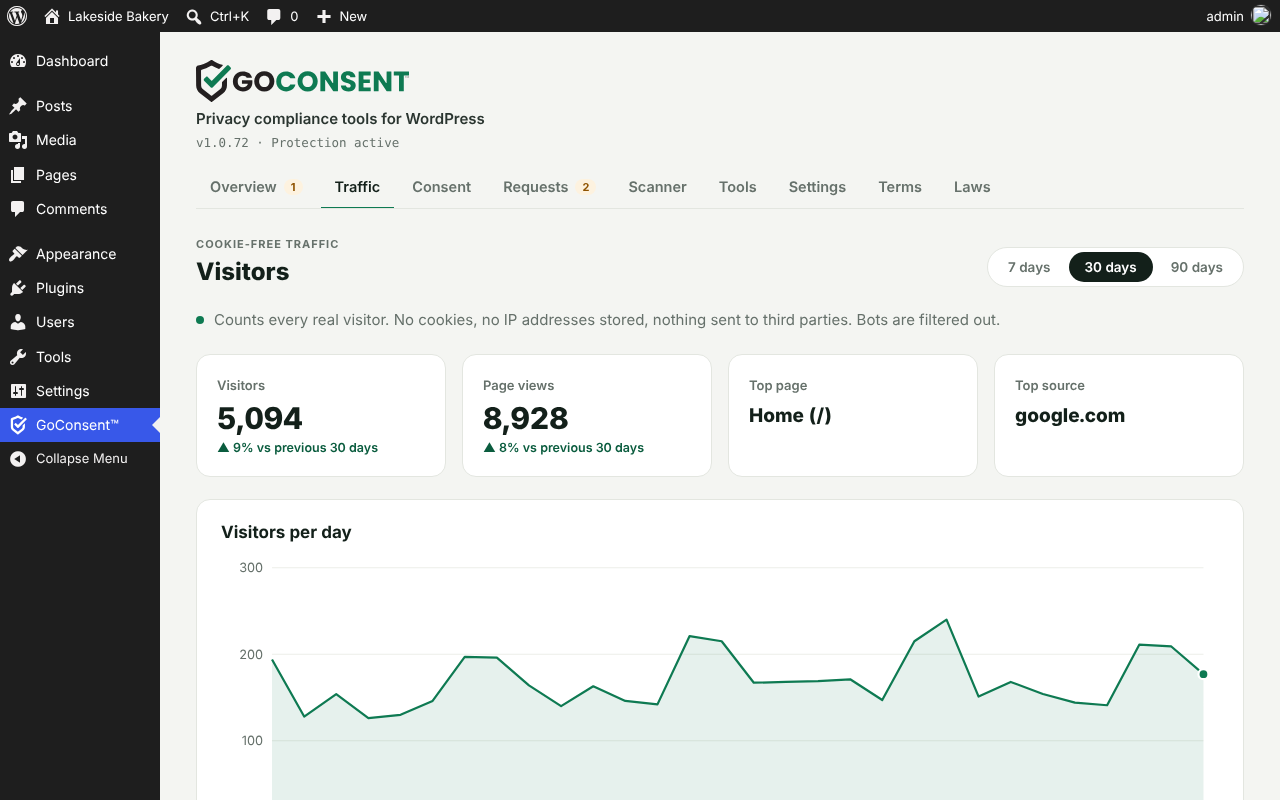
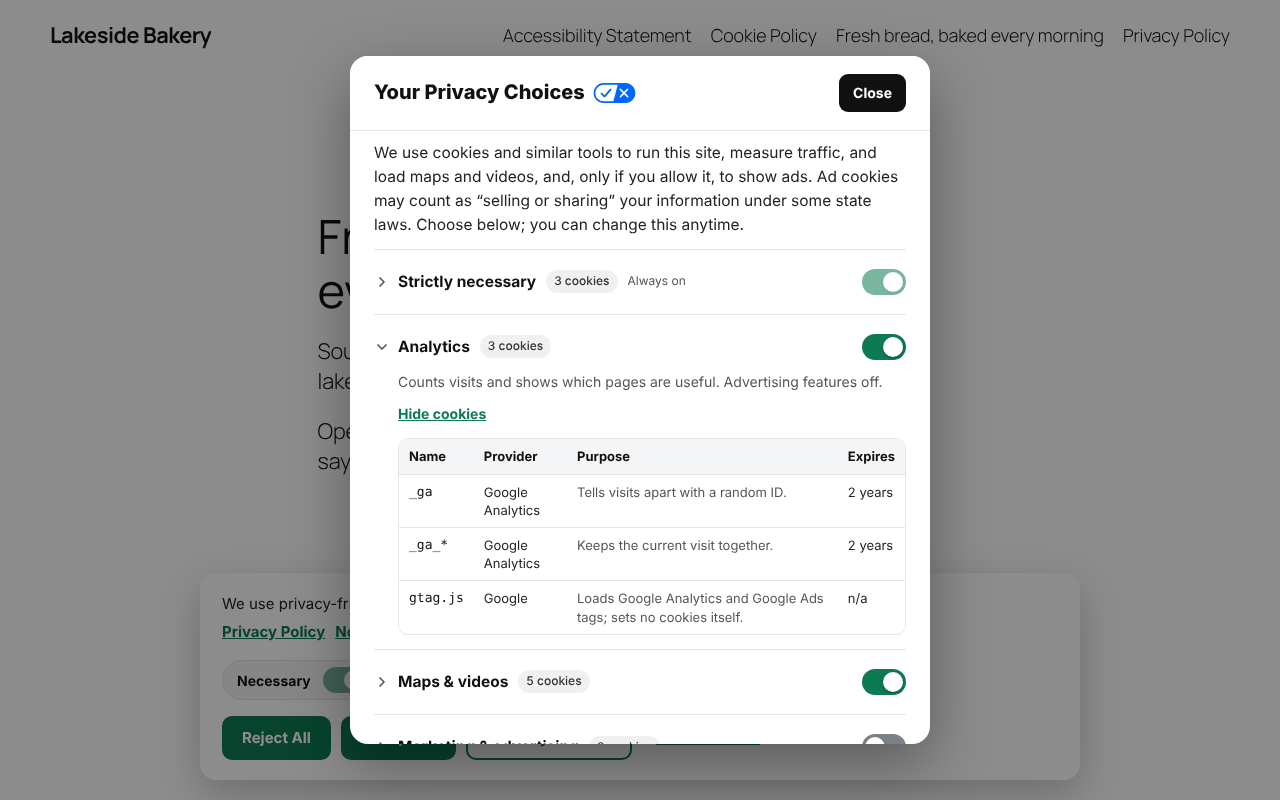
GoConsent is a free cookie consent banner for WordPress that really blocks trackers, writes your privacy policy from what your site actually uses, and keeps proof of consent on your own server. Built for visitors anywhere: opt-in for the EU, UK, Quebec and Brazil, the opt-out rules of California (CCPA/CPRA) and the other US state laws, and 18 more privacy laws worldwide, in 10 languages.
Free means free. No visit limits, no account, no cloud service and no forced branding. Everything runs on your own WordPress server, so nothing about your visitors leaves your site.
At a glance
- Real tracker blocking: Google Analytics, Google Ads, Meta Pixel, TikTok, Microsoft Clarity, Hotjar and 450+ other services wait until the visitor agrees, with Google Consent Mode v2, Global Privacy Control (GPC) and the IAB Global Privacy Platform (GPP).
- Privacy policy generator: a Privacy Policy with a California Notice at Collection section, a Cookie Policy, a Refund & Returns Policy, a Shipping Policy, a Cancellation Policy, an Accessibility Statement and, for real estate, a Fair Housing Statement, written from your settings and your latest scan.
- Proof of consent on your own site: every choice recorded in your WordPress database, kept 24 months and downloadable as CSV.
- Worldwide privacy laws: GDPR, UK GDPR, Quebec’s Law 25, Brazil’s LGPD, CCPA/CPRA and 18 other state privacy laws, and laws from Canada and Switzerland to Australia, Japan and India, in plain English with links to the official text.
- Knows where each visitor is: the country your CDN or host adds, else a built-in country database on your own server, else the browser’s time zone. No IP address is stored or sent anywhere.
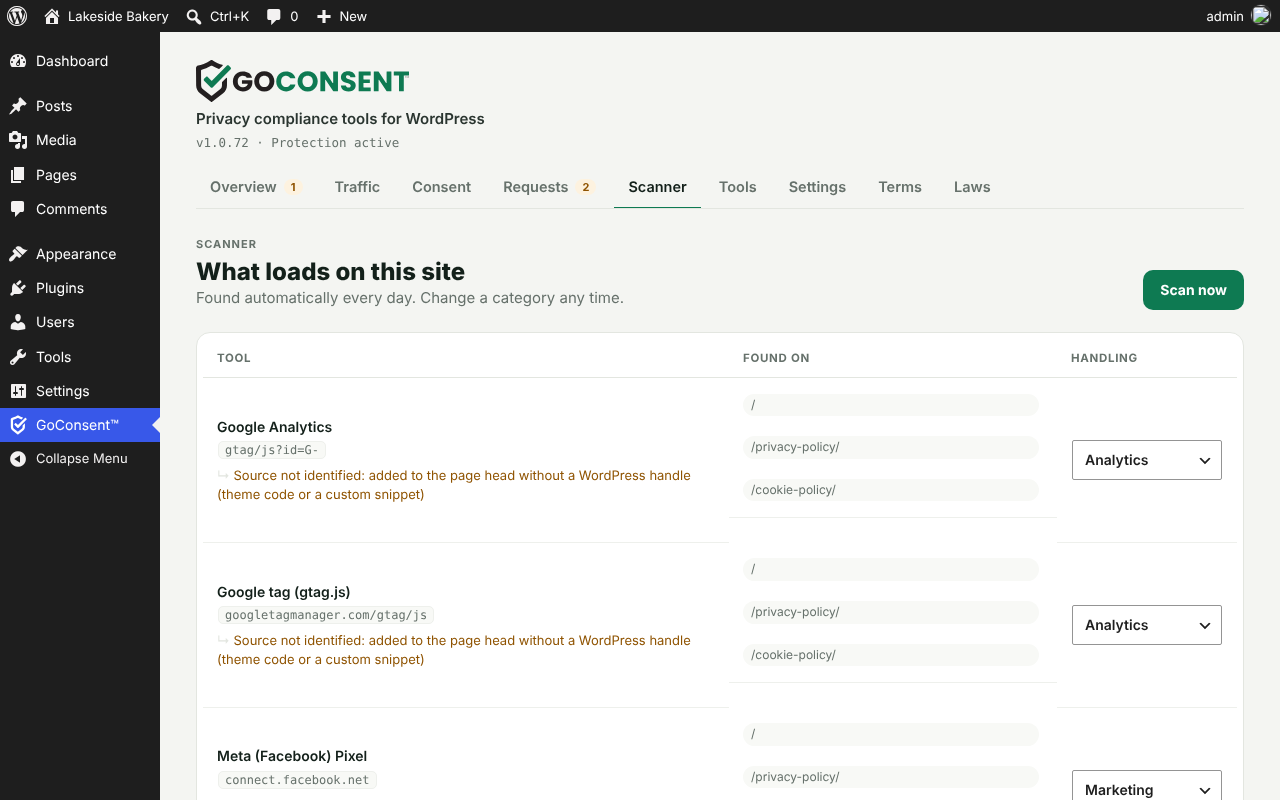
- Cookie scanner: every tracker, pixel, embed and cookie on your pages and inside Google Tag Manager, and what adds each one.
- Free consent self-check: a clean browser tests your banner four ways (before any choice, after Reject All, after Accept All and with GPC on) and explains how to fix each problem.
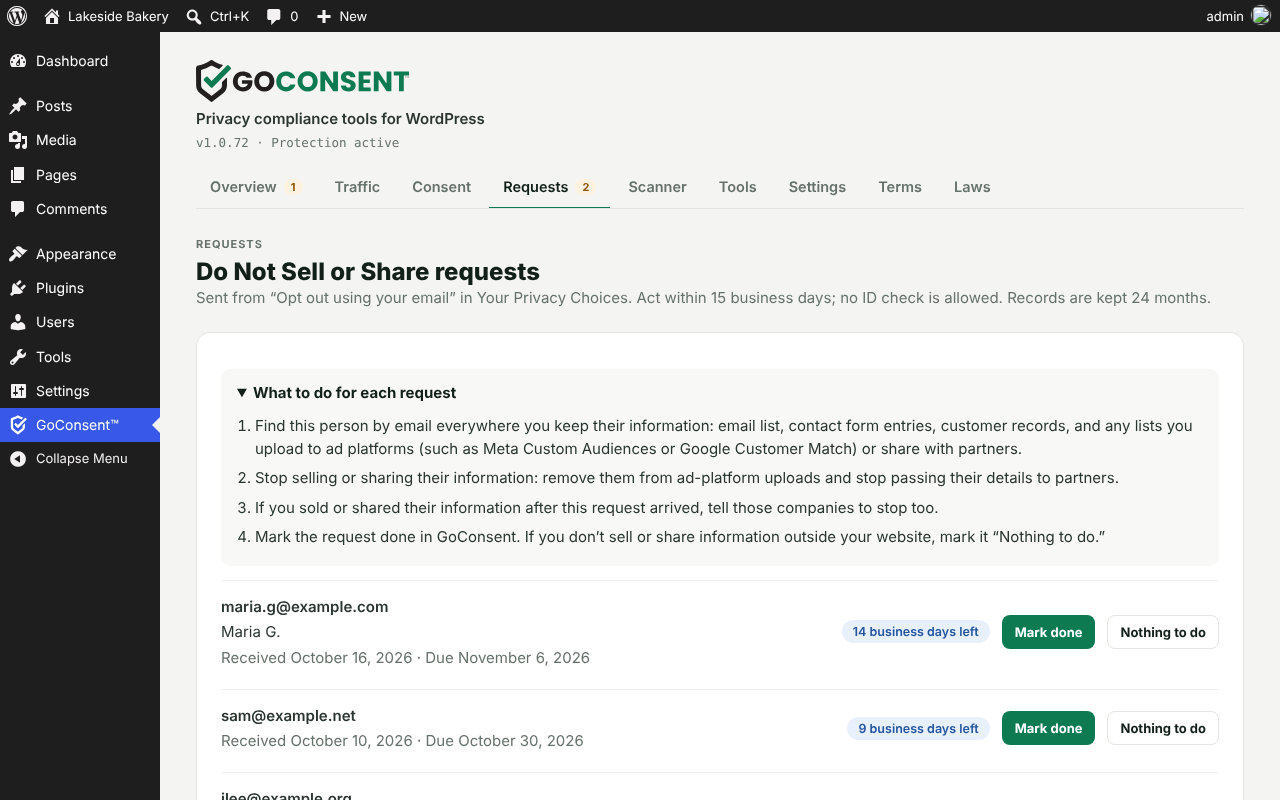
- Do Not Sell or Share requests with deadlines, a checklist and reminder emails.
- 20 business types, from online stores, software sellers, real estate agents, salons, gyms and contractors to law firms, insurance agencies, venues, wineries, schools, nonprofits, hotels and manufacturers, each with its own checks and policy wording. Licensed businesses (real estate, lending, contractors, dealers, law firms) get their license number and brokerage in every policy, plus a [goconsent_license] shortcode.
- Accessible banner, tested against WCAG 2.2 AA on every release, in 10 languages.
Who GoConsent is for
- Small and mid-size businesses that want the privacy basics done right without a monthly bill.
- Sites with visitors from many countries: each visitor gets the banner their law expects, in their own language.
- Agencies and web designers managing many client sites, including multisite networks. Booking, ordering and listing widgets keep working.
How it works
- Install and accept the terms. Nothing runs and nothing leaves your site until you do.
- Tell GoConsent about your business: where you are, your business type and where your customers live. It works out which privacy laws likely apply to you.
- Scan. GoConsent reads your own pages and your Google Tag Manager container and lists every tracker, pixel, embed and cookie.
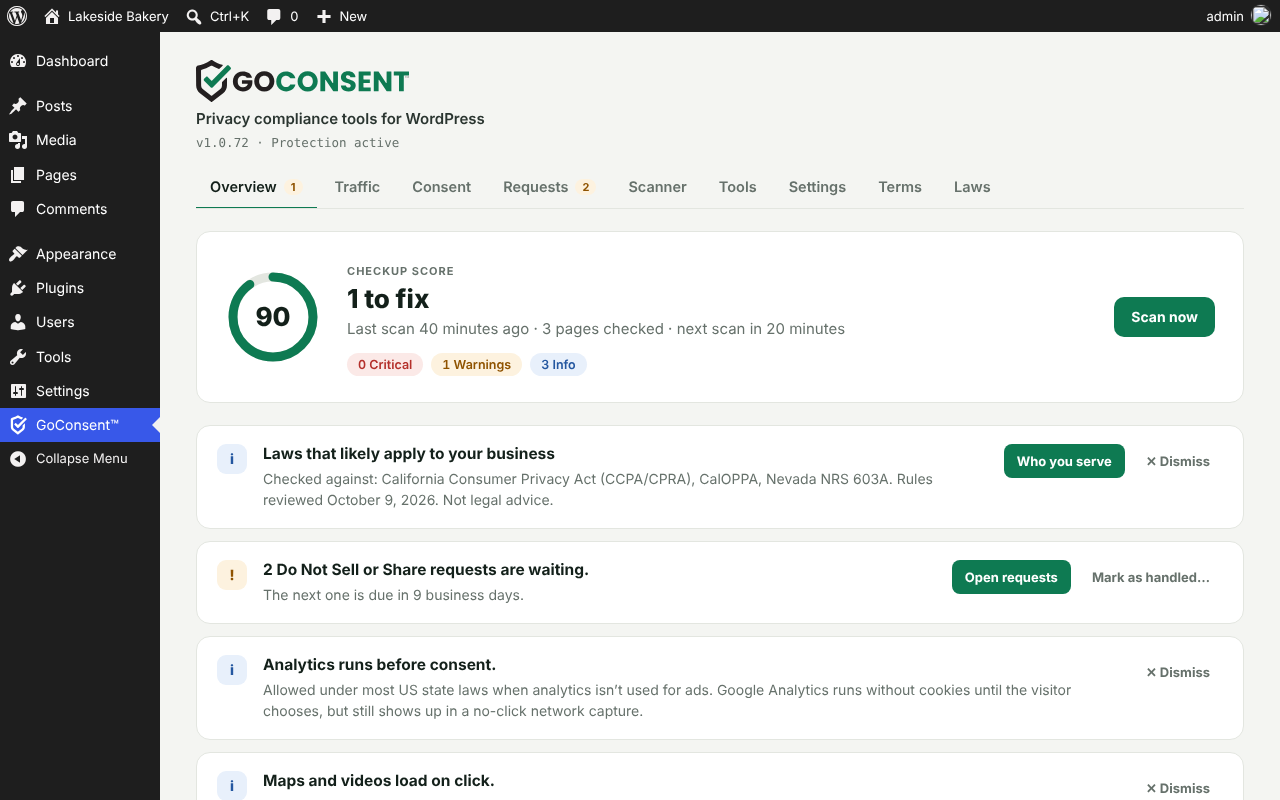
- Fix. The Overview shows a checkup score and plain-English issues, sorted by what the law requires and what is best practice. Most fixes take one click.
- Publish your policies in your own editor, and keep them current as your site changes.
Cookie consent banner that blocks trackers before consent
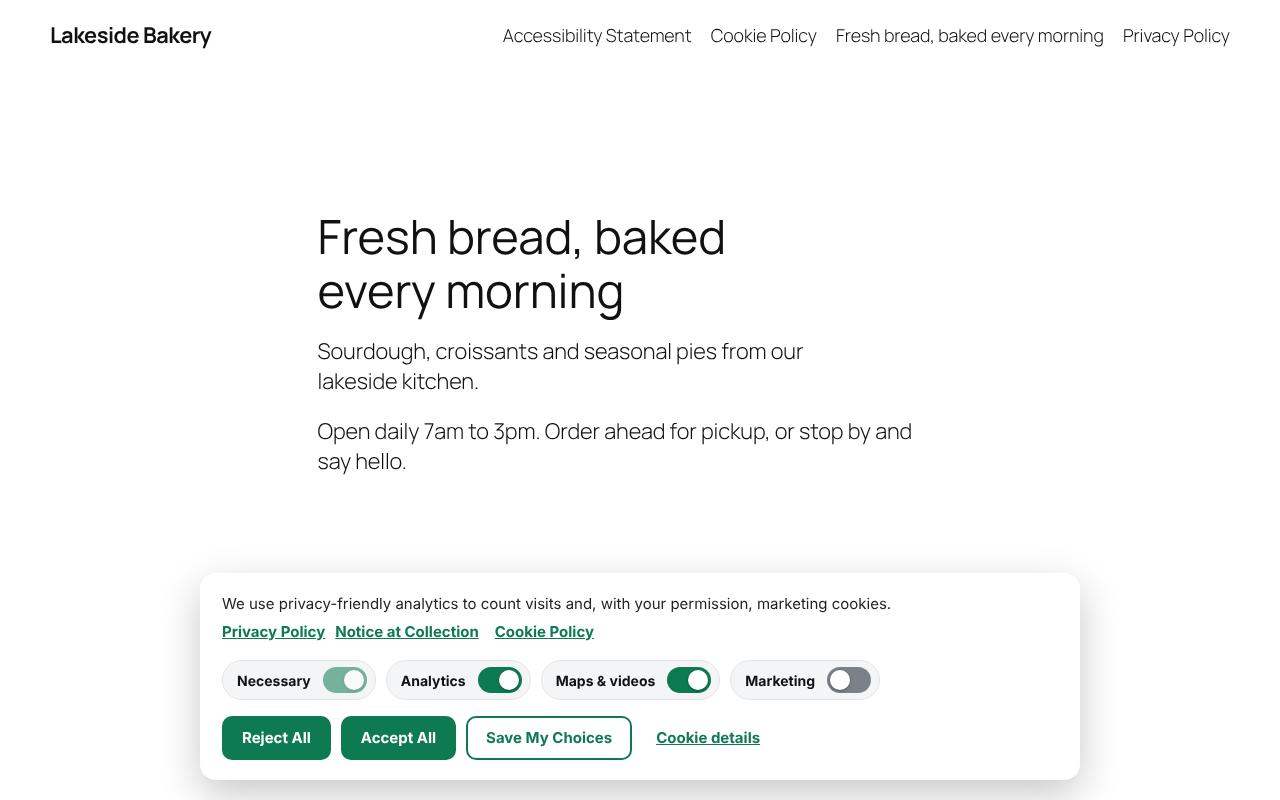
- Equal Accept All and Reject All buttons, with category switches on a compact banner that links to your Privacy Policy, Notice at Collection and Cookie Policy.
- “Your Privacy Choices” panel with a short notice at collection, one collapsible section per category and its cookies, a consent receipt, and California’s official opt-out icon on the footer link.
- Real blocking, not just a notice. Tags wait until the visitor agrees, including scripts other plugins add later.
- Google Consent Mode v2 with every signal “denied” until consent and ad data redaction on. Meta Pixel gets the same consent signal.
- Global Privacy Control honored automatically, as California, Colorado and other states require. Visitors are told the signal was honored, and a signed-in visitor’s opt-out follows them to every device.
- “Opt out using your email” for information you hold outside the browser, with no account or ID.
- Click-to-load maps, videos and widgets: Google Maps, YouTube, Vimeo, and booking, chat, review and form widgets that carry trackers wait behind a placeholder. Widgets your business type relies on keep working.
- Analytics from the first page, privately: for US visitors, Google Analytics can count visits without cookies until they choose. EU and UK visitors get stricter defaults automatically.
Privacy policy generator and policy pages
- Privacy Policy, Cookie Policy, Refund & Returns, Shipping and Cancellation Policies, Accessibility Statement and Fair Housing Statement, written from your settings and your latest scan, naming the services your site actually uses.
- Notice at Collection section in your Privacy Policy (what you collect, why, whether it is sold or shared, how long you keep it), linked from the banner.
- Country sections for each place you serve: rights and response times, the regulator, Quebec’s person in charge, Brazil’s encarregado, EU and UK representatives and transfers abroad.
- Works with your editor: the block editor, the classic editor, Elementor and Beaver Builder.
- Safe updates: GoConsent updates only its own sections, keeps your edits and lets you undo any change.
Cookie scanner and checkup
- Daily scan of your own pages finds tracking tags, pixels, embeds and unknown scripts, and shows which plugin, theme or page adds each one.
- 450+ services recognised in 22 groups, from analytics, session recording and ad pixels to chat, maps, payments, bookings and real estate IDX, each with its company, purpose and cookies. See the full list.
- Plugins handled automatically: WooCommerce, Site Kit, MonsterInsights, PixelYourSite, Jetpack, HubSpot, Klaviyo, the big form plugins and page builders. Another consent plugin is flagged.
- Checkup score with plain-English issues and one-click fixes, plus suggested privacy policy wording.
- Consent self-check: a clean browser visits your site four times and shows which trackers loaded when they shouldn’t have, including trackers hidden inside other companies’ embeds. Results show on your screen only. Up to 3 checks per site per day.
Privacy laws in plain English
Pick the countries, states and regions you serve, and the Laws tab shows each law with who it covers, its cookie rule, response deadlines and the regulator, with a link to the official text. GoConsent covers the EU GDPR and ePrivacy rules, UK GDPR and PECR (including the Data (Use and Access) Act 2025), Switzerland, Canada (PIPEDA), Quebec (Law 25), Brazil (LGPD), Australia, New Zealand, Japan, South Korea, India, South Africa, Singapore, Mexico, Argentina, Colombia, Chile, Türkiye, Israel and China, and in the US: CCPA/CPRA, CalOPPA and 18 other state privacy laws, Washington’s My Health My Data Act, COPPA and GLBA. Laws that start soon are flagged before they apply. Read the law summaries.
A plain-English guide, not legal advice. GoConsent tells you what each law asks for; it doesn’t make you compliant on its own.
Built for everyone
- Accessible: the banner, Your Privacy Choices, the cookie dialog, the privacy button, placeholders and the footer link are tested against WCAG 2.2 AA on every release, with automated axe-core checks and scripted keyboard tests. Read the accessibility conformance report.
- 10 languages: English, Spanish, French, German, Italian, Portuguese, Dutch, Polish, Swedish and Japanese, with regional versions. The banner can follow each visitor’s browser language, or WPML, Polylang and TranslatePress. On WordPress.org, a language pack from translate.wordpress.org may replace the bundled translation.
- Your team works undisturbed: administrators and editors never see the banner, so page builders keep working.
- Multisite: network activation sets up every site, and each site keeps its own settings and records.
- Cookie-free traffic stats on your own server: visitors, pages, sources, devices and UTM campaigns, with no cookies and no stored IP addresses.
GoConsent Pro
Pro adds the tools that save time when your site or the law changes:
- Leads and visit sources: calls, form sends, directions and emails counted per page, plus visits from search, AI assistants and social. Still no cookies.
- Law updates: when a privacy law starts to apply to you, GoConsent drafts the new policy wording and waits for your OK. Alerts and a monthly report.
- Evidence Scan: the four-visit check saved as evidence, with a PDF report, HAR recordings, screenshots and a private share link for your lawyer. Consent ID lookup and every policy version saved with dates.
- Thirteen more policy pages, including Terms & Conditions, a Disclaimer, Children’s Privacy, SMS Terms and Impressum.
Compare plans at getgoconsent.com/pricing.
Learn more
- Docs: setup, the banner, scans, policy pages and requests, step by step.
- Privacy laws: what each law asks of a website, in plain English, with sources.
- Compare consent plugins: free and paid plans side by side, from each vendor’s own pages.
- Free website privacy audit: check any site for trackers, a privacy policy and opt-out links.
GoConsent is a compliance tool, not legal advice. Have a lawyer review your policies.
External services
GoConsent makes no outside requests on activation, and none until an administrator accepts its terms.
-
Consent self-check (roxxistudios.com and Google Cloud) — only when an administrator clicks Run self-check (Scanner tab). GoConsent sends roxxistudios.com the site’s address, the addresses of up to 10 of its public pages, the banner mode, the list of tracking services GoConsent recognizes (names, host names and cookie names, in your categories) and the GoConsent version. To confirm the request came from this site’s own admin, roxxistudios.com then reads a one-time code from this site’s REST API (goconsent/v1/selfcheck/proof); the code exists only while a check is starting. roxxistudios.com passes the job to the GoConsent Scanner on Google Cloud Run, which visits those public pages in a clean browser as any visitor would. Only a short result comes back (which checks passed and which trackers loaded). The scanner’s recordings, screenshots and report are deleted as soon as they reach roxxistudios.com, no share link is made, and the server deletes its record once your site has the result (or after 24 hours). Your site keeps only the latest result, for you. No visitor data is sent. RoxxiStudios privacy policy: https://roxxistudios.com/privacy-policy/ Google Cloud terms: https://cloud.google.com/terms and privacy notice: https://cloud.google.com/terms/cloud-privacy-notice
-
Help videos (roxxistudios.com, and YouTube only if you play a YouTube video) — on GoConsent’s own screen. When an administrator opens GoConsent and its copy of the help video list is more than 12 hours old, your server asks roxxistudios.com for the current list. The request contains the product name, “free”, the GoConsent version and the names of GoConsent’s own tabs and cards; no site address, visitor data or personal data. Plays aren’t reported. A hosted video plays from roxxistudios.com in the administrator’s browser only when they click its button. A YouTube video loads from youtube-nocookie.com (YouTube’s privacy-enhanced mode) only after they click Play video; before that nothing loads from YouTube. RoxxiStudios privacy policy: https://roxxistudios.com/privacy-policy/ YouTube terms: https://www.youtube.com/t/terms and Google privacy policy: https://policies.google.com/privacy
-
Google Fonts (fonts.googleapis.com, fonts.gstatic.com) — optional, off by default. Only when you turn on Host Google Fonts on this site (Consent tab), and only for Google Fonts your theme or plugins already load, your server downloads those font files once and GoConsent serves them from your own site, so visitors’ browsers never contact Google. The request contains the font stylesheet address and no visitor or site data. Google’s terms: https://policies.google.com/terms and privacy policy: https://policies.google.com/privacy
Everything else stays on your site:
- The scanner requests pages of your own site: once a day after the terms are accepted, or when you click Scan now.
- Google Tag Manager (www.googletagmanager.com) — only if your site already uses it. When the scanner finds a Google Tag Manager container id (GTM-…) on your pages, your server downloads that public container file once per scan to list the tags inside it. The request contains only the container id. Google’s terms: https://policies.google.com/terms and privacy policy: https://policies.google.com/privacy
- The “Powered by GoConsent” credit in Your Privacy Choices is off by default and only shows if you turn it on (Share the love, Consent tab). It is a plain link to getgoconsent.com; nothing loads from it unless a visitor clicks it.
- Visitor location: GoConsent’s built-in country database ships inside the plugin and is refreshed with each GoConsent release. Lookups run on your own server. Nothing is downloaded and no outside service is called; the visitor’s IP address is never stored or sent anywhere.
- Maps and videos (Google Maps, YouTube, Vimeo) are your site’s own embeds. GoConsent adds none; it holds them until the visitor allows them, then the visitor’s browser loads them as it normally would.
- Banner language: the translations are static files inside the plugin (assets/i18n), loaded from your own site only when a visitor’s language differs from the page’s.
- Traffic statistics and consent records are stored in your own database and are never sent anywhere.
Developer notes
- IAB GPP:
__gpp()with the US National section (usnat), CMP ID 1 (unregistered). - REST:
POST /wp-json/goconsent/v1/requestreceives “Opt out using your email” requests. - Multisite: network activation sets up every site; each site accepts the terms and keeps its own settings and records.
- JavaScript API:
GoConsent.open(),GoConsent.get(),GoConsent.loadScript( src, attrs, onload ),GoConsent.onChange( callback ). - REST:
GET /wp-json/goconsent/v1/wherereturns the visitor’s{ c: country, r: US state or Canadian province, g: region }from CDN or host headers, else the built-in country database (never cached; no IP in the answer). - Events:
goconsent:changeandgoconsent:where(the visitor’s region is known) ondocument;goconsent_updatein the dataLayer.window.GoConsentStatehasregion,country,stateandlocated(iportz). - Filters:
goconsent_signatures,goconsent_scan_urls,goconsent_issues,goconsent_law_rules,goconsent_industries,goconsent_render_footer_link,goconsent_filter_page,goconsent_alert_recipients,goconsent_visitor_ip,goconsent_trusted_proxies(IP ranges whose X-Forwarded-For, CF-Connecting-IP and X-Real-IP headers are believed; Cloudflare’s by default, plus private networks),goconsent_geo_database(path to the country database file, or ” to turn it off),goconsent_visitor_country(two-letter code, or ” to use the time zone; the source is passed too, e.g.cloudflareordatabase),goconsent_visitor_region. - Action:
goconsent_loaded.
Third-party assets
GoConsent includes California’s official privacy opt-out icon (assets/img/ca-privacy-options.svg), unchanged. It is published by the California Attorney General for businesses to use on their websites with a “Your Privacy Choices” link, as the California Consumer Privacy Act regulations require: https://oag.ca.gov/privacy/ccpa/icons-download. It is loaded from your own site, never from outside servers.
GoConsent includes a country database (data/geo-country.dat) built from “user-country” by ip-location-db (https://github.com/sapics/ip-location-db), dedicated to the public domain under the Open Data Commons Public Domain Dedication and License (PDDL) 1.0: https://opendatacommons.org/licenses/pddl/1-0/. It is compiled from the five …