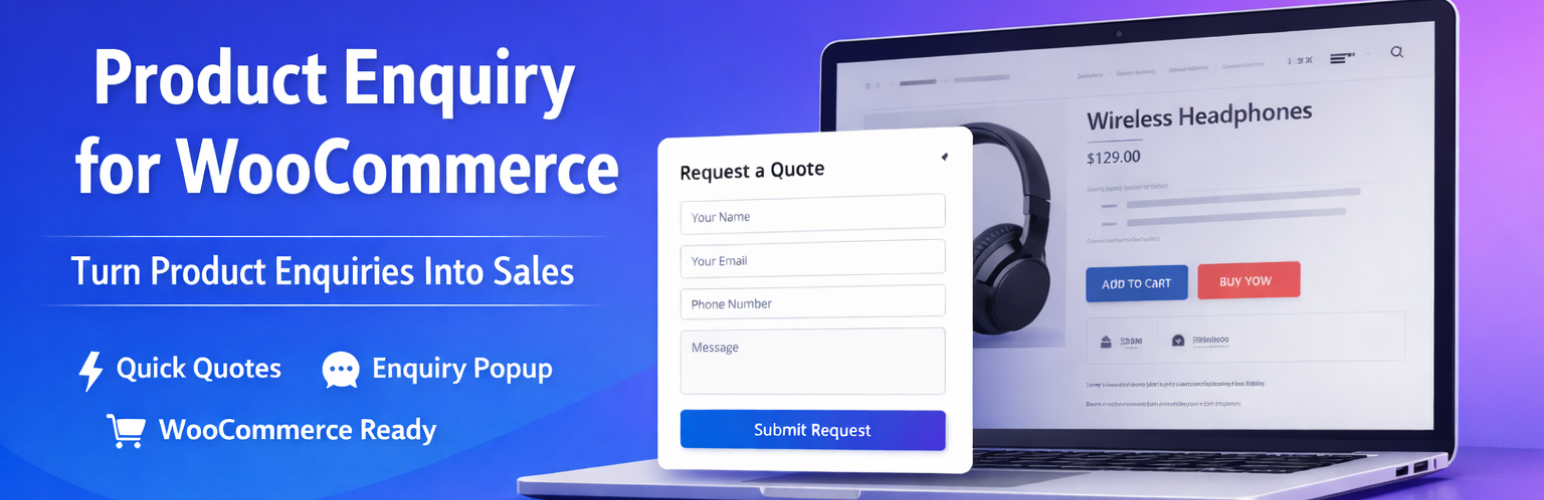

Product Enquiry for WooCommerce
v3.2theme funda · 2019年4月27日 上架
Add a Request a Quote or Product Enquiry button to your WooCommerce store and capture B2B leads. Catalog mode in Pro.
- 正在使用
- 3,000+
- 评分
- 4.5 / 5
- 累计下载
- 3.7 万
- 最近更新
- 2026年11月12日
贡献者
 theme funda
截图


Turn your WooCommerce store into a powerful Request a Quote and Product Enquiry system.
Product Enquiry for WooCommerce allows customers to ask questions, request custom pricing, or submit quote requests directly from product pages — without going through the standard checkout process.
Perfect for B2B stores, wholesalers, manufacturers, distributors, and businesses that need flexible pricing or catalog mode functionality. Capture high-intent leads and convert price-sensitive visitors into serious enquiries.
🔗 Documentation | 🔗 Demo | 🔗 Pro Version | 🔗 Support
Why Use This Plugin?
- Add a “Request a Quote” button on your product pages
- Collect structured enquiry information via a custom form
- Allow customers to submit bulk quote requests for multiple products
- Increase B2B lead generation with every product page visit
Whether you need a simple “Ask a Question” button or a complete WooCommerce quote system, this plugin gives you full control.
Free Features
Quote Request & Enquiry Button
- Add a “Request a Quote” or “Product Enquiry” button to product pages
- Replace or hide the Add to Cart button
- Custom button placement on the product page
- Enquiry cart for submitting bulk quote requests across multiple products
Form Builder
- Edit, reorder, enable and require the built-in fields (name, email, subject, mobile, message)
- Add your own Text and Textarea fields
- Required field validation
- Custom labels and placeholder text
- Google reCAPTCHA v2 and v3 support to prevent spam
Email Notifications
- Instant admin email notification on every new enquiry
- Automatic customer confirmation email after submission
- Customizable email subject and body content
- Dynamic placeholders to include product name, customer details, and form data
Display Rules & Visibility Controls
- Show the enquiry button for all visitors or logged-in users only
- Include or exclude specific product categories
- Show the enquiry button for out-of-stock products
- Flexible per-product visibility settings
Design & Customization
- Customize button colors and styling
- Add custom content before or after the enquiry form
- Choose between label or placeholder display modes
- Fully responsive layout for mobile and desktop
Management & Reporting
- View all enquiries in a dedicated WordPress dashboard panel
- Filter enquiries by date range
- Export all enquiry data to CSV
- Track and manage customer requests from one place
Translation & Compatibility
- Fully translatable with .pot file included
- Compatible with WPML and other multilingual plugins
- RTL and LTR layout support
- Works with most WooCommerce themes
Pro Features
Upgrade to the Pro version for advanced controls and extended functionality:
- Advanced Category Rules — Fine-grained category-based display logic with include/exclude conditions
- Extended Form Builder — Additional field types and conditional logic for more powerful forms
- Enhanced Email Customization — Advanced email templates with HTML support and more dynamic placeholders
- Enhanced Catalog Mode — More granular control over which products show prices or Add to Cart
- Conditional Visibility — Show or hide the enquiry button based on user role, product type, stock status, and more
Perfect For
- Wholesale and B2B WooCommerce stores
- Manufacturers and distributors
- Custom pricing and negotiable-price businesses
- Catalog-only stores with no public pricing
- Call-for-price product pages
- High-value or configurable products
- Stores that need lead capture before selling
Shortcodes
Display the enquiry cart anywhere on your site:
[gm_woo_enquiry_cart]
Display the enquiry button on a product page:
[gmwqp_enquiry_single_product]
Display the enquiry button for a specific product by ID:
[gmwqp_enquiry_single_product id=”123″]
Developer Hooks
A custom JavaScript event is triggered after a successful enquiry submission, allowing you to run custom code or fire analytics events:
window.addEventListener('Gm_enquiry_submitted', function(event) {
    console.log('Enquiry submitted!');
    console.log(event.detail);
});
Source Code
The JavaScript and CSS in the build folder are compiled from the readable sources in src-admin and src-frontend (React + SCSS), included in this plugin. Build with npm install then npm run build:admin and npm run build:frontend.
External Services
- Google reCAPTCHA (optional): if you enable reCAPTCHA in the settings, the enquiry form loads Google’s script and sends the visitor’s response token to Google for verification. See Google’s Terms and Privacy Policy.