

Variation Dropdown to Radio Buttons for WooCommerce
v3.0theme funda · 2021年4月29日 上架
Replace the default WooCommerce variation dropdown with radio buttons, switch boxes, or a styled Select2 — boosting conversions and user experience on …
- 正在使用
- 100+
- 评分
- 5.0 / 5
- 累计下载
- 3,267
- 最近更新
- 2026年7月19日
贡献者
 theme funda
截图

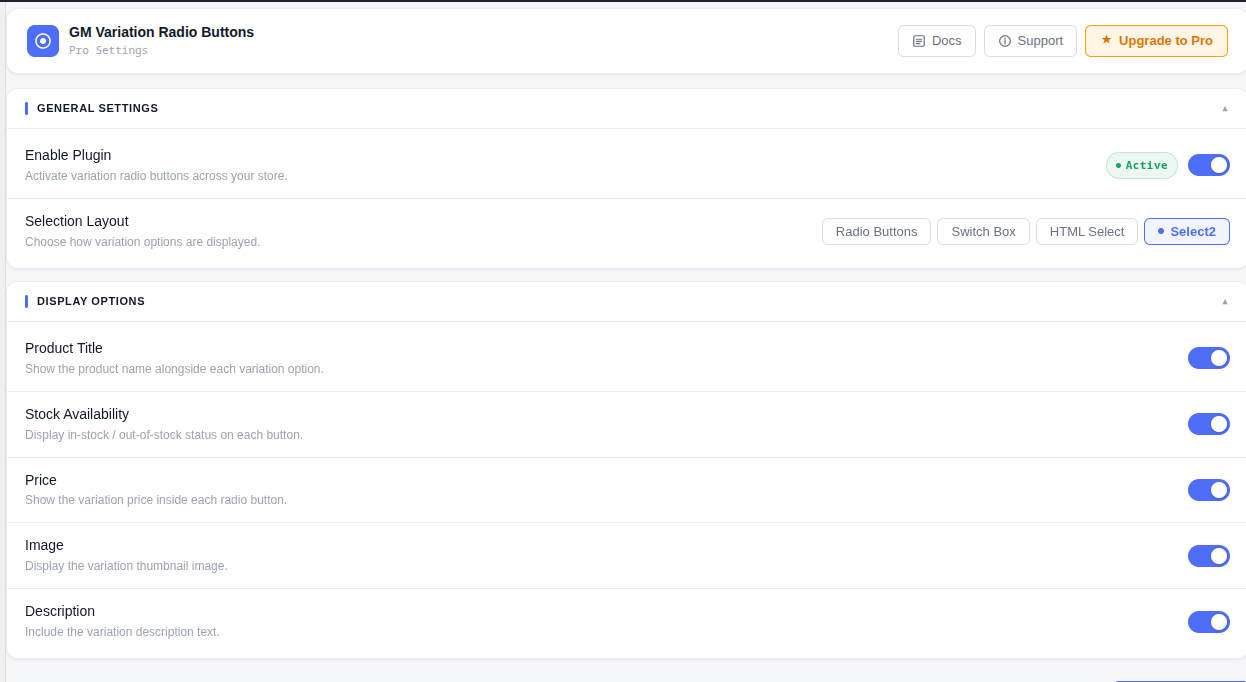

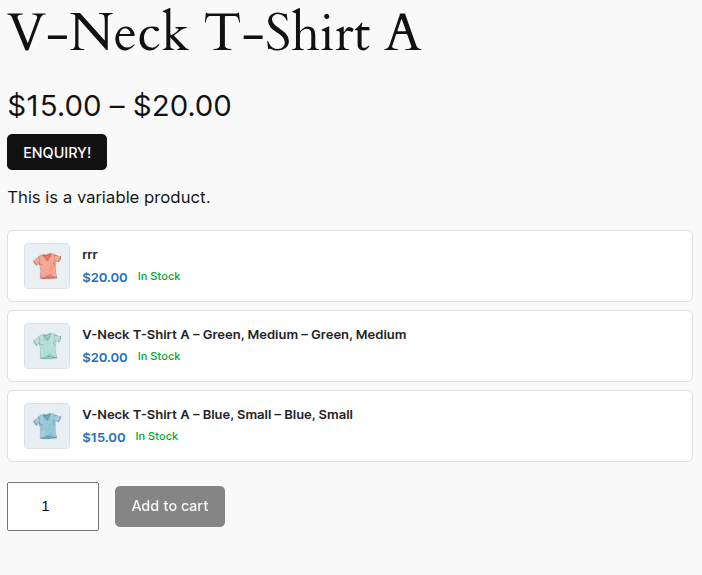
Variation Dropdown to Radio Buttons for WooCommerce converts the standard WooCommerce variation <select> dropdown into beautiful, clickable radio buttons, switch boxes, or enhanced select controls — making it easier for customers to browse and choose product variations without hunting through a dropdown list.
Customers can see all available options at a glance, compare prices and stock status side-by-side, and select a variation in one click. The result is a faster, more intuitive shopping experience that reduces friction and increases add-to-cart rates.
⭐ Get the Pro Version for advanced layouts, image controls, column grids, and priority support.
Why Replace WooCommerce Dropdown Variations?
The default WooCommerce dropdown hides all your variation options inside a collapsed select box. Shoppers must click, scroll, and read through a plain list — often missing options entirely. Radio buttons surface every variation immediately, letting customers see images, prices, and stock at a glance before they click.
Studies consistently show that visible product options reduce decision friction and increase conversion rates in e-commerce.
Core Features
- Radio Buttons layout — replaces variation dropdowns with styled radio button cards
- Switch Box layout — modern card-style layout with image, price, and stock
- HTML Select layout — clean, accessible native select element
- Select2 layout — searchable, styled dropdown powered by Select2
- Show variation image — display variation thumbnail inside each option
- Show variation price — surface price differences directly on each button
- Show stock availability — display In Stock / Out of Stock per variation
- Show variation description — include variation description text beneath each option
- Show product title — prepend the parent product name to each variation label
- Out-of-stock handling — disable, strikethrough, or hide unavailable variations
- Custom variation name — override the label per variation from the product edit screen
- Lightweight and fast — scripts and styles load only on single product pages
- Zero configuration — works immediately after activation with sensible defaults
- Column grid control — set exact column counts for desktop and mobile independently
- Image position — place variation image left, above, or below the variation label
- Button style options — card, minimal, outlined, and more
- Priority email support — direct access to the development team
- Early access — first access to new layouts and features
Documentation & Support
Full setup guide, screenshots, and developer hooks are available in the plugin documentation.
For questions, bugs, or feature requests, visit the support page or open a thread in the WordPress.org support forum.
Works With
- WooCommerce 5.0 and above
- Simple variable products with any number of attributes
- All major WooCommerce-compatible themes (Storefront, Flatsome, Astra, Divi, OceanWP, and more)
- Page builders: Elementor, WPBakery, Beaver Builder, Gutenberg