

Glossary Tooltip – Highlight Terms & Show Tooltips
v3.0.8Jumedeen khan · 2024年6月1日 上架
The best glossary plugin to auto-link terms, display tooltips definitions, build searchable A-Z glossary index. Boost SEO, UX and internal links.
- 正在使用
- 100+
- 评分
- 5.0 / 5
- 累计下载
- 6,507
- 最近更新
- 2026年11月23日
贡献者
 Jumedeen khan
截图
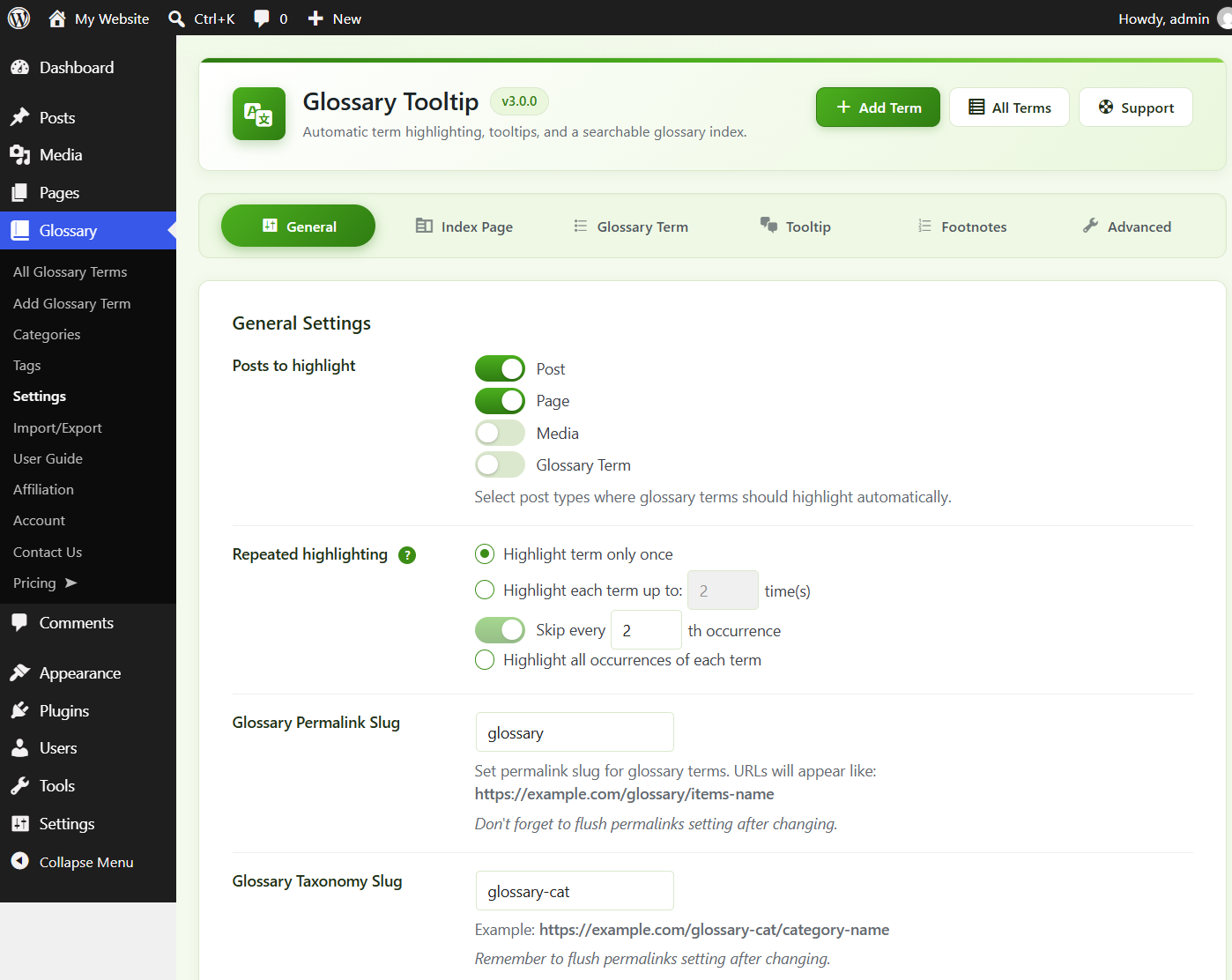
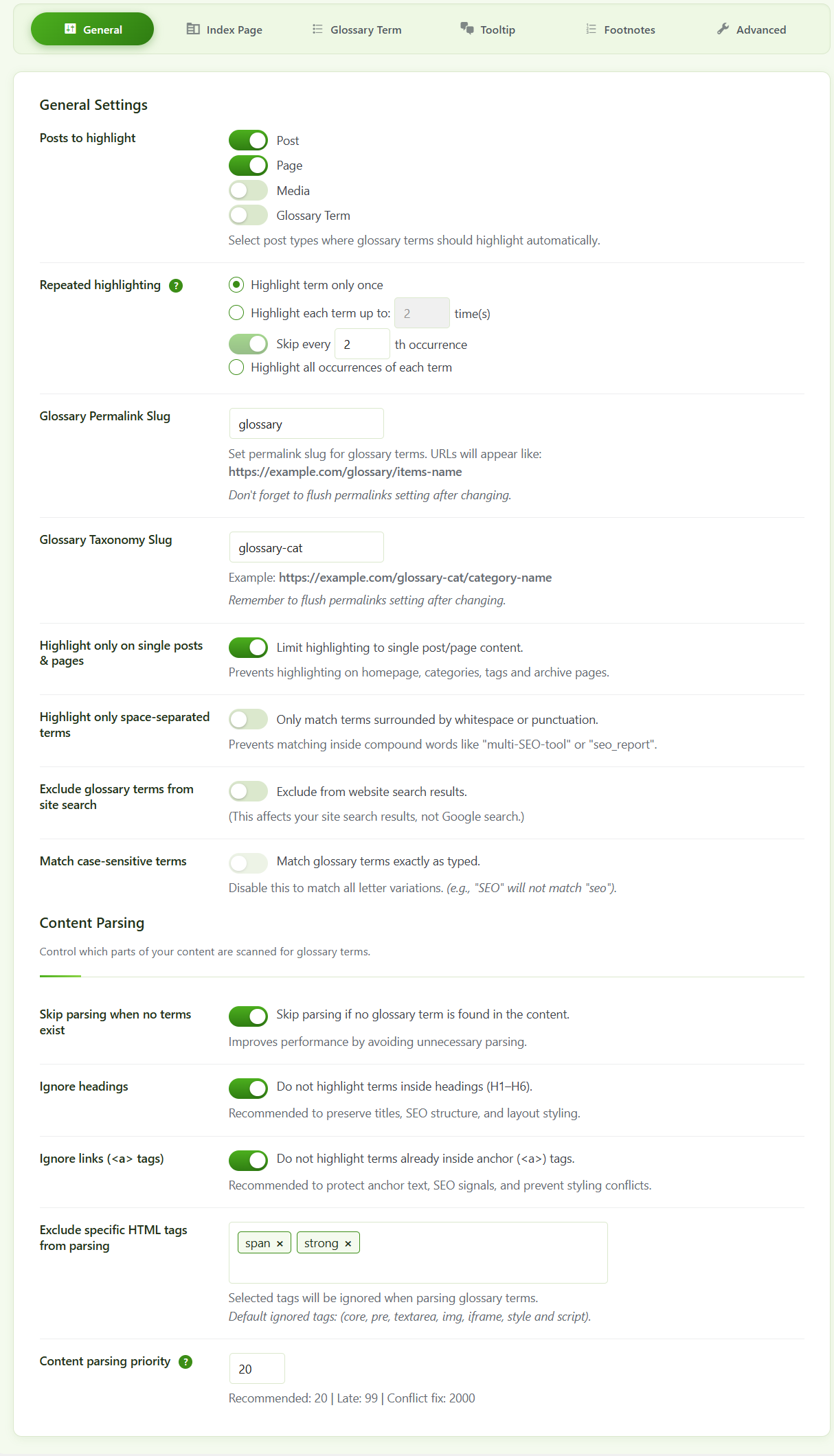
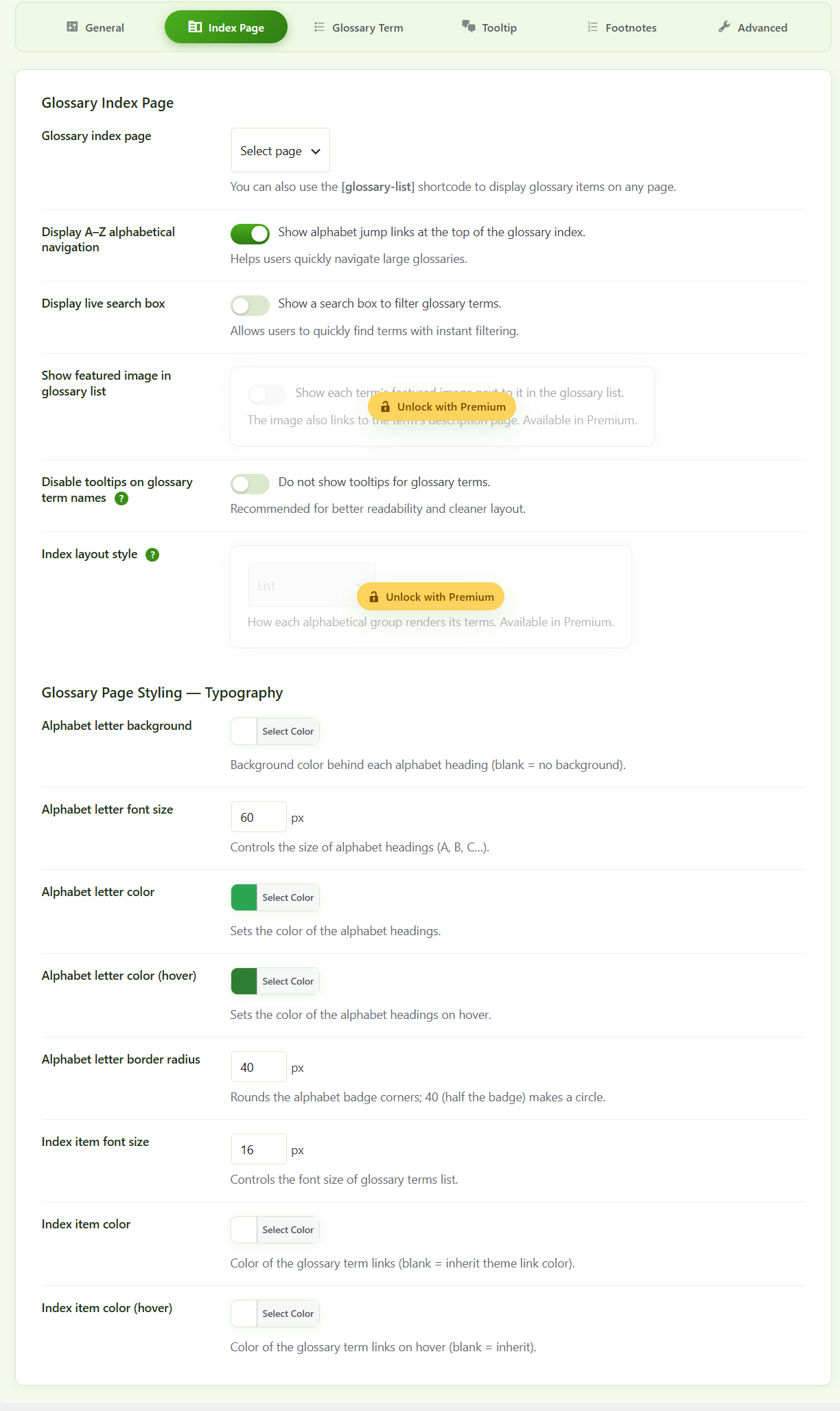
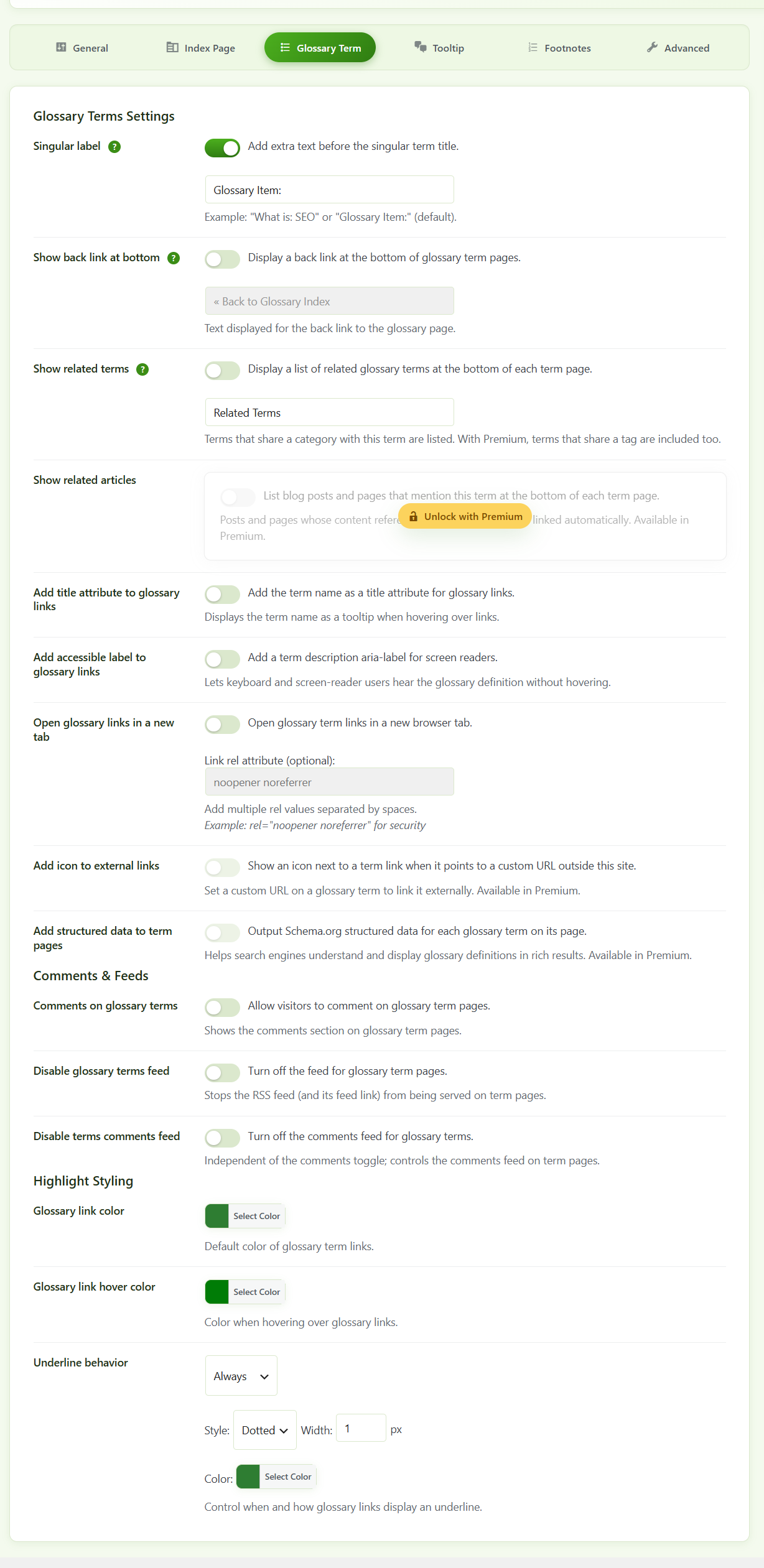
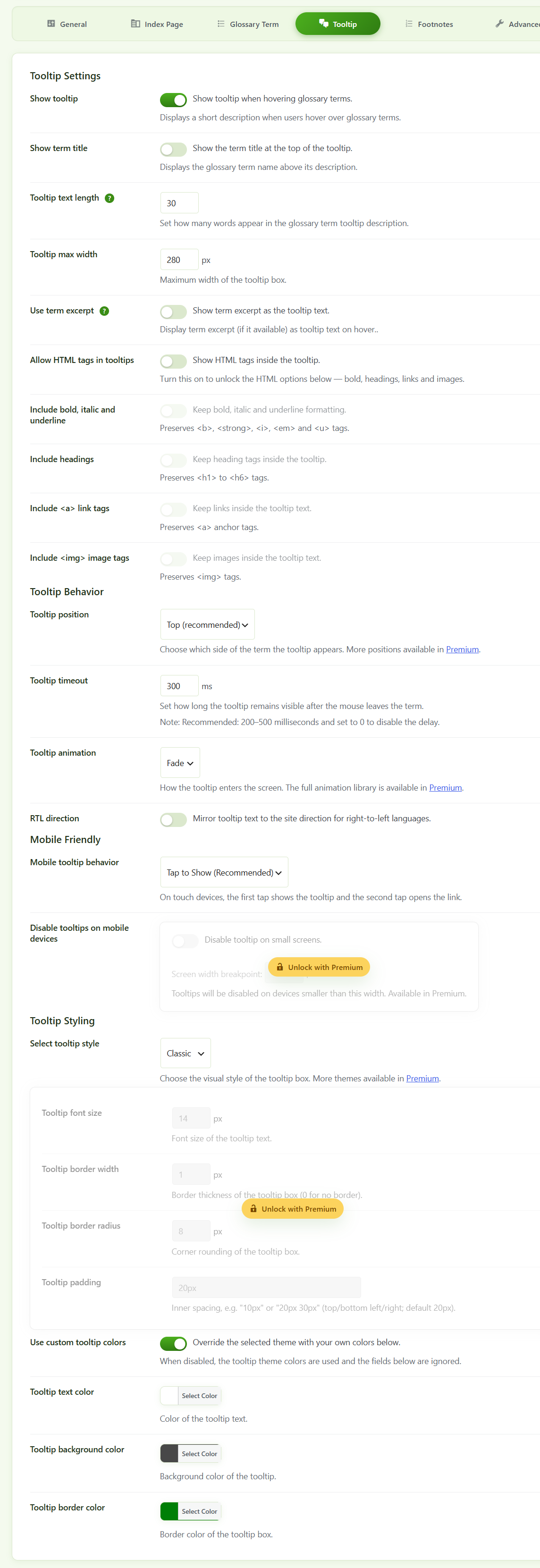
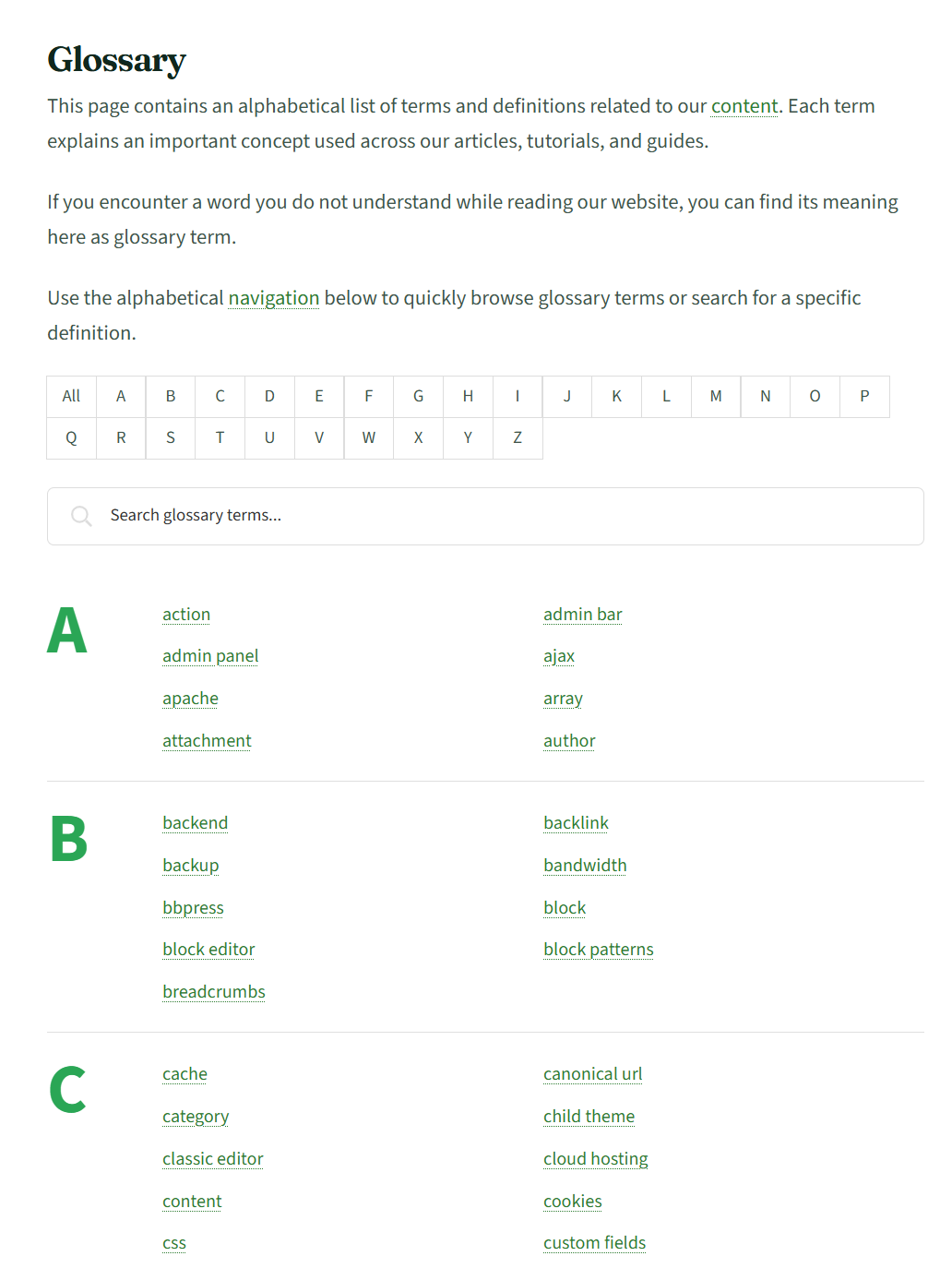
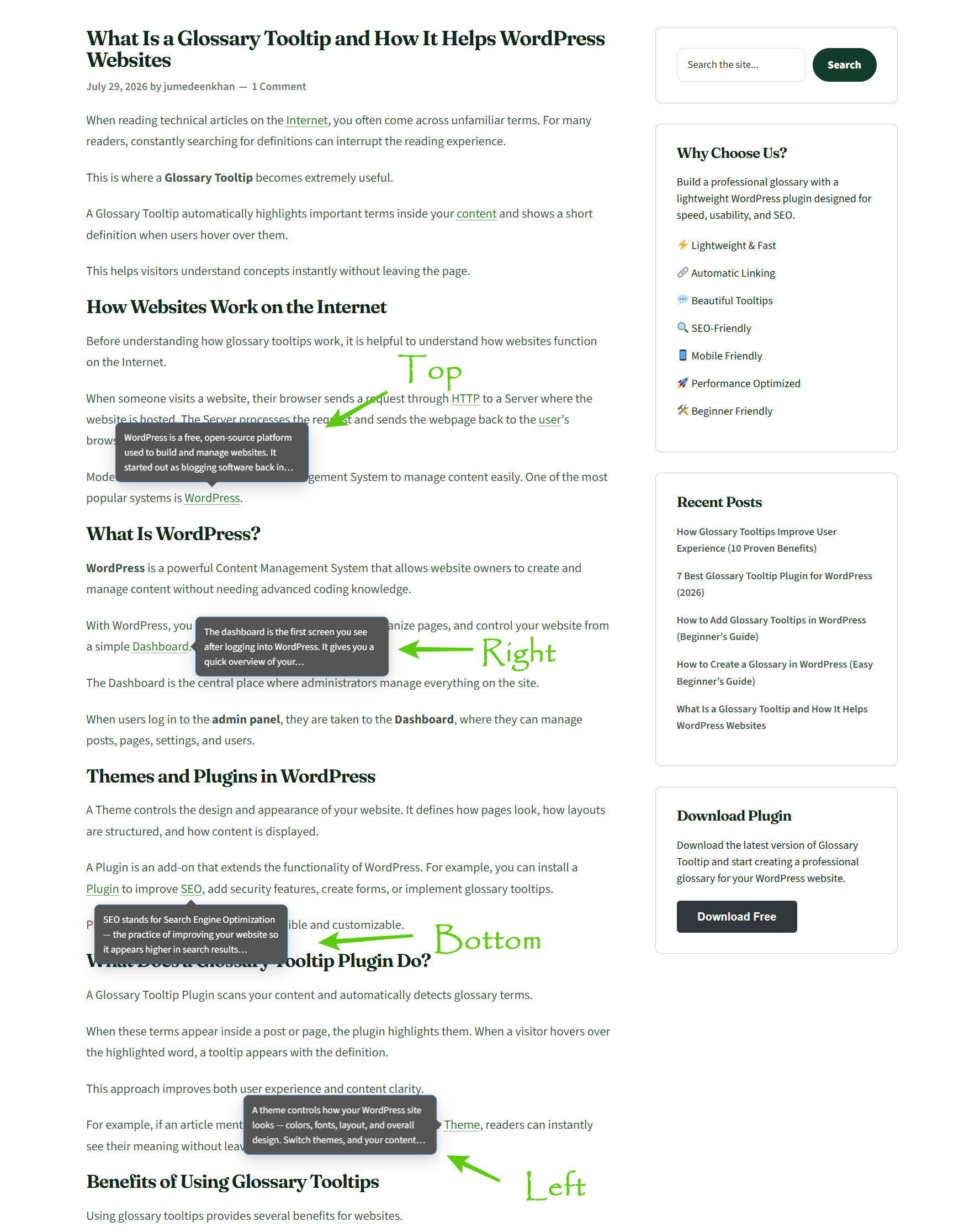

Glossary Tooltip is the best WordPress glossary plugin that automatically highlights terms within your content and displays tooltips with meaningful definitions.
You can also create a searchable A–Z glossary index, making it easier for your visitors and search engines to discover and understand important terms.
The best Glossary Tooltip Plugin for WordPress
You only need to add each term once. Glossary Tooltip handles the matching and linking across your website, saving you from manually adding links to every time.
Whether you need a glossary, dictionary, knowledge base, or vocabulary list, Glossary Tooltip provides the tools to build and manage it directly in WordPress.
This plugin is optimized for PageSpeed and performance. It uses very little JavaScript, which allows it to load quickly and work seamlessly with any caching plugin.
What is the Superpower of the Glossary Tooltip?
- More Engaged Readers – Instant tooltips answer without anyone leaving the article.
- Stronger SEO – Automatic internal links and a wiki-style glossary index help search engines understand and rank better your content.
- Better User Experience (UX) – Readers learn the meaning instantly without leaving the article; friendly, clear tooltips keep them reading instead of searching elsewhere.
- Less Manual Work – Publish a term once; it is highlighted and linked everywhere automatically, across every post type you choose.
- Full Design Control – Match the tooltips, links, and index to your brand, not the other way around.
Key Features (Free Version)
- Automatic Term Linking – Automatically detect and link terms in every type of post you select.
- Display Tooltips – Show tooltips for every term with their meaningful definitions.
- A-Z Glossary Index – Create a dedicated searchable glossary index page using shortcode.
- Alphabetic & Live Search – Alphabetical glossary navigation & live search terms functionality.
- Mobile Friendly – Choose mobile behavior, terms link click or double tap support available.
- Synonyms and Aliases — Give any term alternate spellings, abbreviations, or acronyms.
- Post-type Control — Choose exactly which post types content will get highlighted.
- Per-post Overrides — Switch highlighting and tooltips On/Off for an individual post types.
- Repeat Control — Highlight each term once, a set number of times, every Nth occurrence, or every occurrence on a page.
- External Links — Add external links as term link, best for promotional and affiliate links.
- Related Terms — An optional related terms links list on each glossary term page.
- Parsing Control — Skip headings, internal links, and exclude specific HTML tags from parsing.
Shortcodes
[glossary-list]– Display the A–Z glossary index.[glossary_parse]– Apply glossary parsing to selected content.[glossary-exclude]– Exclude selected content from glossary parsing.[glossary_tooltip]– Display glossary tooltip content.[glossary_footnote]– Display glossary footnotes (Pro).
Glossary Tooltip Premium
Take your glossary to the next level with Glossary Tooltip Premium that unlocks powerful features inside the same Glossary settings.
- Modern Tooltip Styles — Unlock Modern, Material, Gradient, and 8+ additional tooltip design themes.
- AI-Generated Definitions — Generate glossary definitions using ChatGPT or Google Gemini.
- Featured Images — Display a term’s featured image in its tooltip and on the glossary index page.
- Rich Media Tooltips — Add embedded YouTube videos in glossary tooltip definitions.
- Advanced live search — Search and filter glossary entries by synonyms, abbreviations, and definitions.
- Translate Interactions — Translate tooltip definitions using Google Translate or the Google Cloud Translation API.
- URL Tracking — Append a tracking query string (e.g.
utm_content=xyz) to term link for analytics tracking. - Exclude Areas — Stop auto-linking inside any element carrying a CSS class you choose aur paragraphs.
- Tags Support — Organize glossary terms using tags for more flexible classification and content management.
- Category Tree & Filters — Display glossary categories tree and let visitors filter entries by category.
- Footnotes — Add numbered, Wikipedia-style footnotes to your content as sources for better understanding.
- Related Articles — Display links to relevant articles alongside related terms in the glossary term footer.
- Structured Data — Automatically outputting Schema.org DefinedTerm structured data for your glossary entries.
- External Links — Customize external term links with icons, new-tab behavior, and nofollow attributes.
- Advanced Per-Post Overrides — Configure term-specific placement, and repeat behavior on individual posts.
- Whitelist & Blacklist — Control which glossary terms are included or excluded from highlighting on individual posts.
- Export & Import Terms — Transfer glossary term data between one to another WordPress websites.
- Multilingual Support — Manage glossary content on multilingual websites using WPML and Polylang.
- Multisite Support — Manage network-wide glossary terms and share terms across your WordPress multisite network.
Visit Pricing & Plans for available Premium features and upgrade options.
Upgrade whenever you’re ready — every Premium feature appears right inside your settings.
Documentation & Support
For setup instructions and troubleshooting, visit the Documentation or Contact Support.
You can also explore the Demo on official website and see the Live Preview on playground.
Premium users receive dedicated support.