

Gleap for WordPress & WooCommerce
v14.0.1Lukas Böhler · 2021年10月28日 上架
AI support chat, help center, bug reports and surveys. For WooCommerce: order lookups, returns your team approves and synced customers.
- 正在使用
- 300+
- 评分
- 5.0 / 5
- 累计下载
- 1.2 万
- 最近更新
- 2026年10月30日
8 条评价需要 WordPress 6.4+已测试到 7.1.5PHP 7.4+
贡献者
 Lukas Böhler
截图

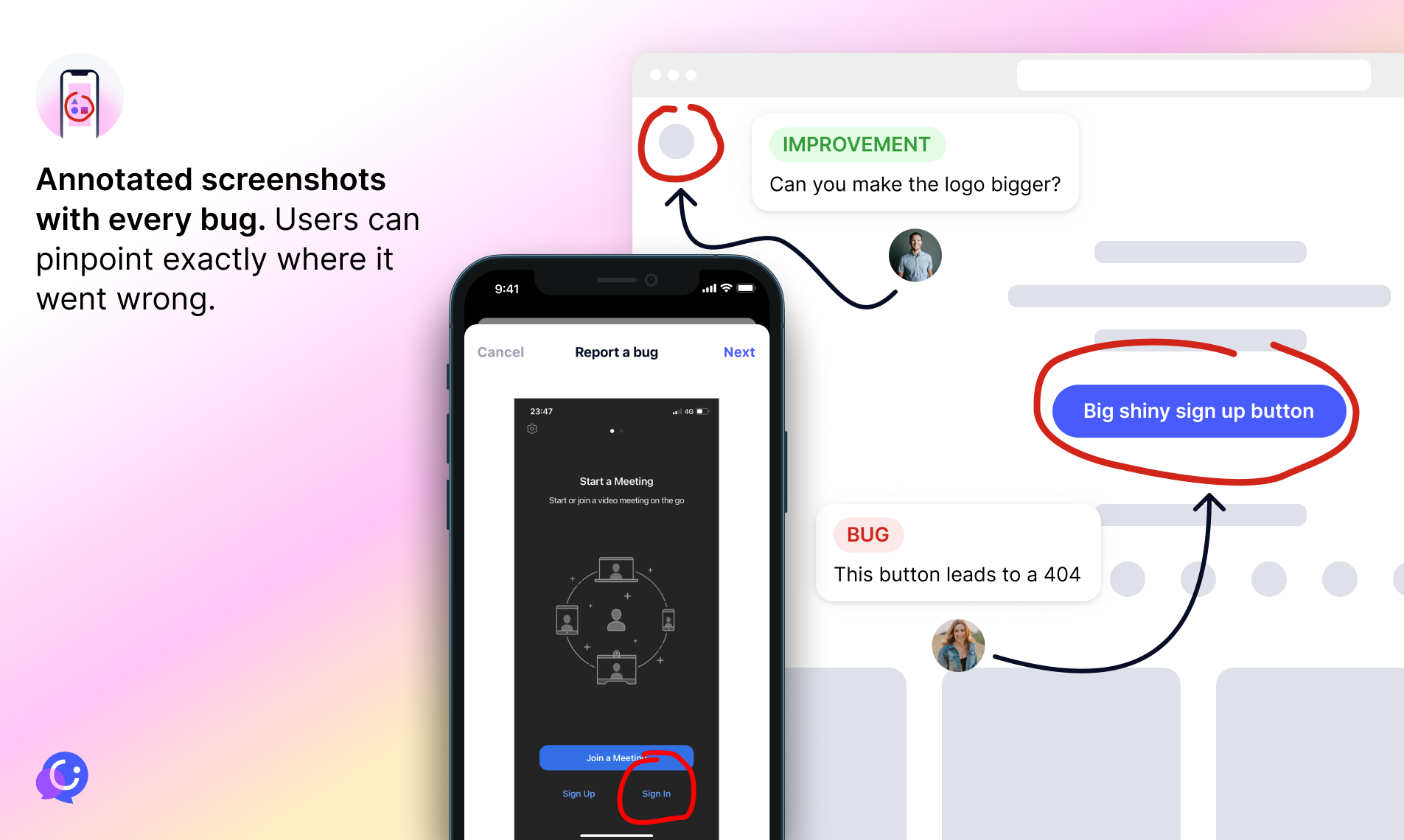


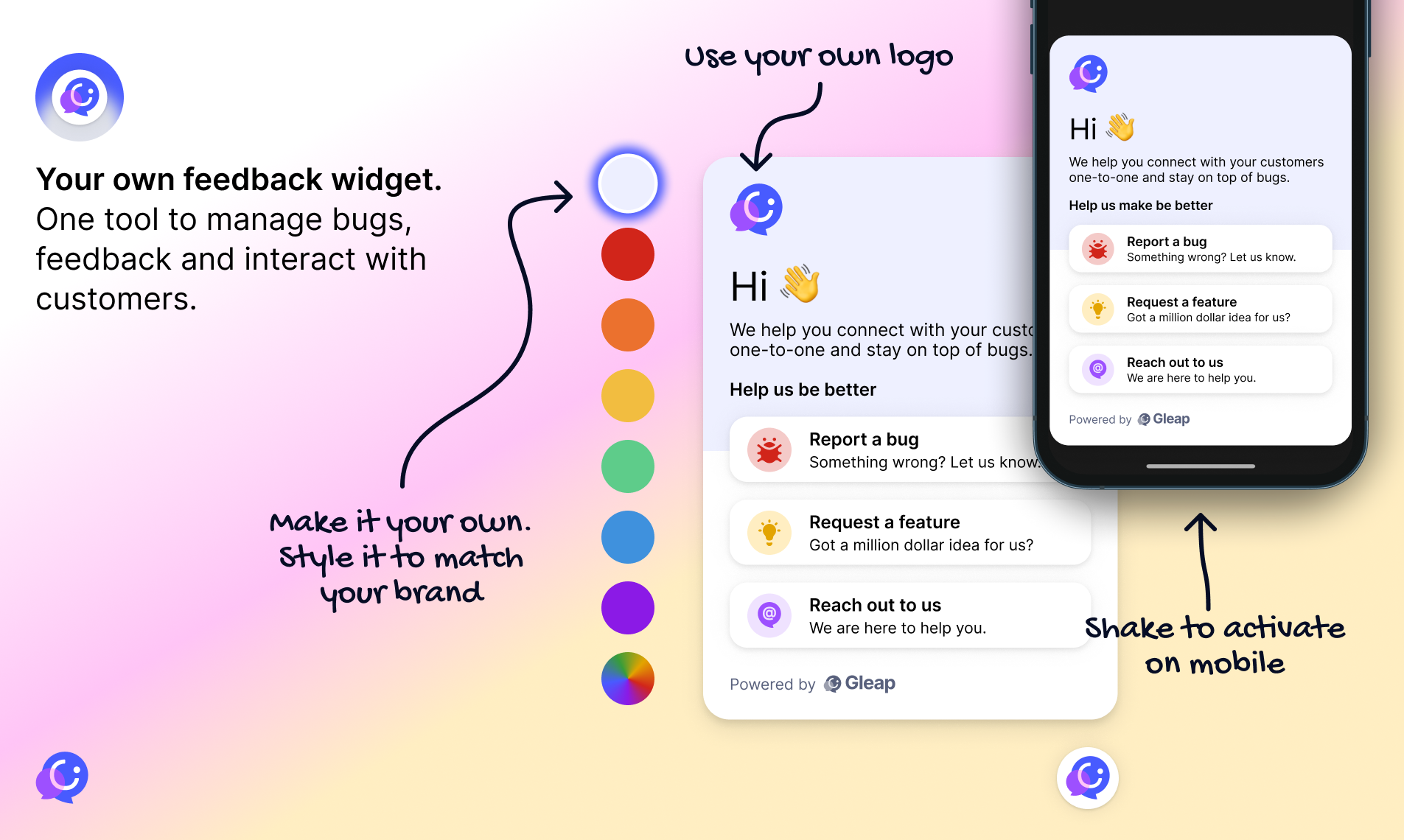

Gleap brings customer support to your WordPress site: a chat widget with Kai, Gleap’s AI support agent, a help center, bug reports with screenshots and replays, feature requests and surveys. All conversations land in one shared inbox for your team.
Install the plugin, click Connect to Gleap, pick your project — done. No keys to copy.
For every WordPress site
- Live chat and AI agent: Kai answers from your help center and hands over to your team when needed.
- Help center: articles your visitors and Kai can search.
- Bug reports: screenshots, a replay of the last seconds, console and network logs.
- Surveys, feature requests and news right inside the widget.
- Secure identification: logged-in users are signed in to the chat with a signed identity, so they see their past conversations and your team knows who they are.
- Show the widget on the frontend and/or in WP Admin, optionally only for selected user roles. WPML language detection.
For WooCommerce stores
- Order lookups: Kai answers “Where is my order?” with live order data.
- Returns with team approval: Kai can start a return; your team approves it in Gleap.
- Product recommendations and discount codes: each Kai capability is a switch on the plugin page.
- Contact sync: registered customers (name, email, phone, order count, total spent, last order) are kept up to date in Gleap.
- Secure identify: logged-in customers are recognised in the chat with their WooCommerce account.
- Compatible with High-Performance Order Storage (HPOS) and the cart & checkout blocks.
External services
This plugin connects to Gleap (https://www.gleap.ai), a customer support platform.
- Gleap widget — sdk.gleap.io (both regions; there is no regional widget host): on every page where the widget is enabled, the script
https://sdk.gleap.io/latest/index.jsis loaded in the visitor’s browser. It sends the visitor’s messages, feedback and bug reports, and (for logged-in users) their name, email and phone with a signed identity, to Gleap’s API. - Connect — app.gleap.ai: when an administrator clicks “Connect to Gleap”, the browser opens the Gleap dashboard with this site’s URL, name and whether WooCommerce is active.
- Gleap API — dashapi.eu.gleap.ai (EU) or dashapi.us.gleap.ai (US): after connecting, the plugin calls the API from your server to finish the connection (sending a one-time code, site URL, WordPress/WooCommerce/plugin versions and, with WooCommerce, the REST API key it created for Gleap), to sync customer contacts (see “What data is sent to Gleap?”), to load the connection status and Kai settings on the plugin page, and to disconnect.
- Event API — api.eu.gleap.ai (EU) or api.us.gleap.ai (US): only if you call
do_action( 'gleap_send_custom_event', ... )from your own code.
Gleap terms of service: https://www.gleap.ai/legal/terms-of-service
Gleap privacy policy: https://www.gleap.ai/legal/privacy-policy