

Ghostline
v1.1.0Utkarsh · 2026年10月11日 上架
A fake cursor moves, marks, or types the text that you select, when the text scrolls into view.
- 正在使用
- 10 以下
- 评分
- 暂无
- 累计下载
- 271
- 最近更新
- 2026年10月27日
需要 WordPress 6.5+已测试到 7.1.5PHP 8.1+
贡献者
 Utkarsh
截图

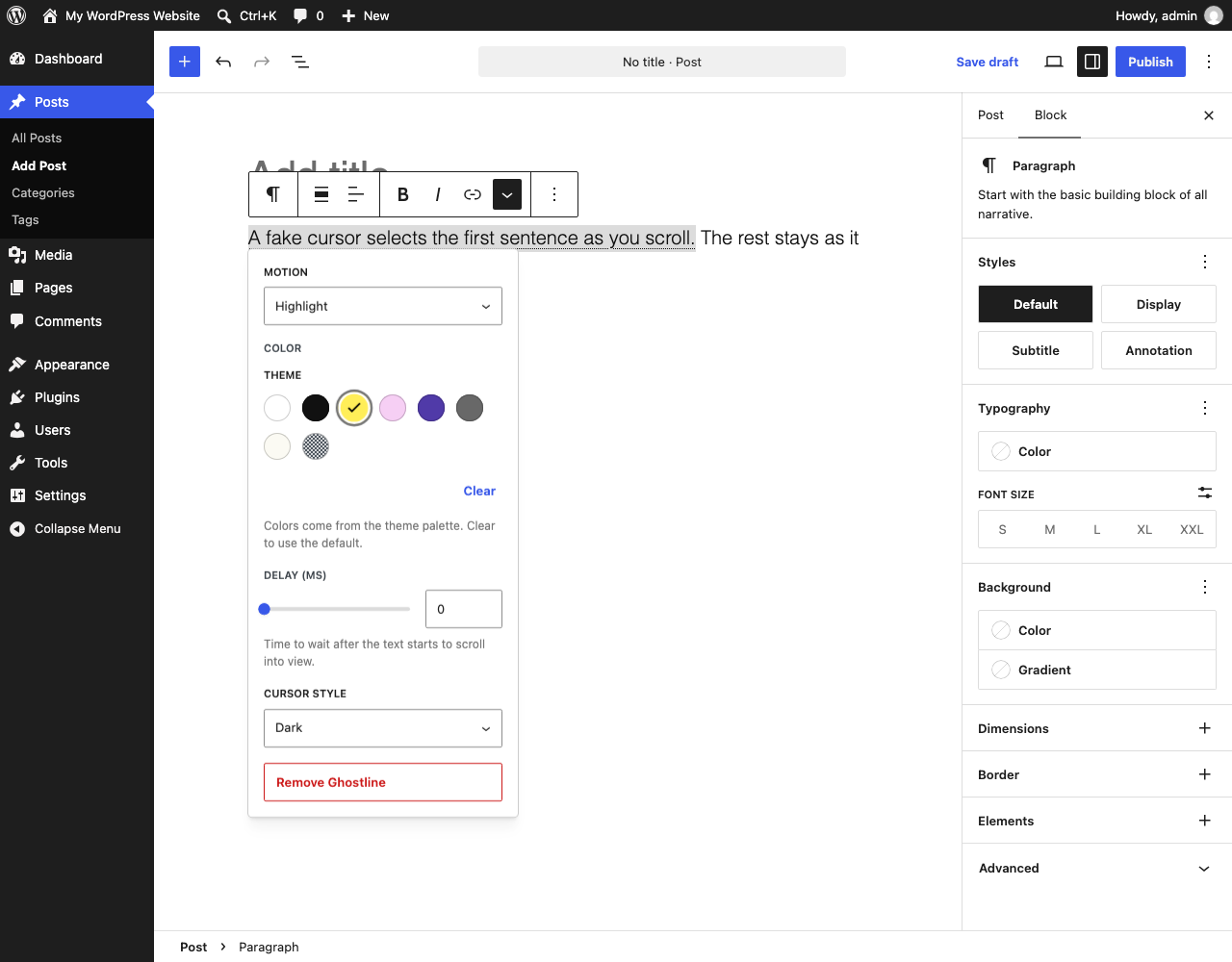
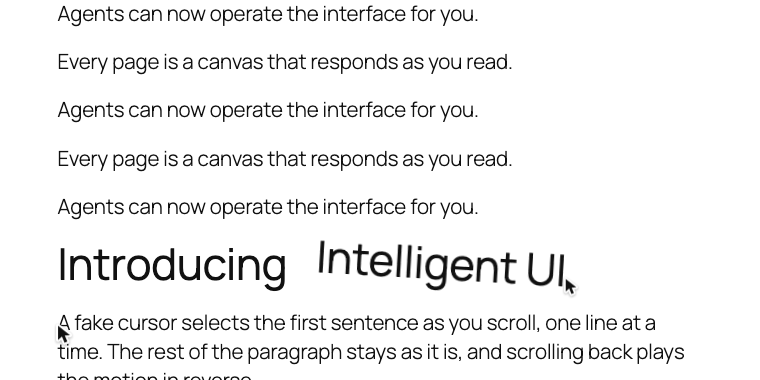
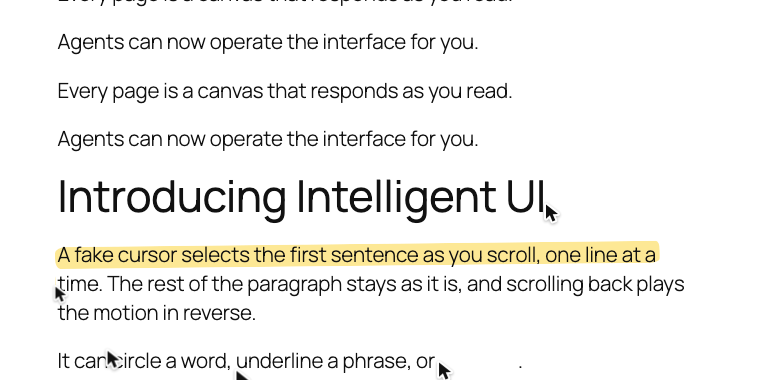
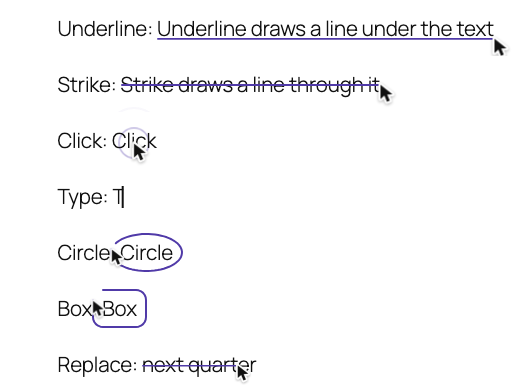
Ghostline adds cursor motions to text in headings and paragraphs. Select some words and apply the Ghostline format. When a visitor scrolls, a fake cursor operates the text. When the visitor scrolls back, the motion plays in reverse.
Motions
- Move: The cursor drags tilted text into its position.
- Highlight: The cursor marks the text. A marker stroke stays on each line.
- Underline: The cursor draws a line below the text.
- Strike: The cursor draws a line through the text.
- Click: The cursor clicks the text. A ring spreads out.
- Type: A caret types the text, one character at a time.
- Circle: The cursor draws a ring around the text.
- Box: The cursor draws a box around the text.
- Replace: The cursor strikes out old text. Then the new text is typed.
Features
- Works in the core Heading, Paragraph, List, and Quote blocks.
- Options for each motion: type, theme color, delay, cursor style.
- Works with block themes and classic themes.
- Supports right-to-left languages.
Accessibility and performance
- The real text always stays on the page. Screen readers do not read the cursor or the decoration.
- With “reduce motion” on, the text shows its final state immediately.
- Without JavaScript, the text shows as normal text.
- The motions do not move the page layout.
- The script loads only on pages that use a motion. The main script is about 4 KB (gzip).
- The plugin does not collect data or connect to external services.