

Address Autocomplete via Google for Gravity Forms
v1.3.9PluginsCafe · 2020年12月29日 上架
A simple and nice plugin to get auto suggestion from google place api in gravity form address field.
- 正在使用
- 1,000+
- 评分
- 4.7 / 5
- 累计下载
- 3.4 万
- 最近更新
- 2026年11月11日
 PluginsCafe
 Kaisar Ahmmed
截图
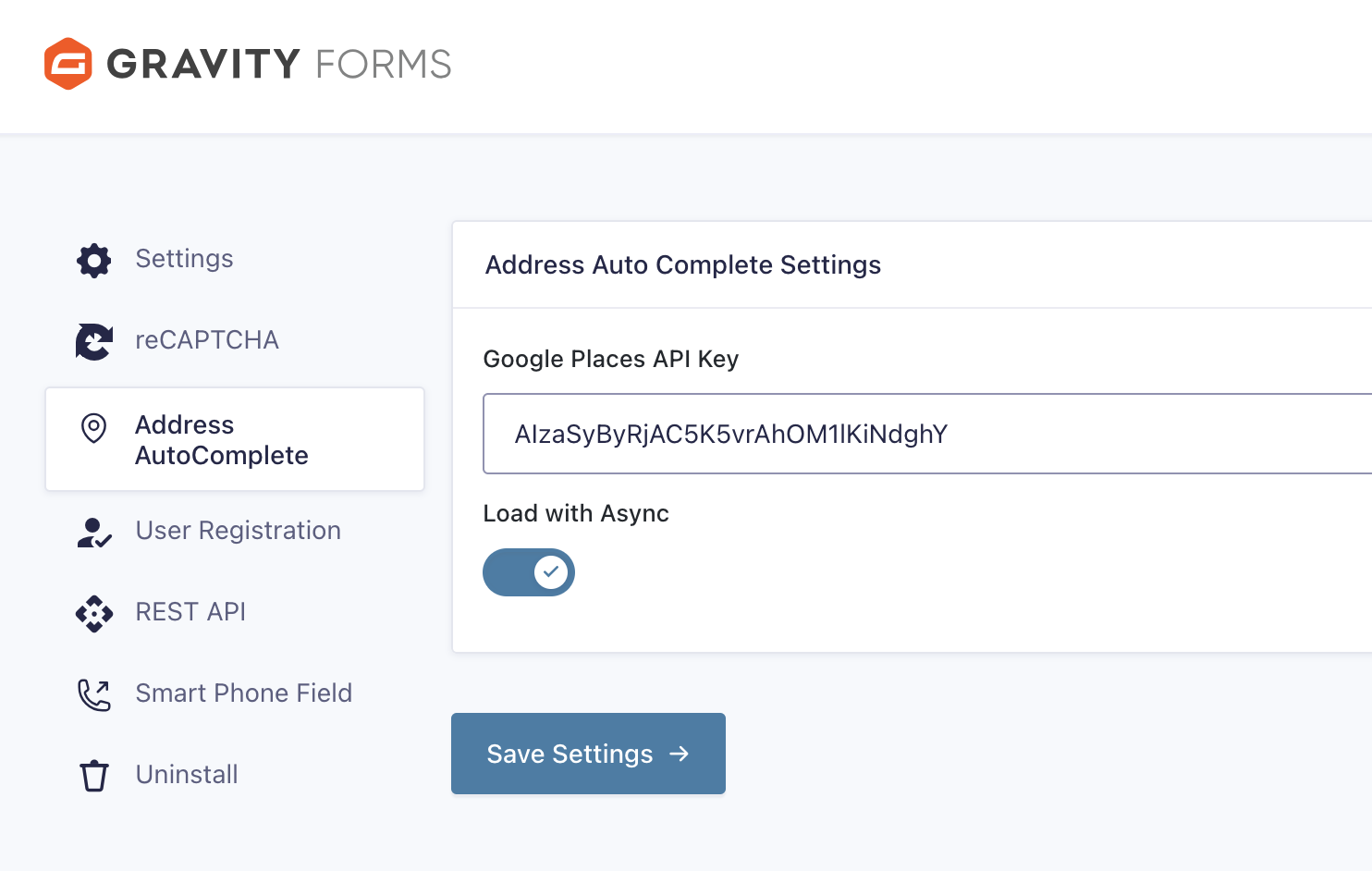

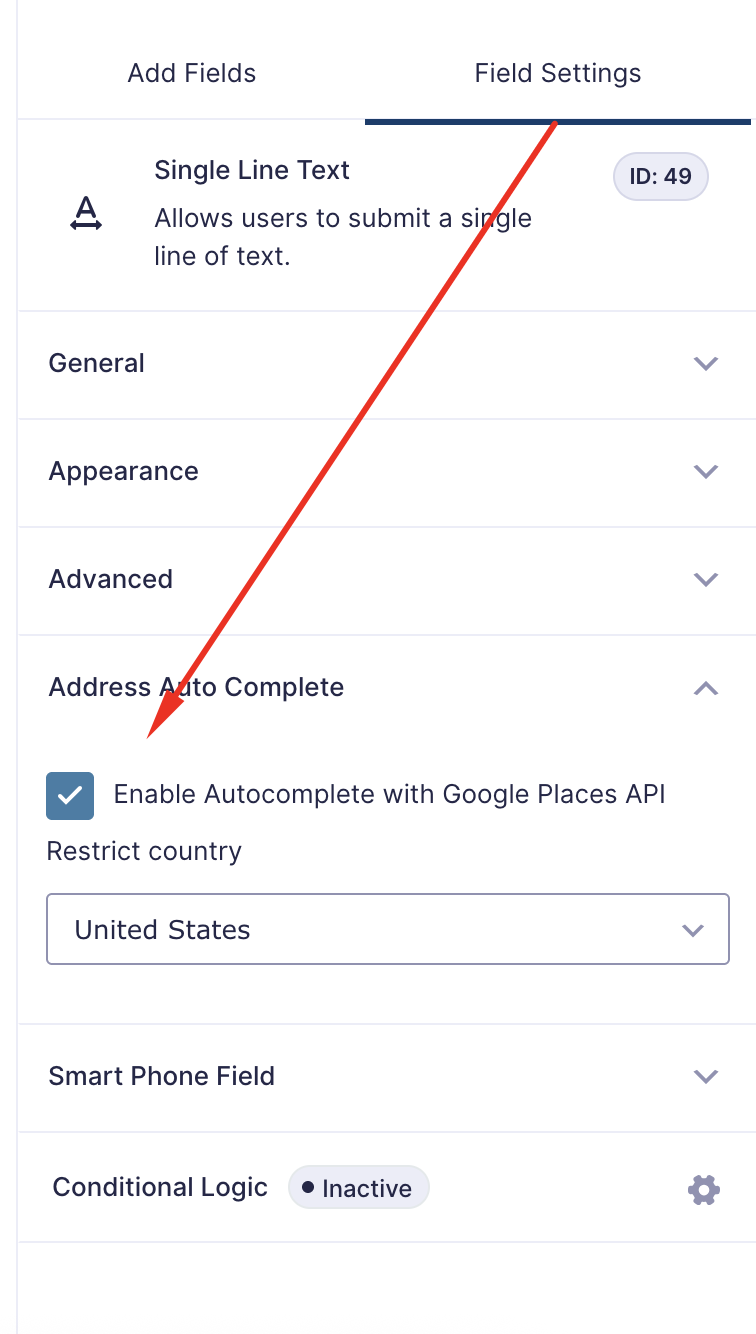


A simple and nice plugin to get auto suggestion from google place api in gravity form address field. If the installation is okay, go to gravity form menu called ‘Autocomplete API settings’. Input your google map api key and save it. Now create or edit a form, add or edit address field.
You can see ‘Enable Autocomplete with Google Places API’, Just click on enable and save form. You’re done!
To show a map under the address inputs, tick ‘Show map’ in the same settings tab. You can set the map height, zoom level and a default latitude/longitude for the map to show before an address is entered. The marker moves whenever the address changes.
Note: Moving the marker when the address is typed by hand uses the Google Geocoding API, so enable it for your API key as well as the Places API and Maps JavaScript API.
View Pro Demo | Documentation | Buy Pro
Features
- Address Autocomplete in address and single field
- Country Restriction
- Show map with marker inside the address field
- Map height, zoom and default location settings
Premium Features
- Map field
- Distance Calculation
- Place Details
- 3 Type Restriction
- Place type (School, Restaurant, cities, addresses and more)
- Location Button
- Place API (New)
- and more…
Requirements
- PHP 7.4 or higher
- Gravity Forms 3.x.x or higher