

GravityExport Lite for Gravity Forms
v2.7.7GravityKit · 2017年8月30日 上架
Export all Gravity Forms entries to Excel (.xlsx) or CSV via a download button or a secret shareable URL.
- 正在使用
- 1 万+
- 评分
- 5.0 / 5
- 累计下载
- 45 万
- 最近更新
- 2026年11月6日
贡献者
 GravityKit
 Doeke Norg
截图
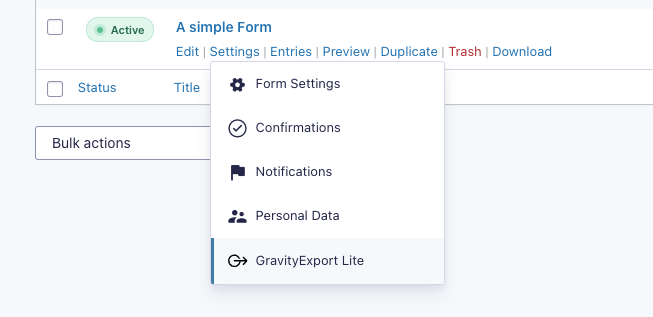
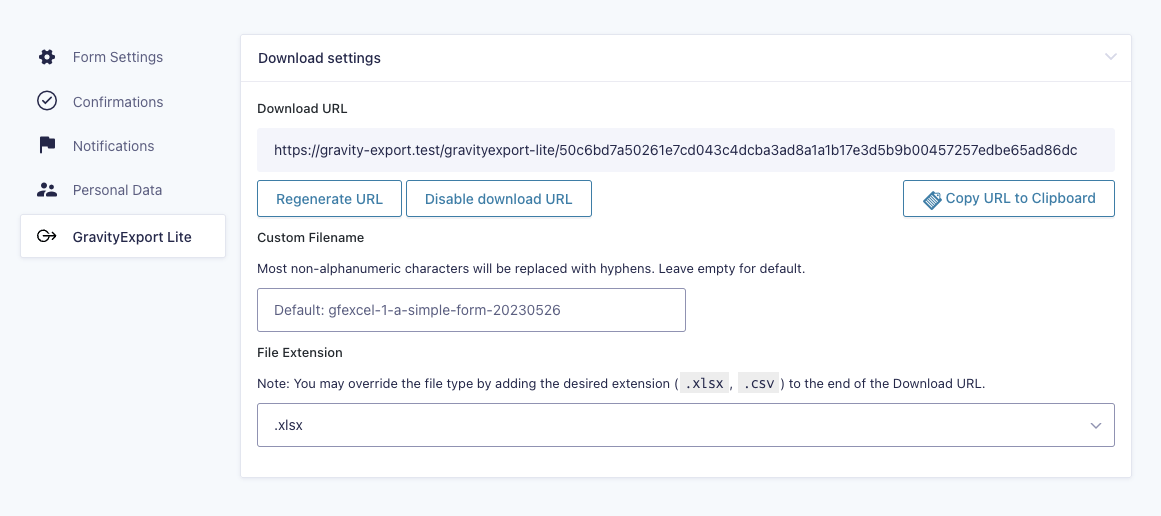
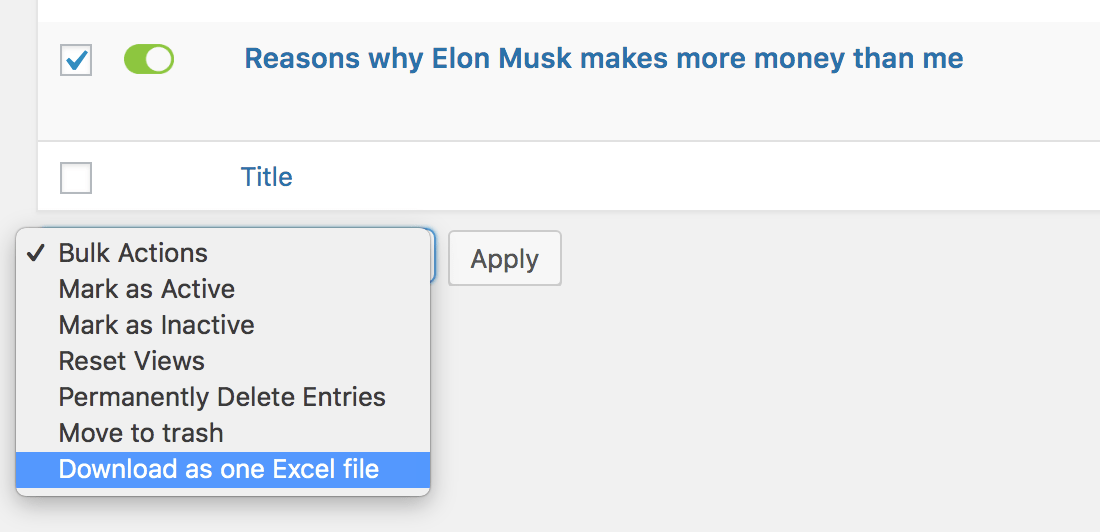
GravityExport (Gravity Form Entries in Excel) is the ultimate no-hassle solution for exporting data from Gravity Forms.
Powerful new functionality is available with GravityExport! Save exports to FTP & Dropbox, export as PDF, and format exports for data analysis.
Export entries using a secure URL
When you configure a new export, the plugin will generate a secure download URL that you can share with anyone who needs the data (No need to log in!). Reports will automatically update as new entries are added.
GravityExport Lite includes many features:
- Limit access to downloads—either make a URL public or require users to be logged-in with correct permissions
- Download reports from multiple forms at once
- Export entry notes along with entries
- Transpose data (instead of one entry per-row, it would be one entry per column)
- Attach entry exports to notifications
Export Gravity Forms entries directly to Excel (.xlsx)
Export your entries directly to .xlsx format. No more wasting time importing your CSV files into Excel and re-configuring columns.
Export Gravity Forms submissions as CSV
If you’d prefer to have your reports generated as CSV, GravityExport Lite makes it easy.
Add search filters to the URL
Once you have your download URL, you can easily filter by date range and field value.
Configure export fields
Save time generating exports in Gravity Forms: Configure the fields that are included in your CSV or Excel export. No need to set up every time!
Documentation & support
If you have any questions regarding GravityExport Lite, check out our documentation.
If you need further assistance, read this first and our support team will gladly give you a helping hand!
Requirements
- PHP 7.4
php-xmlandphp-ziplibraries. The plugin will check for those.- Gravity Forms 2.5 or higher
Gain additional powerful functionality
The full version of GravityExport unlocks these game-changing features:
- 📄 PDF Export
GravityExport supports exporting entries as PDF! You can choose to have a PDF generated for each entry or one PDF that includes all entries. You can also customize the PDF output by adjusting the size, orientation, and more. - 📦 Dropbox integration
Save your form data directly to Dropbox. - 👩🏽💻 Send reports to FTP
Store reports on your own FTP server! GravityExport supports the SFTP, FTP + SSL, and FTP protocols. - ⬇️ Multiple download URLs
Create multiple export URLs that output to different formats and include different fields. - 📊 Export data ready for analysis
Make it easier to process your Gravity Forms data by splitting fields with multiple values into different rows.
We’ve written an article that contains all you need to know about exporting data from Gravity Forms.
Credits
- The GravityExport Lite plugin was created by Doeke Norg