
跳到内容

Genesis Featured Image Header

v1.3

AMP-MODE · 2015年10月2日 上架

Easily add a featured image to the header of every page on your site including Custom Post Type archive pages.

正在使用
100+
评分
5.0 / 5
累计下载
2.2 万
最近更新
2024年6月19日
2 条评价需要 WordPress 6.3+已测试到 6.5.15PHP 7.4+

贡献者

截图

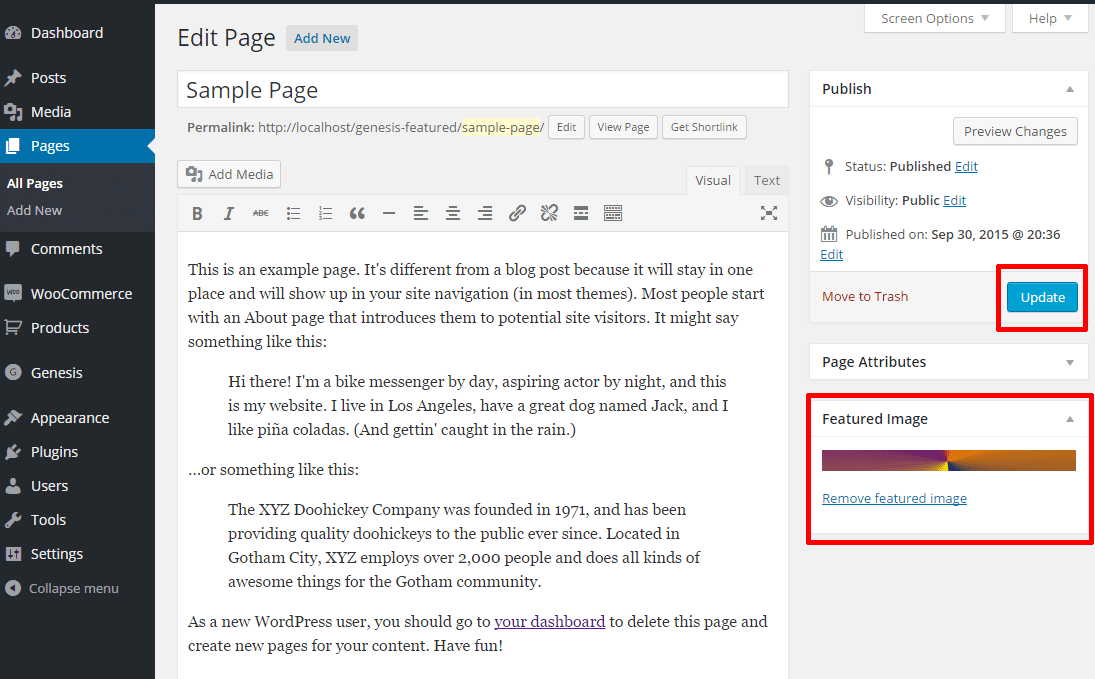
Add a featured image to your page, and save or update your changes.
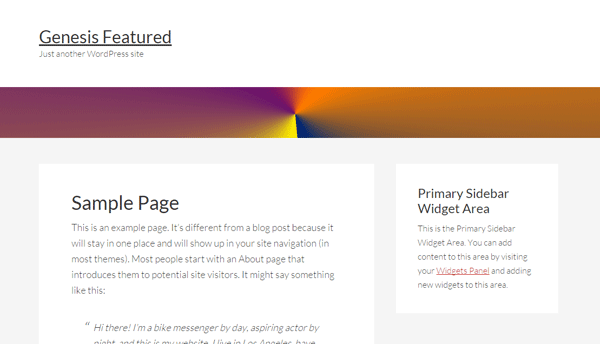
View your page to see where the featured image shows up.
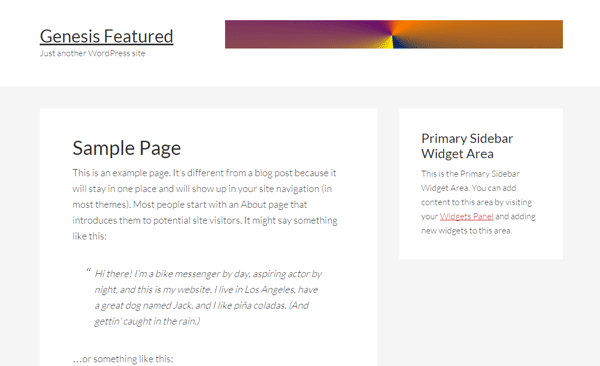
If you want to change the featured image location, visit Genesis > Featured Images, and choose a new location from the dropdown menu. Be sure to save your changes.
View your page again and see where the image is now.
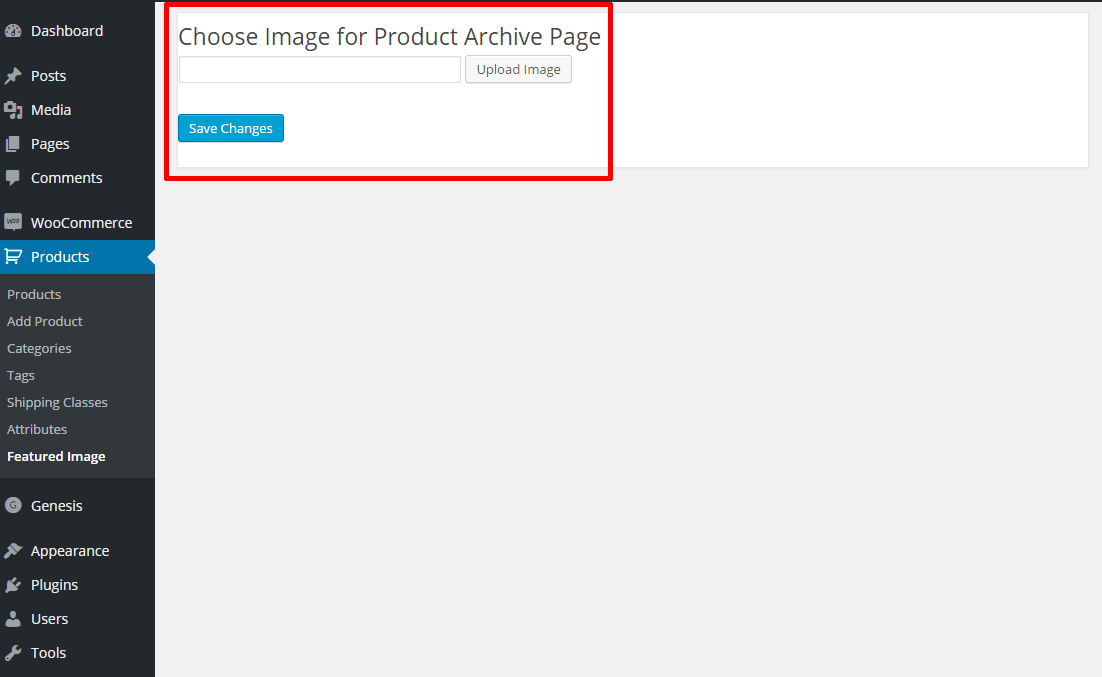
For custom post type archive pages, find the "Featured Image" link in the archive's menu. Use the Upload Image button to upload a new image or to select a previously uploaded image. Click the save changes button to save your settings.

Featured images are a standard feature in WordPress, but not every Genesis child theme will insert them on your site’s pages.

Even more troublesome, is if you have custom post types with archive pages that you would like to have a featured image set on. These archive pages usually have no option to set a featured image without editing theme files and messing around with complicated code.

This plugin will allow you to set a different banner style image on every page on your site including custom post type archive pages. See the screenshots for an example of what type of header image you can use.

You can set the featured image for a custom post type archive page by clicking “Featured Image” on the admin menu for that post type. Check out the screenshots and FAQs for more info.

This plugin requires your site to be using a Genesis child theme in order to work. It is not compatible with other themes.

Plugin author is a third-party developer who is not affiliated with StudioPress, the owner of the Genesis Framework.

Plums

按场景查找 WordPress 插件。安装量、评分和兼容版本来自官方目录。

导航

说明

WordPress 是 WordPress Foundation 的商标。本站与 WordPress Foundation、Automattic 没有隶属关系。这里不托管插件文件,下载和安装以 WordPress.org 上的页面为准。

© 2026 Plums