
Lightbox for Gallery & Image Block
v1.16.1Johannes Kinast · 2020年6月4日 上架
Adds a simple & lightweight Lightbox to the standard WordPress Gallery & Image Block. No lock in and no dependencies.
- 正在使用
- 2 万+
- 评分
- 5.0 / 5
- 累计下载
- 21 万
- 最近更新
- 2026年5月28日
贡献者
 Johannes Kinast
截图
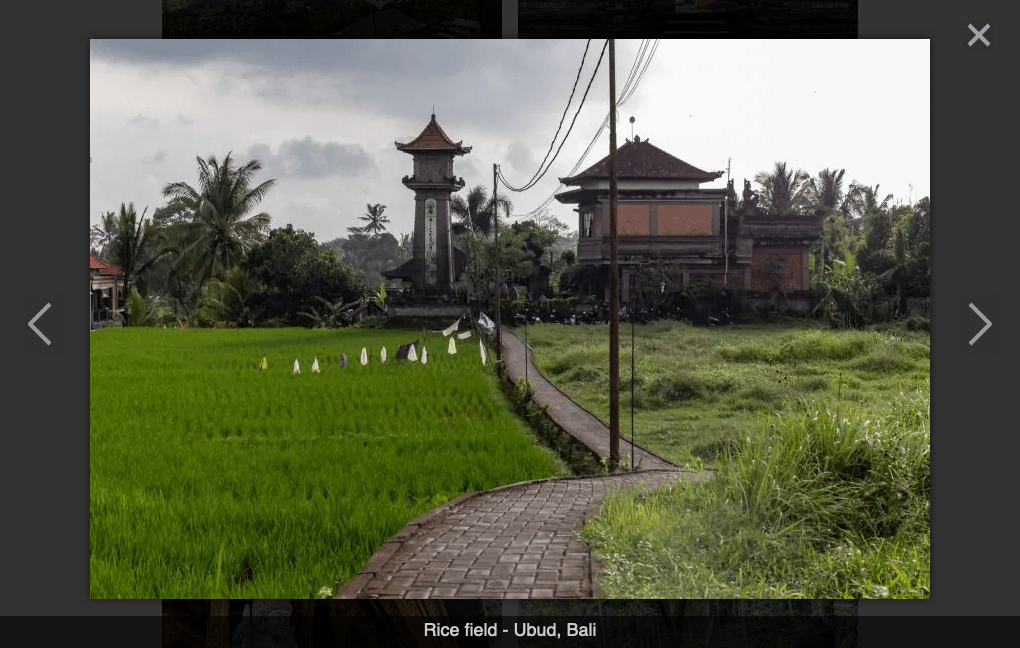
This WordPress Plugin adds a simple & lightweight Lightbox to the standard WordPress Gallery & Image Block. It detects if a post contains a Gallery or Image Block and then loads & initialize baguetteBox.js, a pure JavaScript Lightbox script without any dependencies and a modern minimal look.
There is no lock in effect. It does not add a new Block Editor/Gutenberg Block and relies solo on the standard WordPress Gallery and Image Block. You can deactivate this plugin at any time and your Gallery and Image Blocks will work as they’ve done before. Just without the lightbox.
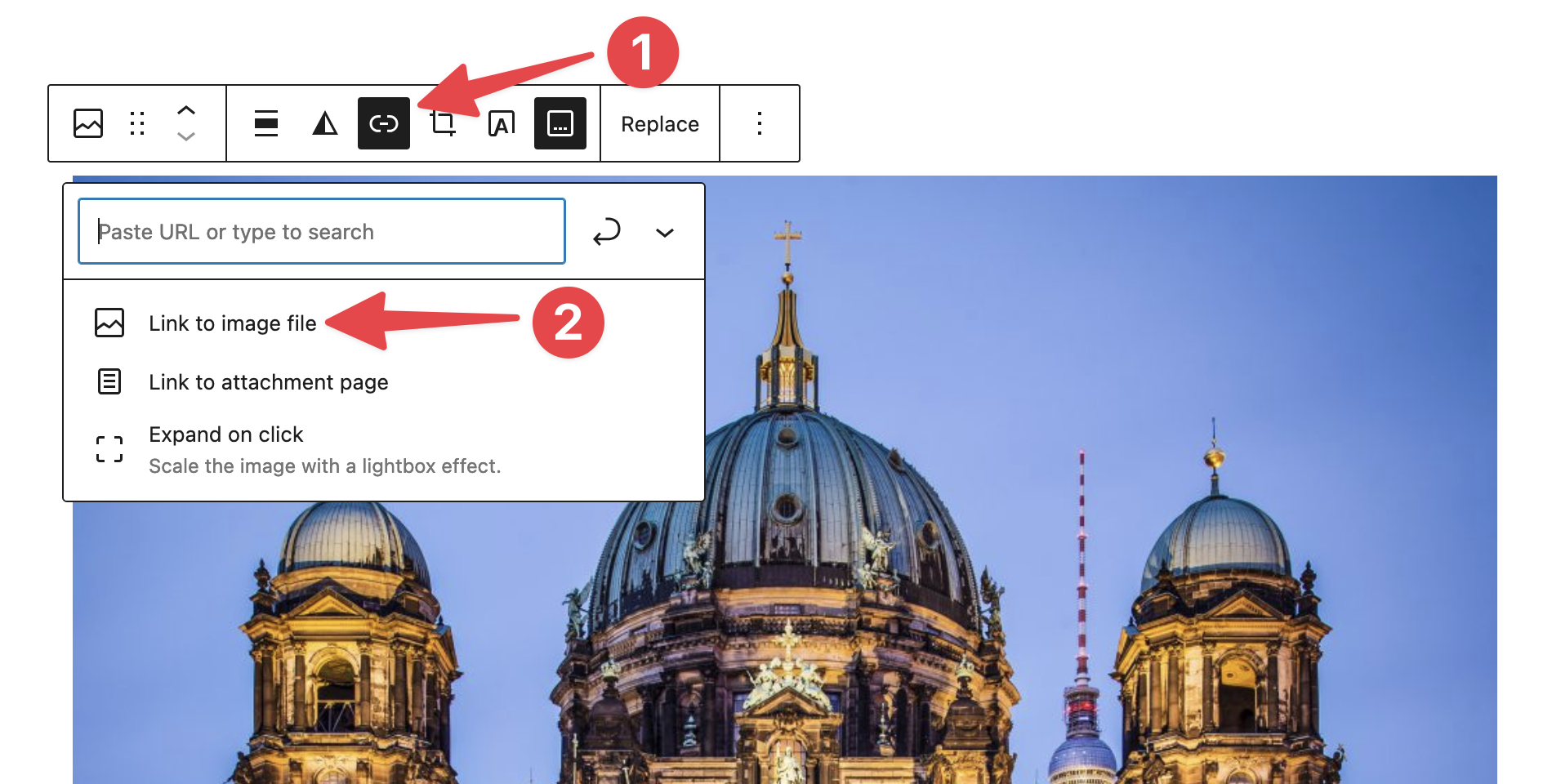
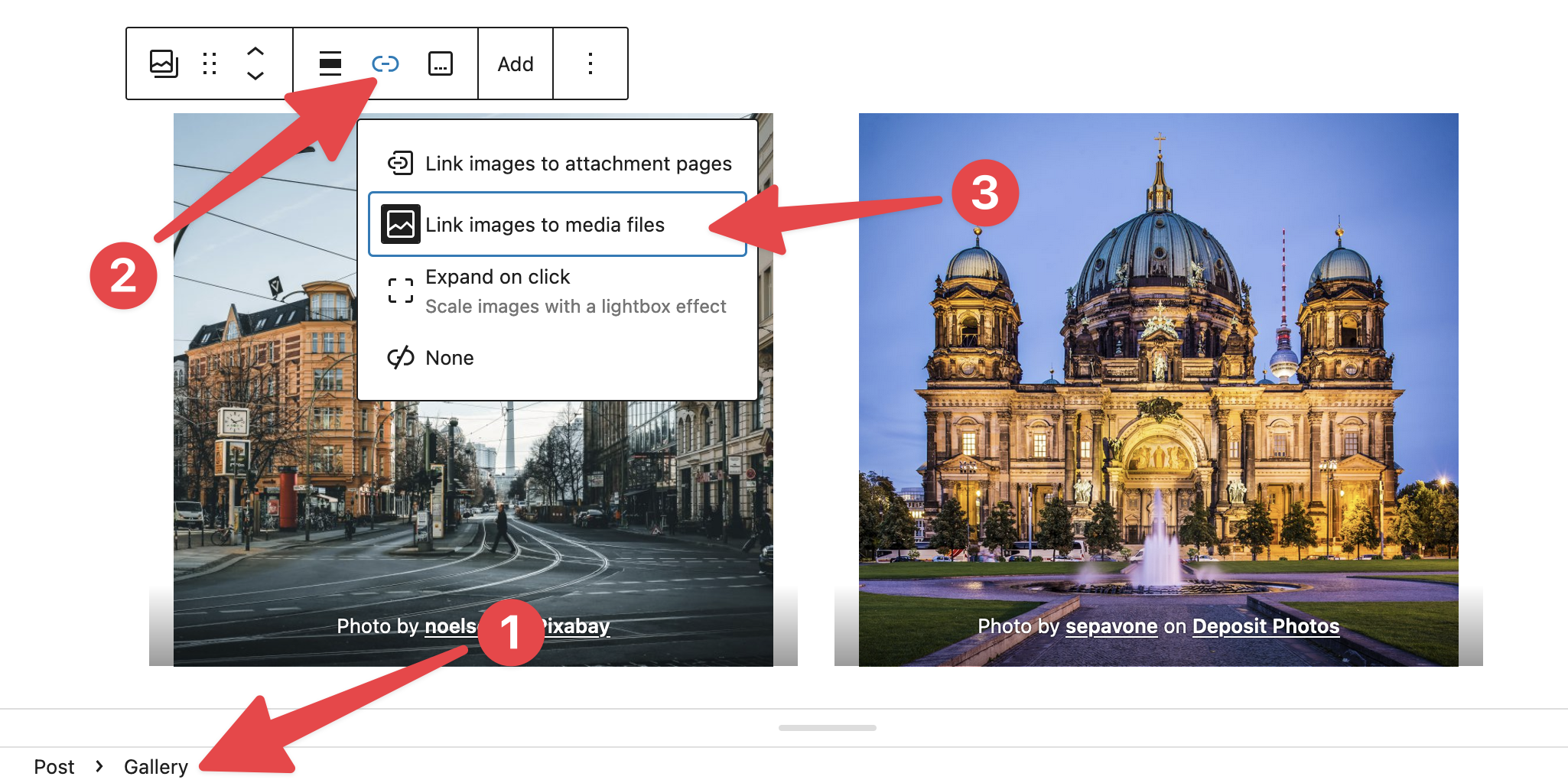
Just one important thing to remember: You always have to select Link Link to image file or Link images to media file (see screenshots below) for all of your Image & Gallery Blocks to work properly. If you choose None or Link to attachment page it will not work. But that’s fine if you don’t want the Lightbox for a specific Image or Gallery.
Take a look at the YouTube video from Jakson where he reviews this plugin:
Features
Here are the features of baguetteBox.js:
- Written in pure JavaScript
- No dependencies (e.g. jQuery)
- Image captions support
- Responsive
- Supports swipe gestures
- Around 13 KB, 7 KB gzipped
Works with
- Gallery Block (Default Block)
- Image Block (Default Block)
- Media and Text Block (Default Block)
- Gallery (Default Classic Editor Gallery)
- CoBlocks Gallery Collage / Masonry / Offset / Stacked
- Meow Gallery (+ Gallery Block)
Don’t forget to select Link to Media File for all of your Galleries & Images to work properly.
Notice: At the moment, just Blocks inside a post are supported. Not Blocks in a Widget. You can make it work but have to enqueue the necessary style & script yourself. See FAQ –> How to enqueue the necessary assets (script & style) for blocks outside of posts or for block types that are not supported by default?