

Fstyle Static HTML Export
v0.3.3fstylegear09543 · 2026年10月28日 上架
Turn your WordPress site into static HTML you can host anywhere. Retries when the server is busy and lists broken links and forms that will break.
- 正在使用
- 10 以下
- 评分
- 暂无
- 累计下载
- 313
- 最近更新
- 2026年11月7日
贡献者
 fstylegear09543
截图


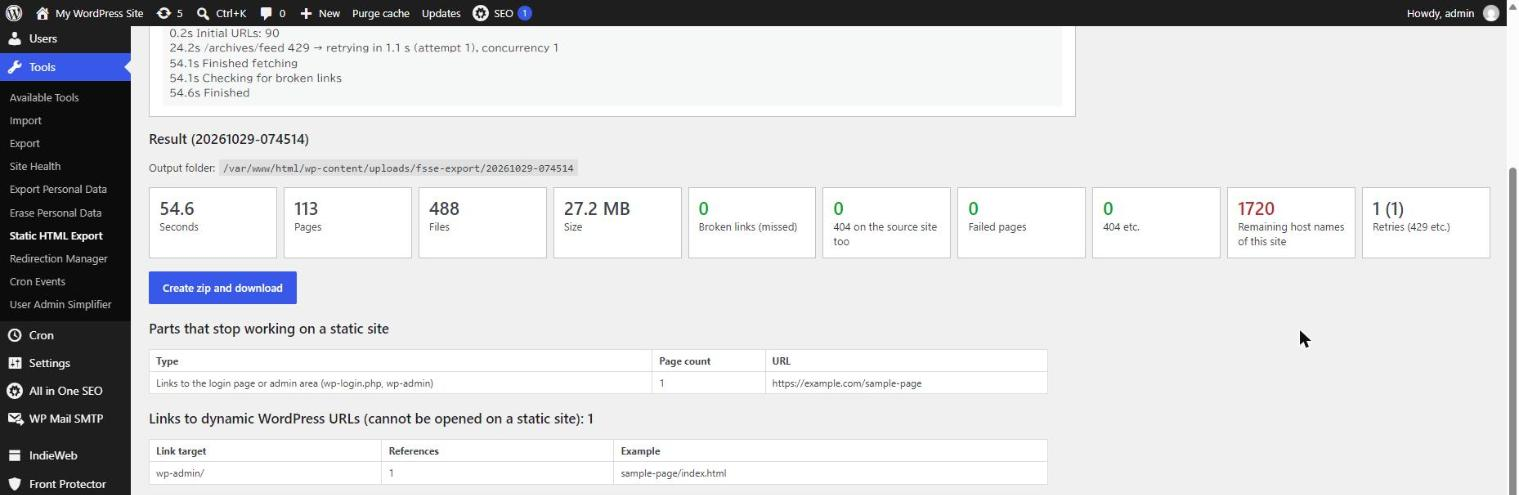
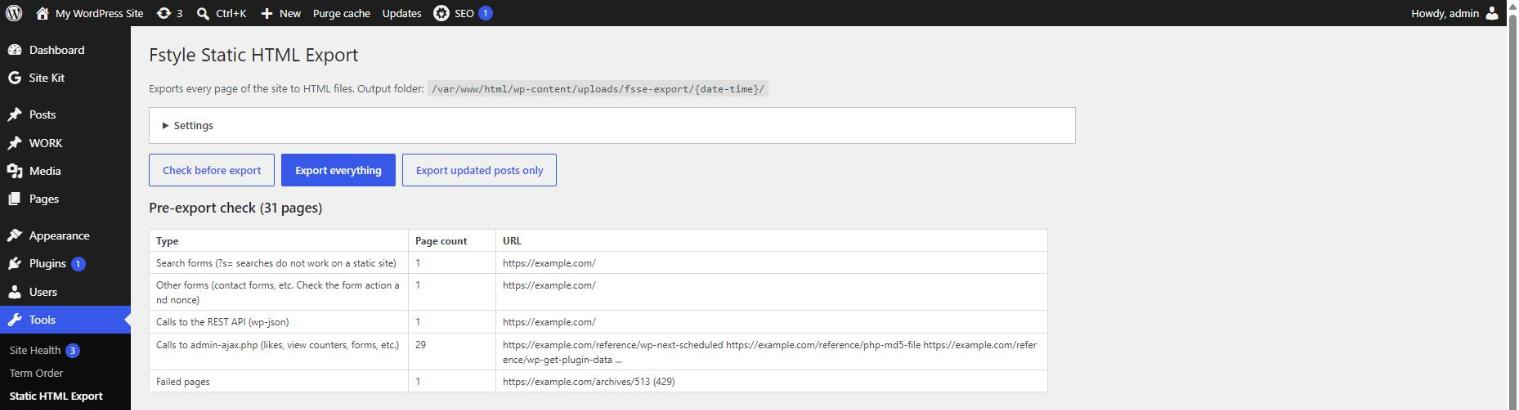
Fstyle Static HTML Export crawls your own site and saves every page, together with the CSS, JavaScript, images and other files it uses, as plain HTML files. You can upload the result to any web server or open it locally.
Shared hosting often answers “429 Too Many Requests” when many pages are fetched at once. Instead of skipping those pages, this plugin slows down and retries, and when the export is done it lists the broken internal links and the parts of the site (forms, search, admin-ajax.php, REST API calls) that will not work on the static copy. Everything runs on your own server, with no external service.
Features
- Fast, concurrent fetching. Several pages are fetched at the same time (configurable). Static files under wp-content and wp-includes are copied straight from disk instead of over HTTP.
- Automatic retries on 429 and 503. When the server answers “Too Many Requests” or “Service Unavailable” (or a request times out), the page is not skipped. The plugin waits (it honors Retry-After), lowers the number of concurrent requests, and tries again. Once requests succeed again, the concurrency is raised step by step.
- Broken link report. After the export, every internal link and file reference in the exported HTML and CSS is checked. Missing files are listed, separately from links that are also broken on the original site, pages that could not be fetched, and links to dynamic WordPress URLs.
- Relative or absolute URLs. Export with relative URLs, so the folder works from any location, or rewrite all URLs to the domain where the static site will be published. Optionally add index.html to relative links, so the folder can be browsed directly from disk.
- Finds pages that are not linked. Besides following links, it reads robots.txt and the sitemaps (wp-sitemap.xml, sitemap.xml) and, optionally (on by default), the lists of posts, pages, categories and authors. The 404 page is saved as 404.html.
- Pre-export check. Finds parts that will stop working on a static site, such as comment forms, search forms, contact forms, admin-ajax.php and REST API calls, and nonces.
- Resumable. Progress is saved continuously. If the browser is closed or a request fails, the export can be resumed where it stopped.
- Updated posts only. Re-export only the posts that changed since the previous export, reusing the rest.
- Zip download of the finished export.
- WP-CLI support. Run
wp fsse exportto export without the time limits of a web request.
The exported files are saved in wp-content/uploads/fsse-export/{date-time}/. The plugin places .htaccess and an empty index.html in that folder so that the files cannot be accessed from outside. On nginx, .htaccess is not used: configure the server so that this folder cannot be accessed from outside.
WP-CLI
wp fsse export [--concurrency=<n>] [--url-mode=<relative|absolute>] [--target=<url>] [--alias=<hosts>] [--exclude=<prefixes>] [--changed] [--resume=<id>] [--dir-index] [--skip-ssl-verify] [--zip] [--json]

wp fsse report <id> prints the result of an export as JSON.
External services
This plugin does not connect to any third-party or external service. It only sends HTTP requests to your own site (the home URL and the domains you list as “Domains treated as this site”) to fetch the pages it exports. No data is sent to the plugin author or anyone else.
The plugin removes some WordPress head links from the exported HTML, such as <link rel="https://api.w.org/">. This only matches the text of that link in your own pages; the plugin never sends a request to api.w.org.