

FrostBanner – Cookie Banner & Cookie Consent for GDPR, Google Consent Mode v2
v1.1.1frostbanner · 2026年11月4日 上架
GDPR cookie banner with a free plan and no pageview limit. Blocks trackers until consent, Google Consent Mode v2, consent log, 29 languages.
- 正在使用
- 10 以下
- 评分
- 暂无
- 累计下载
- 487
- 最近更新
- 2026年11月18日
贡献者
 frostbanner
截图
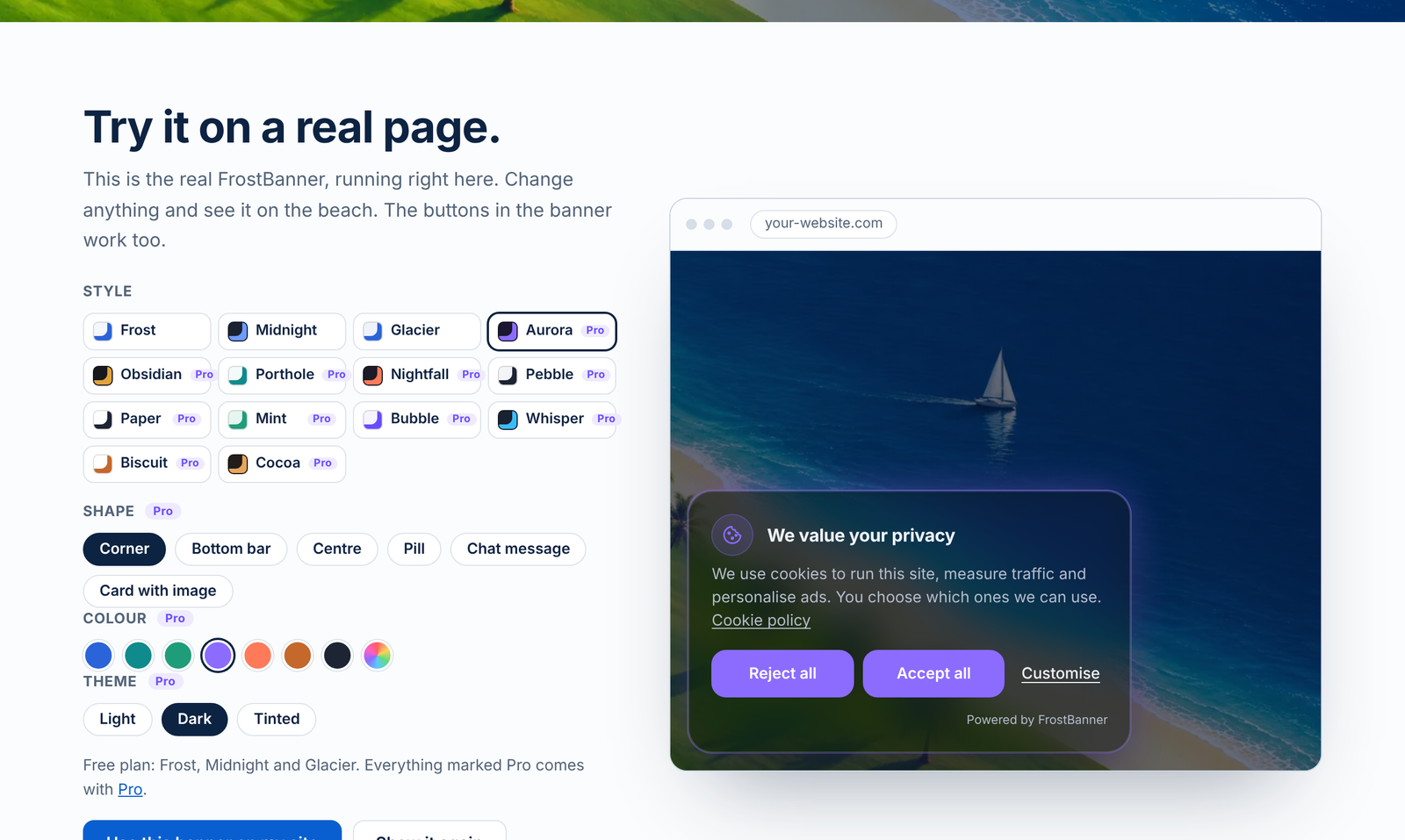
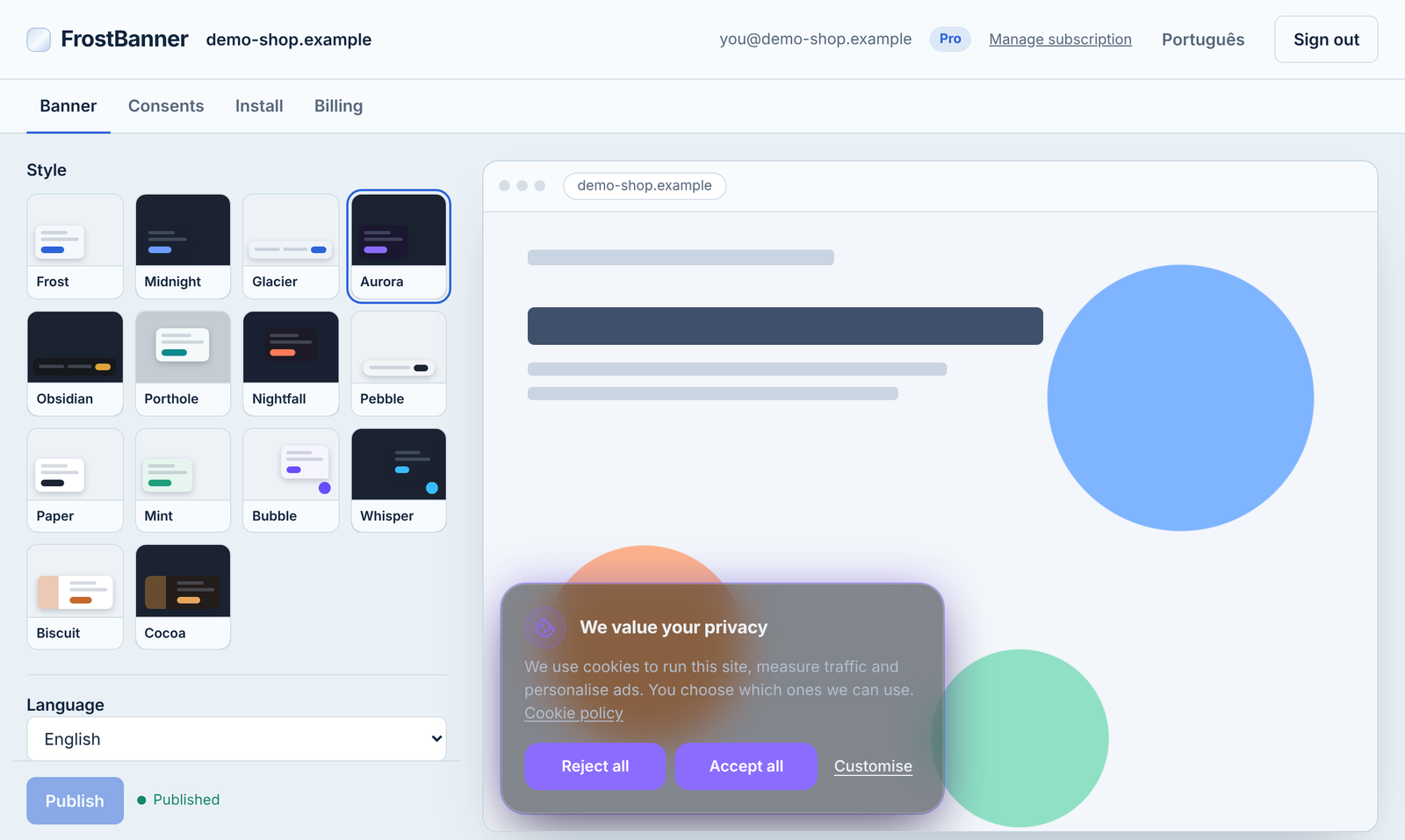
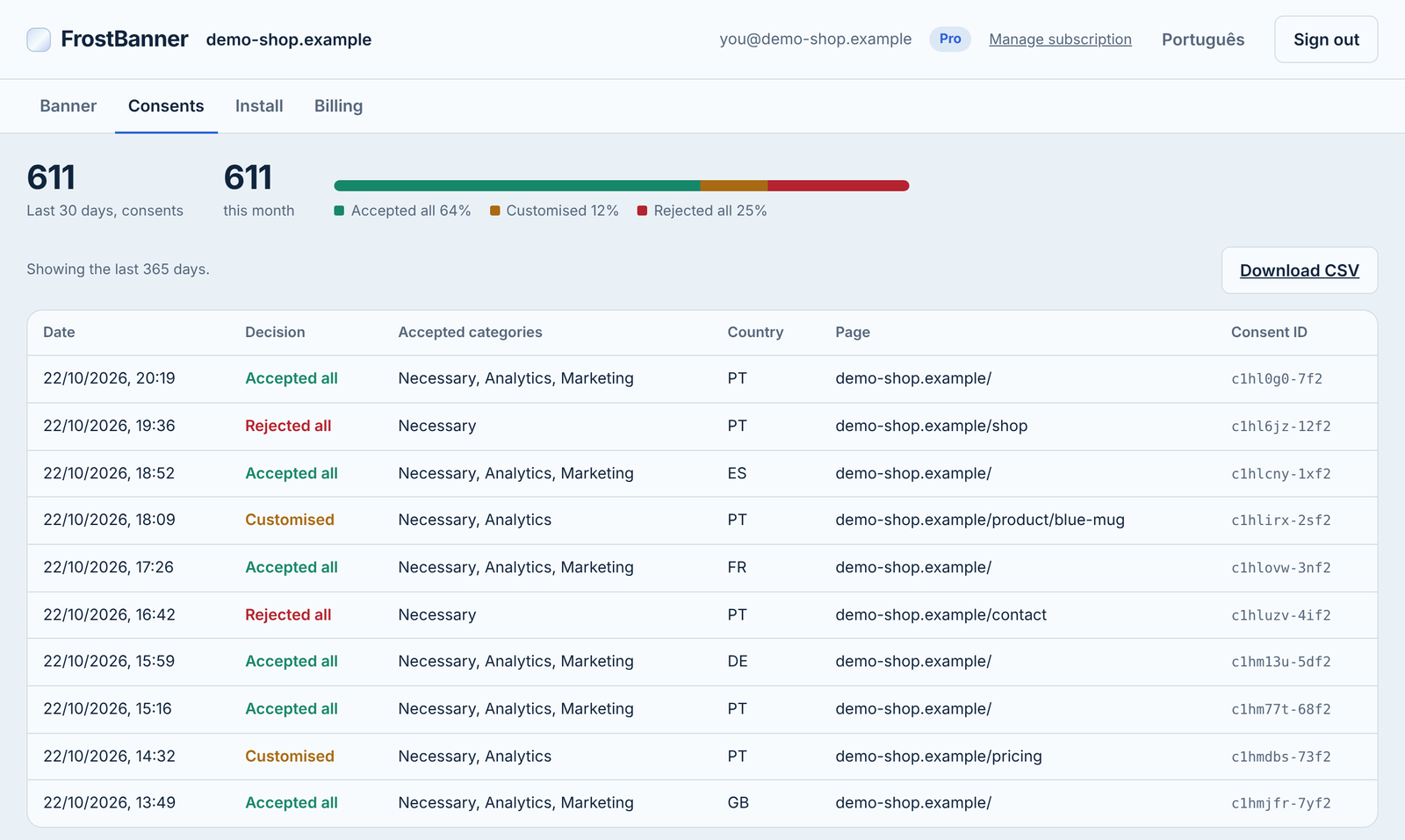
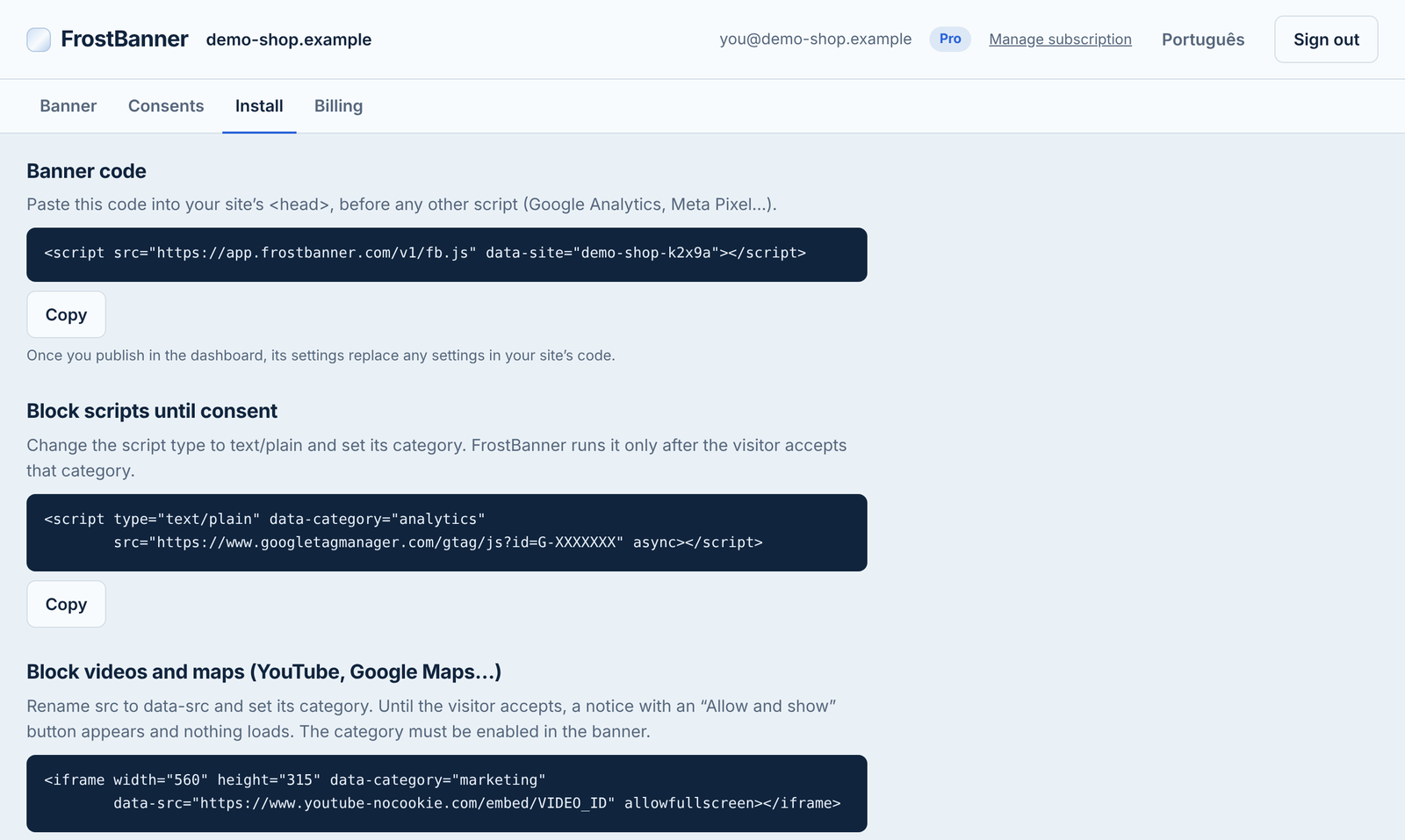
FrostBanner adds a GDPR cookie banner (cookie consent popup) to your WordPress site in about two minutes. Click “Connect”, sign in, and the banner is live. It blocks Google Analytics, Meta Pixel, YouTube and Google Maps until the visitor agrees, sends Google Consent Mode v2 signals and records every choice in a consent log.
You design the banner in the FrostBanner dashboard and it appears on your site without editing your theme. It works with any theme and page builder.
Why FrostBanner
- Free plan with no pageview or page limit. Many cookie banners stop working or ask you to upgrade when your traffic grows. FrostBanner’s free plan covers one website with unlimited pageviews.
- Looks good out of the box. 14 modern styles instead of a grey bar at the bottom of the page.
- Light. About 18 KB compressed, no jQuery, no extra database tables on your site.
- Honest by default. “Reject all” is as easy as “Accept all”, and nothing optional runs before consent.
- Made in Portugal (EU).
This plugin connects your site to the FrostBanner service at frostbanner.com. You need a FrostBanner account to use it. A free plan is available. See “External services” below for what is sent and when.
Features
- 14 styles in 6 shapes: corner card, bottom bar, centred window, pill, chat message and card with image
- Light, dark and tinted themes, your own colour
- Blocks scripts until consent: Google Analytics, Meta Pixel and anything else you mark with a category
- Blocks YouTube, Google Maps and other iframes until consent, with an “Allow and show” placeholder
- Google Consent Mode v2 signals
- Equal “Accept all” and “Reject all” buttons, granular categories, a floating button to change the choice at any time
- Consent log with CSV export, in your FrostBanner dashboard
- Built-in texts in 29 languages (all EU languages plus Norwegian, Catalan, Turkish, Ukrainian and Russian), all texts can be replaced
- About 18 KB compressed, no dependencies, does not touch your site’s CSS (Shadow DOM)
The banner script is open source (MIT): https://github.com/automatept-ai-pt/frostbanner
How to set it up
- Install and activate the plugin.
- Go to Settings FrostBanner and click “Connect to FrostBanner”.
- Sign in with Google, GitHub or your email (a free plan is available). Your site is added and connected automatically, and you come back to WordPress.
The banner appears right away with the default style. Already have a FrostBanner site? You can also paste its site ID by hand in Settings FrostBanner.
Style, texts, categories and language are changed in the FrostBanner dashboard and published to your site automatically.
Block a script until consent
Change the script type to text/plain and add its category. FrostBanner runs it only after the visitor accepts that category:
<script type="text/plain" data-category="analytics" src="https://www.googletagmanager.com/gtag/js?id=G-XXXXXXX" async></script>
Cookie settings link
Use the shortcode [frostbanner_settings] in your footer or cookie policy page to show a link that reopens the preferences. Change the text with [frostbanner_settings label="Manage cookies"].
External services
This plugin relies on the FrostBanner service, operated by automate-ai.pt (Portugal). Nothing is loaded and no data is sent until you connect the site or save a site ID in Settings FrostBanner.
- Connecting. Only when an administrator clicks “Connect to FrostBanner”, the browser opens
https://app.frostbanner.com/app/with this site’s domain, the WordPress admin address to return to and a one-time security code. After you sign in and confirm, FrostBanner sends the site ID back to that address.
After a site ID is saved:
- Banner script. Every visitor’s browser loads the banner script from
https://app.frostbanner.com/v1/fb.json each page view. As with any web request, the visitor’s IP address and browser information reach the server. - Banner settings. The script loads the style and texts you published from
https://app.frostbanner.com/v1/config/<your site ID>. Only your site ID is sent. A copy is kept in the visitor’s local storage. - Consent log. When a visitor accepts, rejects or changes their choice, the script sends to
https://app.frostbanner.com/v1/consent: your site ID, a random consent ID, the chosen categories, the banner version and the page address. The service stores the country and a salted hash of the IP address, never the IP address itself.
On the visitor’s device the script stores one first-party cookie and a local storage value named fb_consent with the consent ID, the choices, the banner version and the date.
FrostBanner terms of service: https://frostbanner.com/terms/
FrostBanner privacy policy: https://frostbanner.com/privacy/
Data processing agreement: https://frostbanner.com/dpa/
The free plan shows a small “Powered by FrostBanner” text (not a link) inside the banner. It is added by the service, not by this plugin.