

Force Admin Color Scheme
v2.1Scott Reilly · 2016年3月11日 上架
Force a single admin color scheme for all users of the site.
- 正在使用
- 500+
- 评分
- 5.0 / 5
- 累计下载
- 1.2 万
- 最近更新
- 2025年4月18日
贡献者
 Scott Reilly
截图
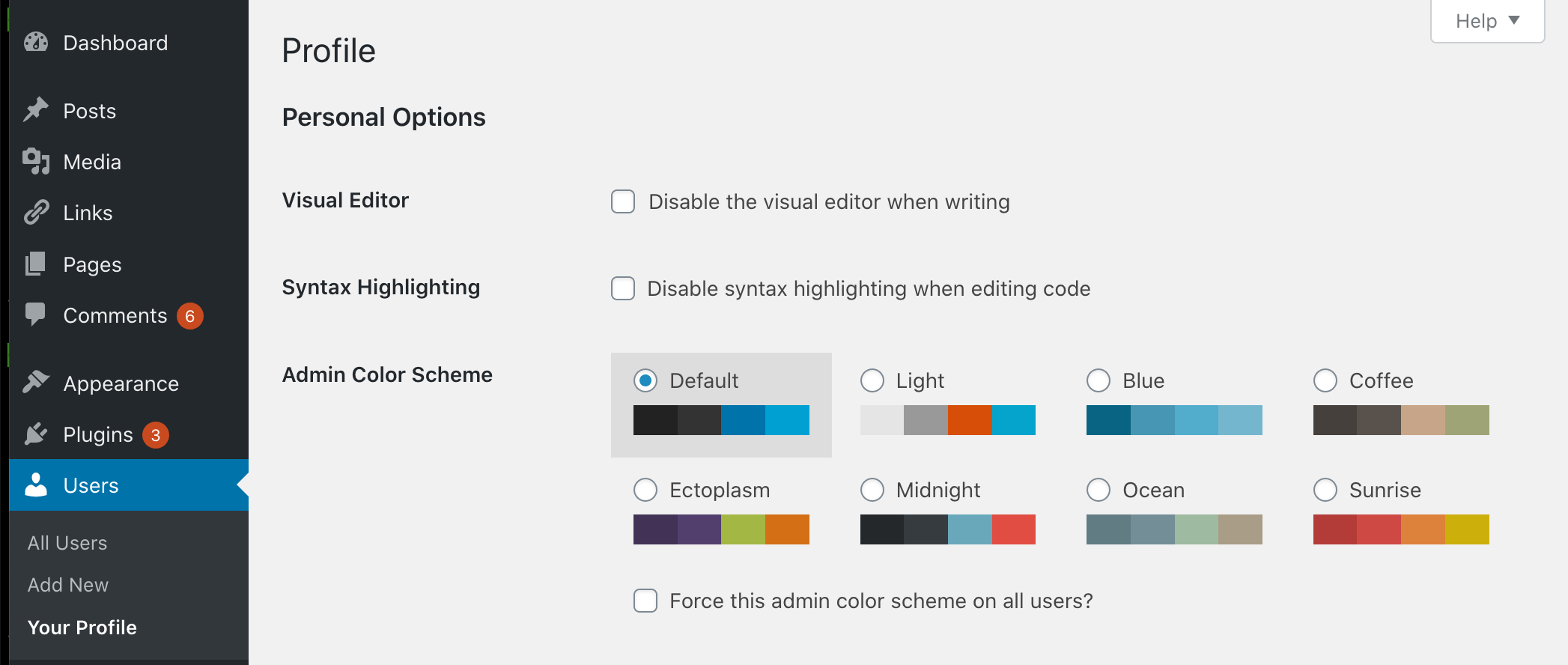


Though it is typically an individually configurable aspect of WordPress, there are times when forcing a single admin color scheme upon all users of a site can be warranted, such as to:
- Provide a unique backend color scheme for multiple sites used by the same set of users to reinforce the difference between the sites.
- Clearly denote backend differences between a production and staging/test instance of a site. Especially given that in this situation with the same plugins active and often the same data present, it can be easy to get mixed up about what site you’re actually on.
- Force a site brand-appropriate color scheme.
- Crush the expression of individuality under your iron fist.
Additionally, the plugin removes the “Admin Color Scheme” profile setting from users who don’t have the capability to set the admin color scheme globally since being able to set its value gives them the false impression that it may actually apply.
Links: Plugin Homepage | Plugin Directory Page | GitHub | Author Homepage
Hooks
The plugin is further customizable via one filter. Typically, code making use of filters should ideally be put into a mu-plugin or site-specific plugin (which is beyond the scope of this readme to explain).
c2c_force_admin_color_scheme (filter)
The ‘c2c_force_admin_color_scheme’ filter allows you to set or override the forced admin color scheme. Use of the constant (“) takes priority over the filtered value, but the filtered value takes priority over the value set via the admin.
Arguments:
- $color (string): The name of the admin color scheme. If an empty string is returned, then the plugin will behave as if no forced admin color scheme has been defined.
Example:
/**
 * Sets a forced admin color scheme based on user. Admins get one color scheme, whereas everyone else gets another.
 *
 * @param string $color The current forced admin color scheme. Empty string indicates no forced admin color scheme.
 * @return string
 */
function my_c2c_force_admin_color_scheme( $color ) {
    return current_user_can( 'manage_options' ) ? 'sunrise' : 'coffee';
}
add_filter( 'c2c_force_admin_color_scheme', 'my_c2c_force_admin_color_scheme' );