

Food Info Nutrition Labels
v0.1.10foodinfoorg · 2026年7月27日 上架
Add an accurate, region-native nutrition label to any recipe, from five national food databases. Free, no sign-up.
- 正在使用
- 10 以下
- 评分
- 暂无
- 累计下载
- 567
- 最近更新
- 2026年8月26日
贡献者
 foodinfoorg
截图

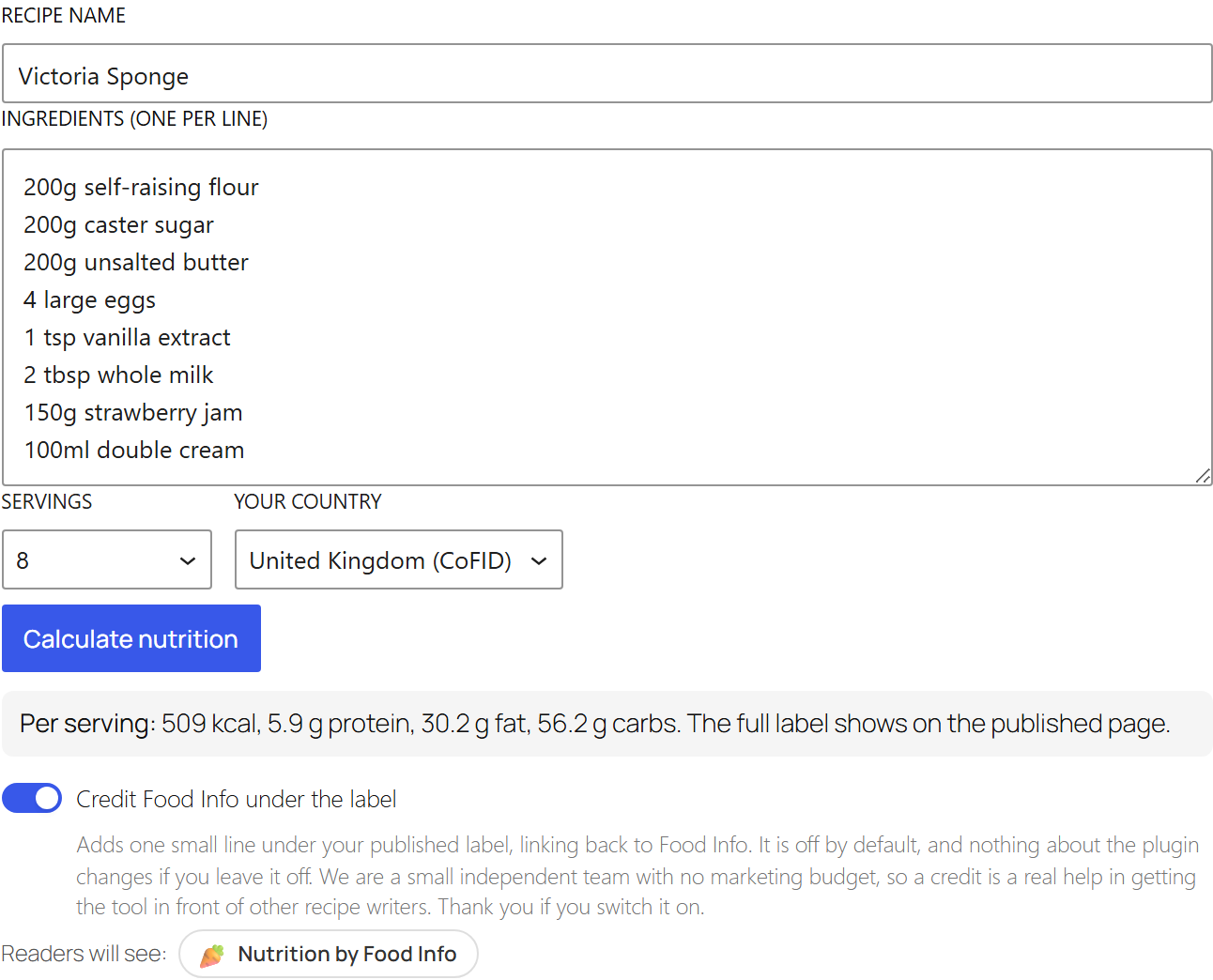
Food Info Nutrition Labels adds a clean, accurate nutrition label to your recipe posts, calculated from your own country’s official food database.
Every country’s food scientists log regional variations in food, so a UK, Australian or French recipe ends up with numbers that reflect a different nutritional outcome. This plugin picks your national database automatically:
- United Kingdom: CoFID (McCance & Widdowson’s)
- United States: USDA FoodData Central
- Australia: AUSNUT
- France: Ciqual
- Denmark: Frida
…and falls back across all five so nothing goes unmatched.
Using WP Recipe Maker? The block reads the ingredients straight off the recipe card on the post. A button appears above the ingredients box when there is a card to read, and it fills in the ingredients, the servings and the recipe name, so you are not typing the same list twice. Once the figures are calculated you can send them back into the card with one click, so your recipe card shows nutrition worked out from national data rather than estimated.
How it works. Add the “Food Info Nutrition Labels” block to a recipe, paste your ingredient list (or pull it from your recipe card), choose servings and your country, and click Calculate. You get a full label, per serving and per 100 g, that you can publish as-is. The nutrition is worked out once, when you click Calculate, and saved into the post, so your page loads stay fast and never depend on an outside service.
Free. No account, no API key, no per-recipe cost.
Powered by the same engine behind Food Info.
External services
This plugin connects to the Food Info API at food-info.org to turn your ingredient list into a nutrition label.
When it runs: only in the editor, at the moment you click “Calculate nutrition” on the block. The label is then saved into your post, so nothing is sent when a visitor views your published page.
What is sent: the ingredient text you type, the number of servings, and the country you select. No account, API key, or personal data is sent or required.
Why it is needed: to match your ingredients against the national food databases and return the calculated label.
This service is provided by Food Info. By using the block you agree to its terms and privacy policy:
- Terms and conditions: https://food-info.org/terms-conditions
- Privacy policy: https://food-info.org/privacy-policy