

Fontstay – Local Hosting for Google Fonts
v1.2.3wedoingood · 2026年10月14日 上架
Finds the Google Fonts your theme and plugins load and self-hosts them on your own site, so visitors' browsers no longer contact Google for them.
- 正在使用
- 20+
- 评分
- 5.0 / 5
- 累计下载
- 424
- 最近更新
- 2026年11月25日
贡献者
 wedoingood
截图
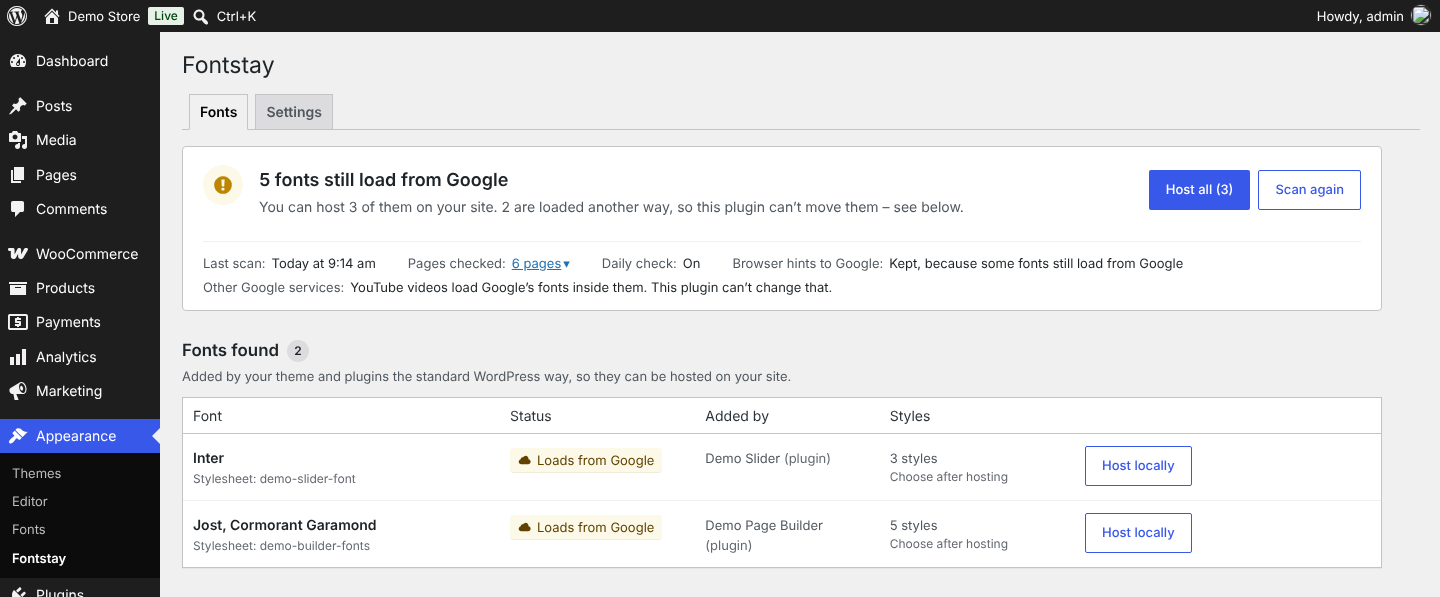
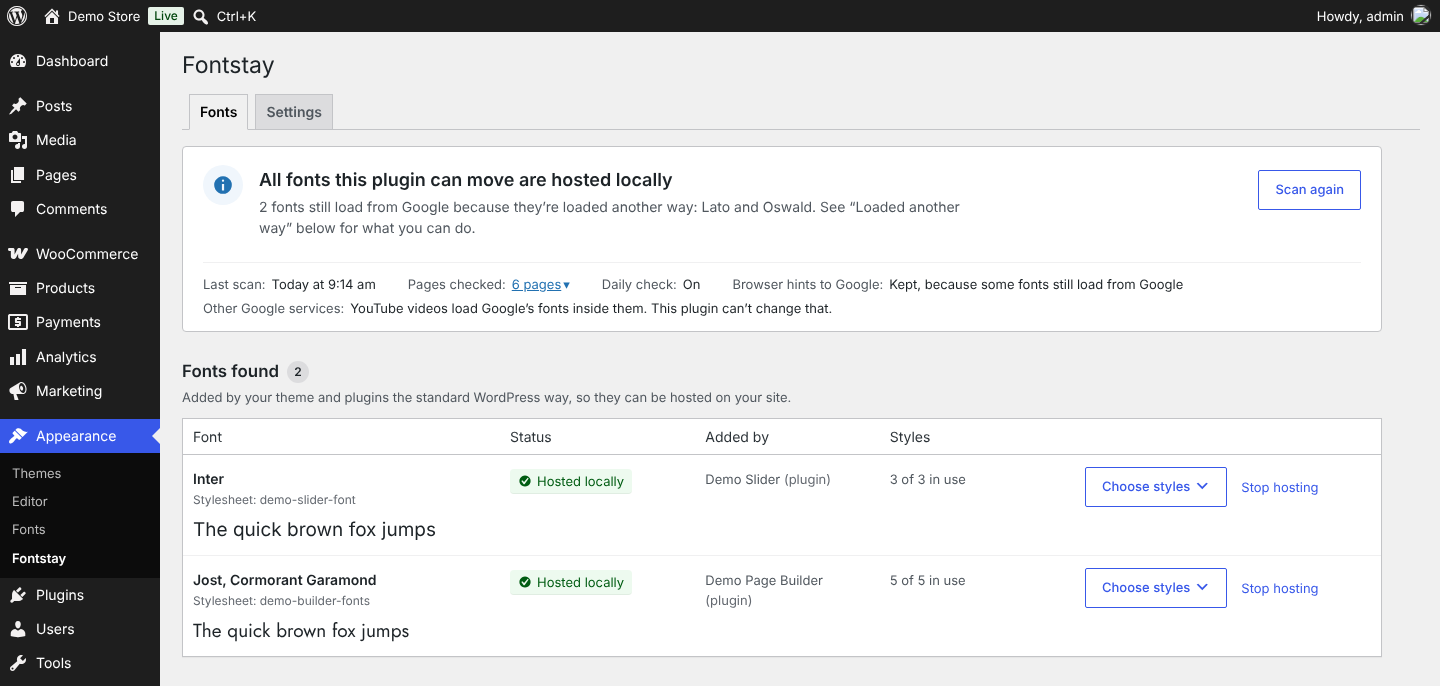
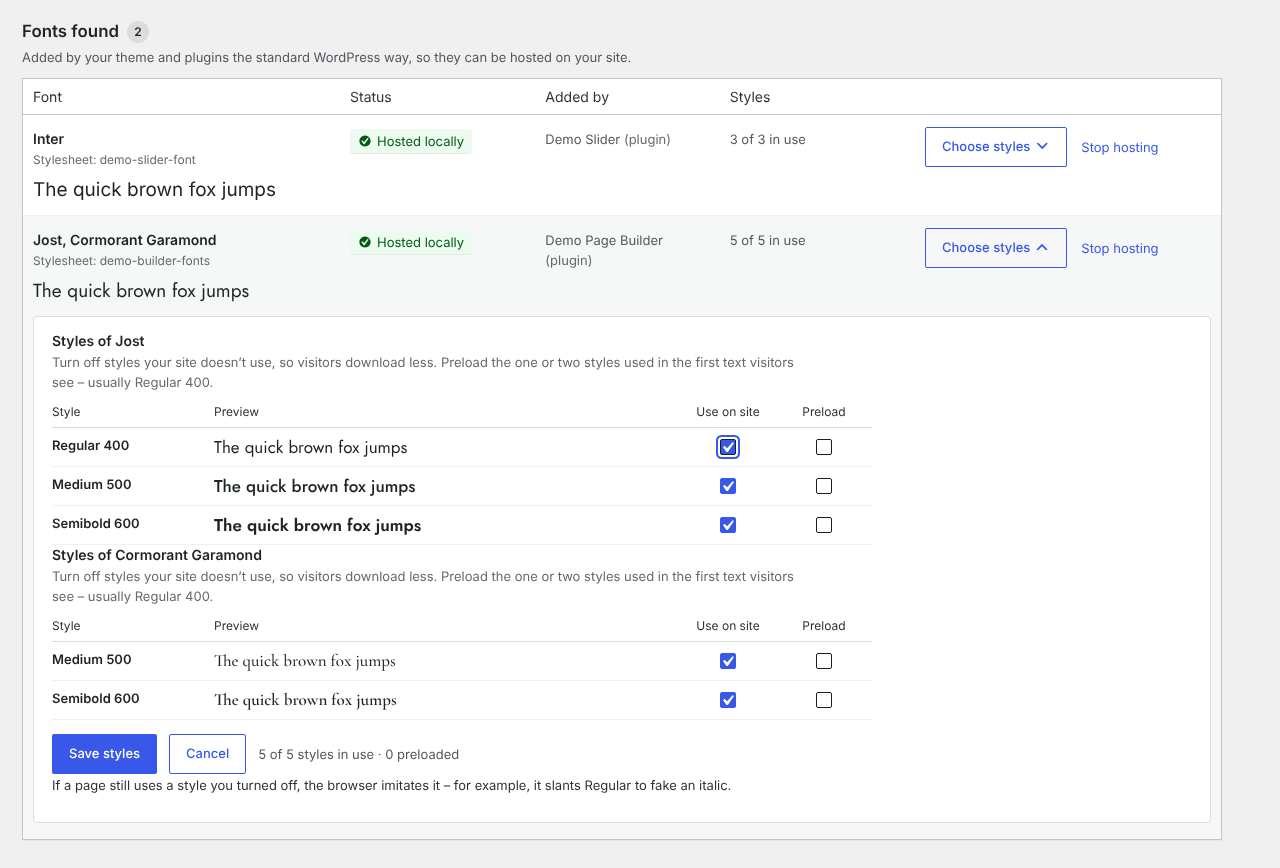
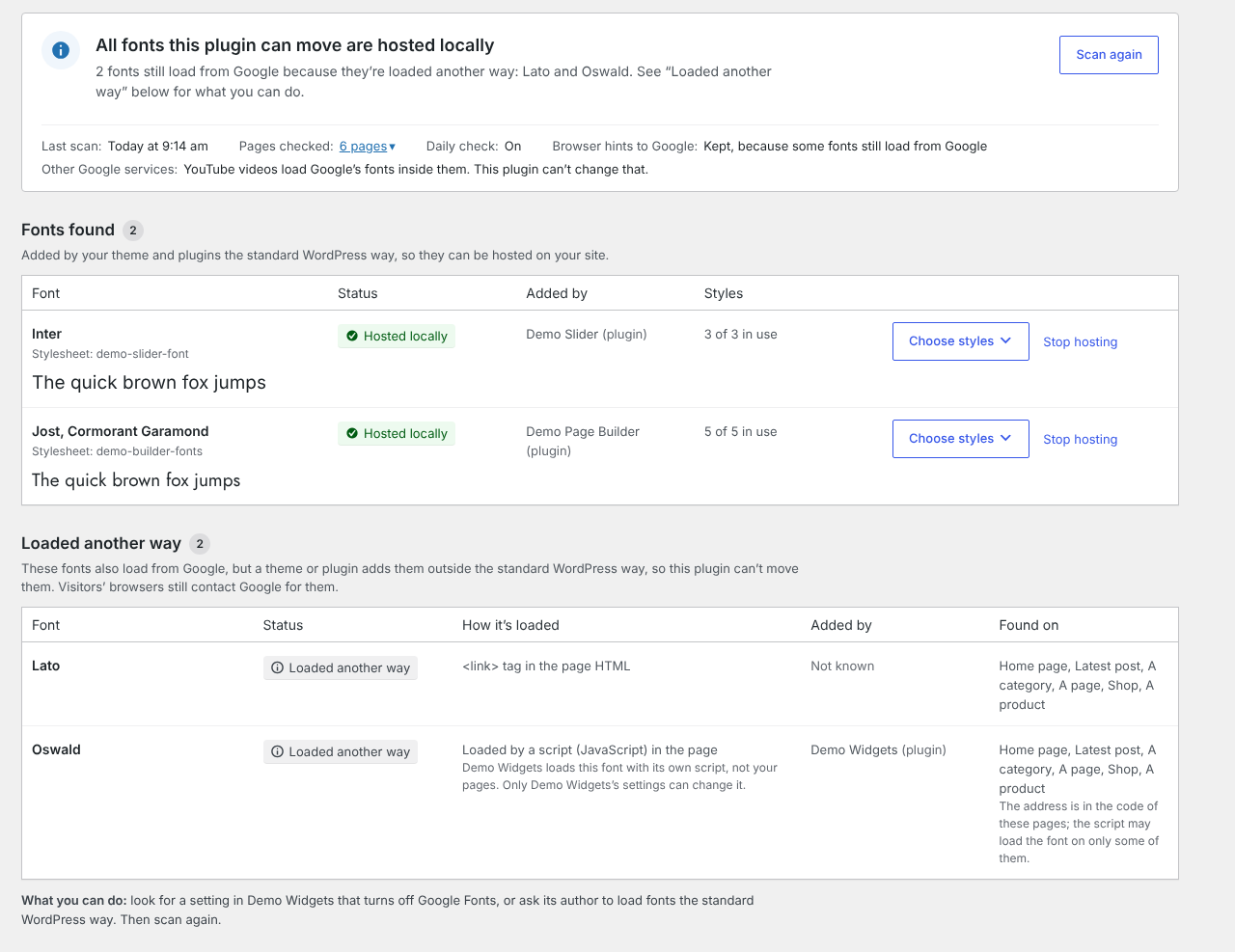
Most themes, page builders and plugins load their fonts from Google. Every visitor’s browser then connects to Google’s servers, which shares the visitor’s IP address with Google and adds extra connections before your text appears.
Fontstay finds those fonts, downloads them to your site once, and serves them from there: self-hosted Google Fonts, without editing theme or plugin files. Your pages look the same; the fonts simply come from your own domain.
How it works
- Scan. Your site opens a few of its own pages – home page, latest post, a category, the first page of your menu and, with WooCommerce, the shop and a product – and lists every Google Fonts stylesheet they load, and which theme or plugin adds it.
- Host locally. One click per font, or “Host all”. Your server downloads the font files once and keeps them in your uploads folder.
- Done. Visitors’ browsers load these fonts from your site, not from Google.
Features
- Finds Google Fonts added by your theme, plugins and page builders the standard WordPress way.
- Shows which theme or plugin adds each font, and a preview of every style.
- Hosts fonts with one click; “Stop hosting” switches a font back to Google (its files are removed a week later, so cached pages keep working).
- Hosted fonts are also used on pages the scan didn’t open, with nothing downloaded again.
- On slow servers, “Host all” continues by itself in short parts.
- Clears the page cache of popular caching plugins and tells you which one.
- Warns you if a security rule, server setting or CDN blocks the hosted files.
- Choose styles: turn off weights and styles you don’t use, so visitors download less.
- Preload the one or two styles visitors see first.
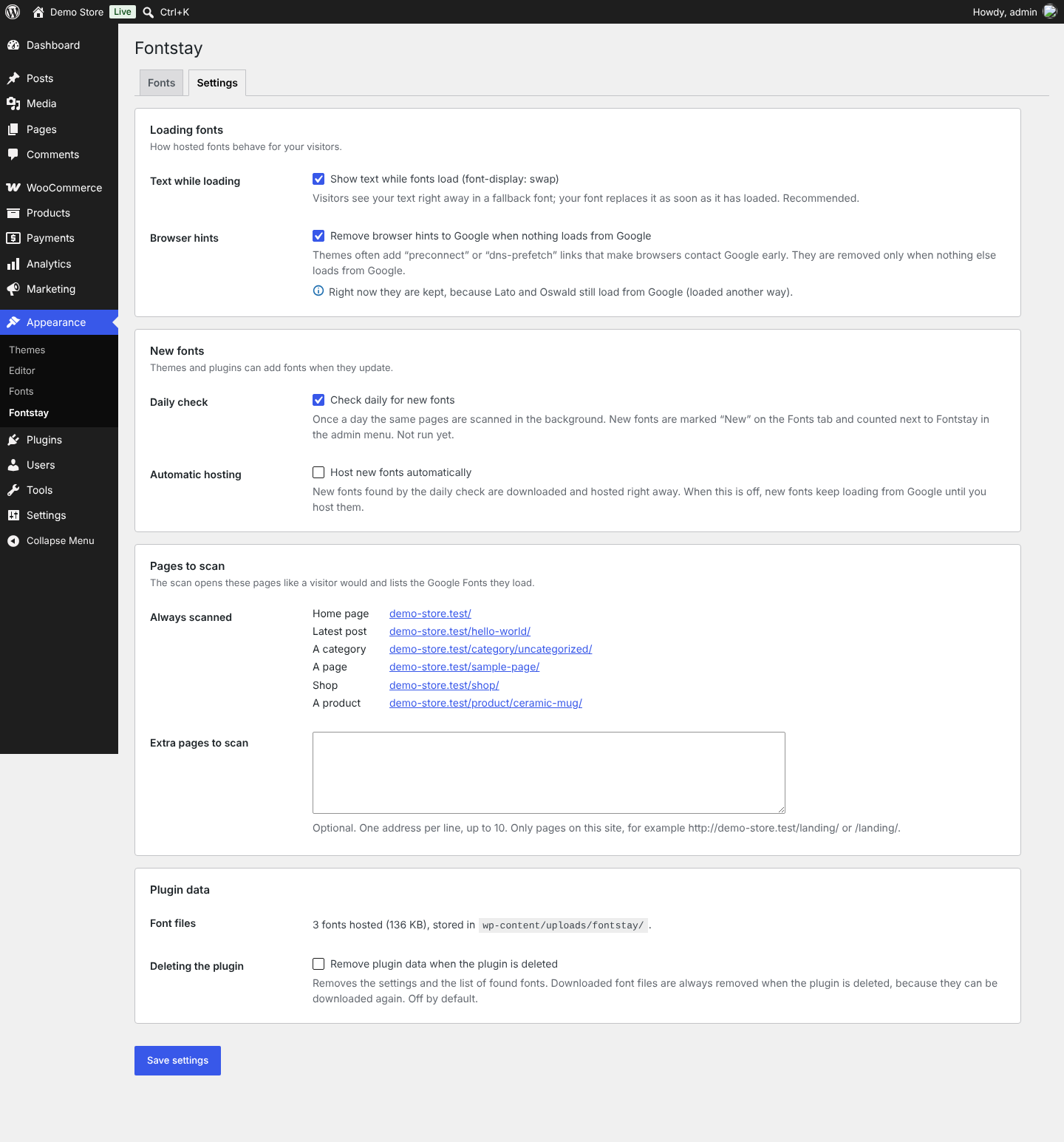
- Shows text right away while fonts load (font-display: swap), on by default.
- Removes “preconnect” and “dns-prefetch” hints to Google once nothing on the page still loads from Google.
- Daily check: when a theme or plugin update adds a new font, it is marked “New” on the plugin’s screen and counted next to the menu item. Optionally host new fonts automatically.
- Lists fonts that a theme or plugin loads from Google in another way (a link in the page code, an @import in a stylesheet, a script) and where they come from.
- Tells you when reCAPTCHA, YouTube videos or Google Maps on your pages load Google’s fonts inside them – no plugin can change that.
- Icon fonts such as Material Icons and Material Symbols are recognized and left on Google, so icons never turn into words.
- Extra pages to scan, for a landing page with a special font.
- Clear advice when a scan is blocked – by Cloudflare, a firewall or security plugin, a login requirement, or a site address that forwards elsewhere.
Privacy
Hosting fonts on your site means visitors’ browsers don’t send requests to Google for those fonts. This can help you meet privacy rules such as the GDPR; it is not legal advice, and your site may use other services that share visitor data. In German-speaking countries this is known as “Google Fonts lokal einbinden” under the DSGVO, the German name of the GDPR.
The plugin adds no tracking and sends nothing about your visitors anywhere. See “External services” below for what your server sends to Google when you host a font.
Compatibility
- Any theme and plugin that adds Google Fonts the standard WordPress way (wp_enqueue_style), which most do.
- Classic and block themes; WooCommerce pages are scanned when WooCommerce is active.
- Multisite: each site has its own fonts and settings.
- Font files are stored in wp-content/uploads/fontstay/.
- Works with Bedrock and other setups with the content folder outside WordPress.
- Works on every address of your site – http and https, www or not, a language on its own domain (WPML, Polylang). On Apache, a CDN may use the fonts too.
Fontstay Pro
A paid add-on for sites where fonts hide in code and scripts, or text jumps while fonts load. Everything in Fontstay, plus:
✔ Fonts in page code, scripts and CSS files hosted too — fonts that themes, plugins and scripts add outside the standard WordPress way. Theme and plugin files are never edited.
✔ Icon fonts hosted with their icons — Material Icons and Material Symbols keep showing as icons.
✔ Text shows at once, with fallback fonts sized like yours — also for your theme’s other fonts, so text barely moves when the fonts arrive.
✔ First-screen fonts found and preloaded — your browser notes which fonts each page shows first, on phones and computers.
✔ Cart, checkout, My Account and every language scanned — in a WooCommerce shop, and with WPML, Polylang or TranslatePress.
✔ Bunny Fonts and WordPress.com fonts hosted too — found and hosted like Google Fonts.
And many more features: see the full list of Fontstay Pro features
More
Setup guide, screenshots and how we test: wedoingood.com/plugins/fontstay. We build plugins as shop owners, from problems we hit in our own shop.
External services
This plugin connects to Google Fonts, a service by Google, to download font files – only when an administrator clicks “Host locally”, “Host all” or “Host new fonts”, or, if “Host new fonts automatically” is turned on, when the daily check finds a new font.
- What is sent: your server requests the Google Fonts stylesheet that your theme or plugin already uses (it contains the font names and styles, for example “Roboto 400, 700”) from fonts.googleapis.com, and then the font files it lists from fonts.gstatic.com. Like any web request, this shows Google your server’s IP address. Your server identifies itself as a current desktop browser, because Google sends the compact WOFF2 font format only to browsers that support it. Nothing about your visitors is sent.
- When: once per font, when you host it (or click “Try again” after a failed download). Choosing styles and changing settings use the files already downloaded. Scanning never contacts Google; it only opens your own pages.
- Visitors’ browsers do not contact Google for hosted fonts.
Google Fonts: https://fonts.google.com/
Google Terms of Service: https://policies.google.com/terms
Google Privacy Policy: https://policies.google.com/privacy
Google Fonts privacy FAQ: https://developers.google.com/fonts/faq/privacy