
Fitzaro – AI Virtual Try-On for WooCommerce
v1.0.0aurshax · 2026年11月4日 上架
Let shoppers see your products on their own photo, generated with your own AI key.
- 正在使用
- 10 以下
- 评分
- 暂无
- 累计下载
- 440
- 最近更新
- 2026年11月4日
贡献者
 aurshax
截图
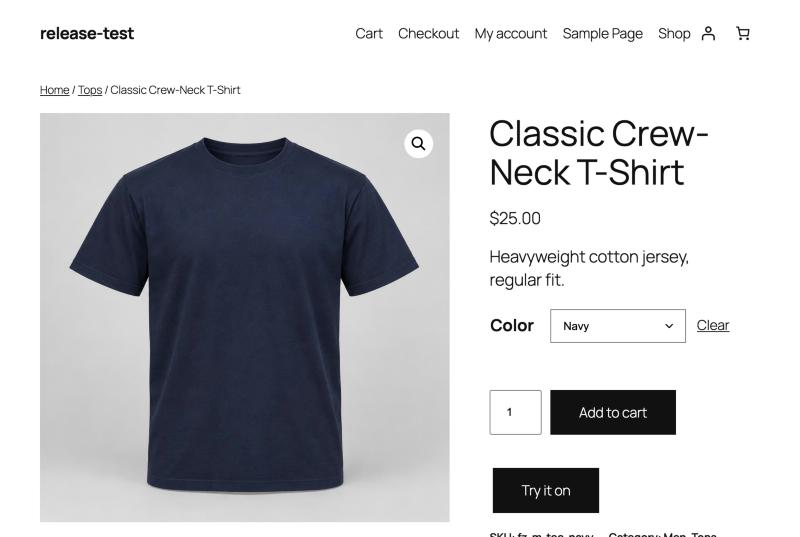



Fitzaro adds a virtual try-on to WooCommerce product pages. A shopper uploads a photo and sees the product on themselves before buying.
The store owner brings their own OpenAI API key; every try-on is billed to that OpenAI account, not to a Fitzaro subscription. A monthly budget, limits per shopper and per store, and automatic deletion of photos keep costs and personal data under control.
Features
- “Try it on” button on product pages, in classic and block themes.
- Tops, dresses and eyewear, each with its own instructions to the AI model.
- Variable products: the selected colour or style is used.
- Before/after slider to compare the shopper’s photo with the result.
- Drag and drop or choose a photo; it is resized in the browser before upload.
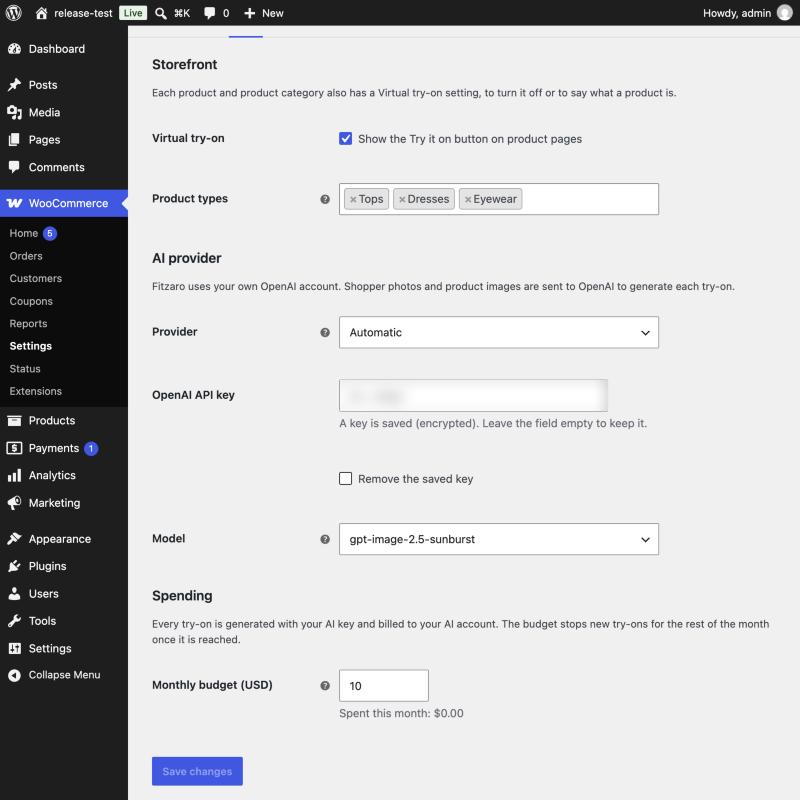
- Turn try-on on or off for the whole store, per product type, per category or per product.
- Monthly budget (10 USD by default) with a notice when it is reached.
- Limits per shopper, per IP address and per store, against abuse.
- The OpenAI key is stored encrypted, or set in wp-config.php.
- Personal data export and erasure tools, and suggested privacy policy text.
- Template and CSS custom properties so themes can restyle the dialog.
External services
Fitzaro sends data to the OpenAI API (https://api.openai.com) to generate try-on images, using the API key the store owner enters in WooCommerce Settings Fitzaro.
- When: each time a shopper starts a try-on, and once when the owner saves the key (a free check of the key and model).
- What: the shopper’s photo (re-encoded, without metadata), the product image and a fixed instruction text. No names, e-mail addresses, IP addresses or order data are sent.
- OpenAI terms of use: https://openai.com/policies/terms-of-use
- OpenAI privacy policy: https://openai.com/policies/privacy-policy
Privacy
Shopper photos are stored in a private folder (outside the web root when the server allows it) and are only ever served through PHP to the browser that uploaded them.
- Uploaded photos are deleted after 24 hours.
- Try-on results are deleted after 7 days.
- Request records hold no images, only a hashed browser ID, a hashed IP address, the product and the cost. They are deleted after 90 days.
- Shoppers can delete their photo and results at any time.
-
A functional cookie (
fitzaro_visitor, HttpOnly, session only) is set when a shopper uploads a photo. -
Logged-in shoppers’ try-ons appear in Tools Export Personal Data and are removed by Tools Erase Personal Data.
- The store’s privacy policy guide includes suggested text for Fitzaro.
When try-on runs, the photo and the product image are sent to OpenAI (see External services).