

FindIP Shield: VPN, Proxy & Bot Traffic Detection
v0.3.1findipshield · 2026年8月20日 上架
See which visitors, signups and orders come from VPNs, proxies, Tor and hosting networks. Free, no code, and it never reads form values.
- 正在使用
- 10 以下
- 评分
- 暂无
- 累计下载
- 600
- 最近更新
- 2026年11月18日
贡献者
 findipshield
截图
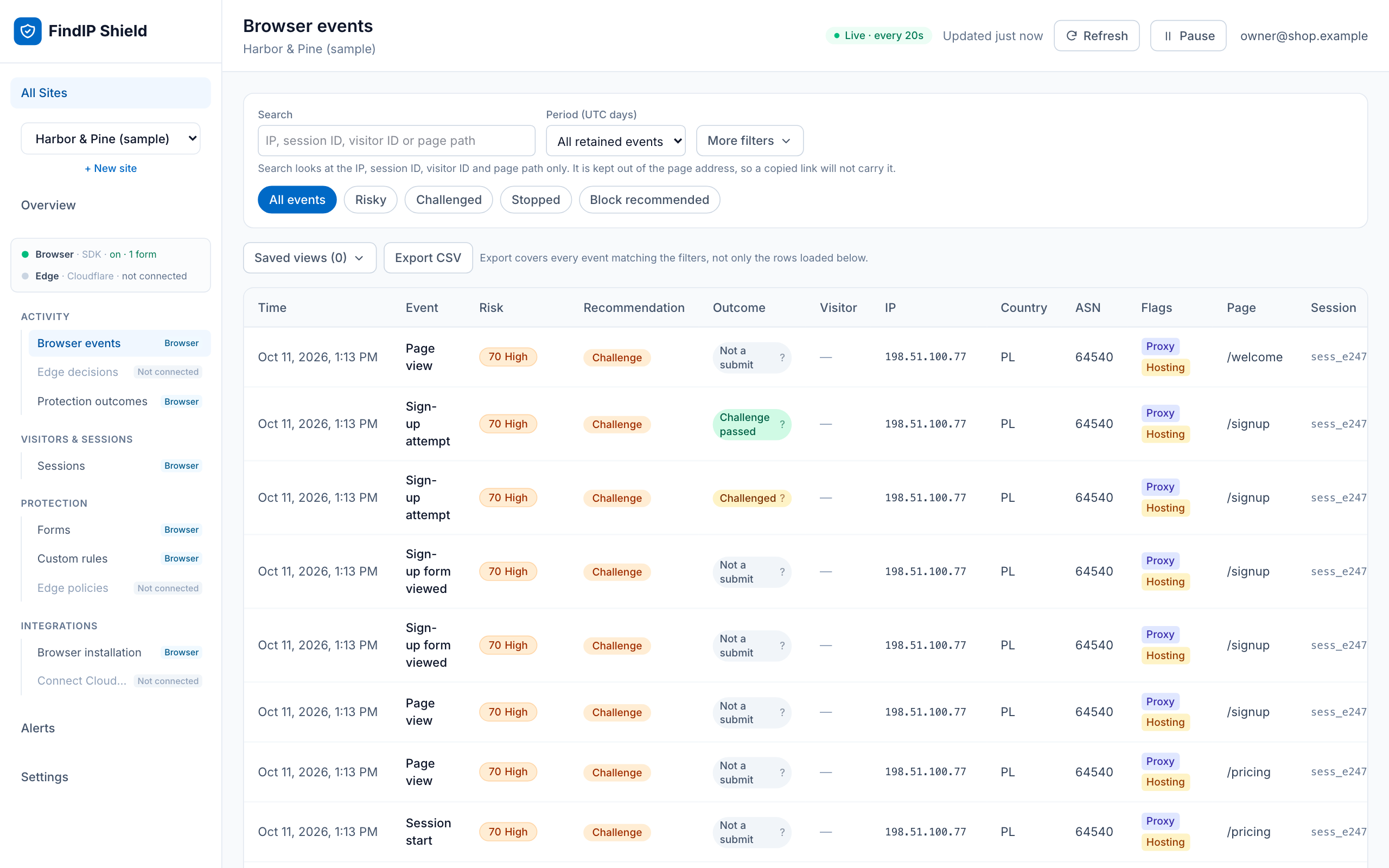
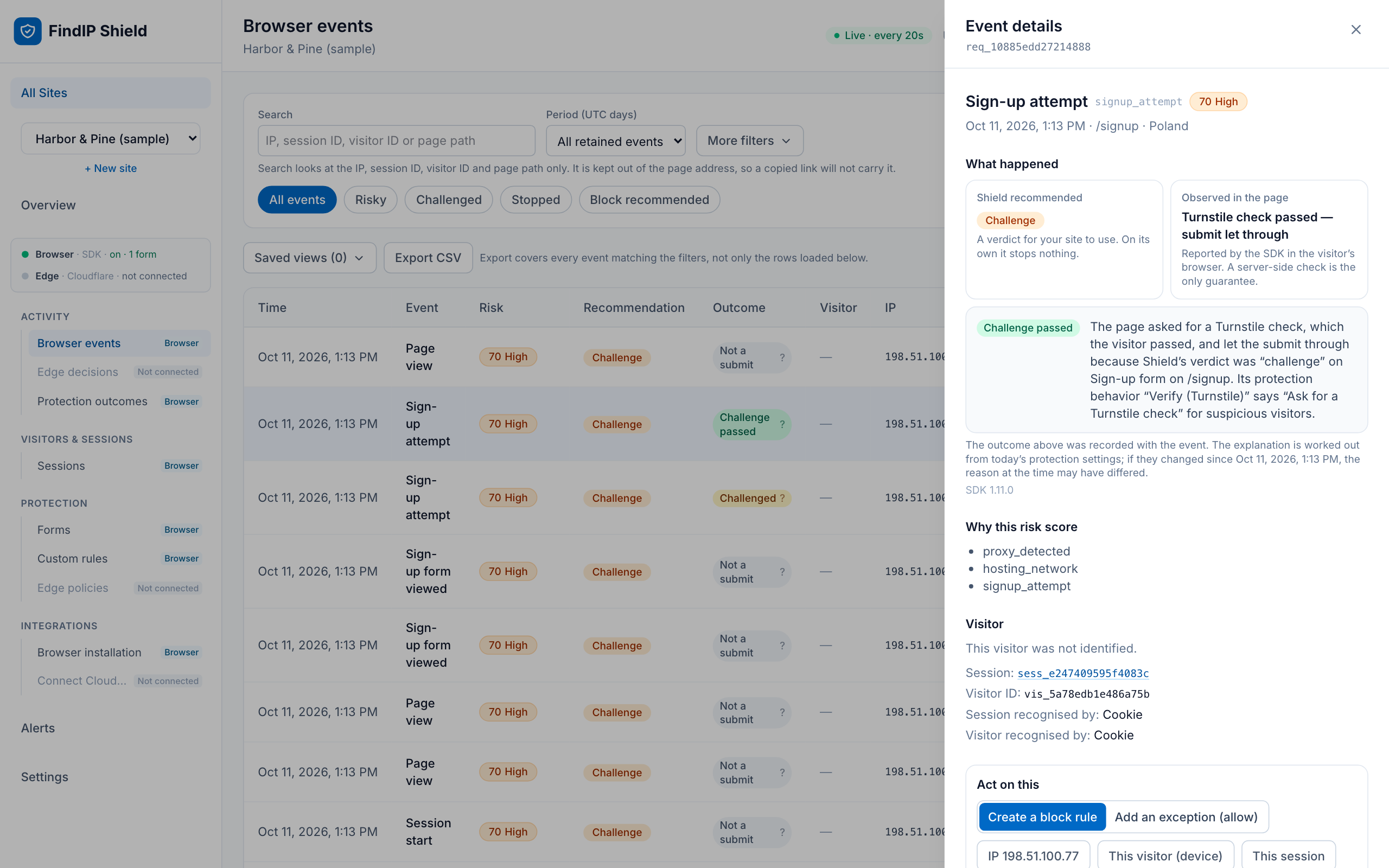
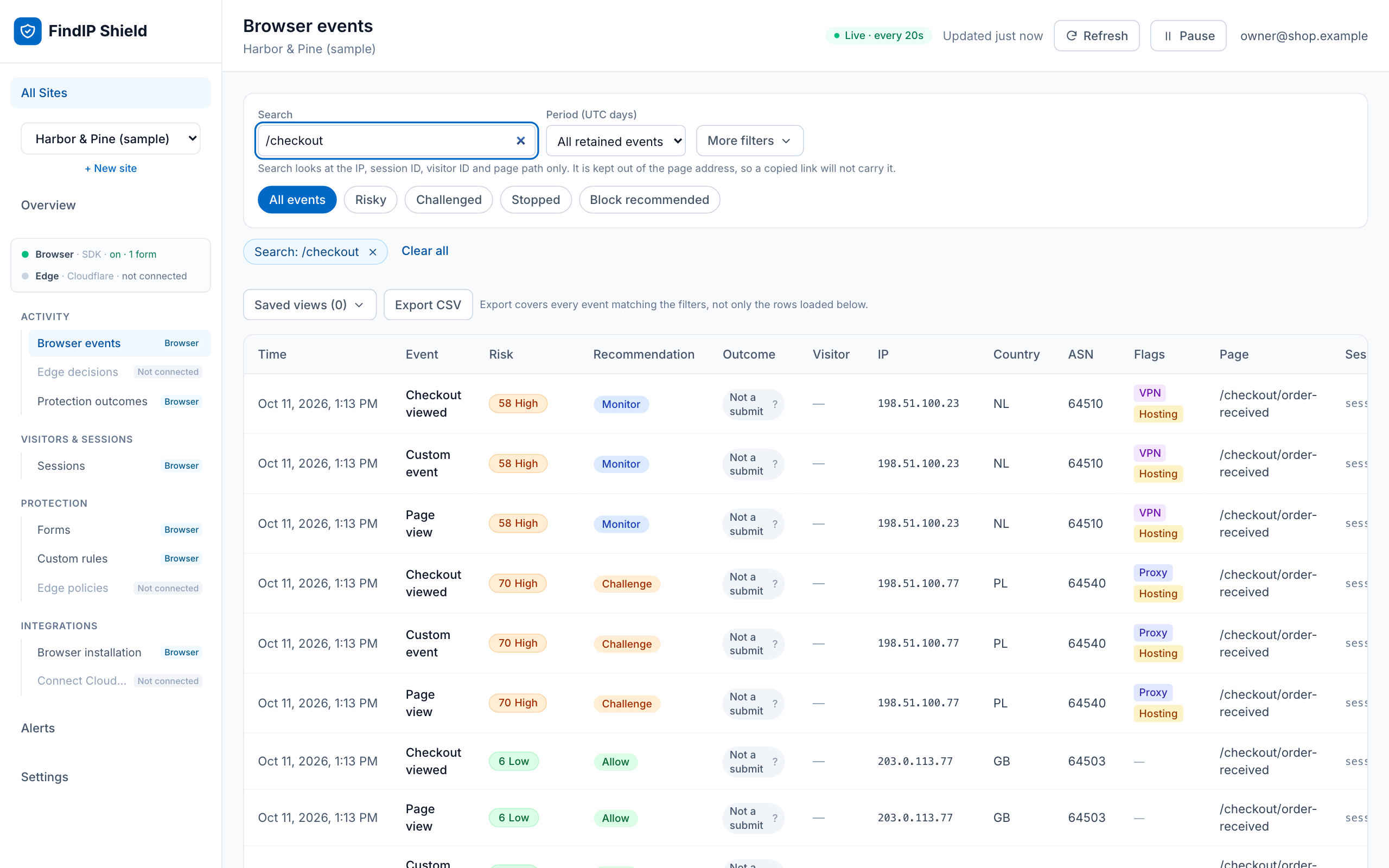
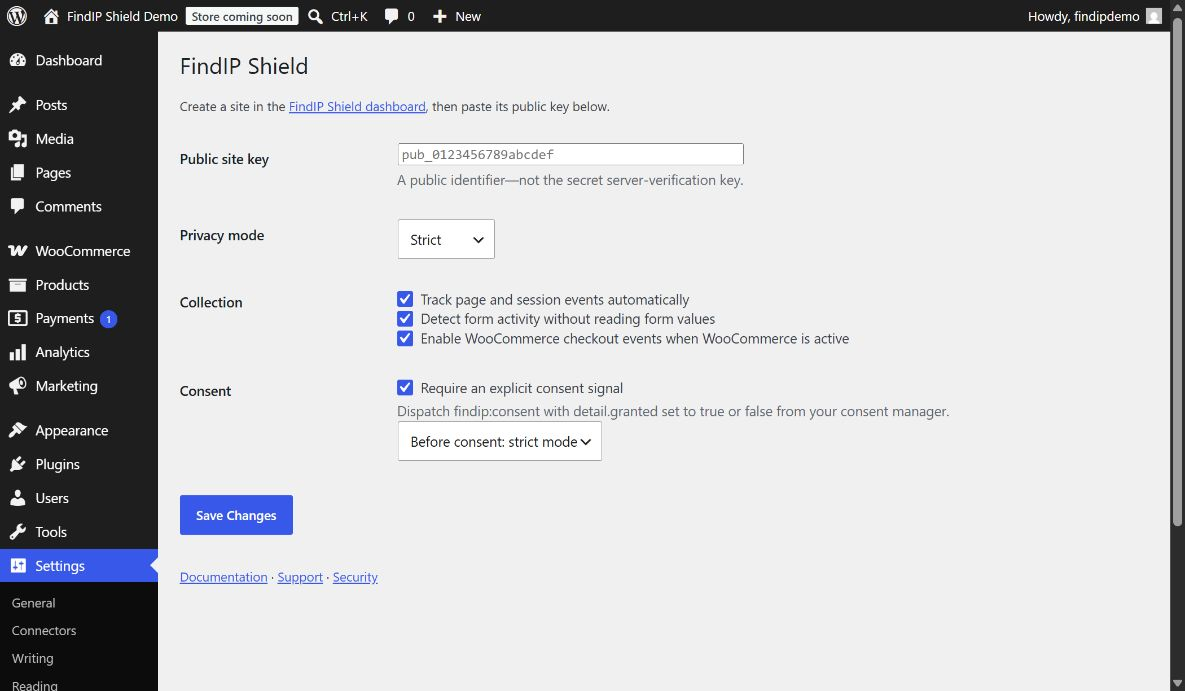
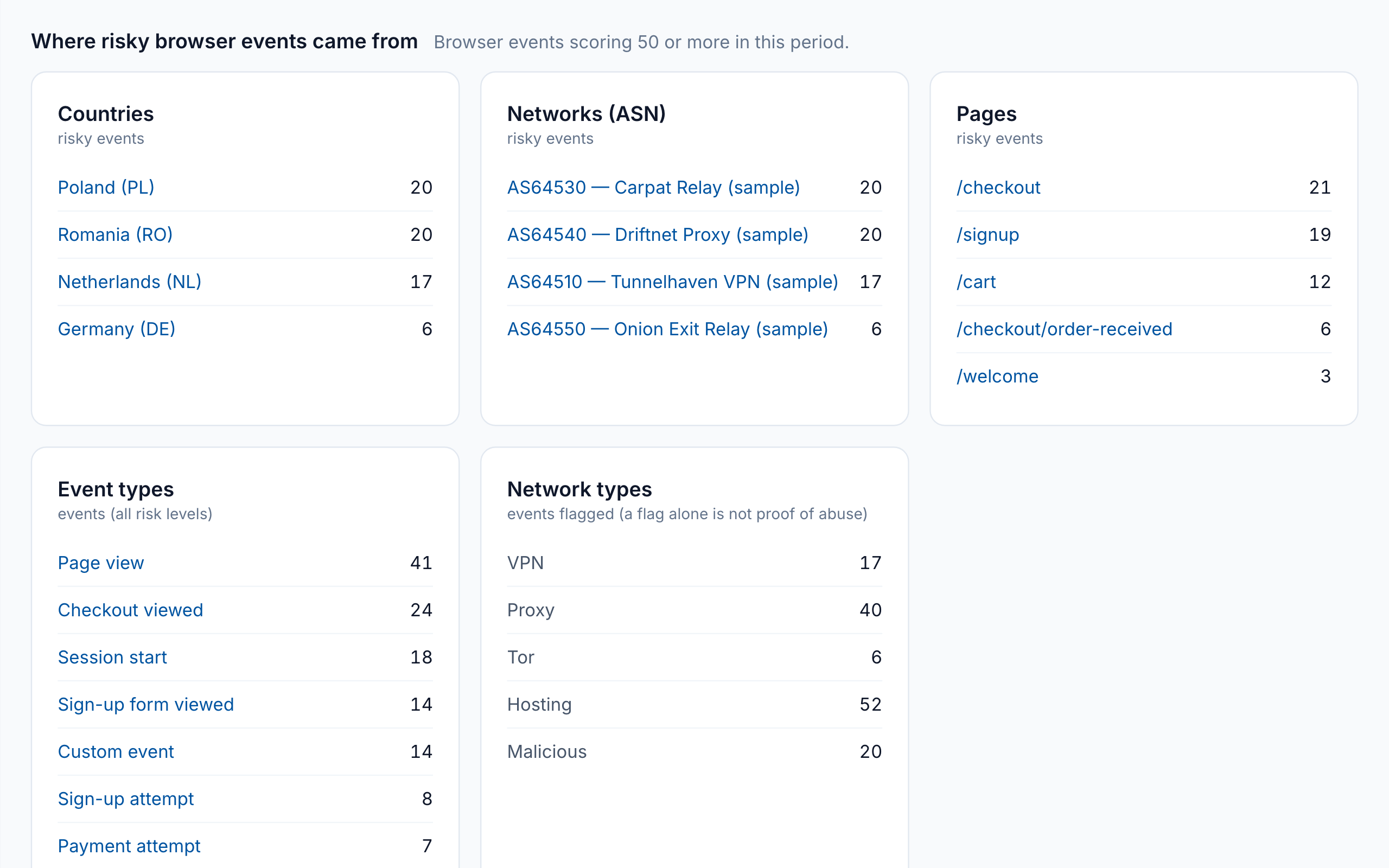
FindIP Shield shows you who is really visiting your WordPress site. Every visit, signup, login and WooCommerce checkout gets a risk score and the reasons behind it: VPN, proxy, Tor, relay, hosting or datacenter network, or a known malicious IP.
What you get
- A free dashboard at findip.net. Every visit and form submit with its risk score, country, network and reasons. Filter to the risky ones in a click.
- Form protection you switch on from the dashboard. Choose what happens when a risky visitor submits a signup, login or checkout form: a message, a short wait, or a Cloudflare Turnstile check. Off until you turn it on.
- WooCommerce context. Cart, checkout, payment-failure and order-completion events, so you can see which orders came through anonymizing networks.
- Two-minute setup. Install, click Connect, pick your site. No code, no key to copy, no theme edits.
- Privacy by design. The plugin never reads form values, passwords, emails or payment details. Choose strict, balanced or advanced privacy mode, with consent-aware loading.
- Free. Up to 10,000 recorded events per site per day.
Common uses
- Find out how many signups and orders come from VPNs, proxies and hosting networks.
- Spot fake account registrations and review them before they cost you.
- See how much of your traffic comes from datacenters, not people.
- Give your support or fraud review the network context behind an order.
Built to be trusted on your site
- Loads a pinned, immutable SDK build with subresource integrity, so the script cannot change underneath you.
- Makes no connection until an administrator saves a site key.
- Declares compatibility with High-Performance Order Storage and Cart/Checkout Blocks.
- Adds suggested disclosure text to the WordPress privacy-policy editor.
FindIP Shield provides risk signals, not proof of fraud. A visitor on a VPN is often a legitimate customer. Review the reasons, and use server verification for decisions that matter.
Learn more: https://www.findip.net/wordpress-vpn-proxy-detection
External services
This plugin connects to FindIP Shield, an external service operated by FindIP.
When configured, it downloads a pinned JavaScript SDK from https://cdn.findip.net and sends website events to https://shield.findip.net. The service receives the visitor IP address from the network connection and limited event metadata based on the selected privacy mode. It does not receive form values, passwords, payment details, or message contents.
The service is required for the plugin to provide risk intelligence. No connection is made until an administrator saves a valid public Shield site key.
When an administrator clicks Connect to FindIP Shield, their browser is sent to https://www.findip.net/shield/connect/wordpress with this site’s home address, the address of this site’s admin page to return to, a one-time code and the plugin version. FindIP sends the browser back with the site’s public key, which the plugin saves only if the one-time code matches. Nothing is sent unless the administrator clicks the button.
In balanced and advanced privacy modes the SDK keeps a visitor ID in a _fip_vid cookie and a localStorage entry of the same name, and may send a picture of a form’s layout with every value blanked, so the dashboard can show which form an event belongs to. The renderer for that picture is downloaded from https://cdn.findip.net only when a picture is requested. Neither happens in strict mode, which is the default.
This plugin can also load Cloudflare Turnstile, an external service operated by Cloudflare. It is loaded from https://challenges.cloudflare.com only when form protection is switched on for the site in the Shield dashboard and a visitor is asked to pass a check. Cloudflare then receives that visitor’s IP address and browser information.
- Cloudflare Turnstile terms: https://www.cloudflare.com/website-terms/
-
Cloudflare privacy policy: https://www.cloudflare.com/privacypolicy/
-
Service: https://www.findip.net/shield/overview
- Data collection: https://www.findip.net/docs/shield/data-collection
- Privacy modes: https://www.findip.net/docs/shield/privacy-modes
- Privacy policy: https://www.findip.net/Docs/privacy-policy
- Terms: https://www.findip.net/docs/shield/terms-free-preview
Consent integration
With Require an explicit consent signal enabled, the plugin starts in strict or disabled mode. A consent-management plugin or theme can update Shield by dispatching:
document.dispatchEvent(new CustomEvent('findip:consent', { detail: { granted: true } }));
Send granted: false when consent is withdrawn.