
FilterWell – Query Loop Filters
v1.0.1Raúl Cerda · 2026年11月3日 上架
Native filters for the Query Loop block: search, sorting, category and tag pills, author and date filters, without page reloads.
- 正在使用
- 30+
- 评分
- 暂无
- 累计下载
- 524
- 最近更新
- 2026年11月4日
贡献者
 Raúl Cerda
截图
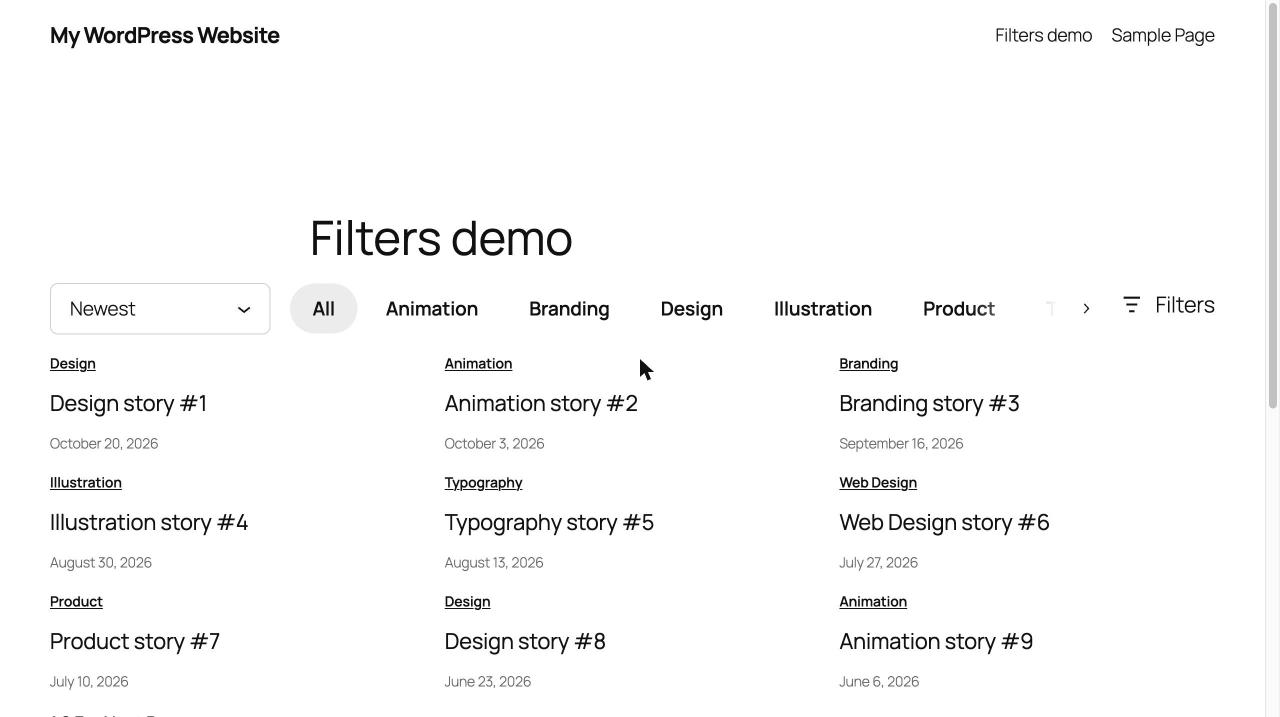


FilterWell adds filtering blocks that connect to the core Query Loop block. Visitors can search, sort and filter posts, pages or custom post types, and the results update without reloading the page, using the WordPress Interactivity API.
Everything is built with native blocks and takes its look from your theme: fonts, colors, buttons and form fields follow the Styles you already defined.
Blocks
- Query Loop Filters – the container. It connects to a Query Loop and decides whether filters apply instantly or with a “Filter” button. On mobile, it can show the filters in a slide-in panel.
- Taxonomy Filter – categories, tags or any taxonomy, shown as checkboxes, single choice, a dropdown or a row of pills. Includes result counts that take the other active filters into account and can hide options without results. For hierarchical taxonomies it can show only the main terms, or only the subterms of the selected term.
- Author Filter – the same styles, listing the authors that have published content.
- Date Filter – a publish date range (from / to).
- Query Loop Search – a text search field that uses your theme’s Search block style.
- Query Loop Sort – a dropdown to sort by newest, oldest, title, recently updated or most commented. You choose the options and their labels.
Need only a search field or a sort dropdown next to your loop? Insert Query Loop Search or Query Loop Sort anywhere on the page: they come already wrapped in their own Query Loop Filters block.
* Filter Buttons – “Filter” and “Clear” buttons.
* Active Filters – the applied filters as removable chips.
Highlights
- Pills row: a single scrollable row with arrows and fading edges, which can also be swiped on mobile.
- Category and subcategory rows: a first row with the main categories and a second row, shown only when needed, with the subcategories of the selected one.
- Archive pages: on a category, tag, taxonomy or author archive, the current term is marked as selected and choosing another one goes to its archive URL. On date archives (
/2025/09/), the Date Filter shows that period. - Shareable URLs: filters are stored in the URL, so filtered results can be shared and the browser back and forward buttons work.
- Several loops per page: name your loops and choose which one each set of filters controls. You can also add filters directly from the Query Loop sidebar.
- Accessible: real form controls, keyboard support, a focus-trapped mobile panel and screen reader announcements when results change.
- No settings page and no database tables.