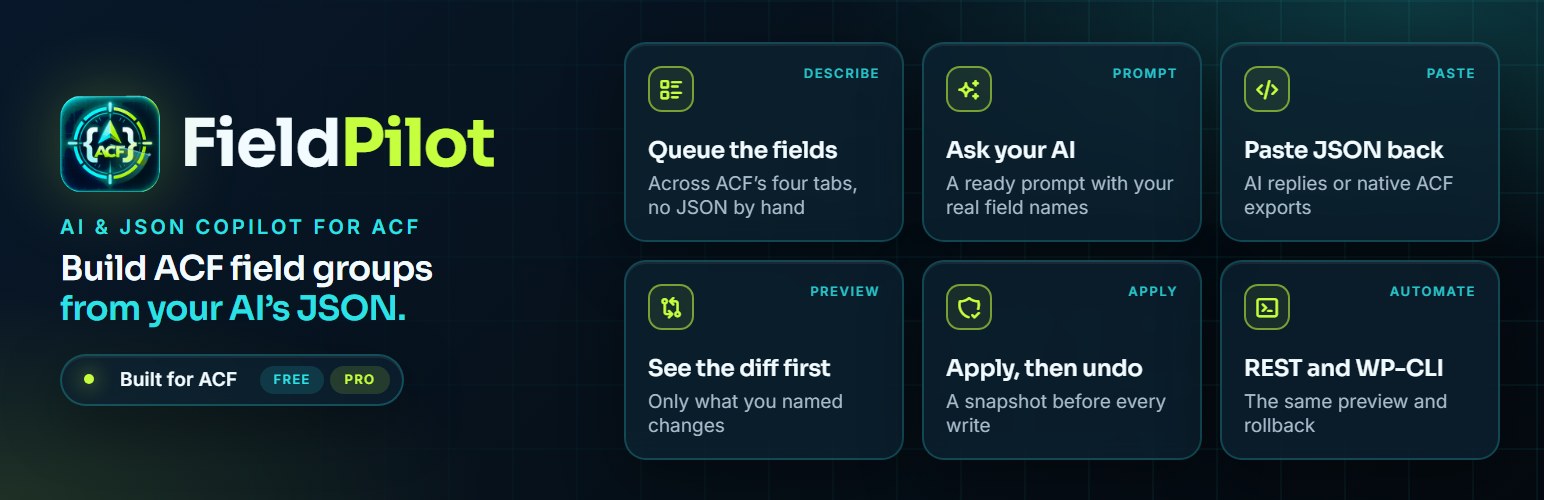

FieldPilot: AI & JSON Copilot for ACF
v1.1.0Harsh Prajapati · 2026年9月29日 上架
Build ACF field groups with AI prompts and JSON. Built for ACF free and PRO. Preview every change first, undo any time.
- 正在使用
- 10 以下
- 评分
- 暂无
- 累计下载
- 662
- 最近更新
- 2026年11月1日
贡献者
 Harsh Prajapati
截图




Advanced Custom Fields has not changed how you author fields in a decade: you click
through a UI, one field at a time. Meanwhile every developer has an AI that writes
JSON perfectly well. The missing piece was never generation. It was safe
application.
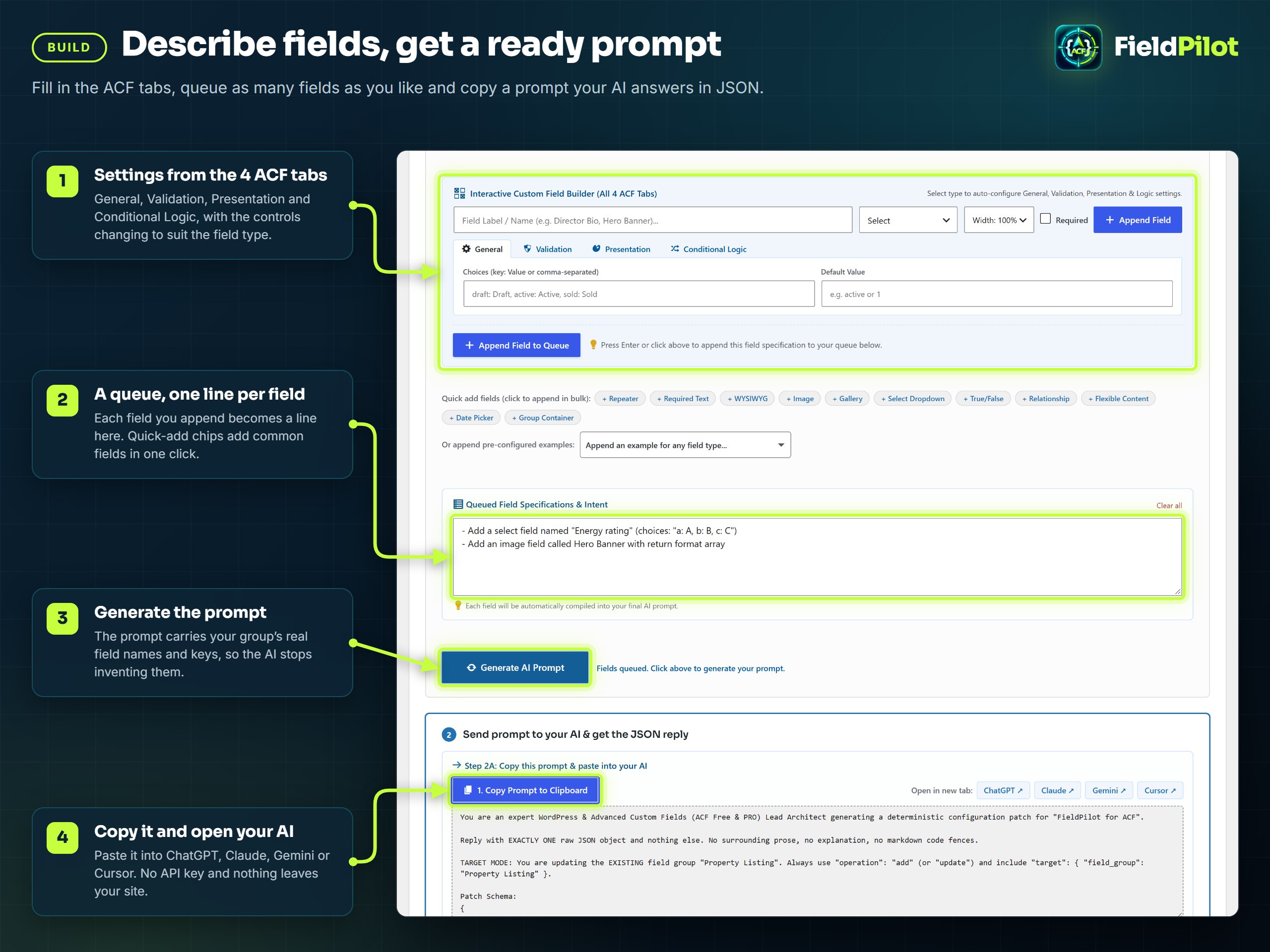
FieldPilot builds and changes ACF field groups from JSON: queue the fields you want, copy a
prompt that carries your real field names, paste your AI’s reply back (or a native ACF export),
see exactly what will change, apply only that, and roll back if you were wrong.
The rule the whole plugin is built around:
Nothing changes except what the JSON asked for.
Set one field to required and that is the only setting that changes. Instructions,
conditional logic, wrapper classes, field keys and every other field in the group
stay as they were, and FieldPilot checks that after every write.
What it does
- Partial updates. Change one setting on one field. ACF’s own importer can only
replace a whole field group; this changes precisely what you named. - Diff preview. Every change is shown before anything is written: added,
removed, moved, and every setting that differs, old value to new. - Target isolation. Aim at any node in a nested ACF tree, such as a repeater
sub-field or a flexible content layout. Changes stay inside that target, and the
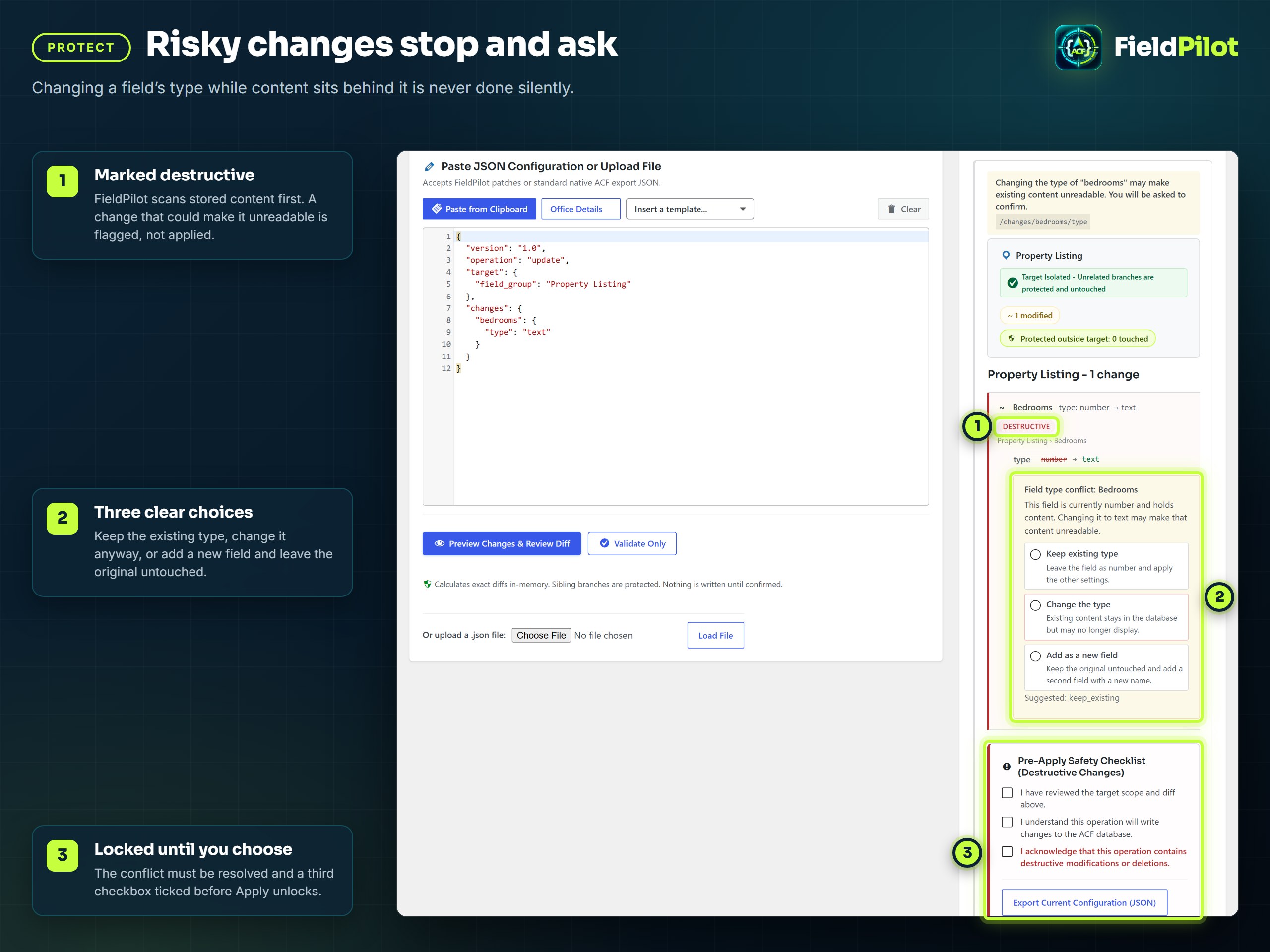
check after the write confirms nothing else moved. - Conflict detection. Changing a field’s type, renaming a field that holds
content, deleting something with data in it: each stops and asks, with the
trade-offs spelled out. It never guesses. - Snapshot and rollback. Every batch is snapshotted before the first write. Roll
changes back from History, newest first, and the field group returns to its
previous configuration, setting for setting. If a write fails the check, it rolls
back automatically. - Field types that follow your ACF. The builder, templates, type guide and AI
prompt offer all 36 field types on ACF PRO and the 32 free ones on ACF free. PRO
types are shown disabled with the reason, and the engine refuses them on a free
install. - Custom field builder. Pick a field type, fill in the common settings from
ACF’s four tabs (General, Validation, Presentation, Conditional Logic) and queue
as many fields as you like. Each one becomes a line in the AI prompt, and your AI
turns the list into JSON. - Deep nesting. Groups, Repeaters, Flexible Content layouts and Clone fields,
at any depth, targeted by human path:["Agent", "Contact", "Social"]. - Reads sloppy JSON. AI output uses
groupforfield_group,descriptionfor
instructions,truewhere ACF wants1. All of it is normalised rather than
rejected, so you paste instead of hand-fixing. - Reads native ACF exports, and exports any field group as clean JSON.
- Guided tour. A 10-step walkthrough across the Dashboard, Import and History
screens. Restart it any time from the Dashboard or Settings. - Create field groups in place. Pick an existing group, or click “Add New Field
Group” to create one without leaving the screen. It is recorded in History like
any other change. - Your data, your call. Nothing is removed when you delete the plugin unless you
ask for it in Settings. Field groups are never touched. - REST API and WP-CLI. Validate, preview, apply, roll back, export, create field
groups and generate prompts from scripts and deployments. Plugin settings stay on
the Settings screen. - Knows what it cannot touch. Field groups registered in PHP, or loaded from
acf-json and not yet synced, cannot be patched. The plugin detects them up front
and says so, instead of silently writing orphaned rows.
AI, without an AI dependency
The plugin never calls a language model. It publishes a schema and generates a
ready-to-paste prompt. The prompt includes your field group’s current structure, so the model
stops inventing field names, and only the field types your ACF can store. You
use whatever AI you already pay for.
No API keys. No per-seat model cost. No site data leaving your server. No vendor to
be locked to. It works fully with zero configuration, and it keeps working when a
provider changes its pricing.
Requirements
WordPress 6.5+, PHP 8.1+, ACF 6.2+ (free or PRO). On ACF 6.8 and newer, new fields
are also checked against ACF’s own field-type schemas, and anything unexpected is
flagged in the preview. Repeater, Flexible Content, Clone and Gallery need ACF PRO,
and Icon Picker needs ACF 6.3 or newer. Where a type is not available, FieldPilot
shows it disabled and refuses payloads that use it, with a clear message.