

Feslider – Featured Slider
v1.3Haris · 2016年11月29日 上架
Image slider that act like featured image, its featured slider!
- 正在使用
- 70+
- 评分
- 5.0 / 5
- 累计下载
- 6,459
- 最近更新
- 2023年2月15日
5 条评价需要 WordPress 4.0+已测试到 6.1.17
贡献者
 Haris
截图


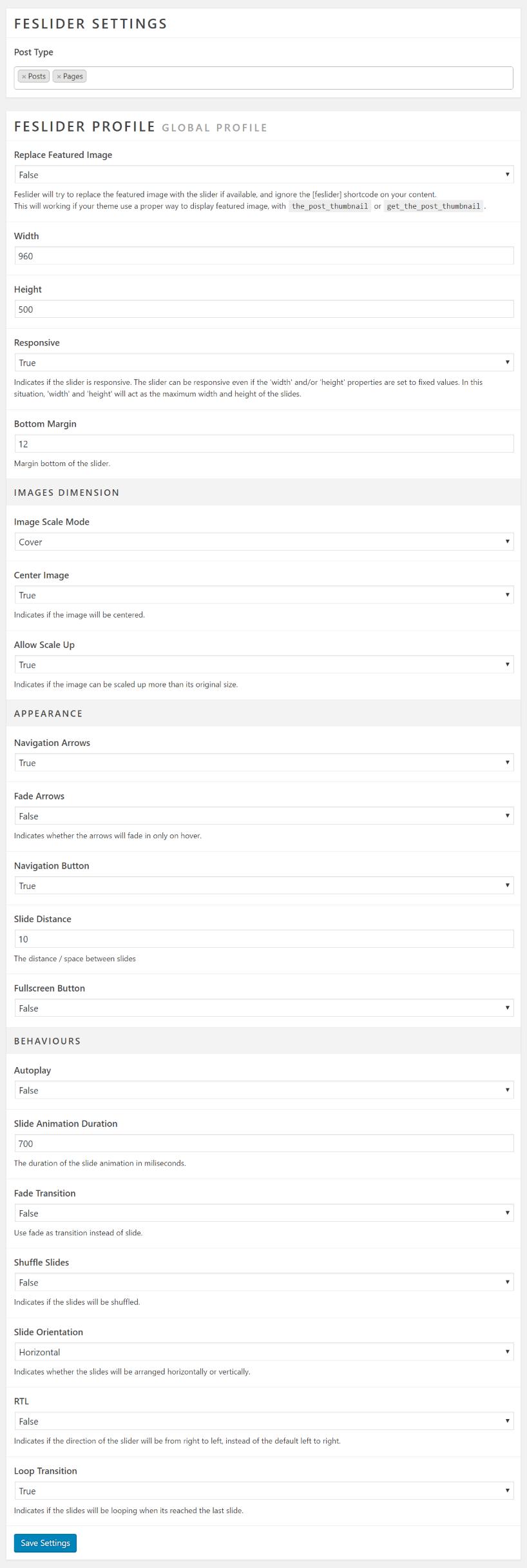
FESlider is fast and responsive slider that act like featured image. You can just directly add the slides from your post editor page.
Features :
- Fast and responsive slider
- Rich of setting options
- Slide caption
- As easy as featured image
- Ability to replace the featured image
- Enable for all post type
Usage Instruction
- After installation, go to your post editor, you will notice a new FESlider metabox
- Add your image(s) for use as slides. You can add multiple images by hold CTRL while select/click the images
- Add the slide text if you wish by edit the caption field on the wordpress media library editor
- The slideshow will automatically appears on the top of the post. You can also place the slideshow manually by put the shortcode
[feslider]on the current post content - Visit the slideshow settings page by click the settings button on post editor or click the FESlider menu on wordpress admin sidebar
- Slideshow settings values will working on all FESlider slideshow on the site.