

Faire for WooCommerce
v1.17.0Faire · 2022年12月8日 上架
Faire is an easy-to-use B2B platform that connects independent retailers and brands around the world.
- 正在使用
- 800+
- 评分
- 3.0 / 5
- 累计下载
- 2.8 万
- 最近更新
- 2026年11月7日
贡献者
 Faire
截图
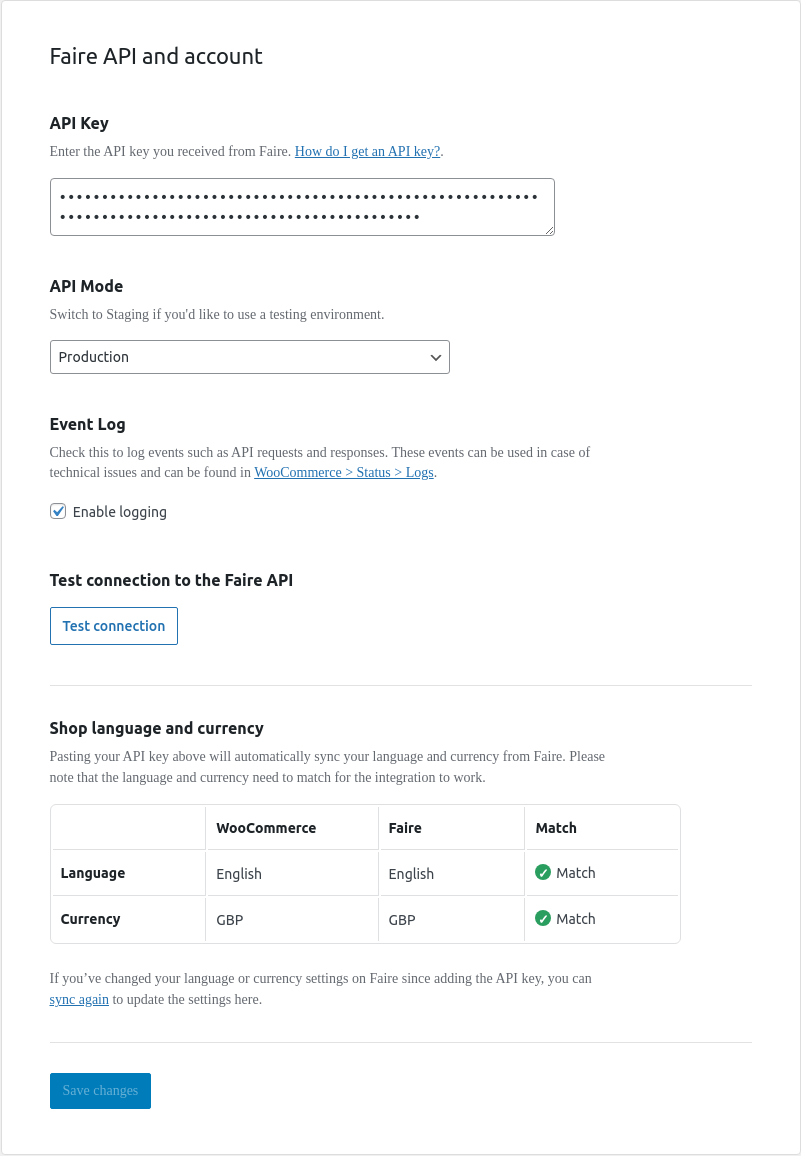

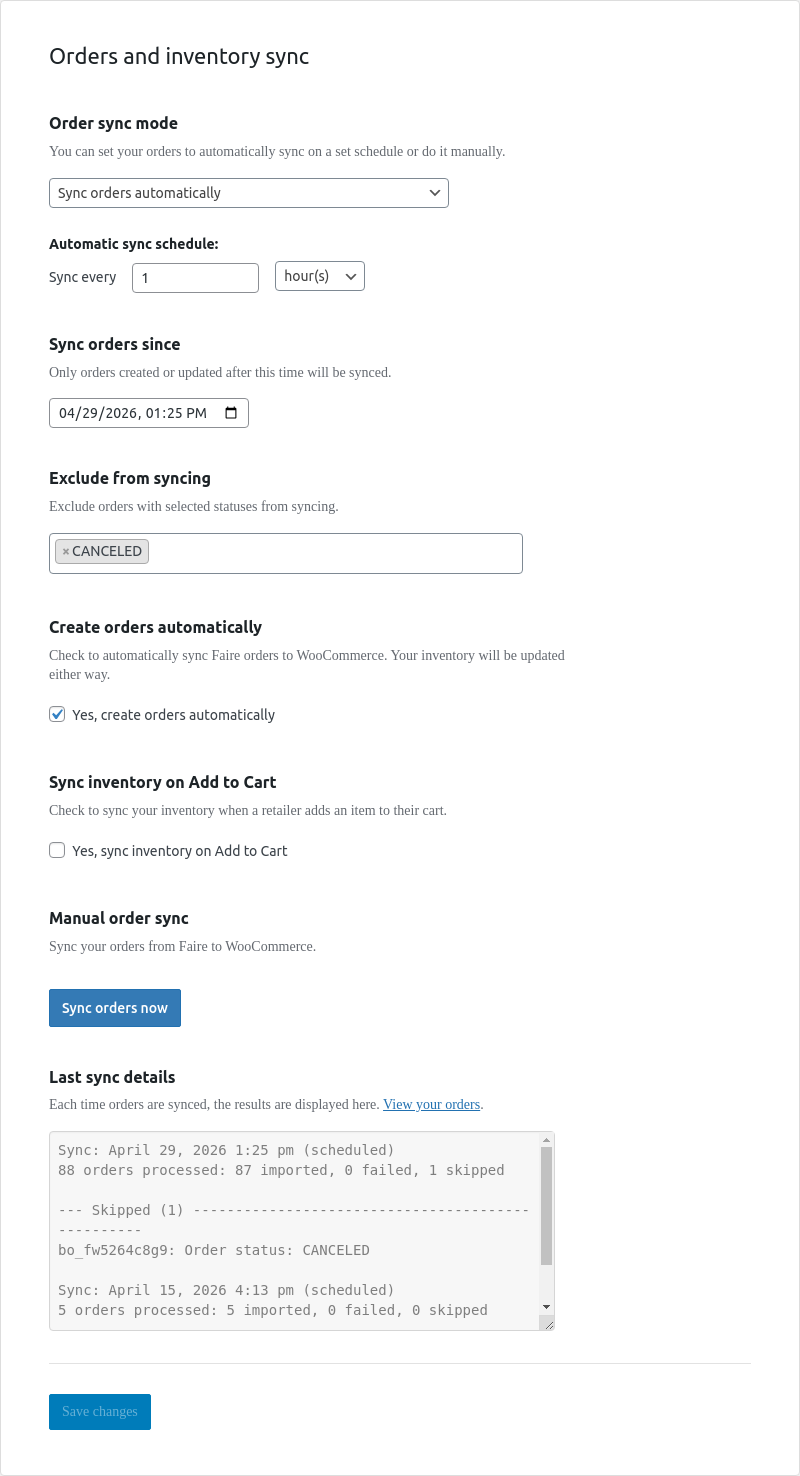


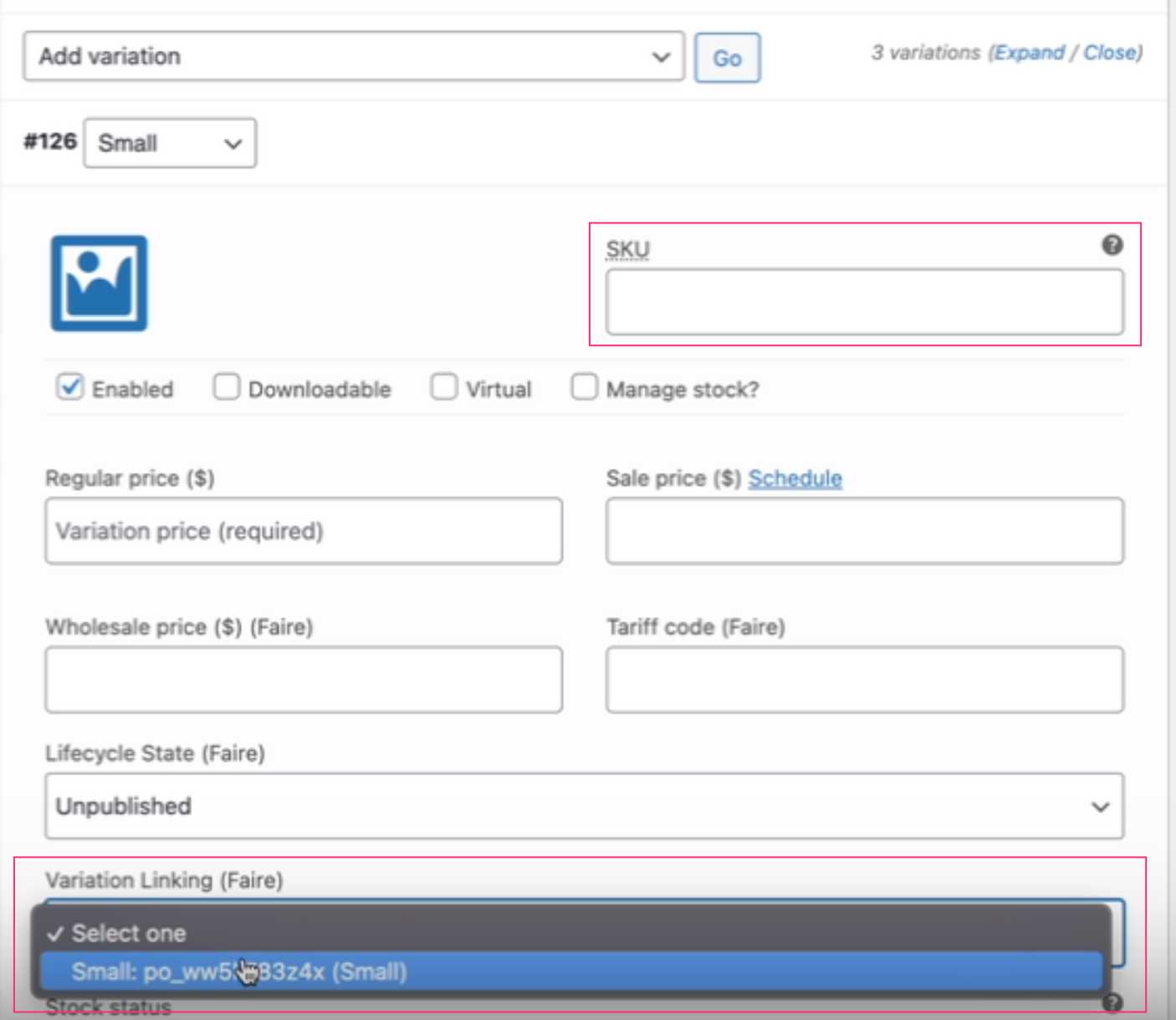
Why sell on Faire?
- Reach new buyers: Boost your business with exposure to over 600,000 verified independent retailers worldwide.
- Get secure, on-time payment—guaranteed: We take care of payment processing, pay you directly, and cover 60-day payment terms for your customers.
- Save time and money: Grow efficiently with easy order management, plus free marketing and customer tools.
Features
With Faire and WooCommerce, you can get more sales at home and abroad. Selling on Faire includes:
- An online store: Get a free e-commerce storefront for your products.
- Easy order fulfillment: Fulfill new orders and create invoices.
- Customer management: Keep track of all your customers in one place.
- Marketing campaigns: Promote your brand with rich content emails.
- Built-in analytics: Get insights about how your business is doing.
- Messaging system: Connect with your retailers through the Faire platform.
Benefits for customers
Two powerful platforms working together to manage your business seamlessly.
- Order syncing Orders received on Faire will be automatically pushed into WooCommerce, so you can manage everything from one place. No more emailing orders by hand.
- Inventory syncing Inventory counts on Faire and WooCommerce will be continuously updated to prevent backorders, eliminate manual data entry and so retailers know when products are out-of-stock.
- Product importing When you create new products on WooCommerce, you will be able to directly import them to Faire without recreating product listings and continuously sync new products to your shop on Faire
- Shipment tracking To send a shipment to Faire, open the order in WooCommerce and, while it is Processing, enter the carrier, shipping cost and tracking code in the “Faire order management” box. The shipment and tracking code then appear in your Faire brand portal. Changing an order’s status in WooCommerce does not update Faire.
Third-Party Service Use Disclosure
This plugin utilizes third-party services as described below. To remain transparent and comply with WordPress guidelines, here is a full disclosure of what data is shared, the purpose of the integration, and links to the Terms of Use and Privacy Policy.
- Service URL:
- production: https://www.faire.com/external-api/v2/
- staging: https://www.staging.faire.dev/external-api/v2/ (sandbox for testing)
- Purpose: This APIs are used to fetch product and order data from Faire’s system, integrating it into your WordPress site.
- Data Sent: Various data may be sent based on the API endpoint called, including, but not limited to, product details, or order information. Requests also carry the plugin version, the product sync mode, and whether the plugin creates WooCommerce products and variations from Faire. After you change settings, and about once a day, they also carry a summary of the plugin’s settings (such as sync modes and schedules, default values and which product details sync). The summary is only codes, on/off values and numbers, with no product, order or customer details, names, URLs or keys.
Installation
Your first step will be to set up your Faire shop—then it takes only 3 minutes to connect your WooCommerce account. From there you’ll follow a few quick steps:
- Download the plugin directly from this page.
- In your WooCommerce website navigate to Plugins -> Add Plugin.
- Select ‘Upload plugin’ and upload the zip file that downloaded from this page.
- Once installed, you will see a screen that says “Plugin Installed!” Activate the plugin.
- On the Plugins page, click Set up Faire and follow the three steps: connect your Faire account, choose your sync defaults, then link your products and finish. Step-by-step directions are in Faire’s Help Center.
If you need help along the way you can reach us at integrations.support@faire.com.