
F4 Simple Checkout Fields for WooCommerce
v1.0.18FAKTOR VIER · 2019年3月2日 上架
Adds custom fields to the WooCommerce checkout.
- 正在使用
- 10+
- 评分
- 5.0 / 5
- 累计下载
- 2,584
- 最近更新
- 2026年9月28日
贡献者
 FAKTOR VIER
截图


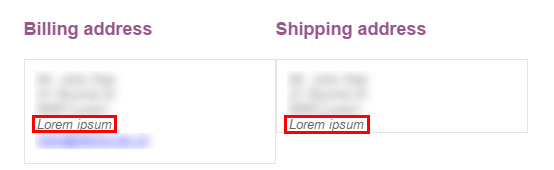


With F4 Simple Checkout Fields for WooCommerce you can simply add new fields to the WooCommerce checkout. There is no UI to manage the fields, they only can be added with a simple PHP method. That ensures that the plugin is lightweight and easy to handle, even though you need simple PHP knowledge and access to the file system to add the code (preferred your WordPress theme).
Usage
If you first install this plugin, it will do nothing. But it provides a method to add as many custom fields to your checkout as you need. Here’s a sample how you could add a simple text field to the billing and shipping address:
add_action('init', function() {
    F4\WCSCF\Core\Helpers::register_field(array(
        'name' => 'demo-text',
        'type' => 'text',
        'label' => 'Text Field'
    ));
});
Arguments
The register_field method provides a lot of arguments to customize your fields. Some of the arguments are identically to the officiel WooCommerce arguments:
F4\WCSCF\Core\Helpers::register_field(array(
    // (array) Defines where the field should be added
    // billing = billing address, shipping = shipping address
    'target' => array('billing', 'shipping'),

    // (string) The internal name for the field. Must be unique
    'name' => '',

    // (string) The field type (text, textarea, password, select)
    'type' => 'text',

    // (string) The field label
    'label' => '',

    // (string) The description
    'description' => '',

    // (string) The placeholder for the input (only text, textarea or password)
    'placeholder' => '',

    // (boolean) Defines if the field is required or not
    'required' => false,

    // (string) The default value
    'default' => '',

    // (array) An array with css classes that should be added to the field
    'class' => array(),

    // (array) An array with field options (only for field type select)
    // Array key => value pairs: array('value' => 'Label')
    'options' => array(),

    // (string|array) Defines the position, where the field should be added
    // last = append after the last field
    // first = prepend before the first field
    // array('before' => 'fieldname') = prepend before the defined field
    // array('after' => 'fieldname') = append after the defined field
    'position' => 'last', // 'first', 'last', array('before' => ''), array('after' => '')

    // (string) The delimiter that should be used in the formatted address outputs
    'formatted_address_delimiter' => "\n",

    // (boolean) Defines if the field should be displayed after the formatted address in the order backend or not
    'show_after_formatted_admin_order_address' => false,

    // (boolean) Defines if the field label should be prepended before the field value in formatted address
    'show_formatted_address_label' => false,

    // (boolean) Defines if the field should be displayed in the account address forms
    'show_in_address_form' => true,

    // (boolean) Defines if the field should be displayed in the checkout forms
    'show_in_order_form' => true,

    // (boolean) Defines if the field should be displayed in the formatted address
    'show_in_formatted_address' => true,

    // (boolean) Defines if the field should be displayed in the admin user form
    'show_in_admin_user_form' => true,

    // (boolean) Defines if the field should be displayed in the admin order form
    'show_in_admin_order_form' => true,

    // (boolean) Defines if the field should be displayed in the privacy customer data
    'show_in_privacy_customer_data' => true,

    // (boolean) Defines if the field should be displayed in the privacy order data
    'show_in_privacy_order_data' => true
));
Features overview
- Adds custom text, textarea, password and select fields to the checkout
- Easy to use
- Lightweight and optimized
- 100% free!
Planned features
- Full integration into API and REST