
Extra Options For The Twenty Twenty Theme
v1.0.0acosmin · 2019年12月13日 上架
This plugin lets you set a custom logo for Twenty Twenty WordPress theme's cover template, change the footer credits lines (copyright and powered …
- 正在使用
- 100+
- 评分
- 5.0 / 5
- 累计下载
- 4,002
- 最近更新
- 2019年12月13日
贡献者
 acosmin
截图
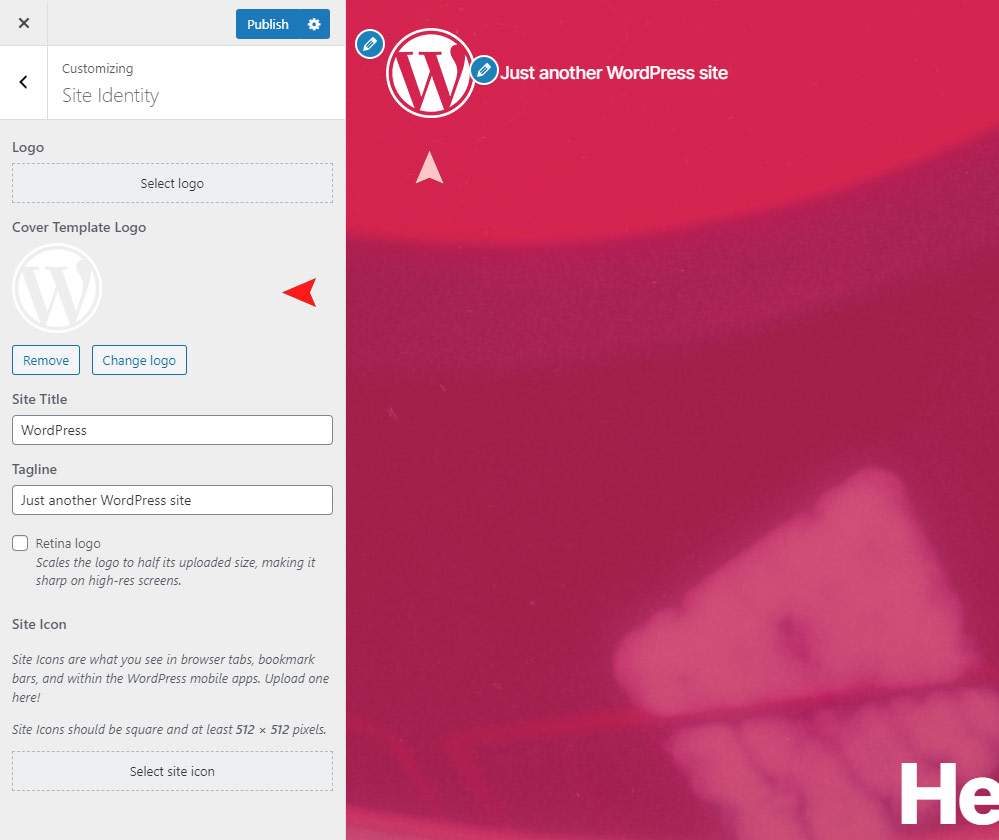


This plugin lets you set a custom logo for Twenty Twenty WordPress theme’s cover template, change the footer credits lines (copyright and powered by WordPress) & use a transparent header with a hero block. More options to come.
Current features:
Logo to be used when the Cover Template is selected
You can use this option to select a custom logo, with a transparent background (.png), that will be used only when the cover page template is detected. This helps because your custom logo might not be perceivable if the cover overlay is of the same color.
This option can be found in: Customizer > Site Identity > Cover Template Logo.
Transparent header
Use the transparent header used by the Cover Page template whitout actually selecting that template. This is great if you want to use a custom Hero section (cover block for example). It will also disable the title h1 tag (for SEO reasons), so make sure you add a h1 tag on the page (maybe via cover block). The logo can be set using the previous option.
This option can be enabled on a per post/page basis. When you edit/create a new page, open the plugin sidebar (Twenty Twenty Extras) and toggle Transparent header.
Change or remove the “copyright” and “powered by WordPress” lines
These options will allow you to easily change/remove the “copyright” and “powered by WordPress” lines located in the footer. You can use text, plain html, emojis or some of the custom placeholders. The Customizer will offer live preview for these options.
These options can be found in: Customizer > Footer.
More options to come
Stay tuned!