跳到内容

Simple History Beaver Builder Add-On

v1.2.4

WEBDOGS · 2021年1月26日 上架

Extends the Simple History plugin to log changes made with the Beaver Builder front-end editor.

正在使用
300+
评分
暂无
累计下载
6,063
最近更新
2026年2月21日
需要 WordPress 4.1.0+已测试到 6.9.12PHP 7.2+

截图

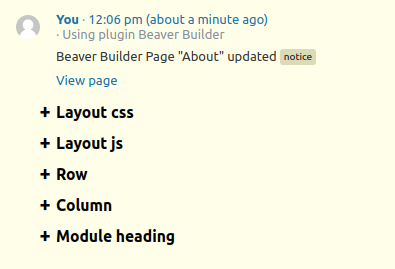
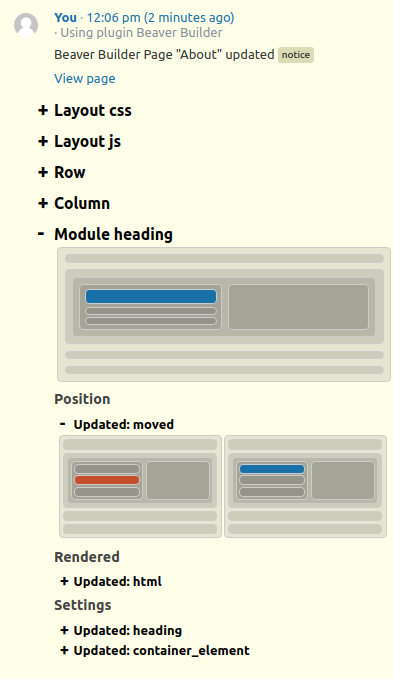
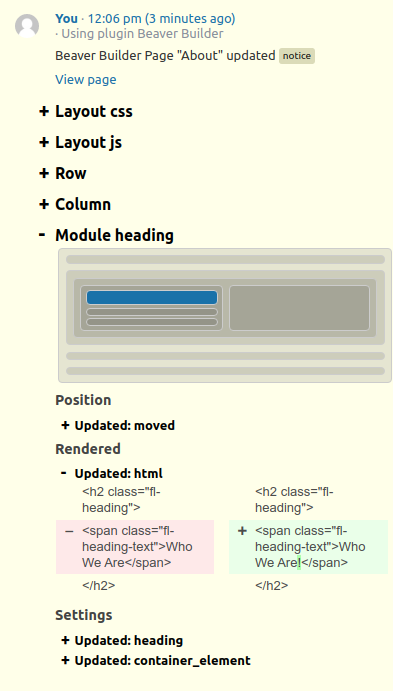
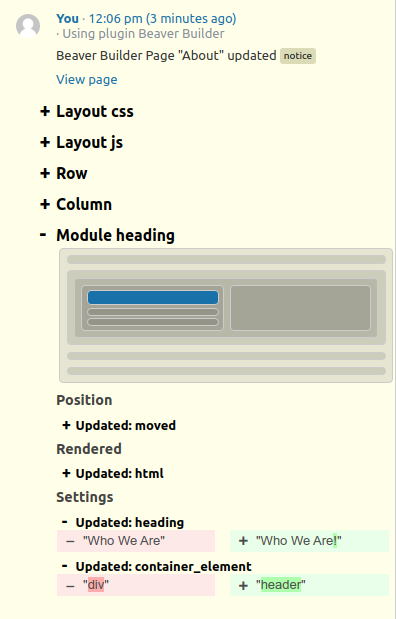
The log display includes a link to view the edited page, changes broken down by each Module/Column/Row that has been added/deleted/updated, and detail sections expand and collapse.
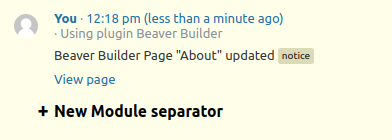
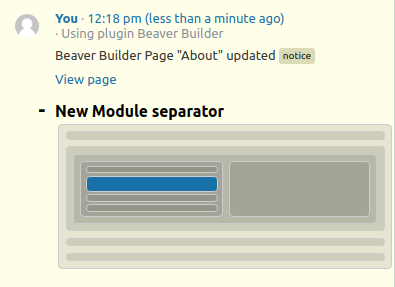
For a new node, only the position is logged.
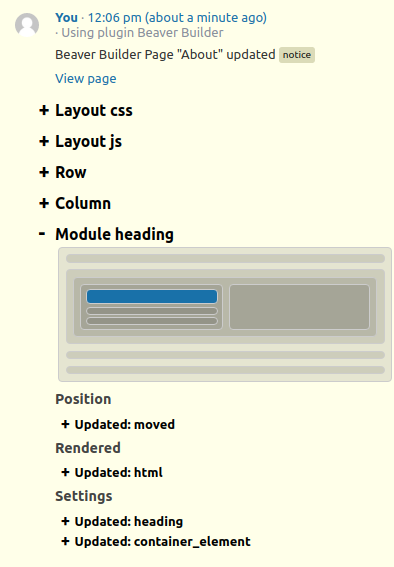
The updated node data is organized in three sections: Position, Rendered, and Settings.
The position section will be present when a node has been moved, and will include an approximation of the updated position. The old position is on the left, marked in red. The new position is on the right, marked in blue.
The Rendered and Settings sections are closely related. For modules, and to some extent for rows and columns, changes can be understood more clearly from looking at the rendered HTML or CSS than from looking at the individual setting changes.
In the Settings section, each updated setting is included. This information can be helpful in seeing what was changed, but can also be a little unclear on its own. It may be helpful to review the updated settings in conjunction with the updates in the Rendered section.
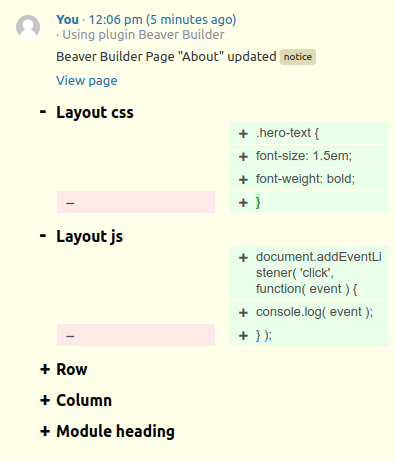
Layout setting (Layout JavaScript and Layout CSS) changes will appear as their own entries in the log.
Global settings appear in their own log entry.

Simple History Beaver Builder Add-On extends the plugin Simple History to add more detailed logs for changes made using the Beaver Builder editor.

Log Display

The log display is very similar to the standard log display, with a few exceptions:

  • A link to view the edited page is included.
  • Changes are broken down by each Module/Column/Row that is added/deleted/updated.
  • Detail sections expand and collapse to make the information easier to read.

See the Screenshots section for more details.

Plums

按场景查找 WordPress 插件。安装量、评分和兼容版本来自官方目录。

导航

说明

WordPress 是 WordPress Foundation 的商标。本站与 WordPress Foundation、Automattic 没有隶属关系。这里不托管插件文件,下载和安装以 WordPress.org 上的页面为准。

© 2026 Plums