

Exporter for Webflow
v1.2.0Flow Guys · 2026年3月2日 上架
Export Posts, Pages & Custom Post Types to Webflow-ready CSV files.
- 正在使用
- 30+
- 评分
- 5.0 / 5
- 累计下载
- 973
- 最近更新
- 2026年3月19日
1 条评价需要 WordPress 5.8+已测试到 6.9.12PHP 7.4+
贡献者
 Flow Guys
截图
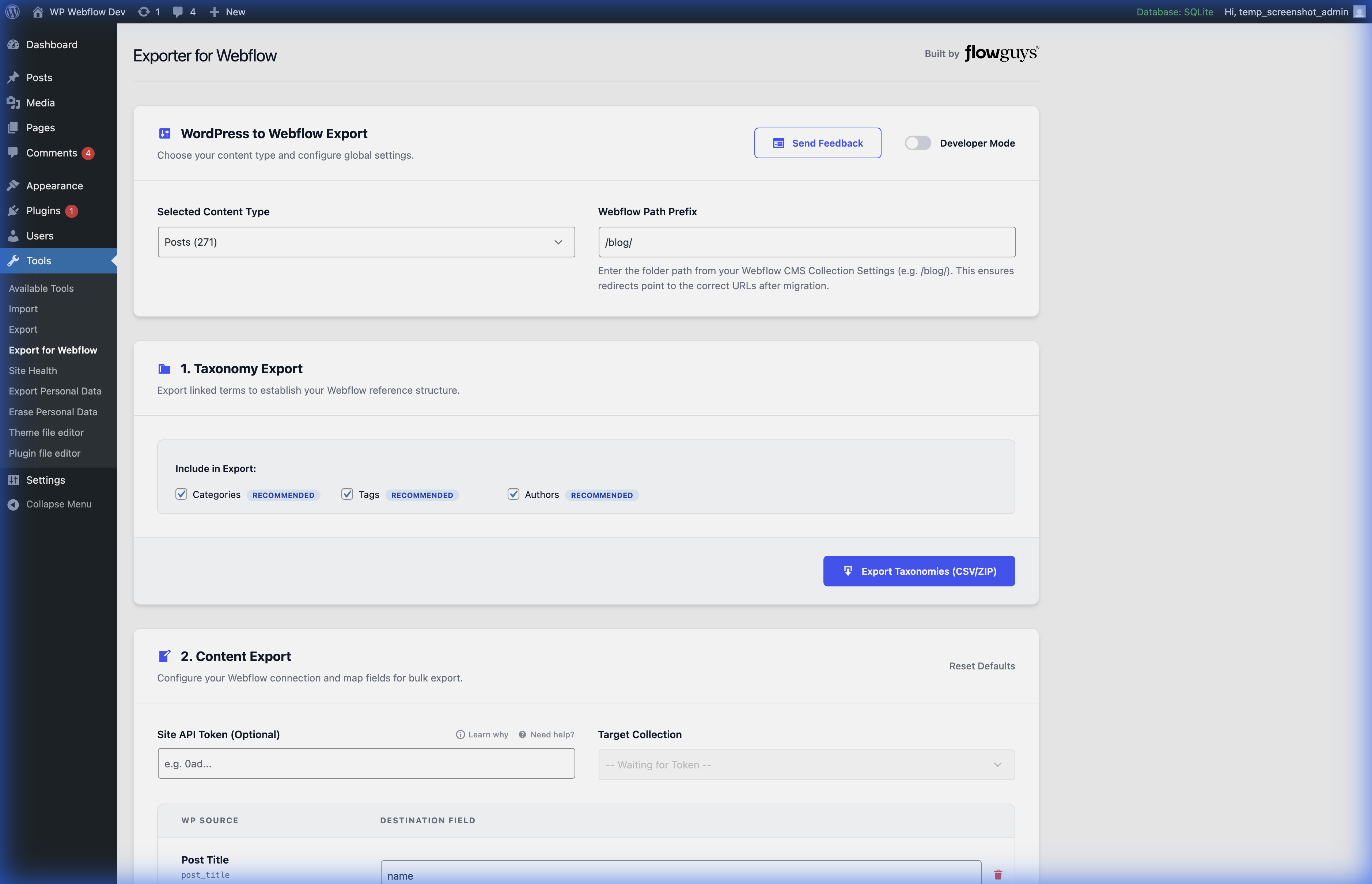
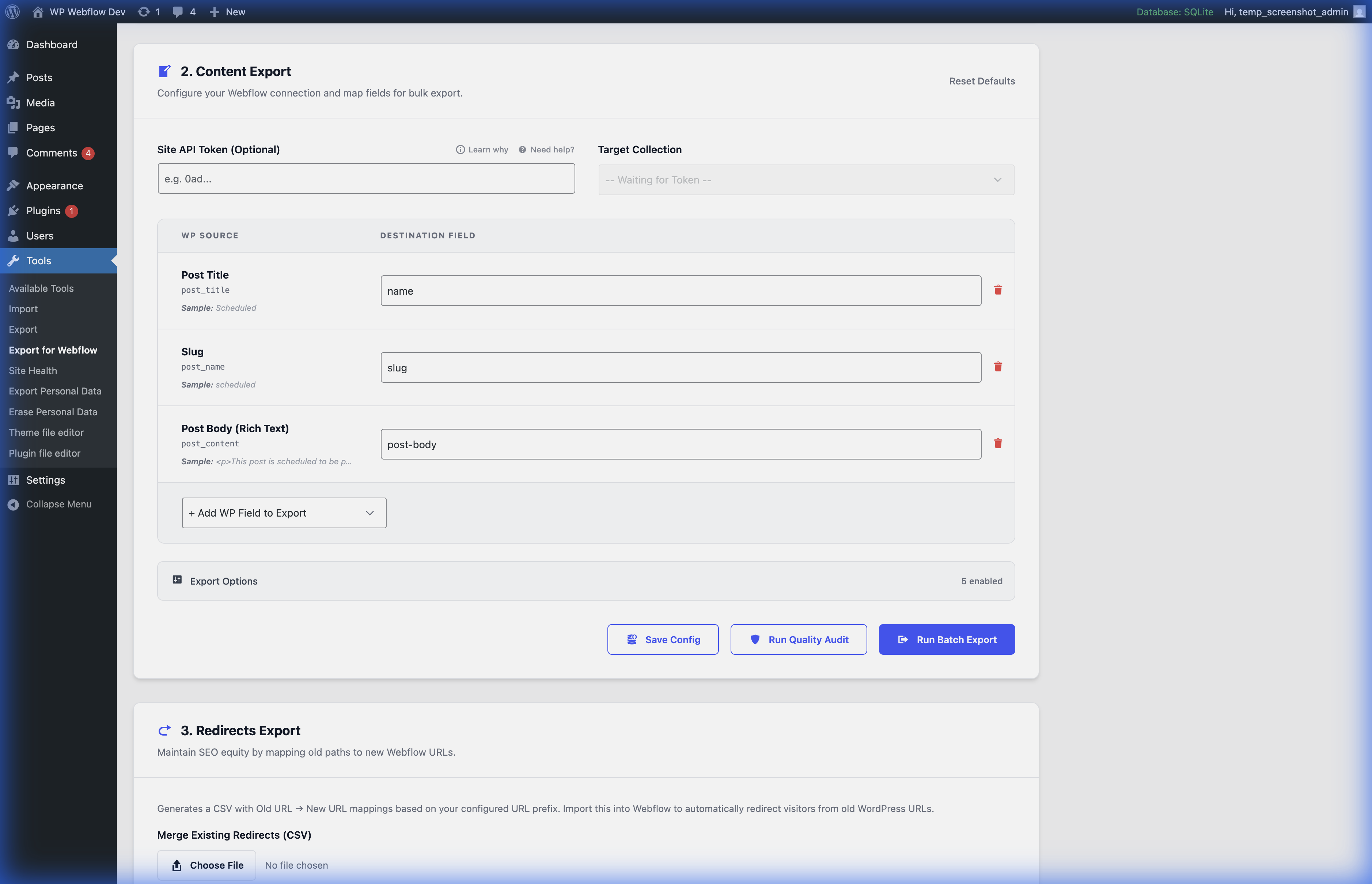
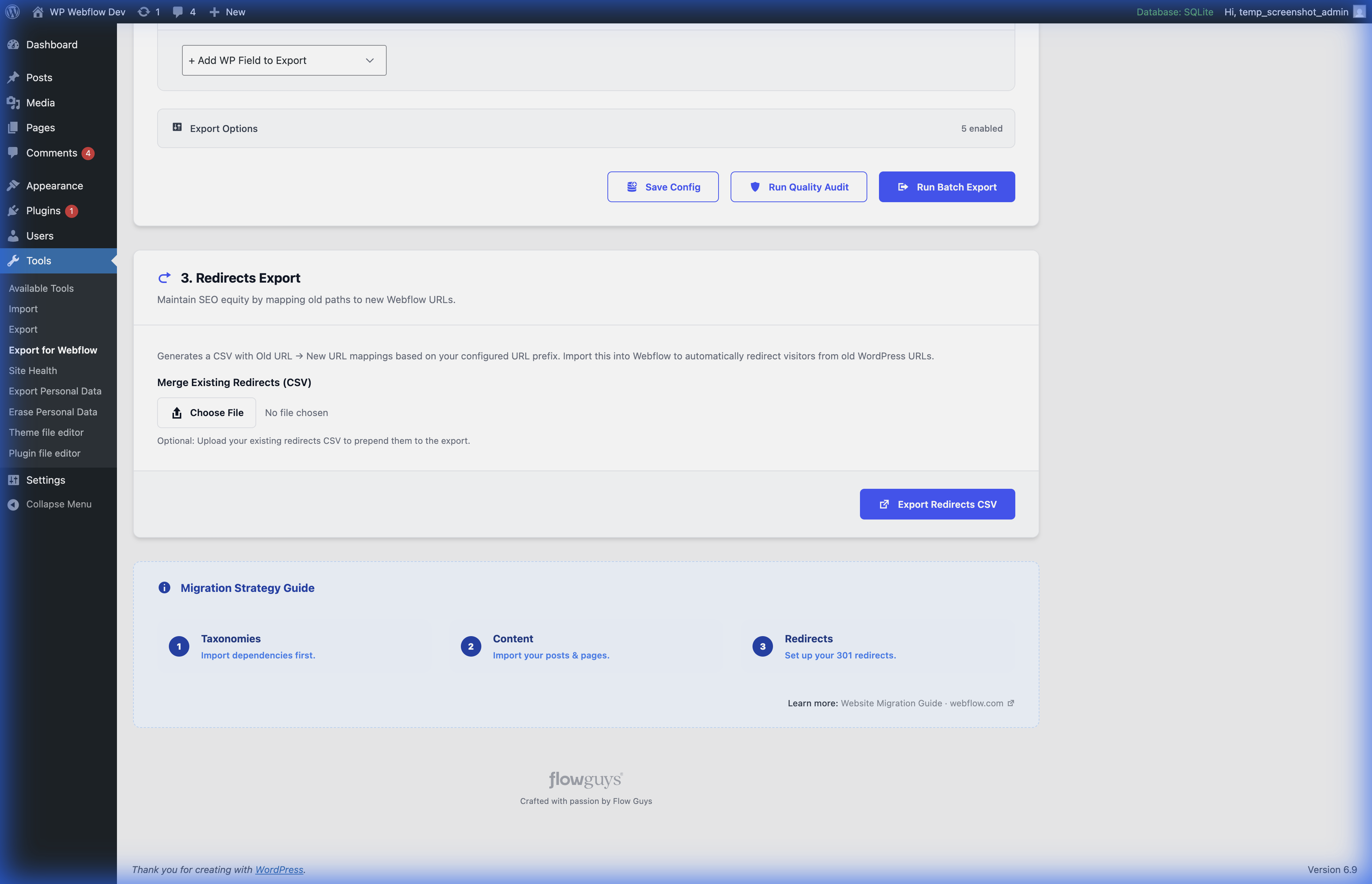
A powerful WordPress plugin to export posts, pages, and custom post types into Webflow-ready CSV formats.
Features
- Post & Page Export – Export any post type with custom field mappings
- Taxonomy Export – Export categories, tags, and custom taxonomies
- Rich Text Support – Proper HTML formatting for Webflow Rich Text fields
- Multi-Reference Fields – Category/taxonomy slugs formatted for Webflow
- Image URLs – Absolute URLs for featured images and in-content media
- Smart Match – Connect Webflow API to auto-map fields to your collections
- Redirects Export – Generate 301 redirect CSVs for SEO preservation
- 4MB Limit Handling – Automatic detection with option to split into multiple files (ZIP)
- Quality Audit – Check for issues before export (missing images, short content, etc.)
Developer Mode Features
- Partial Export – Limit exports by post count or date range
- Advanced Fields – Access author IDs, parent slugs, and other advanced mappings
Usage
- Select your content type (Posts, Pages, or any CPT)
- Configure field mappings (or use Smart Match with Webflow API)
- Run Quality Audit to check for issues
- Click “Run Batch Export” to generate CSV
- Import the CSV into your Webflow CMS collection
Recommended Import Order
- Export and import Taxonomies first (Categories, Tags)
- Export and import Authors if using author references
- Export and import Posts/Pages last (so references resolve correctly)
External services
This plugin optionally connects to the Webflow API to power its “Smart Match” feature.
What data is sent?
When you enter a Webflow Site API Token and use the Smart Match feature, the plugin sends your API token to the Webflow API to retrieve your site’s CMS Collections and their field schemas. No WordPress content is sent to Webflow through this plugin.
When is data sent?
Data is only sent when you actively use the Smart Match feature by entering an API token and clicking to load collections or field schemas. No data is sent automatically or in the background.
Service details
- Service provider: Webflow, Inc.
- API endpoint:
https://api.webflow.com/v2/ - Terms of Service: https://webflow.com/legal/terms
- Privacy Policy: https://webflow.com/legal/privacy