
Event Koi Lite – Events Calendar, Event Tickets, RSVP & Registration
v1.5.2.1EventKoi · 2025年10月7日 上架
WordPress events calendar plugin. Take RSVPs and registrations, sell event tickets with WooCommerce, run virtual events. Works with Elementor.
- 正在使用
- 80+
- 评分
- 5.0 / 5
- 累计下载
- 1.1 万
- 最近更新
- 2026年11月24日
 EventKoi
 Lesley
 ahmedfouaddev
截图
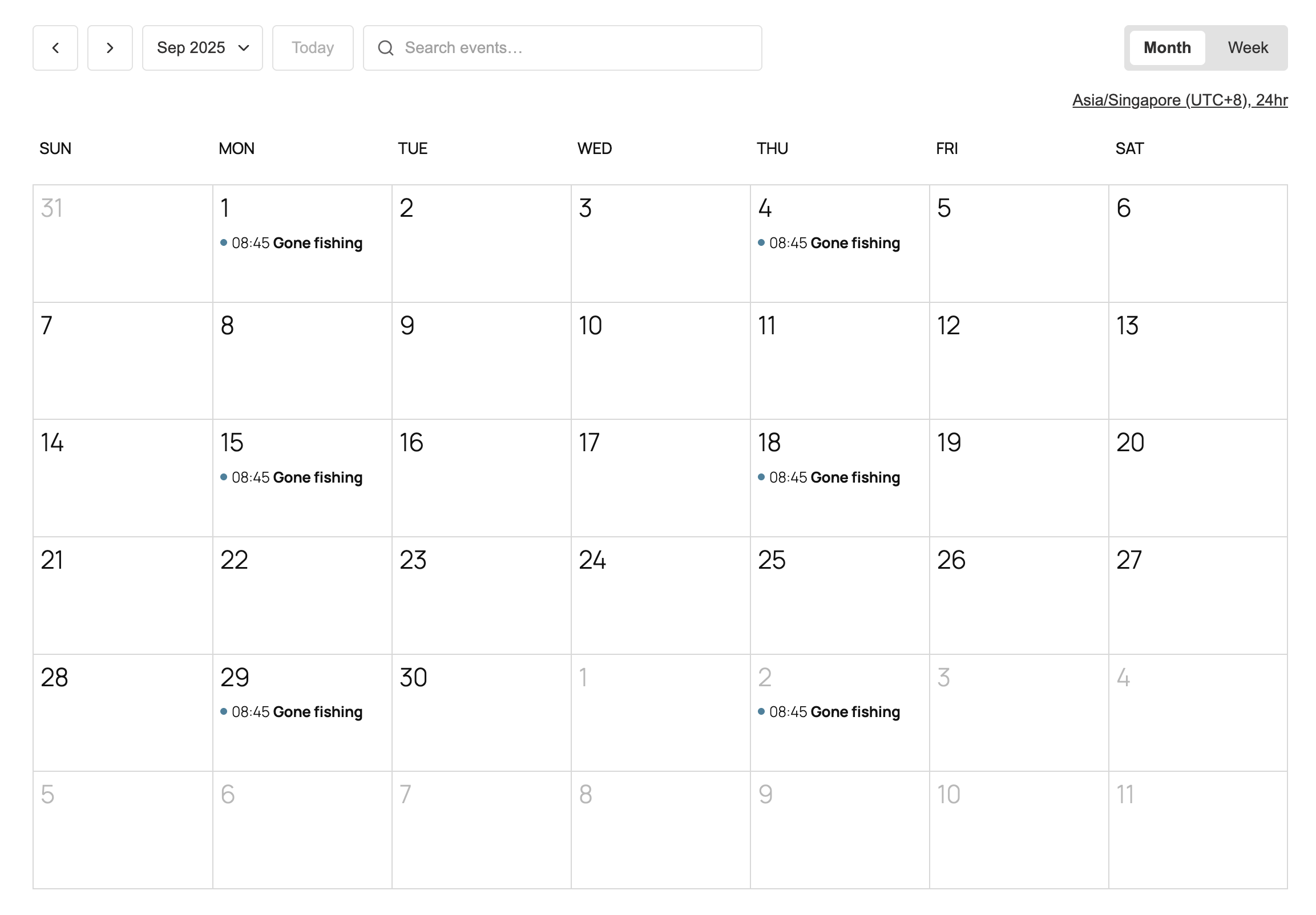
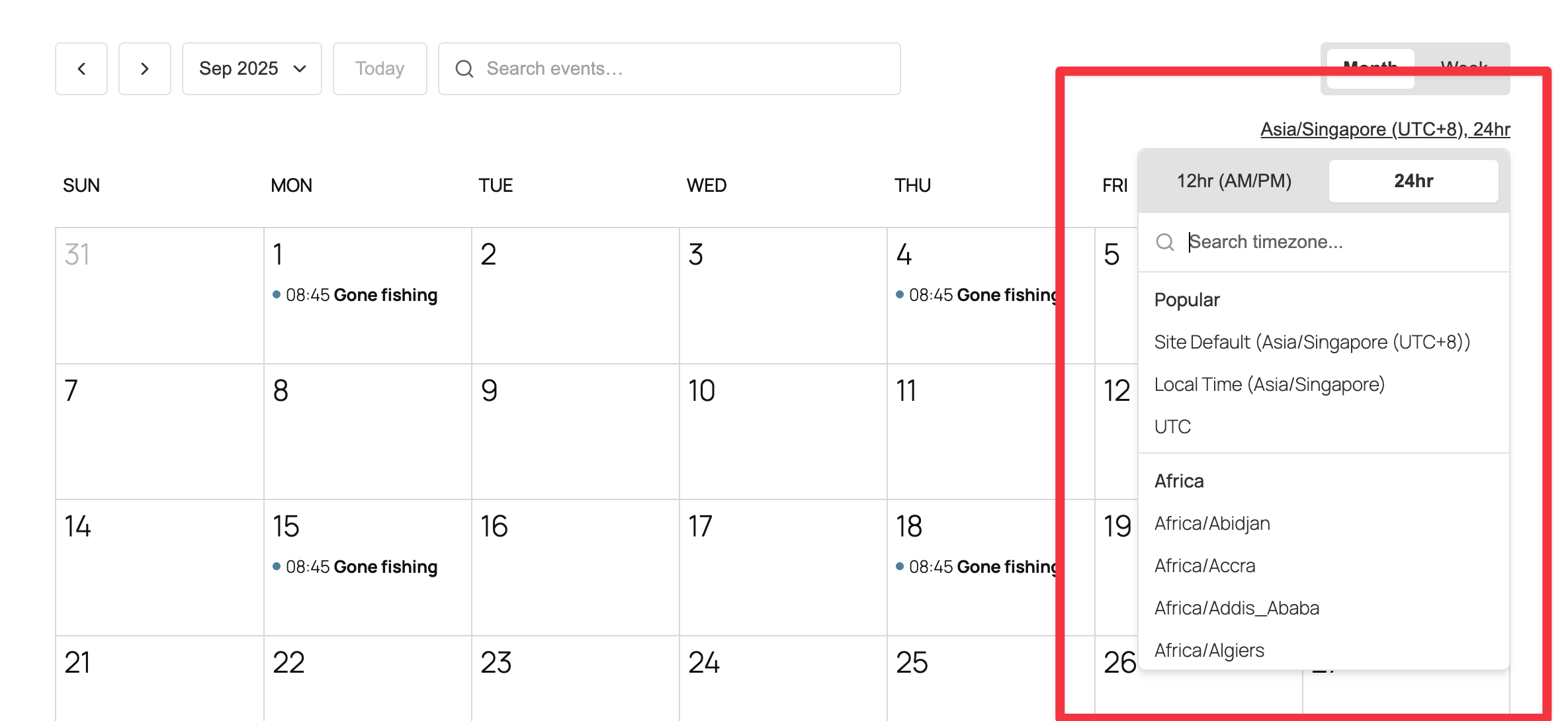
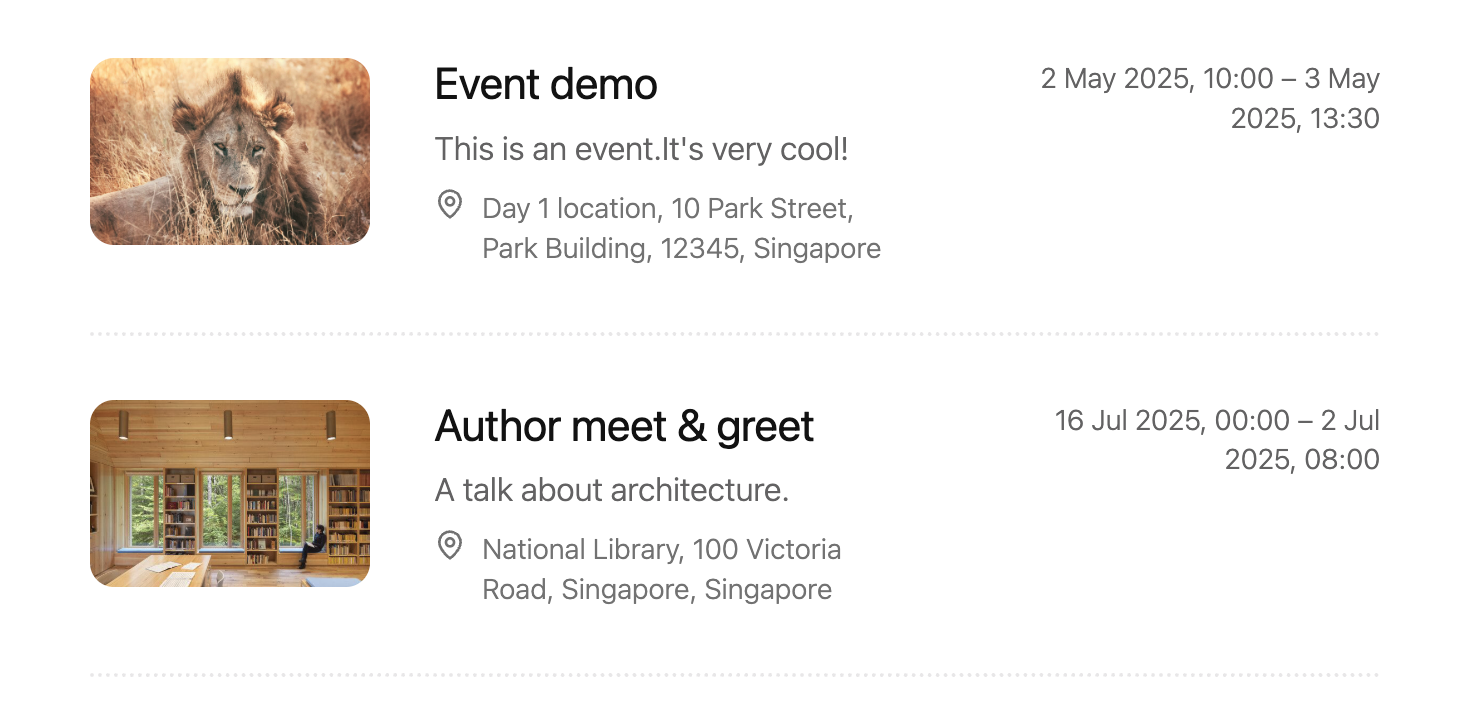
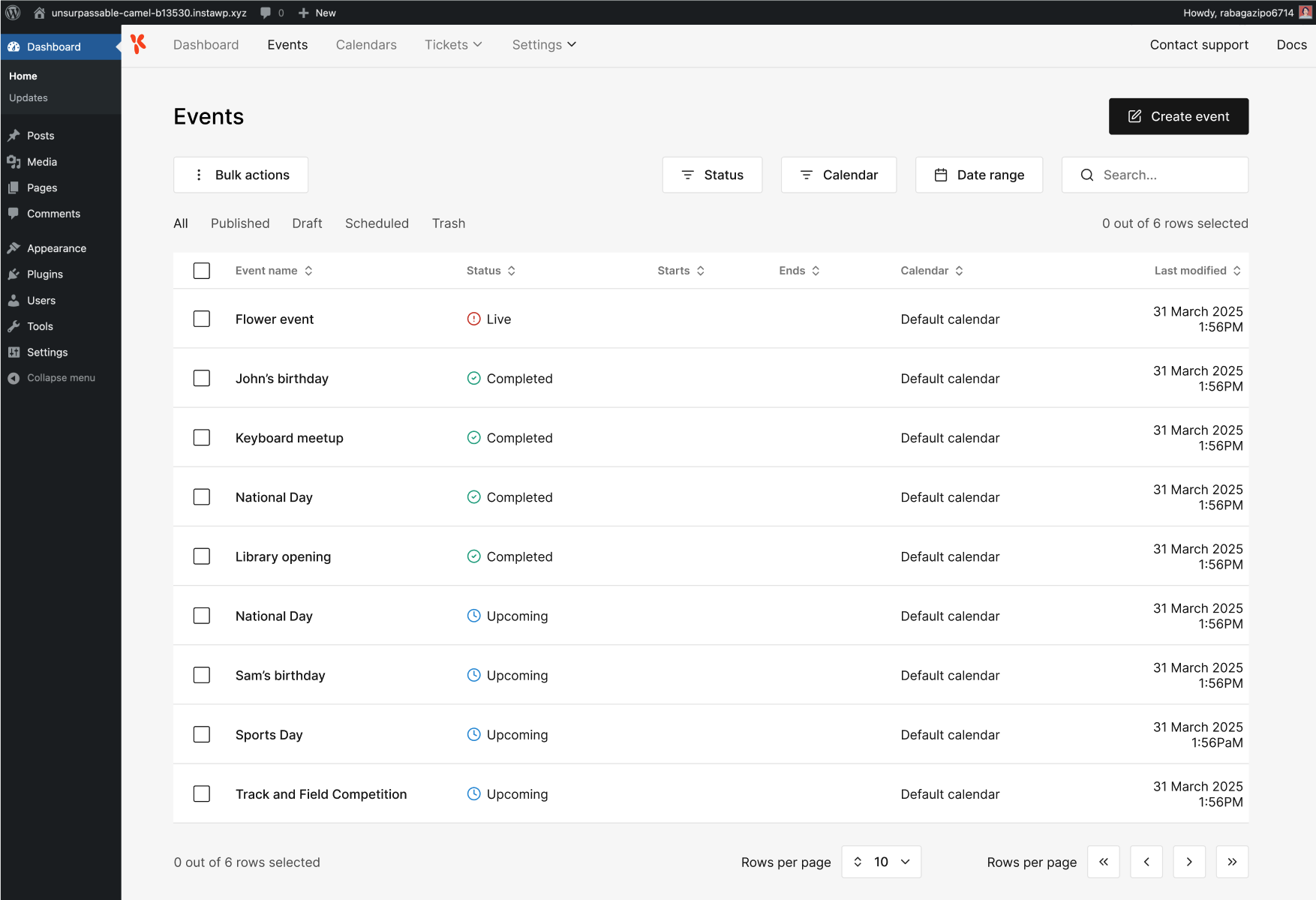
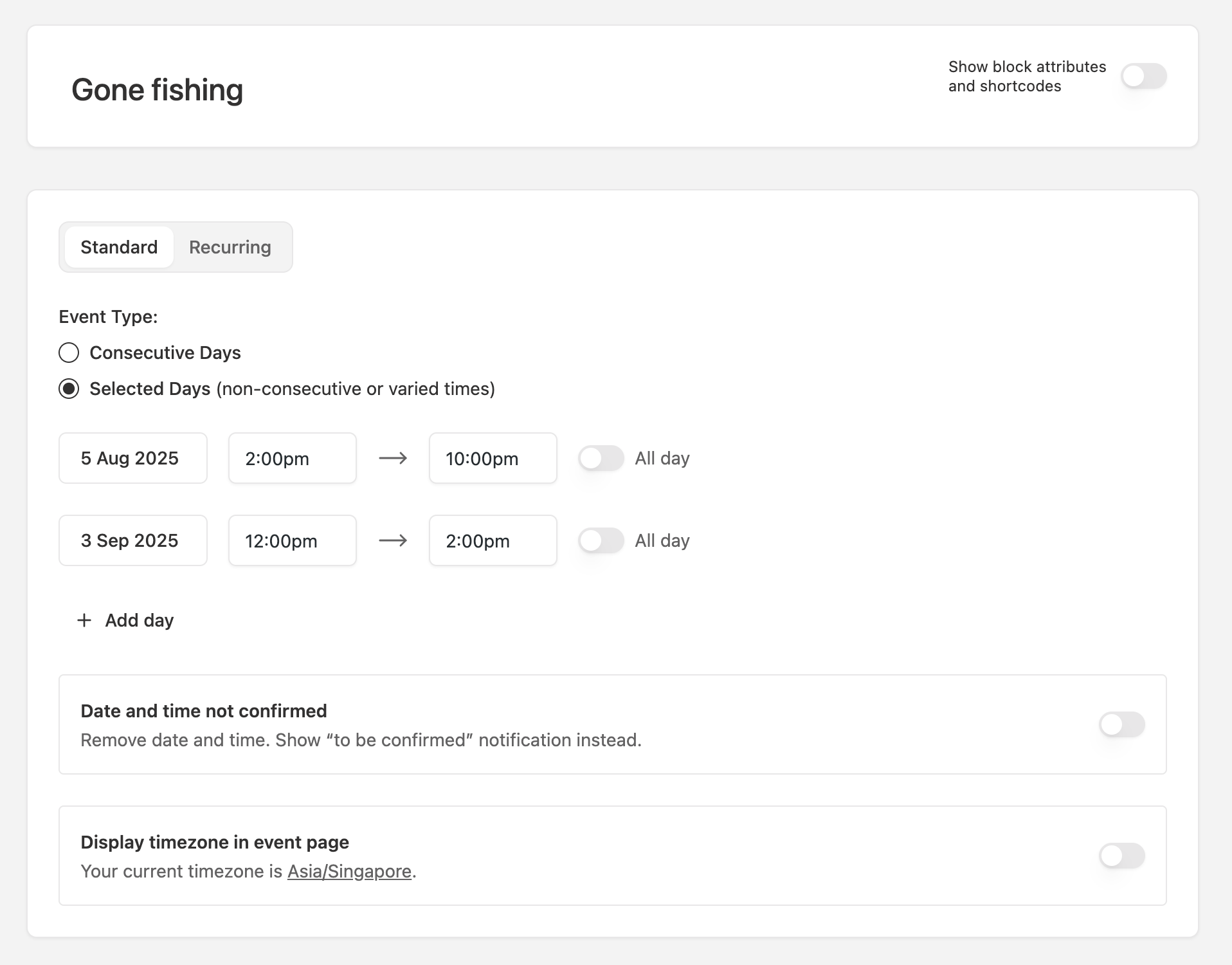
EventKoi Lite is a fast, modern events calendar plugin for WordPress. Show your events in a calendar or list, take RSVPs and event registrations, sell event tickets with WooCommerce, and manage your attendees, all from a clean admin that does not bloat your site.
Use it for workshops, classes, webinars, meetups, fundraisers, community events, club and church calendars, or any in-person or virtual event you run on your WordPress site.
✓ Events calendar and event list – Month, week and list views, added with a block, shortcode, Elementor, Beaver Builder or Divi
✓ Event registration and RSVP – Set capacity, collect sign-ups, send confirmation emails with check-in codes and reminder emails
✓ Sell event tickets with WooCommerce – Multiple ticket types, free or paid, using any WooCommerce payment gateway including Stripe and PayPal
✓ Attendee management – Check people in, add attendees by hand and export your attendee list to CSV
✓ In-person and virtual events – Google Maps venues, per-event timezones, and visitor timezone detection for international audiences
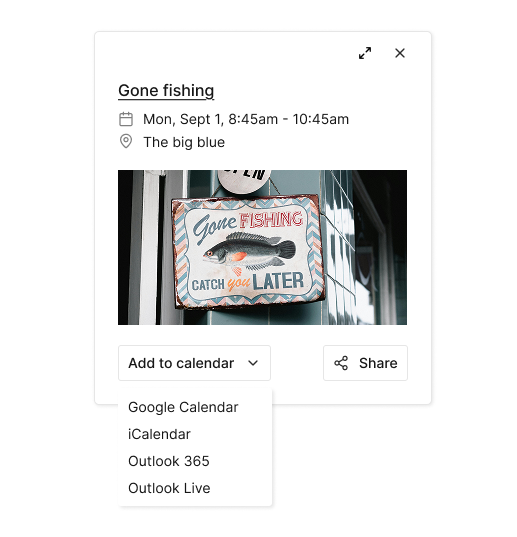
✓ Add to Google Calendar, iCal and Outlook – One click for visitors to save your event to their own calendar
✓ Event SEO – Automatic JSON-LD event structured data, plus event date variables for Rank Math and Yoast titles and descriptions
✓ Import events – Move over from The Events Calendar, or import any .ics file from Google Calendar, Apple Calendar or Outlook
✓ Accessible and responsive – Keyboard navigation, ARIA labels and a mobile-friendly events calendar
✓ Secure code that follows WordPress coding standards, with active development and responsive support
Need recurring events, unlimited calendars or custom fields? Upgrade to EventKoi Pro
WordPress events calendar and event list
- Embed an events calendar with a block, shortcode, Elementor widget, Beaver Builder module or Divi module (Divi 4 and Divi 5)
- Show events as a month calendar, week calendar, list or grid, and choose which views visitors can switch between
- Filter and search events by date range or calendar
- Query loop block for building your own event listings, with ready-made Elementor templates for event, series and calendar pages
- Set the starting day of the week and choose 12 or 24-hour time
- Customize event page templates in the block editor
- Works with block themes and classic themes
- Upgrade to Pro for multiple calendars to segment events by category, location or type
Event registration and RSVP
- Set event capacity and show remaining spots to encourage sign-ups
- Let attendees register and update their RSVP
- Send automated confirmation emails with check-in codes
- Send attendees a reminder email the day before the event
- Manage registrations and check-ins from your WordPress admin
- Export your full attendee list
Sell event tickets with WooCommerce
- Take payments with any WooCommerce gateway (Stripe, PayPal and more) directly on your own site
- Create multiple ticket types per event, such as General Admission, VIP or Early Bird
- Set price, capacity and availability for each ticket type, with free and paid tickets on the same event
- Open and close ticket sales on set dates, and cap the number of tickets per order
- Show or hide remaining ticket quantities
- Add terms and conditions per ticket type
- Require buyers to have an account, or create one automatically at checkout
- Automated ticket confirmation and refund emails
- Track tickets sold and total earnings with built-in reporting
In-person and virtual events
- Add multiple event days, each with its own start and end time
- Combine in-person and virtual locations in one event
- Embed a Google Maps venue map
- Show times in the visitor’s timezone, or set a fixed timezone per event
- Uses your WordPress date, time and timezone settings
- Localization-ready
Calendar sync, sharing and event SEO
- Let visitors add events to Google Calendar, iCalendar, Outlook 365 or Outlook Live
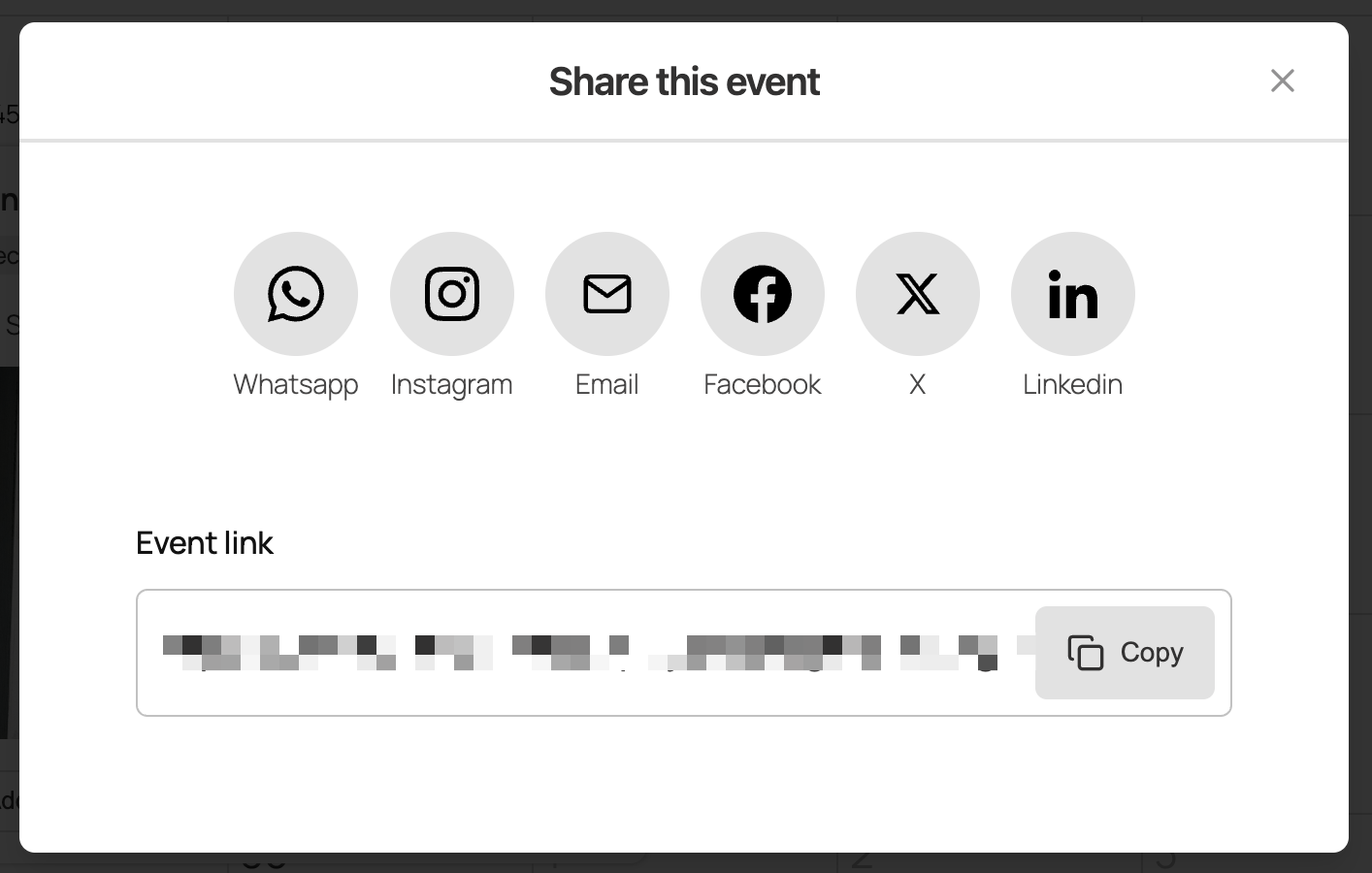
- Share events on social media and by email
- Automatic JSON-LD structured data on every event page, so your events can appear as rich results in Google Search
- Event date, time, location and timezone variables for Rank Math and Yoast SEO titles and descriptions
Page builder and block editor support
- Block editor: Calendar, event query loop and event data blocks
- Shortcodes: Build shortcodes with multiple queries to show a calendar or list of events
- Elementor: Native calendar and event widgets, plus ready-made templates
- Beaver Builder: Native calendar and event modules
- Divi: Native Divi 5 modules, with conversion of the Divi 4 modules
- Other plugins: Fields from ACF, Pods and Meta Box show up in the event editor
Switching from The Events Calendar
- Import your events in minutes with the built-in migration tool
- Titles, descriptions, dates, times and timezones
- All-day and multi-day events
- Venues, organizers, categories and featured images
- Recurrence rules, converted to EventKoi’s recurring event format
- Duplicate detection, so you can safely run the importer again
Get more with EventKoi Pro
- Recurring events: Daily, weekly, monthly and yearly rules, editable individual instances and an automatic series page
- Custom fields: Add custom fields and field groups to any event
- Multiple event calendars: Lite includes one calendar. Pro unlocks unlimited calendars for event types, departments, locations or audiences
- Advanced Elementor and Beaver Builder features: Custom templates and loop features for queryable event lists
- Priority support
- 30-day money-back guarantee
Helpful links
- EventKoi documentation
- EventKoi blog
- Support forum (please check existing threads before starting a new one)
- Contact us (for non-support questions)
External services
This plugin can connect to the Google Maps JavaScript API in order to display interactive maps inside event and calendar views.
It sends your configured Google Maps API key (if provided) along with requests made by the visitor’s browser when viewing a page that contains an embedded map. No personal data is sent by the plugin itself, but Google may collect usage data in accordance with their policies. This connection only happens if maps are enabled in the plugin settings and a page with an event location map is viewed.
This service is provided by Google LLC: Terms of Service, Privacy Policy.
The last step of the plugin tour can send an email address to eventkoi.com, which adds it to the EventKoi mailing list hosted on MailerLite, so EventKoi can email you a list of helpful tutorials.
Only the email address you type is sent, and only when you click Email me in that step. Nothing is sent if you skip it.
This service is provided by EventKoi: Privacy Policy. The mailing list is hosted by MailerLite: Terms of Service, Privacy Policy.