
Event Organiser Posterboard
v3.0.1Stephen Harris · 2014年1月6日 上架
Adds an 'event board' to display your events in a responsive posterboard.
- 正在使用
- 1,000+
- 评分
- 4.0 / 5
- 累计下载
- 5 万
- 最近更新
- 2021年5月27日
贡献者
 Stephen Harris
截图
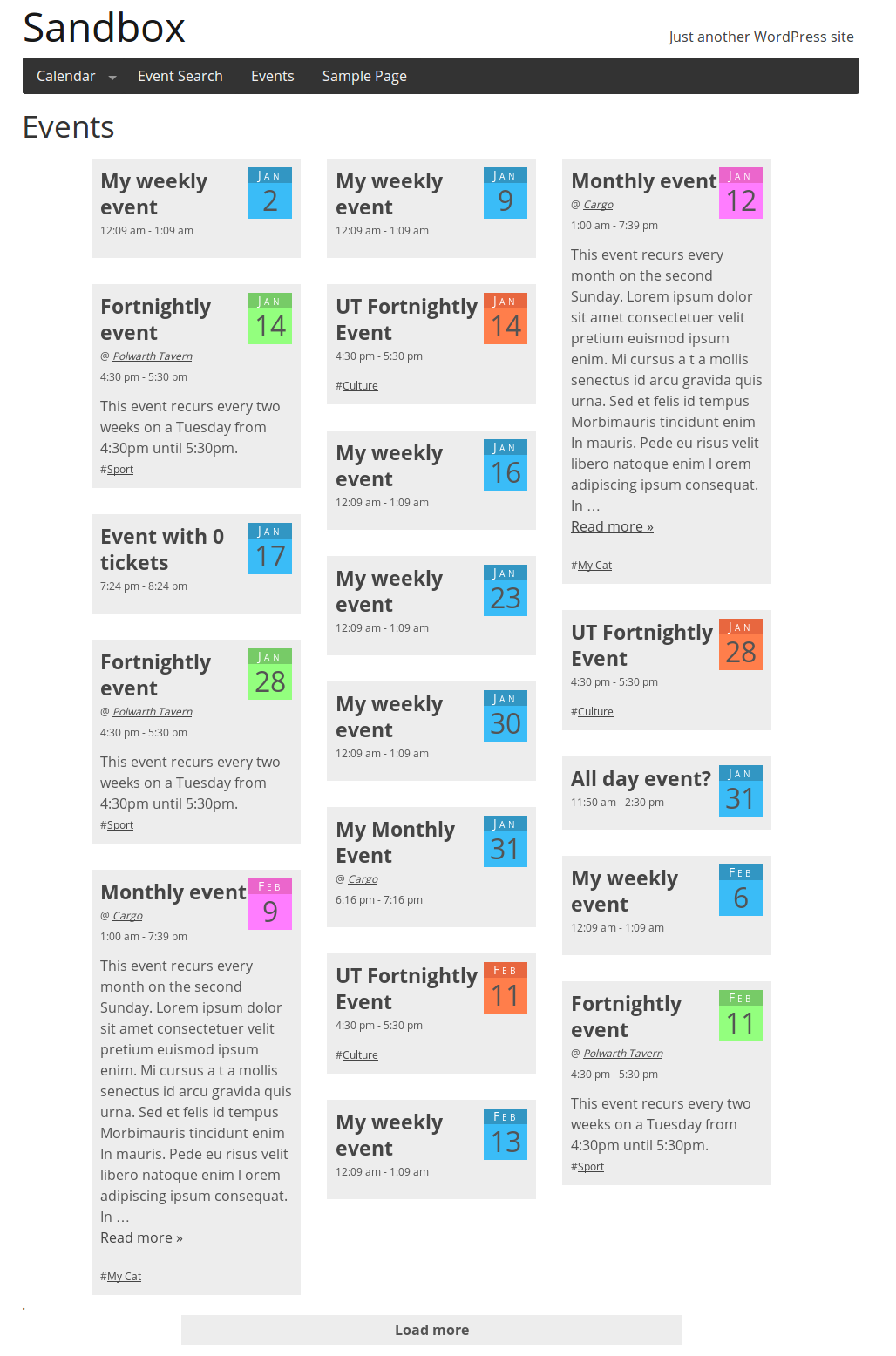

Further documentation can be found at http://docs.wp-event-organiser.com/shortcodes/posterboard/.
Basic Usage
To display the event posterboard simply use the shortcode [event_board] on any page or post. Full width pages work best.
Advanced Usage
The shortcode supports the same arguments as the events list shortcode. This
includes the ability to display only a particular category, or events satisfying a certain query.
For example, to show events only for category “foobar”:
[event_board event_category="foobar"]
To show events starting in the comming 7 days
[event_board event_category="foobar"]
Most arguments supported by the [eo_events] (see documentation) shortcode will also work with
posterboard. Please note that posts_per_page should be used instead of
numberposts and the no_events attributes is not supported.
E.g. to show events which start this week (week starting Monday), three at a time:
[event_board event_start_after="monday this week" event_start_before="sunday this week" posts_per_page=3]
Filters
You can add filters at the top of the event board to filter the events. Supported filters include:
- venue
- category
- city (when installed with Event Organiser Pro)
- state (when installed with Event Organiser Pro)
- country (when installed with Event Organiser Pro)
For example
[event_board filters="state"]
You can display multiple filters by listing them as a comma delimited list
[event_board event_start_after="now" event_start_before="+1 week"]
You can edit the template used for the event board. See the FAQ.