

EthPress – Web3 Login
v3.2.3lynn999 · 2019年6月4日 上架
EthPress Web3 Login Wordpress Plugin adds the capability to connect with cryptocurrency wallets such as MetaMask or Reown QR code.
- 正在使用
- 90+
- 评分
- 4.6 / 5
- 累计下载
- 3.9 万
- 最近更新
- 2026年11月21日
贡献者
 lynn999
 ethereumicoio
截图
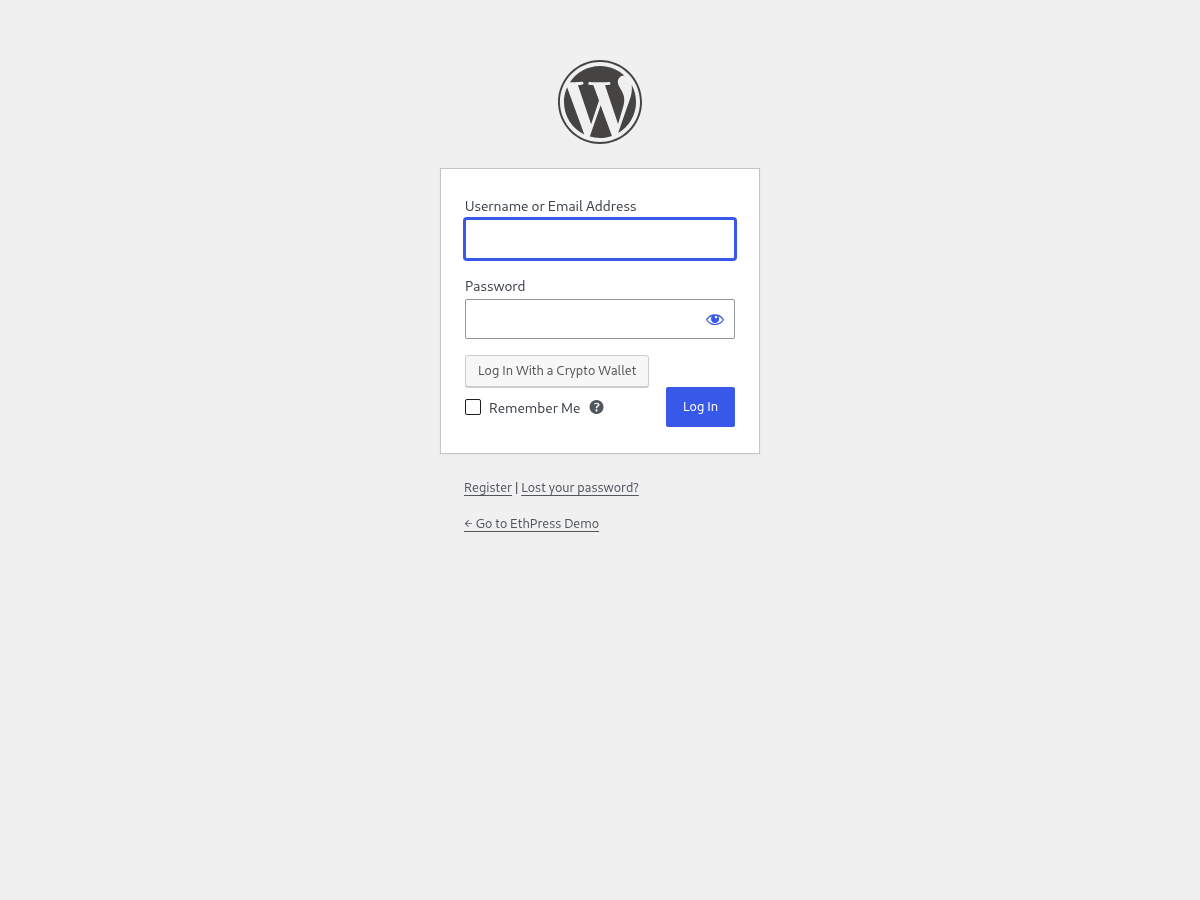

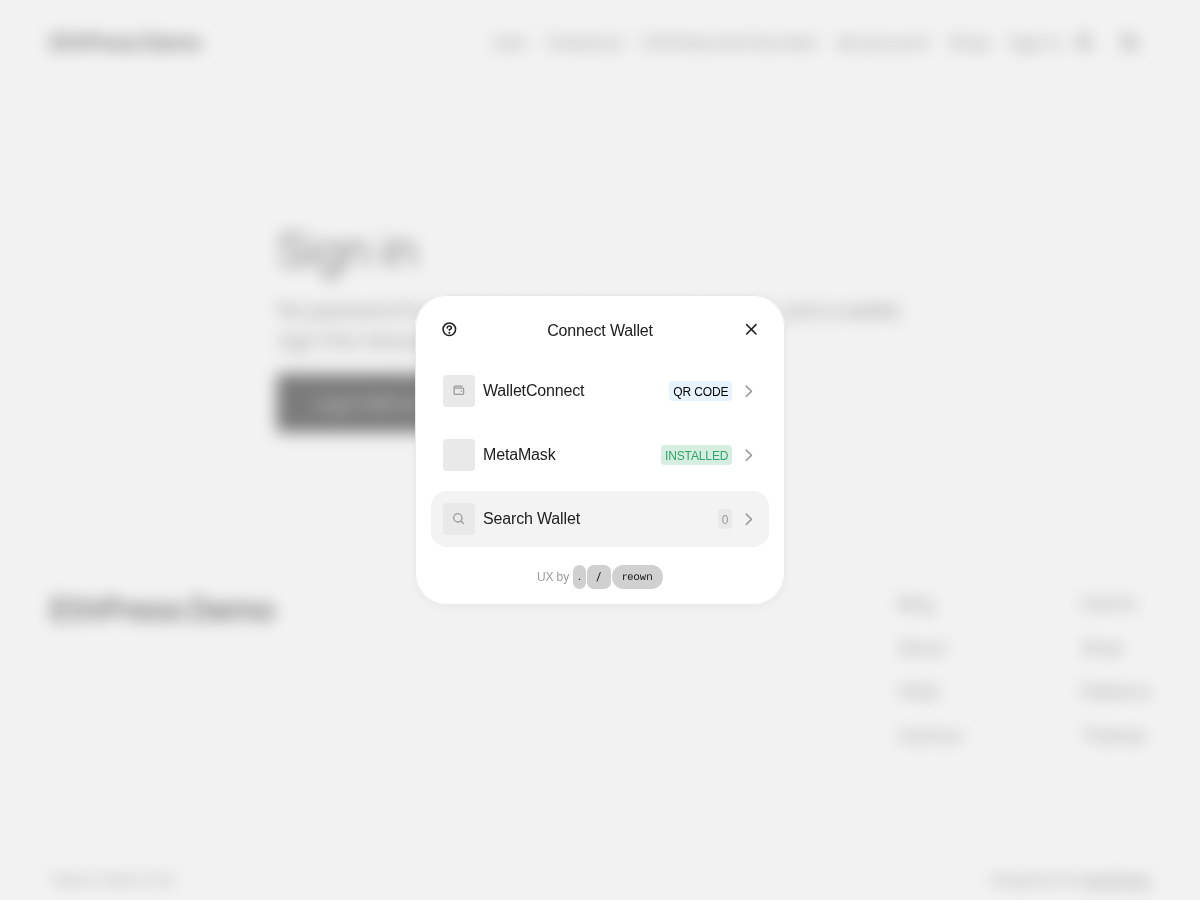


The EthPress Web3 Login WordPress Plugin adds a capability to connect with cryptocurrency wallets such as MetaMask for Ethereum, Binance Smart Chain (BSC), Polygon (MATIC) or any other EVM-compatible blockchain, and wallets that support Reown QR code. Adds a button to WordPress login screen that will let users securely log in with their crypto wallet.
Add the capability to log in with cryptocurrency wallets such as MetaMask for Ethereum, and wallets that support Reown QR code. Adds a button to WordPress login screen that will let users securely log in with their crypto wallet.
In the background, a regular WordPress user account is created, so existing plugins and customizations will have no problem working along.
The EthPress NFT Access Add-On can be used to control access for WooCommerce products, simple pages and posts.
Supported Languages
The plugin is translated into the following languages:
- German (de_DE)
- Spanish (es_ES)
- French (fr_FR)
- Hindi (hi_IN)
- Italian (it_IT)
- Japanese (ja_JP)
- Portuguese (Brazil) (pt_BR)
- Portuguese (pt_PT)
- Russian (ru_RU)
- Chinese (Simplified) (zh_CN)
- Chinese (Traditional) (zh_TW)
Features
One bullet is one thing this plugin gives your site, and the gallery below has one frame for each, in the same order. These bullets need nothing but the free plugin; what the paid editions add is listed under PRO Features below.
- A wallet login button appears on the WordPress login screen as soon as the plugin is active.
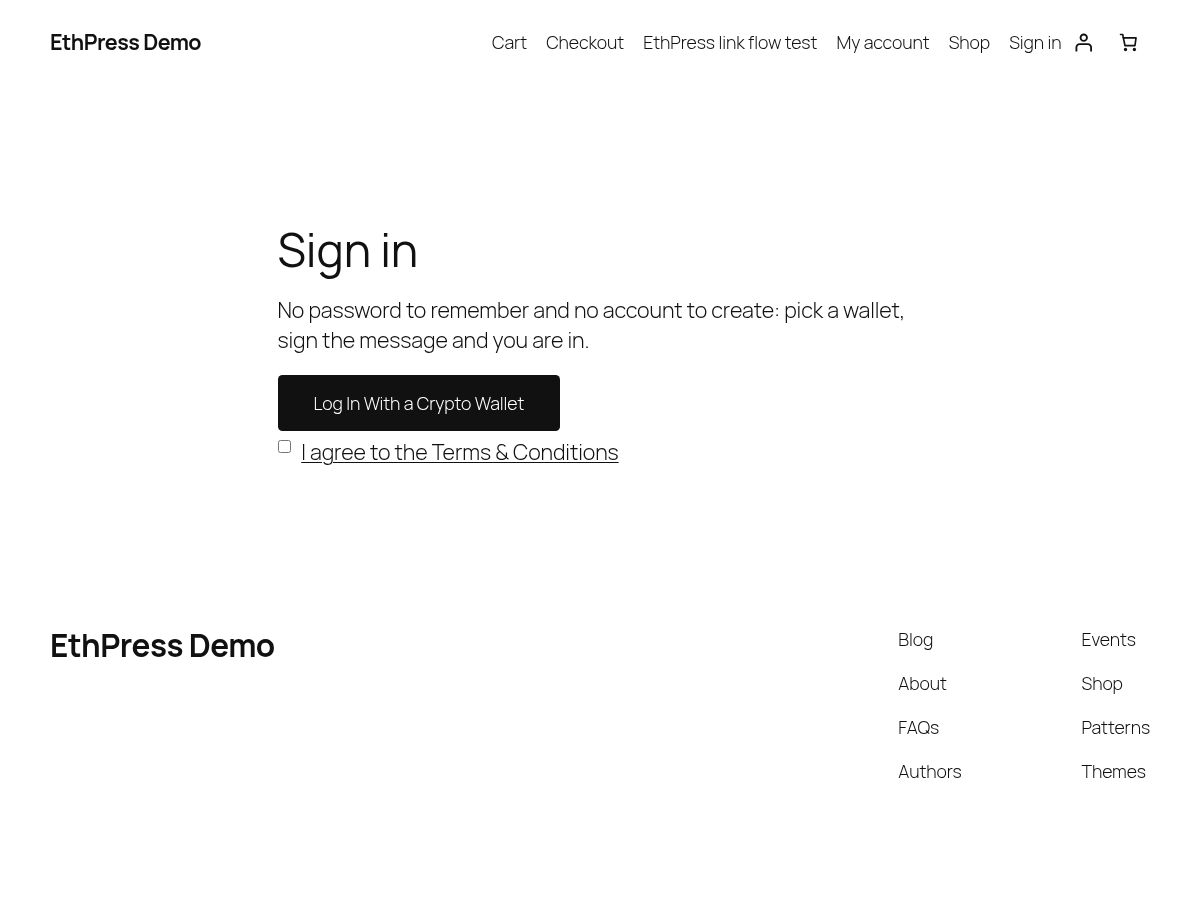
- The same button goes on any page with the
[ethpress_login_button]shortcode. - The button opens a wallet modal: the visitor picks a wallet, and the site never sees a password.
- A required “I agree to the Terms & Conditions” checkbox sits next to the button, and its text links to your own page.
- Your own
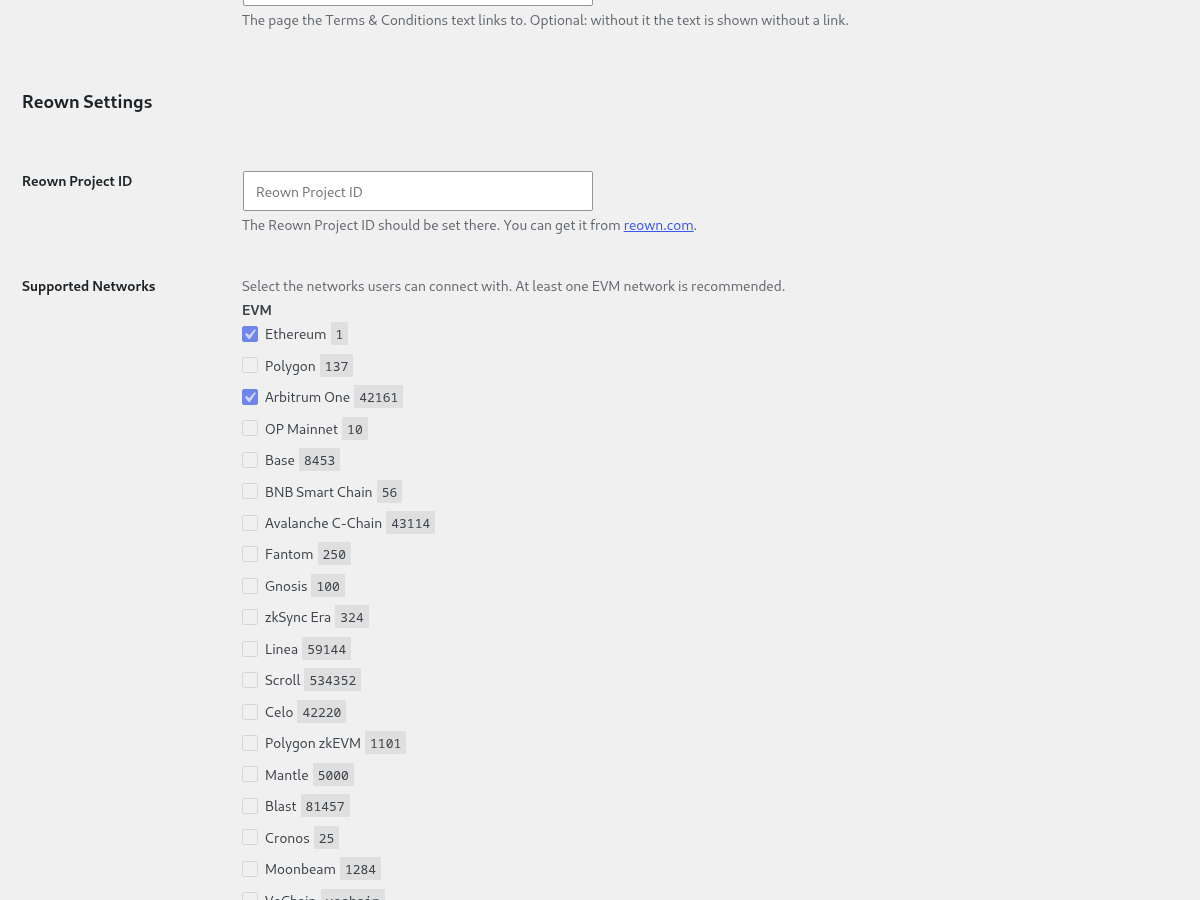
Reown Project ID(from dashboard.reown.com) and the networks the modal offers are set in one place,Reown Settings. - Every signature is verified on your own server with the
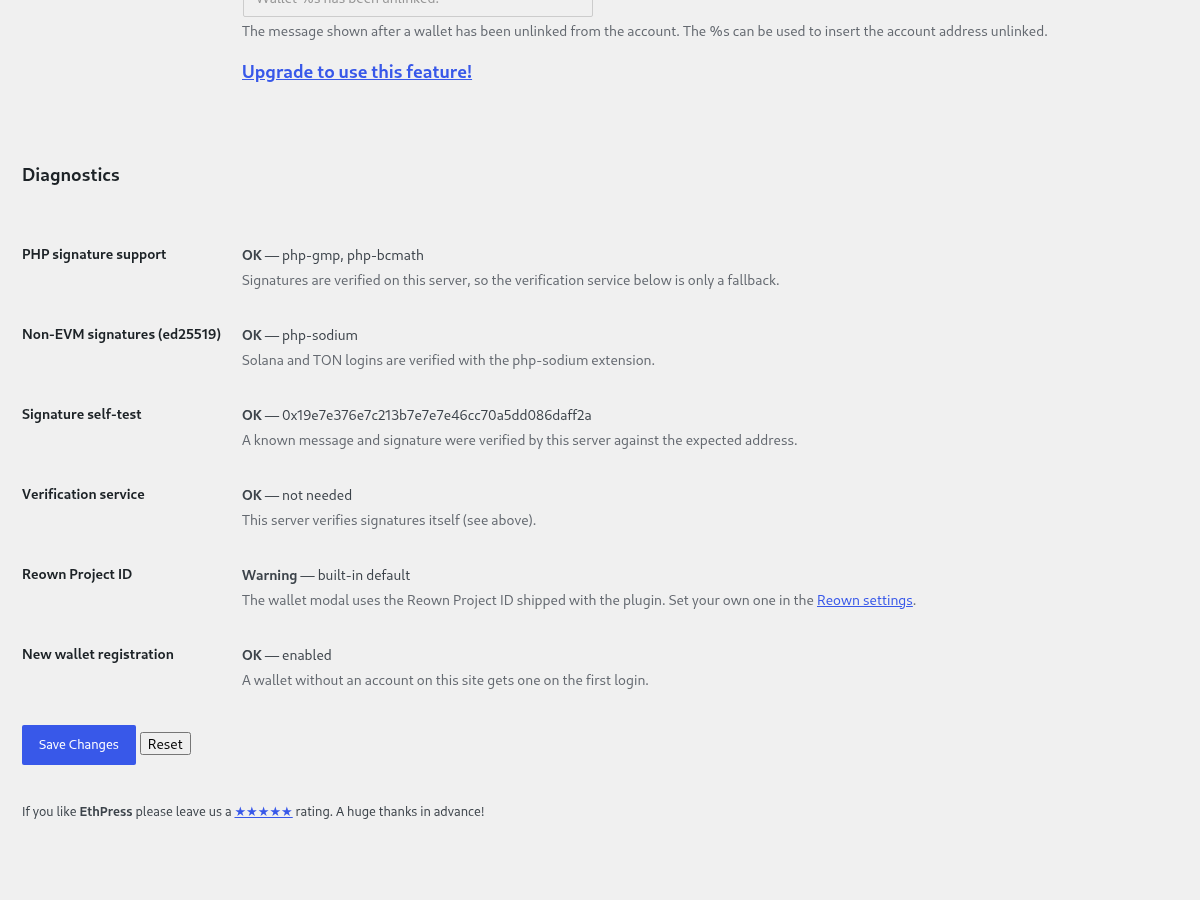
php-gmp/php-bcmathextensions, or by a verification service you can host yourself; theDiagnosticssection proves which path this site takes.
Settings and integrations without a frame
- The
Hide on the WordPress login pagesetting hides the wallet login and register buttons onwp-login.php, while buttons added with the shortcodes or the widget keep working. - A wallet without an account gets a message explaining why: the site does not accept registrations (the
Anyone can registersetting) and the visitor should contact the site administrator. The wording is filterable withethpress_registration_closed_messageandethpress_unregistered_message. - The EthPress widget puts the login in a sidebar or any widget area.
- A shortcode [ethpress_link_button] can be used to display the Link accounts button anywhere; the new address is written into all HTML elements with the
eth-address-fieldclass present. - When the
Diagnosticscheck finds that a wallet can no longer register, the section says so in a warning; frame 6 photographs the healthy state. - (NFT Access Add-On) A WordPress role is given to the wallets that hold your token and taken back when they no longer do, without touching the roles you assigned by hand: a rule can ask for any token of an ERC-721 collection or for a list of token ids, and several rules for one role add up.
- (NFT Access Add-On) A visitor without the token cannot add a protected product to the cart, while the product page itself stays readable to every visitor: the refusal is a redirect, so there is no refusal screen to photograph.
- (NFT Access Add-On) A page, a post, a product and a course are closed to non-holders by the same add-on: no single frame shows the four together, so the gallery shows one surface each.
- (NFT Access Add-On) The shop follows token transfers without waiting for the next login, and works alongside the plugins that already move tokens on your site.
- (NFT Access Add-On) Both ERC-721 and ERC-1155 collections are understood.
Also in the Professional edition, without a frame
- One account can carry several wallets: the visitor logs in with any of them, and unlinking removes only the wallet it was clicked for; frame 11 shows the listing with the one wallet that session was opened with.
- The same
Supported Networkslist offers the non-EVM chains – Solana, TRON, Bitcoin and TON – below the EVM rows frame 8 shows; that part of the list is not pictured. - A network is only offered when this installation can verify its signatures; that check has no screen of its own, so no frame proves it.
- The
EthPress Buttonfield can also be placed in Ultimate Member’s registration and profile forms with Ultimate Member’s own form builder; frame 15 photographs only the login form. - Managed Verification Service: the signatures are verified for you when the server has neither
php-gmpnorphp-bcmath. - The button labels are yours:
Login button label,Register button label,Link button labelandUnlink button label. - The message a wallet signs is yours:
The login signing messageandThe account link signing message. - The words shown after linking and unlinking are yours:
The account link success messageandThe account unlink message. - A
Link Walletcheckbox on WooCommerce’sAccount detailspage adds the link button there. - The
Redirect URLsetting chooses where a successful login lands;Disable standard redirectreturns the visitor to the page where the login started instead, and theRedirect to the profile after loginmode sends a new wallet user to the profile after the first login. - A shortcode [ethpress_unlink_button] can be used to display the Unlink wallet button anywhere. It removes the wallet association and disconnects the connected wallet; the account itself is kept, so signing in with the same wallet again links it back to that account instead of creating a second one.
- The [ethpress_account] short code can be used to display the address this session was opened with.
- TON has a button of its own next to the login button,
Log in with TON: the TonConnect SDK asks the wallet for aton_proof, because AppKit does not request one on connect, and the button appears only when TON is enabled and a TON wallet is installed. - The
noredirectandredirect_toattributes of the[ethpress_login_button]shortcode control the redirect per button, and thelabelattribute of the[ethpress_login_button],[ethpress_link_button]and[ethpress_unlink_button]shortcodes changes the button text of that one button.
PRO Features
Everything here needs a paid edition: the bullets marked (Professional) come with the EthPress PRO version, and the ones marked (NFT Access Add-On) come with the separate EthPress NFT Access Add-On.
- (Professional) One wallet modal reaches every chain – the EVM networks, Solana, TRON, Bitcoin and TON – and all of them open the same WordPress account.
- (Professional) Choose the networks you offer: the EVM chains and testnets, all in one
Supported Networkslist. - (Professional) Make the modal look like your site: its appearance can follow your theme, the wallet list can come from this plugin instead of the Reown catalogue, and
Custom CSSstyles the rest. - (Professional) Decide what follows a login:
Remember mekeeps the visitor signed in across browser restarts,Profile completionasks for an email and a name, and the redirect target is yours. - (Professional) An account’s wallets are listed in one place: the
[ethpress_wallets]shortcode shows the wallet this session was opened with. - (Professional) Collect a real email and name before the account exists: the profile form is shown inline, next to the login button.
- (Professional) Email and social login sit in the same wallet modal, and the embedded wallet is verified by the Professional edition (ERC-1271/ERC-6492).
- (Professional) The wallet button appears on WooCommerce’s own login and register forms of the
My Accountpage. - (Professional) The wallet button appears inside Ultimate Member’s login form.
- (NFT Access Add-On) Say where the add-on reads the chain from – an Infura key or the address of your own node – and which collection and token the whole site requires.
- (NFT Access Add-On) Ask visitors to hold an NFT before they can log in to your site, and send everyone else to the page that explains how to get one.
- (NFT Access Add-On) Write the words a course shows a visitor who does not hold the token: LearnPress and Tutor each have their own message, and both are yours to change.
- (NFT Access Add-On) Protect a WooCommerce product with a token or collection of its own, named in the product editor next to the product itself.
- (NFT Access Add-On) Protect a page the same way, from its own editor: no shortcode and no separate screen.
- (NFT Access Add-On) Drop one product’s buy button anywhere with the
[ethpress_nft_access_addon_nft]shortcode, with the visitor’s ownership shown next to it. - (NFT Access Add-On) A visitor who lacks the token is told how to get it, right next to the buy button of the course.
- (NFT Access Add-On) The token holder sees the protected page open; everybody else is sent to the page that explains how to get the token.
- (NFT Access Add-On) The same wallet opens a protected post, without an account.
- (NFT Access Add-On) A paid course shows “NFT Access Granted” in place of the price for the holder.
- (NFT Access Add-On) The course list marks the course the holder’s wallet already opens, and leaves the other one alone.
The EthPress PRO version is required for the bullets marked (Professional). Free 7 days Trial is available!
The NFT Token based access control for the WooCommerce products, simple pages and posts can be done with the EthPress NFT Access Add-On. Free 7 days Trial is available!
Integrations
- Ultimate Member (Professional). EthPress adds a field of its own to Ultimate Member’s field registry –
EthPress Button, a “Blockchain Address” field type saved as theeth_blockchain_addressuser meta – so it can be placed in any Ultimate Member form: login, registration or profile, in the form builder. Everywhere it is placed, the field renders the wallet address of the current user as a read-only input next to the wallet button. A visitor who is not signed in sees the button and an empty address; a signed-in wallet user sees the address of the wallet this session was opened with, and on the profile form the same field lets them link another wallet to the account. The field has two settings of its own in Ultimate Member’s field editor,Show EthPress button?and the button label, so a form can carry the address without the button or with a button text of its own. The integration belongs to the Professional build: in the Free version Ultimate Member keeps working as usual, theEthPress Buttonfield is simply not in its field list - WooCommerce (Professional). The wallet button is placed on three WooCommerce screens – the
My Accountlogin form, the register form (only when the site allows registration), and the “create an account” block at checkout – and the link button on a fourth,Account details, where a signed-in customer links another wallet to the account. Each of the four is a separate checkbox underWooCommerce Settingsin the plugin settings, and while a box is unticked, or WooCommerce is not active, the matching hooks are not registered at all, so a site that does not use the integration runs no extra code. The email address and the name the customer typed into WooCommerce are handed to the account a wallet login creates (ethpress_register_user_emailandethpress_register_user_name), so a wallet registration made at checkout keeps the billing details instead of falling back to the placeholder email derived from the wallet address
EthPress NFT Access Add-On Features
Check user NFT authentication control (non-fungible token, erc-721 and erc-1155) ownership.
The EthPress NFT Access Add-On is perfect for blocking users access to a Page, a Post and a WooCommerce Product page, if they don’t own a certain NFT token.
Free 7 days Trial is available
- Say where the add-on reads the chain from – a network from the list, or the address of your own node instead of a paid API key – and which collection and token the whole site requires.
- Ask visitors to hold an NFT before they can log in to your site, and send everyone else to the page that explains how to get one.
- Write the words a course shows a visitor who does not hold the token: LearnPress and Tutor each have their own message, and both are yours to change.
- Protect a WooCommerce product with a token or collection of its own, named in the product editor next to the product itself.
- Protect a page the same way, from its own editor: no shortcode and no separate screen.
- Drop one product’s buy button anywhere on a page with the
[ethpress_nft_access_addon_nft]shortcode, with the visitor’s ownership shown next to it. - Tell a visitor who lacks the token how to get it, right next to the buy button of the course.
- Let the token holder read the protected page, and send every other visitor to the page that explains how to get the token.
- Let the same wallet open a protected post with no WordPress account: the visitor signs a message, reads the post, and it closes again once the token is gone.
- Show “NFT Access Granted” in place of the price of a paid course, for the holder.
- Mark the course the holder’s wallet already opens in the course list, and leave the other courses alone.
- Give a WordPress role to the wallets that hold your token and take it back when they no longer do: a searchable, sortable table in the settings screen instead of PHP, a row for any token of an ERC-721 collection or for a list of token ids, several rows for one role adding up, and the roles you assigned by hand untouched.
Integrations
- LearnPress LMS courses access can be granted with NFT token
- Tutor LMS courses access can be granted with NFT token
- Ethereum Wallet plugin generated accounts are also tested
-
The
ethpress_nft_access_get_user_accountsfilter can be used to add wallets for testing:add_filter('ethpress_nft_access_get_user_accounts', function($accounts) { $more_accounts = get_more_accounts(); return array_merge($accounts, $more_accounts); });
Disclaimer
By using this free plugin you accept all responsibility for handling the account balances for all your users.
Under no circumstances is ethereumico.io or any of its affiliates responsible for any damages incurred by the use of this plugin.
Every effort has been made to harden the security of this plugin, but its safe operation depends on your site being secure overall. You, the site administrator, must take all necessary precautions to secure your WordPress installation before you connect it to any live wallets.
You are strongly advised to …